

Solar estimating software helps an installer turn equipment requirements, installation labor, site conditions, and overhead into a priced scope and selling price. This comparison covers eight contractor platforms for solar business owners, estimators, and operations managers. We looked at how they price approved work, present alternatives, and carry accepted quantities into installation.

Quick verdict
FieldPulse is our first choice for growing installation teams that revise equipment and labor costs on mobile. Jobber suits straightforward residential estimates. BuildOps fits commercial projects where a revised bid affects purchasing and job costs. ServiceTitan suits larger operations that need central pricing controls.
What a solar panel installation estimate should include
An estimate calculates expected costs and a proposed selling price. A solar quote states the offered scope and terms, while a proposal explains the recommendation. Our field service estimating guide and quoting comparison examine those separate jobs.
For solar work, look for reusable equipment items, installation labor, subcontract costs, allowances, and margin visibility. Each estimate should identify the PV system configuration being priced. A battery option needs to include commissioning and electrical work as well as hardware.
Keep the customer, site, design revision, and person responsible for unresolved assumptions with the estimate. Our field service CRM guide covers that customer context. A pricebook saves time only when someone maintains its equipment prices and labor assumptions.
How we assessed solar estimating workflows
Testing at a glance
Products: FieldPulse, Jobber, ServiceTitan, BuildOps, Housecall Pro, QuoteIQ, FieldEdge, and Service Fusion.
Evidence: Existing trial and paid accounts for seven platforms, with features checked against official documentation. Service Fusion was assessed through documentation.
When: October 2026 account observations; November 2026 documentation review.
Devices: Desktop and iPhone.
Workflows: Build equipment and labor items, record allowances, change an equipment cost, compare complete configurations, review the customer copy, and carry accepted quantities into installation work.
Plans and limits: Tested tiers were not uniformly recorded. FieldPulse Pricebook and Dynamic Proposals required Sales Suite. Other presentation, pricing, and project controls varied by module, tier, and permission.
For this solar software comparison, we applied the existing account observations to the pricing and installation needs of a solar business. We compared internal cost controls with the customer copy, mobile editing, and the handoff from approved design outputs to work records. Our editorial methodology explains how account observations and documentation inform the reviews.
Solar estimating software compared
The table compares each platform’s estimating workflow; not every feature is included in every subscription. Price the seats, modules, implementation, and ongoing work needed to maintain your catalog and templates.
Platform | Strongest fit | Estimating advantage | Main buying check | Pricing basis |
|---|---|---|---|---|
FieldPulse | Growing residential and light commercial installers | Costed items, groups, bundles, and complete options | Sales Suite entitlement and template ownership | Custom quote by user. Confirm required add-ons. |
Jobber | Small teams with uncomplicated scopes | Clear products, services, expenses, and markup | Cost controls, permissions, and office/mobile differences | Subscription by plan, user count, and billing term. |
ServiceTitan | Large service-led installation companies | Governed pricebooks and estimate templates | Configuration, implementation, and field roles | Custom quote. Include setup and applicable modules. |
BuildOps | Commercial contractors | Pricebook pricing and quote-to-project continuity | Project, financial, and sales package scope | Custom commercial quote. Confirm included modules. |
Housecall Pro | Repeatable residential installations | Saved templates and several estimate options | Cost/profit access and Sales Proposal packaging | Tiered subscription. Check the trade package and add-ons. |
QuoteIQ | Small teams wanting broad estimate types | Standard, Quick, Options, and Package estimates | Field reliability and maintained supplier prices | Company subscription with plan-based features and user limits. |
FieldEdge | Existing multi-trade service fleets | Familiar pricebook and service records | Multi-option tier and Proposal Pro requirements | Custom quote. Confirm seats and implementation. |
Service Fusion | Crews seeking a shared company subscription | Priced alternatives and job conversion | Maintain equipment and labor entries | Company subscription with plan-dependent features. |
Which platform should you shortlist?
FieldPulse is our top pick for a growing residential or light commercial installer that already has an approved design. It combines flexible item pricing, complete options, and connected materials and job records. Its paid Sales Suite adds Pricebook and Dynamic Proposals.
For commercial projects, start with BuildOps when purchasing and delivery need to stay connected to the estimate. ServiceTitan suits larger service and installation organizations that can maintain shared pricing and permissions. Both involve more setup than a small team usually needs.
Jobber is an approachable choice for straightforward offers, and Housecall Pro suits repeatable residential packages. QuoteIQ has broad estimate types, though earlier mobile reliability problems affect its appeal for site work. FieldEdge makes the clearest case for an existing service company. Service Fusion offers estimate alternatives and a shared company subscription model.
Solar software: PV design tools and energy production
Solar software covers several different jobs. PV design software establishes the PV layout, system configuration, and modeled energy production. Contractor estimating software builds the price from those approved inputs. The contractor platforms compared here price the approved equipment and installation work. Remote roof modeling, shading analysis, and performance calculations belong to the design workflow; a contractor estimate can reference those outputs.
Aurora Solar’s Aurora AI documentation describes roof-face and obstruction detection using HD satellite imagery and lidar. Manual drawing is needed when the required imagery is unavailable. Review the model against current site conditions, including trees and other shading obstructions, before using its equipment schedule to build the estimate.
OpenSolar’s financial savings calculations depend on usage, tariffs, system design, and simulation assumptions. Its modeled metrics include estimated payback, discounted payback, and net present value. Keep the source and revision of any energy yield, ROI, or savings figure beside the priced scope.
The System Advisor Model is free software for separate performance and financial analysis. Use the contractor platform for customer records and installation scheduling. System Advisor Model still needs checked inputs and technical review. Keep the approved model and its results identifiable when they support a customer offer.
For solar professionals, the useful connection is a traceable equipment schedule. The initial design identifies the roof layout and proposed photovoltaic system. Technical design review confirms which version the estimator should price. If the design changes, the equipment quantities and energy production figures used in the offer need review too.
Battery storage is a good example. Its hardware price is only part of the alternative; commissioning and electrical work also affect the estimate. Have the reviewer confirm whether the changed configuration affects modeled energy production or system performance. Keep that decision with the option so the office can explain what changed.
For solar projects, energy yield and projected savings should stay connected to the model inputs. The contractor’s solar software can hold the priced scope and supporting files, while the design tool holds the calculation. Ask both teams to use the same project and revision identifiers. That makes it easier to find the energy production result behind an offer later.
Estimating and project management compared
The table describes the estimating workflow supported by each platform; not every feature is included in every subscription.
Platform | Build the priced scope | Present alternatives | Installation handoff | Important limit |
|---|---|---|---|---|
FieldPulse | Items, quantities, purchase prices, bundles, and groups | Complete options plus add-ons | Connected jobs and material records | Paid pricebook is separate from basic items |
Jobber | Product/service expenses and markup | Optional line items | Selected items convert to job | Full-system alternatives need care |
ServiceTitan | Configured pricebooks and templates | Multiple estimate options | Sold work enters booking workflow | Permissions and setup affect access |
BuildOps | Labor/material pricebook | Quote versions | Quotes become jobs or projects | Commercial operating complexity |
Housecall Pro | Saved items and templates | Multiple estimate options | Accepted estimate workflow | Test cost editing on each device |
QuoteIQ | Saved pricing and several estimate types | Options and Package estimates | Accepted record supports next work | Earlier mobile delays and offline errors |
FieldEdge | Service pricebook | Tier-dependent multi-option quoting | Existing work-order context | HVAC-oriented proposal tools |
Service Fusion | Estimate line items | Several separately priced options | Approved option converts to job | Check option conversion and files |
FieldPulse: Best overall for growing installation teams
FieldPulse is a good fit when your estimates need detailed internal costs and a clear installed-system price for the customer. Its estimate creation guide documents quantities, item costs, groups, bundles, attachments, and markup or margin controls. Those let an estimator build the price from an approved equipment schedule.
For a battery alternative, keep the hardware and associated site work together as a complete option. Attach the design revision so the crew can recognize the chosen configuration in the job and material records. Our project management comparison covers that later work.
Someone must maintain the items, labor assumptions, and templates. The Pricebook setup guide identifies the paid Sales Suite requirement and its labor, overhead, and markup inputs. FieldPulse’s user permissions control who can view and edit records. Check the field role and required sales tools when requesting a quote.
Jobber: Best for straightforward residential estimates
Jobber is easier to shortlist when you want a clear list of equipment and work with less setup. Its quote markup controls separate internal cost from the customer price and show estimated margin on eligible plans. In our account review, cost entry and markup were office tasks on desktop.
Entering a markup percentage updates the line price, but the estimator still needs to check purchase costs and quantities. Jobber’s linked quote templates pick up changes to linked product and service entries. Templates are prepared on the web and can be used in the app.
Keep a complete solar system together when presenting choices. A customer selecting unrelated optional equipment lines could leave out work the installation needs. Jobber works best here when the scope is straightforward and the office owns pricing. If you need deeper equipment records or materials control, compare the wider operation in our asset management guide.
ServiceTitan: Best for shared pricing across larger teams
ServiceTitan makes more sense when several branches or departments need shared pricing and controlled access. Its estimate sales workflow connects templates, priced options, customer response, and sold-work booking.
A solar installer can use those controls to keep approved equipment and installation work consistent across estimators. The business still needs someone to maintain permissions, templates, data, and reporting. That ongoing work is part of the purchase.
A small team sending simple prices may find the setup too much. Use our HVAC estimating comparison for the original service-led context, then ask ServiceTitan to demonstrate your solar scope with the proposed package.
BuildOps: Best for commercial estimates that become projects
BuildOps is the stronger candidate when an accepted estimate starts a longer commercial project. Its quote-to-contract workflow documents labor and material pricebooks, quote versions, internal approvals, and conversion to jobs or projects.
That is useful when purchasing and delivery need to follow the agreed scope. An equipment substitution or access constraint can change expected costs and the work plan. Keeping those changes in the same operating system gives the office a clearer record to work from.
BuildOps is a heavier purchase for a small residential installer. It makes more sense if you will use the project and financial tools after the sale. Our electrical software library covers the surrounding trade workflow. Include the project and financial configuration in the quote.
Housecall Pro: Best for repeatable residential packages
Housecall Pro suits an installer who repeats a limited set of well-maintained offers. Its estimate template guide documents reusable options; the workflow can reduce repeated entry when the base scope is already well defined.
Templates still need a project check. Roof access, electrical upgrades, and the selected storage configuration can change what a standard package requires. In our review, important profitability tools differed between desktop and mobile. Have the estimator change a supplier price and inspect the customer copy on both devices.
Confirm the subscription’s pricing tools and any Sales Proposal access. Our HVAC proposal comparison explains why presenting attractive options is a separate assessment from the quality of the underlying estimate.
QuoteIQ: Broad estimate types with reliability drawbacks
QuoteIQ’s estimate formats include Standard, Quick, Options, and Package estimates alongside its proposal tools. Those formats can support a short installation price or a complete alternative with storage. Keep the engineering-approved configuration behind each option.
Its AI terms describe AI estimate output as recommendations that require user review. A photo-generated price should therefore be checked against quantities, supplier prices, and installation assumptions. Use a validated energy model for production assumptions.
Earlier desktop and iPhone testing found slow routine loading and offline errors. Field estimators needed a dependable saved record before leaving the property. Confirm current behavior in a trial and compare the configured plan, user allowance, and credit use. For following an accepted offer, see our field service sales guide.
FieldEdge: Most relevant to an existing service fleet
FieldEdge offers familiar pricebook, quoting, and work-order handling for an established multi-trade company. Its plan comparison distinguishes single-option from multi-option quotes and identifies Proposal Pro packaging. That is a better basis for checking access than assuming every account has the same tools.
Its proposal tools focus on service and HVAC replacement work, so a solar installer needs to supply and maintain its own equipment and labor entries. Ask how your own panels, inverters, labor assumptions, and approved design documents would be added and revised.
An existing user may value continuity more than a new presentation interface. A new solar-focused buyer has a less obvious reason to choose it. Demonstrate the accounting handoff too; our QuickBooks integration comparison explains the questions to ask.
Service Fusion: Estimate alternatives with company pricing
Service Fusion is worth a look when you are comparing a company subscription with seat-based pricing. Its estimate options guide describes separately priced alternatives and conversion of the approved choice to a job.
Our Service Fusion assessment used documentation. For a solar installation, build each alternative as a complete equipment and labor scope so the chosen option can carry into the job. Maintain the prices and supporting files for each version.
Bring a real estimate to the demo. Change a material cost, keep internal purchase amounts private, approve one option, and inspect the resulting job. Confirm the current subscription terms and required add-ons in writing.
How to check a solar estimate against the system design
Start with the approved design
Record the project identifier, design revision, system size, panel layout, equipment quantities, and included work before applying a template. Keep the equipment schedule and supporting files with the estimate. If a module, inverter, battery, roof layout, or shading assumption changes, ask the design reviewer which quantities and model outputs need revision.
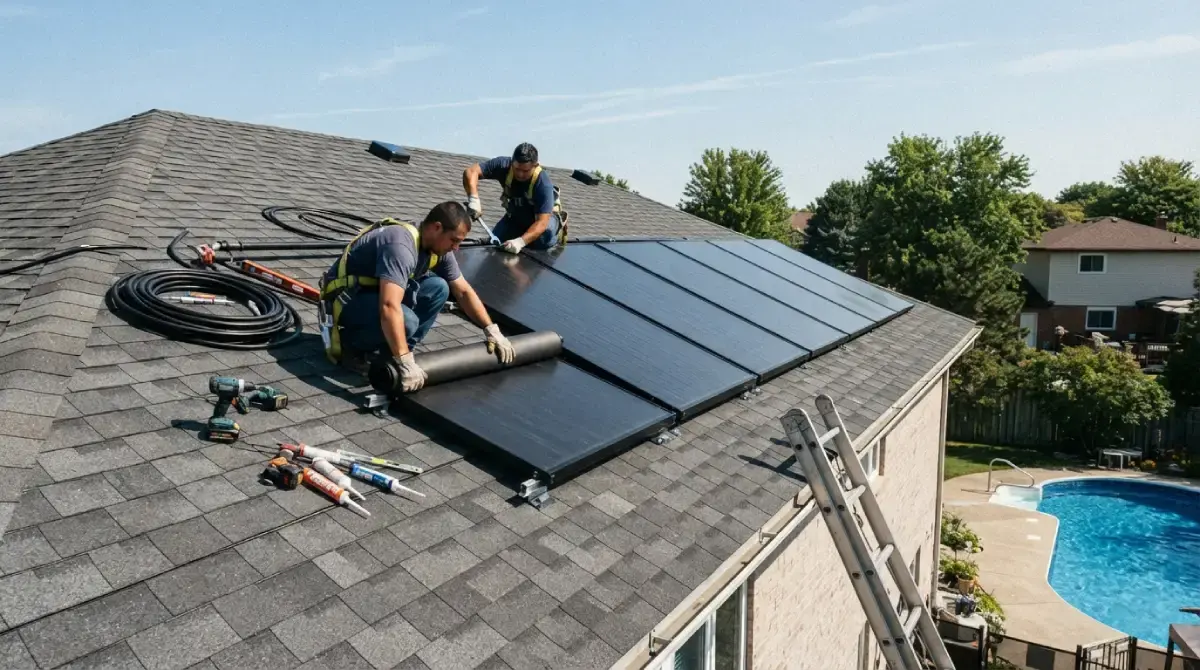
Assign someone to resolve open design assumptions. The estimator should be able to find the approved PV layout and the energy production analysis behind the offer. An earlier screenshot can show a different system from the one now being priced.
Price the installation work
Separate equipment costs, labor, subcontract work, allowances, and exclusions. Roof access can affect labor, while electrical upgrades and commissioning can change what a battery package requires. Give unresolved conditions an owner and a stated assumption instead of hiding them inside equipment prices.
Keep any modeled energy output, payback, or savings figure linked to its source and inputs. Forecast performance and later observed performance are different records. A selling price does not validate the design model or guarantee energy savings.
The field service proposal guide covers explaining the scope and assumptions to the customer.
Revise and approve one complete option
Have office and field users work through the same example. Create a base estimate and a complete alternative, change a purchase cost, inspect the revised customer price, and approve one option. Check who can see internal costs and whether the current design files are available on the phone.
For project management, find the accepted equipment, quantities, files, and terms in the installation record. Compare purchasing and actual labor with that accepted baseline, and record approved changes separately. Our invoicing comparison covers the later handoff to the bill.
Check the collaboration tools with the actual people who will use them. Can the field team open the current design files? Who owns an unresolved allowance? If a customer portal is part of the solar software package, have the vendor show which version the customer sees and what happens after approval. Review permissions as well as presentation.
Price the whole workflow
Budget for the design tool, any paid engineering work, the contractor subscription, implementation, and staff time to maintain items and templates. A free license or trial covers only the features included in that access. Use the demo to check the tasks your staff will perform before comparing subscription totals. Have staff reuse a solar software template for different solar systems and check that quantities and design revisions stay with each estimate.
Frequently Asked Questions
What is solar estimating software?
Solar estimating software builds the cost and proposed selling price of solar work from equipment, labor, and other project inputs. Contractor software records the priced scope, while solar design software supplies the technical configuration and modeled performance.
Which platform is best for a growing residential installer?
FieldPulse is our top pick in this comparison for a growing residential installer that needs flexible pricing, complete options, and connected installation records. Its native item handling and linked work records support the operating workflow; the paid Sales Suite adds Pricebook and Dynamic Proposals.
Does an estimating platform replace solar design software?
A contractor estimating platform does not replace solar design software unless it includes the required PV design engine. Pricing an approved configuration is a separate task. Aurora Solar’s design workflow models equipment configurations before presenting them to the customer. Keep the checked layout, shading model, and technical approval connected to the priced scope.
Change the solar panel count in the design and trace it into mounting hardware, labor, and the final price. Confirm which quantities transfer and which the estimator must re-enter.
Can the same software compare a battery alternative?
Solar estimating software can compare a battery alternative as a complete priced option, including its equipment and associated work. FieldPulse’s estimate options keep separate line items and a total for each choice. Each option should identify its approved system design and installation scope. An optional battery line alone may leave out necessary work.
Is markup the same as margin?
Markup and margin are different: markup compares the amount added with the underlying cost, while margin compares profit with the selling price. Jobber’s markup calculation distinguishes the two. Check which control the software uses and whether overhead is already included in the cost assumption.
Can estimators revise costs from an iPhone?
Estimators can revise item costs from an iPhone in FieldPulse, whose mobile item editor includes unit cost and unit price. Its mobile item editing guide documents changing an existing item’s details through barcode lookup and the full item form. Permissions control access. Earlier testing found different office and mobile controls in Jobber and Housecall Pro.
Should a solar estimate include production figures?
A solar estimate should include or reference approved production figures when they help explain the proposed system and its energy assumptions. Use the approved production analysis and identify its source, including the system and shading assumptions. The estimating document should distinguish an attached technical result from a calculation performed by the contractor platform.
What belongs in a reusable solar estimate?
A reusable solar estimate should include the standard scope, equipment structure, labor assumptions, exclusions, payment wording, and required supporting files. Leave project-dependent inputs visible for review instead of silently carrying values from the previous job.
Can inventory quantities be trusted from the pricebook?
Inventory quantities cannot be confirmed from a pricebook alone. Use current stock records to check equipment availability. FieldPulse’s inventory item records distinguish tracked products by quantity and location from untracked catalog entries. Compare the approved equipment schedule with warehouse, vehicle, and allocated stock before promising an installation date.
What happens after the customer accepts?
Customer acceptance records the selected scope and options, after which the approved work moves into the required job or billing record. In Jobber, quote-to-job conversion carries the selected items into the job; FieldPulse records the chosen option on the accepted estimate and provides a separate invoice-conversion action. Keep the equipment, files, quantities, and relevant terms attached to the installation work.
How much does solar estimating software cost?
Solar estimating software has published entry plans such as QuoteIQ Essentials at $29.99 per month for one user, while FieldPulse and BuildOps use custom quotes. QuoteIQ’s Essentials pricing includes estimate creation; FieldPulse pricing is seat-based, and BuildOps pricing depends on field and office users and the selected package. The configured total also depends on sales modules, project tools, accounting connections, implementation, and staff time for maintaining pricing and templates.
How should a solar installer test estimating software?
A solar installer should test estimating software with an approved layout, equipment schedule, production model, and design revision. Bring those outputs, labor assumptions, and one alternative configuration into the estimating workflow. Have staff change an equipment cost, explain the revised price, approve the correct option, and find the resulting installation record.

Olivia Evans
Olivia has more than 10 years of experience researching field-service software for HVAC and other service businesses and improving their marketing and operations. She conducts hands-on workflow tests, documents findings with screenshots and notes, and checks product claims against official vendor documentation.
Author profile →How we test →