

HVAC estimating software helps contractors calculate labor, materials, and unit purchase amounts, apply markups, and turn those inputs into an estimated job total. This guide is for residential HVAC business owners and managers comparing software for diagnostic calls, repairs, and system replacements. Choosing the right HVAC estimating software helps your team build repair and replacement estimates faster, reduce manual entry and calculation errors, and protect profit margins before work begins. The useful test is whether a technician can build and revise a job total at the property without rebuilding the calculation or waiting for administrative staff to finish it.
Accurate estimates begin with the scope: the HVAC equipment being installed, labor hours, material costs, and any ductwork changes. Whether quantities come from a site visit or a takeoff, the software needs an accurate starting point. Most contractors choosing between these products are also choosing how estimators and technicians will share that information across the business.
Quick Verdict
FieldPulse — best overall for growing residential HVAC businesses. Mobile expense entry, markup and target-margin tools, formula-based quantities, reusable bundles, and flexible document organization give it the strongest balance of estimating depth and field control.
Housecall Pro — best for straightforward residential estimates. Its cleaner builder, quick customer lookup, one-off items, and checklists make routine work easy to price, although important cost controls remain stronger on desktop.
Jobber — best for simple mobile estimating. Its speed on iPhone suits solo operators and small teams with a short list of repair tasks. Desktop quote markups add useful calculation control, but its calculations and document structure are less flexible than FieldPulse’s.
ServiceTitan — best for large teams that need enforced rate rules. Centralized rate management and configurable margin controls help branches and departments follow the same process, with substantial implementation and administrative expense.
QuoteIQ — broad mobile estimating with reliability tradeoffs. It supports itemized estimates, unit cost, markups, saved rates, and mobile AI, but loading delays, offline errors, and limited HVAC-specific operations weakened the overall experience.
BuildOps — best for contractors whose work extends into complex commercial projects. Labor and material rates, plus HVAC equipment prices, connect to quote revisions and project operations. That depth is harder to justify for a primarily residential repair business.
FieldEdge — not my first recommendation for flexible estimating. Its managed repair database is useful, but its customization, setup requirements, and reported subscription make the other platforms clearer choices for most new buyers.
HVAC Estimating Software Compared
All subscription figures are in US dollars. Published subscriptions and the subscription figures gathered during this review are identified separately; user allowances and implementation fees differ.
| Platform | Best fit | Estimating strengths | Main drawbacks | Pricing basis |
|---|---|---|---|---|
| FieldPulse | Growing residential teams with varied jobs | Mobile expense entry; markup and target-margin tools; quantity formulas; bundles and material lists | Denser interface; full profitability analysis is desktop-only | Reviewed subscription: about $99/user/month; Sales Suite and other modules extra |
| Housecall Pro | Small residential shops with repeatable work | Fast setup; one-off items; checklists; desktop expected-profit visibility | Mobile estimate expense-entry limitations; less flexible organization | Reviewed HVAC signup: $79/month starting subscription; plans and add-ons change the total |
| Jobber | Solo operators and small teams | Fast mobile flow; reusable items; desktop quote unit cost, markups, and estimated margin | Desktop/mobile calculation gap; fewer advanced estimating tools | Grow for one user: $149/month billed annually or $199 monthly, before promotions |
| ServiceTitan | Large, high-volume or multi-branch teams | Central rate rules; estimate templates; configured mobile margin checks | Higher subscription, implementation effort, and administration | Reported subscription: $250–$500/technician/month; implementation extra |
| QuoteIQ | Small teams prioritizing mobile features | Itemized estimates; cost and markup entry; saved rates; mobile AI | Loading delays and offline errors; no supplier catalog integration | Pro: $149.99/month for four users; Elite: $299/month for 10 |
| BuildOps | Mixed service and complex commercial work | Reusable item catalog; margin-aware line items; editable quote versions | Commercial complexity; no managed HVAC repair database | Custom quote; review subscription around $299+/user/month |
| FieldEdge | Teams prioritizing managed repair content | Managed HVAC repair rates; desktop-to-field connection | Less customization for the subscription; onboarding expense | Reported $100–$125/user/month plus $500–$2,000 setup |
How We Tested
Testing at a glance
- Review period
- September and October 2026
- Devices
- Desktop and iPhone
- Evidence
- Trial and paid accounts, with product capabilities checked against official documentation.
- Focus
- Building and revising estimates, calculating selling prices, documenting unknown costs, and comparing iPhone controls with desktop workflows.
- Scope / limits
- Dedicated takeoff, Manual J load calculations, and duct design are separate tasks.
During September and October 2026, the Tools in the Wild editorial team evaluated BuildOps, FieldEdge, FieldPulse, Housecall Pro, Jobber, QuoteIQ, and ServiceTitan through trial and paid accounts. We used desktop and iPhone workflows, checked product capabilities against official documentation, and considered the needs of HVAC businesses ranging from solo operators to companies with roughly 50 technicians.
I evaluated how the software supported the estimating process across five tasks:
- Building the estimate: Adding labor, materials, equipment, quantities, and reusable combinations of items.
- Calculating the selling price: Entering unit cost, applying markups or target margins, and understanding what the profitability calculation includes.
- Handling unknown expenses: Recording assumptions and exclusions while working toward one calculated total.
- Revising the estimate: Changing the selected unit, quantities, unit amounts, or scope without rebuilding the document.
- Working in the field: Comparing the controls available on iPhone with desktop, including saving and connection-dependent actions.
The comparison focuses on estimating inside full field service management software platforms. A takeoff supplies quantities; this review examines how the system turns those quantities and rates into an accurate job total. For an installation that later becomes a competitive bid, the calculation still starts with the same measured scope. Dedicated HVAC takeoff, Manual J load calculations, and duct design are separate tasks. Proposal presentation and flat-rate pricebook management receive separate coverage where they affect a different buying decision.
Read the full Tools in the Wild editorial methodology.
What Is HVAC Estimating Software?
HVAC estimating software helps contractors build a job total from expected labor, materials, units, and other job expenses. A useful estimate includes the work being priced, quantities, expense assumptions, markups, and exclusions, with enough flexibility to revise the total after a site visit or unit change.
An estimate calculates an expected cost and selling price. A quote specifies an offered price, scope, and terms. A bid packages an offer for competitive work against project requirements. A proposal explains the recommended solution and helps the customer evaluate it. HVAC flat-rate pricing software maintains standardized prices for defined repairs. Vendors often combine these labels; this comparison concentrates on the calculations and revisions behind one calculated total. Flat rate pricing supplies a saved service amount, while a custom bid may start from measured quantities and a takeoff. The takeoff and estimating steps feed each other, but the bid submission and branded proposals serve different customer-facing purposes.
For a residential replacement, that might mean selecting HVAC equipment, adding installation labor hours, including a pad, thermostat, fittings, and disposal, then adjusting the numbers when the existing installation needs additional work. A duct system extension may add purchased ductwork and connections to the same project. Its takeoff should identify quantities before the software applies labor rates and material costs. Accurate estimates then carry an accurate scope forward, whether the customer receives an ordinary quote or a formal bid. Reusable items, supplier figures, quantity calculations, and margin controls help make that process consistent. The finished document should explain the scope while keeping internal expense and profit information private.
HVAC Estimating Software Features Compared
Building the Calculation
| Capability | FieldPulse | Jobber | ServiceTitan | QuoteIQ | BuildOps | Housecall Pro | FieldEdge |
|---|---|---|---|---|---|---|---|
| Quick verdict | Strongest balance of calculation flexibility and field control | Fastest simple mobile experience | Deepest configured calculation controls | Broad mobile tools; reliability concerns | Strong commercial estimating context | Fast routine residential estimates | Managed repair content; weaker overall value |
| Reusable labor, material, or equipment items | Yes; detailed item repository | Yes; Products and Services catalog | Yes; centralized pricebook | Yes; saved services and imported rates | Yes; reusable labor/material/equipment catalog | Yes; structured Price Book | Yes; managed parts-and-repairs content |
| Managed HVAC flat-rate repair database | Paid pricebook capabilities | No; reusable catalog | Pricebook Pro add-on | No comparable managed HVAC database | No; reusable catalog | Native HVAC content and paid integrations | Strong; FieldEdge Flat Rate |
| Estimate cost and calculation controls | Item-level expenses; markup or target margin; desktop profit analysis | Unit cost, markups, and expected quote margin on eligible desktop plans | Configurable labor and material rates, HVAC equipment prices, and margin rules | Expense entry and markup calculation | Labor/material rates and margin-aware lines | Desktop unit cost and expected job profit | Repair amounts drawn from managed content |
| Supplier catalog access | Reece, Trane, and American Standard connections | Home Depot; other suppliers through Ply | Multiple supplier integrations | No | No supplier integration in the evaluated workflow | Reece and Home Depot connections | Ply and Mingledorff’s connections |
| Reusable item combinations | Strong; bundles and groupings | Reusable quote templates; no equivalent bundle controls in testing | Configured estimate templates and item groups | Saved templates and packages | Reusable catalog and multiple quote versions | Templates; separate service/material sections | Templates and predefined repairs |
| Mobile distinction | Expense entry, markup tools, and quantity formulas; full profit view on desktop | Fast quote creation; tested cost/markup controls were desktop-only | Field Mobile margin checks require administrator setup and permissions | Mobile estimating and AI; loading and offline errors in testing | Mobile labor/material entry connected to office review | Simple estimate flow; new-material expense entry limited in testing | Quoting depth and mobile licenses vary by plan |
A reusable catalog saves your own items and rates. A managed HVAC database supplies maintained repair content. Those are different capabilities: Jobber and BuildOps have reusable catalogs even though they lack the managed HVAC repair database discussed here. Supplier catalog access is another distinction; current unit purchase amounts and a standardized repair charge serve different purposes.
FieldPulse: Best Overall for Growing Residential HVAC Businesses
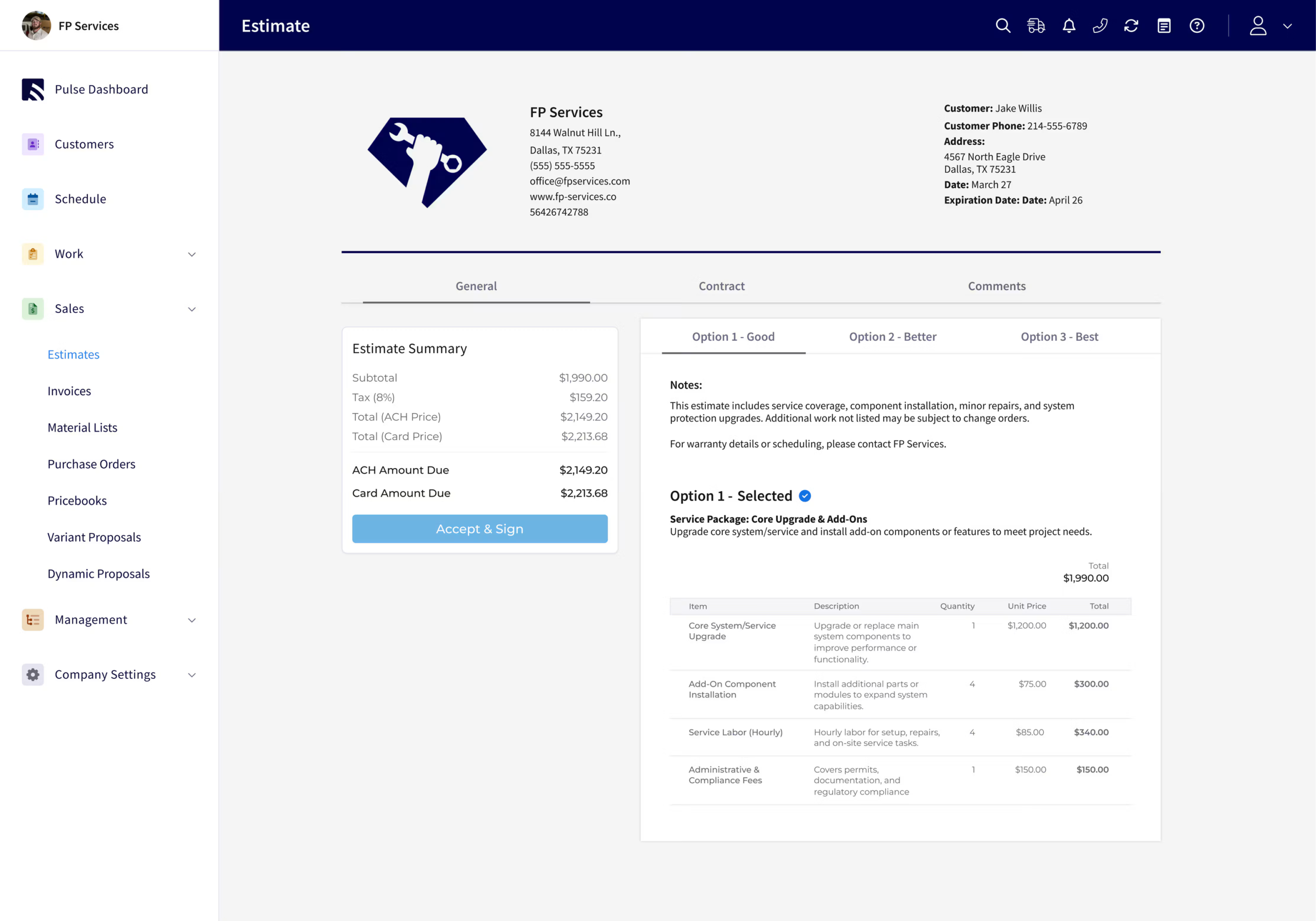
Verdict: FieldPulse is my pick for growing residential HVAC teams that need to calculate varied repairs, replacements, and custom work from the field. It offers more calculation and estimate-organization flexibility than HCP or Jobber without ServiceTitan’s implementation weight.
Its strongest advantage is the control available while building the calculation. A technician can enter the cost of a new material on mobile and use markup or target-margin tools to calculate the selling price. The complete profitability analysis remains desktop-only, so mobile calculation control and the full profitability report should be understood separately.
Main trade-off: The interface is denser, and someone needs to maintain the item structure, rate rules, and reusable content. Its flexibility takes more ownership than HCP’s guided setup.
HVAC Estimating Tools for Residential Replacements
- Enter a unit cost for new items and use markup or target-margin calculations on individual lines or the estimate.
- Use formula-based quantities to turn measurements into material quantities, including from mobile.
- Insert reusable bundles of labor, parts, and fees, then group items to control the customer-facing breakdown.
- Build estimates from material lists and purchase-order items instead of recreating the same material list manually.
- Use custom fields and descriptions to document the job’s assumptions and exclusions.
The Reece integration adds HVAC equipment prices and availability alongside saved price books. That is particularly useful when an installation’s actual equipment cost differs from an old saved item. FieldPulse also lets users update repository unit cost or charge while adding items to an estimate, helping reduce repeated maintenance work.
For HVAC replacements, reusable combinations can keep installation labor, a pad, thermostat, fittings, and disposal alongside the main equipment. Formula-based quantities are useful when measured materials vary between properties. These tools help account for the whole installation rather than treating the furnace or condenser as the entire job. Saved bundles can act as custom assemblies of related parts and labor. For measured ductwork, a takeoff can supply lengths and fitting counts; purchased ductwork still needs the contractor’s actual supplier amount. That distinction helps estimators use one tool for the calculation without mistaking it for a design system.
HCP was quicker for a short, ordinary estimate, while Jobber’s mobile screens were easier to navigate. FieldPulse earned its position when the work required more calculation, additional materials, or a structure that did not fit a standard service template.
Price and Value
The subscription quoted for this comparison was about $99 per user per month before discounts. Sales Suite, which includes pricebook capabilities and Dynamic Proposals, adds to the subscription. The reviewed Sales Suite/Custom Forms charge was $85–$100 per month beyond the base subscription, with the bundle affecting the charge.
Native inventory and contracts improve the value for teams that would otherwise buy separate tools. For an HVAC contractor preparing a replacement bid, the calculation inputs matter before the sales document does. Price books and supplier amounts establish the starting figures; a takeoff or field measurement supplies the quantities. Full sales-presentation features matter more in the proposal comparison; the case for FieldPulse rests on unit cost, quantities, calculation controls, and field usability.
Housecall Pro: Best for Straightforward Residential Estimates
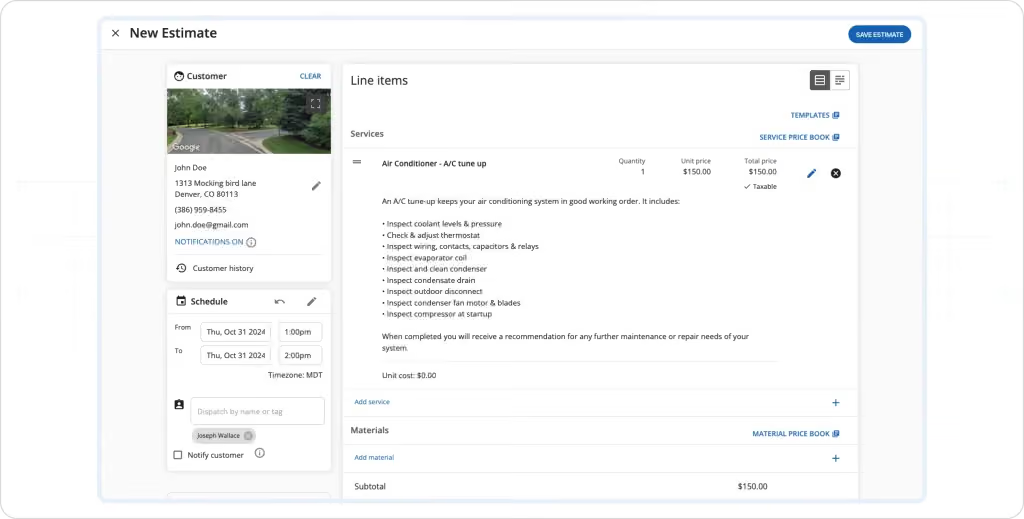
Verdict: HCP is a strong choice for smaller residential shops that want to build ordinary repair and replacement estimates quickly. Its cleaner layout and guided workflow make it easier to adopt than FieldPulse when extensive customization is unnecessary.
Customer lookup is a practical advantage. On desktop, searching by name, email, phone, or address helps staff identify the correct record and property. Users can add one-off service or material items without saving every item for future use, which reduces friction on unusual small jobs.
Main trade-off: The iPhone builder provides less calculation control than desktop. In testing, a new material could receive a customer charge on mobile without the same underlying expense-entry controls available on desktop.
User Friendly HVAC Estimating With Minimal Training
With Job Costing enabled, HCP supports unit cost and expected profit on estimates. Its desktop document view made that information easy to see while building the total. Its mobile job-costing summary is a separate screen from calculating expenses inside a new document.
Checklists can sit directly on an estimate, helping a technician record required checks before calculating the total. Assigned tasks also give support staff clear follow-up responsibilities, such as ordering a replacement part or arranging a return visit. That helps a small business track open estimates and the remaining steps on each project.
This fits routine HVAC work such as calculating the total for a replacement blower motor with labor and associated materials. A technician can document checks, record material costs on desktop, and leave dispatch an ordering task from the document. For a replacement with more site-specific installation work, the limits on mobile expense entry become more consequential.
The structure is less flexible than FieldPulse’s. Services and materials occupy separate sections, and moving an incorrectly entered item between them required recreating it during testing. FieldPulse gives users more control over bundles, groupings, and customer-facing detail. HCP’s speed is most useful on a service call with a defined repair and a short material list. Estimators can spend less time finding the customer and more time making the calculation accurate. When a replacement includes ductwork, quantities from a takeoff still need to be entered alongside the measured installation work.
Price and Value
Although there are no discernible differences in the product configuration, Housecall Pro adds an upcharge based on the industry chosen during signup. The initial subscription prices for handymen and electricians in our October 2026 signup comparison were $59 and $79 per month, respectively. For small enterprises, this entails increasing expenditures without a discernible improvement in features or functionality. The Essentials plan, which starts at $229 per month for 1–5 users, is necessary to access its flat-rate pricing tool. Larger plans and optional products increase the configured total.
For simple residential estimates, quick adoption is its clearest value. Teams building estimates mainly from phones will benefit less from desktop-only tools, even when those tools make the overall feature list look competitive.
Jobber: Best for Simple Mobile Estimating
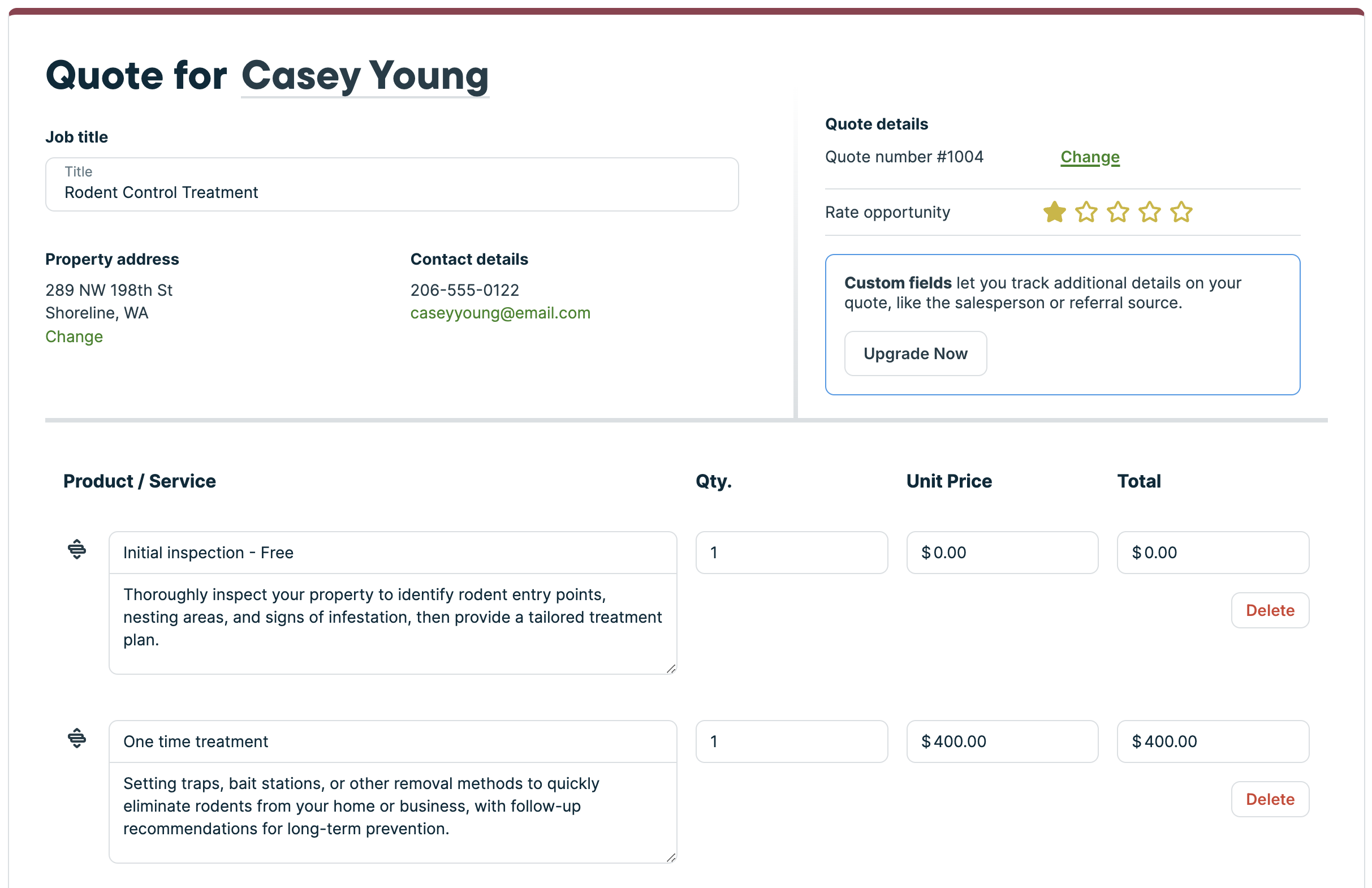
Verdict: Jobber suits solo operators and small HVAC teams that need a fast, approachable estimate builder. Its mobile experience was the easiest to navigate for straightforward work, with less screen density than FieldPulse.
The quick-create button sits within easy thumb reach, and the workflow separates the calculation into manageable steps. Customer search includes address context, helping distinguish customers with similar names.
Main trade-off: Its reusable catalog and desktop markup tools cover basic estimating, but it lacks FieldPulse’s formula-based quantities, bundles, and deeper material-list workflows.
Simple HVAC Estimates and Connections to Other Systems
Jobber’s Products and Services catalog stores reusable items; it is not a managed HVAC flat-rate repair database. On eligible plans, administrators can enter unit cost and markups and see the quote’s estimated margin. Those controls were available on desktop rather than iPhone in testing.
That distinction matters. Jobber can calculate expected quote margin before the job exists; the limitation is the depth and availability of those controls, not an absence of estimate profitability altogether. Its markup documentation also explains that customers see the resulting quoted amount while internal expense and margin remain private.
For a small service list, this is straightforward. For custom installations with many related materials, a contractor has more manual organization to maintain than in FieldPulse. AI-assisted description rewriting can polish wording, but it does not perform the underlying cost calculation.
An HVAC contractor with a compact list of repairs can reuse parts and labor without maintaining an elaborate rate system. An equipment changeout introduces more moving pieces: the selected unit, associated materials, installation labor, removal, and any changes discovered at the property. Jobber can list that work, but supplies fewer tools to assemble and calculate it automatically. For example, a takeoff for a duct system adjustment might include oval ductwork, transitions, and insulation. Jobber can retain the resulting line items; estimators still bring the quantities from the takeoff. That is a reasonable division for a small team, provided the software receives accurate quantities and local-market rates.
Price and Value
Jobber Grow lists $149 per month billed annually or $199 month-to-month for one user, before introductory promotions. The five-user Grow package lists $229 with annual billing or $299 monthly.
Those are packages with different user allowances, not equivalent per-technician rates. For a new business, a user friendly system can be valuable even without the largest catalog on the market: fewer screens and minimal training help a small crew adopt the software. Its speed advantage is strongest when the service list stays manageable. Jobber’s value is strongest when the crew can use its simpler approach without adding a collection of extra products to reproduce more advanced HVAC operations.
ServiceTitan: Best for Large Teams With Detailed Rate Rules
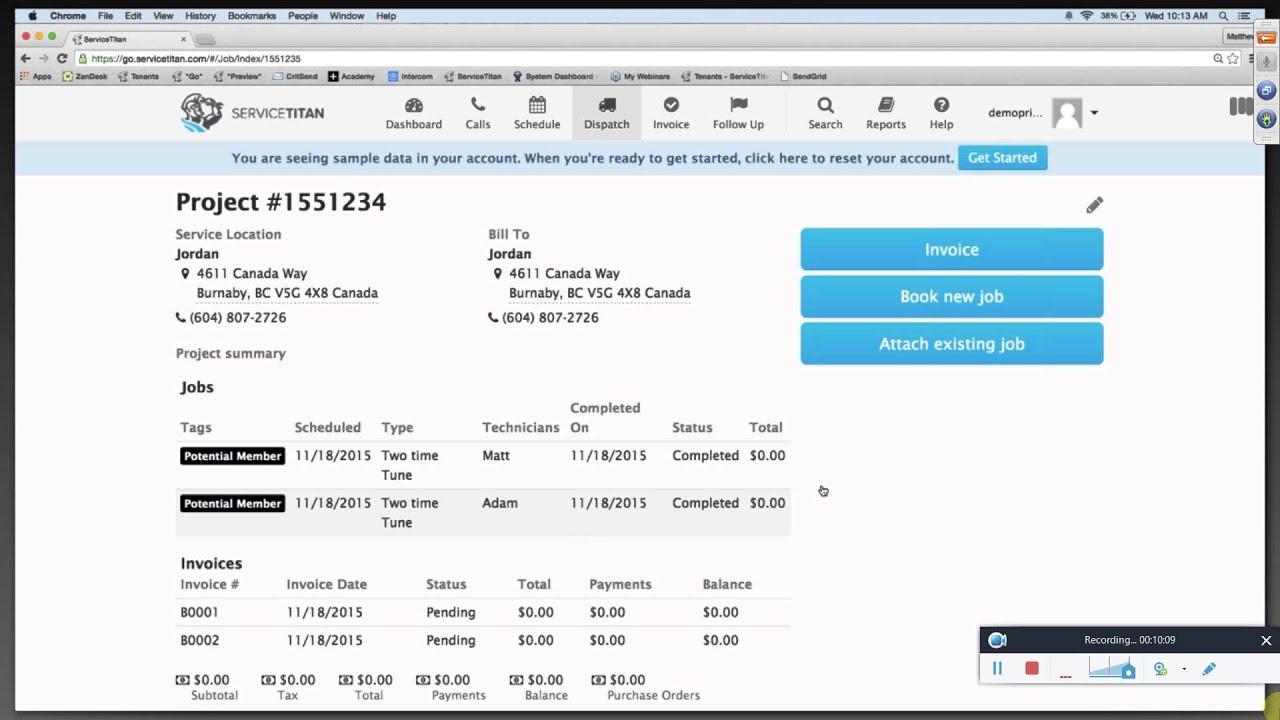
Verdict: ServiceTitan is strongest when a large residential HVAC business needs controlled rates across technicians, departments, or branches. Its estimating depth is valuable when the company can support the setup and administration behind it.
Central pricebooks, templates, and configured rate rules give administrators a consistent foundation. Labor rates, material markups, HVAC equipment prices, and permission controls help teams maintain the same rate-setting approach across a larger operation.
Main trade-off: The implementation effort and ongoing administration are substantial. Smaller contractors can gain useful expense and markup controls from FieldPulse without taking on the same organizational burden.
Estimate Margin Controls
Sales Margin Control in Field Mobile checks estimate margins against administrator-configured limits. This is a meaningful distinction from merely displaying a margin figure: the system can identify an estimate that falls below company rules while the technician is working on it.
The calculation excludes commissions and bonuses, which affects how its result should be interpreted. The displayed gross margin is not a complete statement of the business’s final net profit. Administrator configuration, user permissions, and the mobile app version determine the available workflow.
That structure fits a high-volume operation trying to standardize rates. It adds more work for a small company whose main requirement is entering parts, labor, and a markup for each service call.
For a residential HVAC company, the practical use is maintaining consistent replacement and repair charges across comfort advisors and technicians. The rules help managers control how the selected unit, installation labor, and discounts affect an estimate before it reaches the homeowner. For a larger installation bid, the takeoff establishes quantities while the software applies the company’s rates and margin limits. An accurate tool also needs accurate material amounts and realistic labor hours; branch-wide rules make those assumptions consistent, not automatically correct.
Price and Value
Reported subscription figures gathered for this comparison was approximately $250–$500 per technician per month, with higher configured totals when additional products are included. Reported implementation fees ranged from $5,000 to $50,000 or more.
The estimating value comes from centralized controls at scale. An owner-operator or small residential team will usually get a better balance of functionality and administrative effort from FieldPulse, HCP, or Jobber.
QuoteIQ: Broad Mobile Estimating With Reliability Tradeoffs
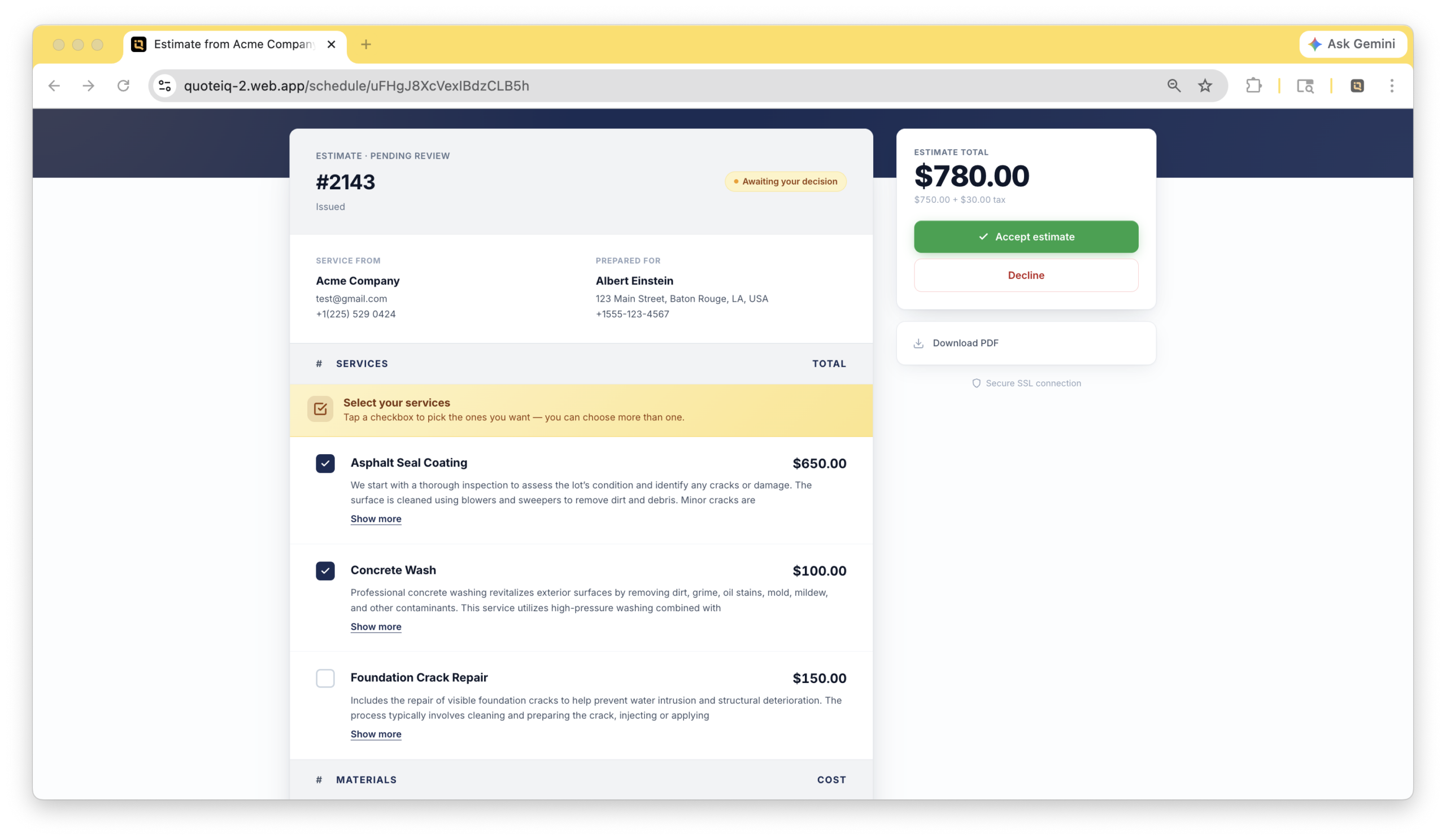
Verdict: QuoteIQ offers a broad estimating toolkit for small teams, including mobile AI, manual expense entry, and markup calculation. Its feature coverage is appealing, but loading delays and offline problems kept it from being a preferred field tool in this comparison.
Technicians can build an itemized document from saved items and rates, enter their own expense figures, and apply markups. The AI tools can draft content on mobile, giving it an advantage over competitors whose comparable writing or estimating assistance was unavailable in the tested mobile experience.
Main trade-off: Routine actions frequently took 6–10 seconds to load during testing. After offline mode was enabled, previously loaded estimates disappeared from view and attempts to create a new document repeatedly returned errors.
Calculations and Reusable Estimates
QuoteIQ supports saved rates, imports, and several document formats. For this article, the useful capability is building an itemized calculation from the contractor’s own expense figures. AI-generated suggestions do not establish the actual purchase amount of the unit, the labor needed at a particular property, or the scope discovered during inspection.
Its saved templates also had editing restrictions: existing templates could not be renamed or edited in the tested configuration. That is inconvenient when a crew wants to revise a frequently used template after purchase amounts or preferred units change.
There is no supplier catalog integration or managed HVAC repair database comparable to the dedicated content available in the stronger HVAC-focused options. A contractor can maintain a reusable catalog, but assumes more responsibility for the inputs.
That matters more for a furnace or AC replacement than for a generic service description. The contractor still needs the selected equipment’s actual purchase amount, job-specific installation labor, and associated materials. QuoteIQ can calculate from entered expense figures; its AI does not establish an HVAC system match or obtain a supplier’s current unit purchase amount. On a bid that includes ductwork, the takeoff and estimating inputs still belong to the contractor. Accurate inputs matter more than an AI-generated description, especially when a bid includes site-specific installation work.
Price and Value
Pro costs $149.99 per month for four users, including QuickBooks Online sync and job costing. Elite costs $299 per month for 10 users and adds inventory and other team tools. AI use draws from the plan’s IQ Credit allowance.
The bundled seats can make it attractive for a small crew. For technicians estimating at properties with unreliable service, the observed field behavior weighs more heavily than the breadth of the feature list.
BuildOps: Best for Mixed Service and Complex Commercial Work
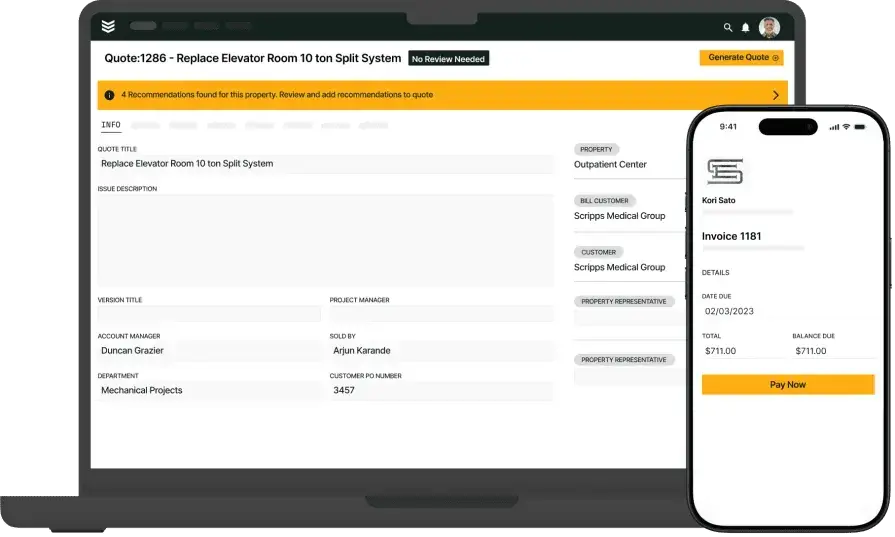
Verdict: BuildOps belongs on the shortlist when residential work sits alongside substantial commercial service or projects. For a mainly residential HVAC business, its operational depth carries more expense and complexity than the estimating task usually needs.
It has a reusable labor, material, and equipment catalog, similar in principle to Jobber’s saved-item approach. It does not supply the managed HVAC flat-rate repair database associated with FieldEdge or a dedicated prebuilt trade-pricebook product.
Main trade-off: The commercial focus makes it a less natural fit for a small residential shop seeking gradual, simple adoption.
Cost Detail and Revisions
BuildOps’ quoting workflow connects labor and material rates, margin-aware line items, editable quote versions, and internal review. Mobile quotes can draw on property and job information, helping the office develop work identified by technicians.
That connection matters when replacements become part of a larger project with changing scope and multiple people reviewing the total. Commercial estimators can preserve an accurate baseline as the bid changes. Mechanical and ductwork contractors may bring quantities from a dedicated takeoff system, then use BuildOps for the commercial context around those figures. A revised takeoff can change a bid’s quantities without changing its customer or property record. That connection between takeoff, bid, and delivery is more valuable as the project becomes complex. For routine residential work, HCP or Jobber offers a more approachable starting point. FieldPulse provides more flexible residential estimating while also covering lighter commercial needs.
Price and Value
BuildOps uses custom subscription quotes. Figures supplied for this review were around $299 or more per user per month, with required bundles and headcount affecting the total. Its value is strongest when the contractor also uses the commercial project and financial functions.
See the HVAC project management software comparison for the surrounding project requirements.
FieldEdge: Not My First Recommendation for Flexible Estimating
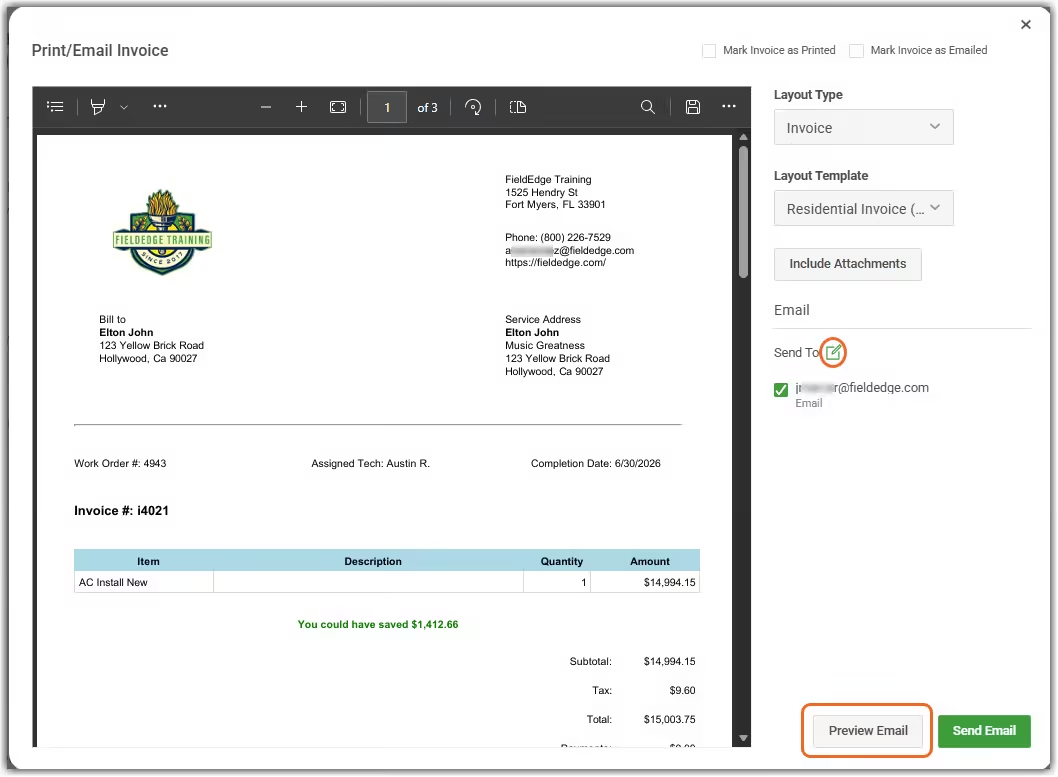
Verdict: FieldEdge is worth considering for its managed HVAC repair content, especially for established users, but it is not my first choice for a new buyer prioritizing flexible estimates and field control.
FieldEdge Flat Rate supplies a large maintained parts-and-repairs database. That can reduce the work of creating standard repair content from scratch. It is a different benefit from obtaining current unit purchase amounts through a supplier connection.
Main trade-off: Its reviewed customization and setup burden were difficult to justify against FieldPulse, while HCP and Jobber offered simpler entry points for smaller shops.
Repair Content and Estimating Fit
A detailed database is most useful when its services fit the company’s jobs and local rates. Labor rates still need to reflect the business, and unit purchase amounts need to match what the contractor actually pays. Database size alone does not decide whether an estimate is complete or profitable.
For standard HVAC repairs, maintained content can reduce the effort of describing and calculating familiar work. A full system replacement still requires the contractor to account for the selected furnace, air conditioner or heat pump, installation conditions, and related materials. Prebuilt repair content does not remove those job-specific decisions. For a replacement bid involving ductwork, the measured takeoff and current supplier amounts still matter. A repair database is an accurate tool only when its assumptions fit the job. Estimators need to keep labor hours and material quantities aligned with the installation rather than treating a saved repair as a complete material count.
FieldEdge connects quoting with customer records, service history, dispatch, and accounting. Its plan structure also separates quoting depth and included mobile licenses across tiers. That packaging is part of the expense of equipping the whole crew.
For a contractor building varied replacement and custom estimates, FieldPulse’s adaptable item structure and mobile calculation controls make a clearer case. For a short list of repeatable residential jobs, HCP and Jobber are easier to approach.
Price and Value
Reported subscription figures gathered for this review was $100–$125 per user per month, plus $500–$2,000 for setup. These are reported configurations, rather than a published universal FieldEdge rate.
Its repair database can be useful, but it did not outweigh the flexibility and subscription tradeoffs for the residential buyer profiles in this guide.
Frequently asked questions
What is the best HVAC estimating software for a small residential business?
FieldPulse is my pick for the best HVAC estimating software for a growing residential business; HCP and Jobber suit simpler needs. FieldPulse provides more control over item amounts, quantities, markup, and estimate structure. HCP is effective for guided, repeatable jobs, while Jobber offers a particularly approachable mobile workflow for a solo operator or small team.
Can techs access and edit HVAC estimates from their phones?
Yes, techs can access and edit HVAC estimates from their phones on all the platforms mentioned, but the calculations available on the phone differ between platforms. FieldPulse supports new-item expense entry, markup tools, and formula-based quantities on mobile. Jobber and HCP were straightforward for creating estimates, but their tested cost controls were stronger on desktop. ServiceTitan’s Field Mobile margin workflow requires office configuration and permissions. QuoteIQ offered broad mobile tools but had reliability problems in testing.
Can HVAC estimating software calculate markup and profit margin?
Yes, HVAC estimating software can calculate markup and estimated profit margin, although the available tools differ between platforms. Markup and margin are different: a $100 cost with a 50% markup produces a $150 price and a 33.3% gross margin. A 50% gross margin on that cost requires a $200 price. The result also depends on which expenses are included; a displayed gross margin does not automatically account for every overhead expense, commission, or business expense.
How do supplier integrations improve HVAC estimates?
Supplier integrations improve HVAC estimates by bringing equipment prices, availability, and product information into the estimating process. That helps a contractor replace an old saved amount with information relevant to the equipment being purchased. FieldPulse, ServiceTitan, HCP, Jobber, and FieldEdge offer different supplier connections. The supplier and integration determine which information is available. A managed repair pricebook and a live equipment catalog solve different calculation problems. If a job includes oval ductwork or other bought-in components, the material amount needs to reflect the actual order, as well as the takeoff quantity. The supplier connection supplies the purchase amount.
Can I revise an HVAC estimate after changing equipment or scope?
Yes, you can revise an HVAC estimate after changing equipment or scope by updating the affected equipment, quantities, labor, and descriptions. The useful distinction is how much manual rebuilding remains. FieldPulse’s bundles, formulas, and material lists help with related items; BuildOps connects revisions to quote versions and commercial operations. Reusable templates simplify repeat work, while clear assumptions and exclusions explain what changed in the job’s estimated total.
Is HVAC estimating software the same as HVAC takeoff software?
No, HVAC estimating software and HVAC takeoff software serve different purposes: estimating software calculates job costs and selling prices, while takeoff software measures quantities from plans. Mechanical and ductwork contractors may need a dedicated takeoff tool for sheet metal, piping, or a duct system before calculating the job total. Takeoff and estimating software can be used together: the takeoff measures scope, while the estimating application prices it. Load calculations and unit sizing are separate technical tasks. The field service platforms compared here organize the resulting expense figures, contact details, and estimated selling price.
Does HVAC estimating software integrate with QuickBooks?
Yes, HVAC estimating software can integrate with QuickBooks, and all seven platforms in this comparison offer a connection, with different versions and plan requirements. QuoteIQ’s Pro plan supports QuickBooks Online rather than Desktop, for example. The estimating benefit is reducing repeated customer and financial data entry as accepted work moves through jobs and invoices. The QuickBooks integration connects financial records; it is separate from whether the estimate builder offers the calculation controls a technician needs. CRM and accounting connections can keep the customer, estimate, and eventual invoice in one workflow. Other systems may still handle specialized takeoff or design tasks.
How much does HVAC estimating software cost for a five-person team?
For a five-person team, HVAC estimating software packages in this comparison include Jobber Grow at $229 per month billed annually or $299 monthly, QuoteIQ Elite at $299 per month, and FieldPulse at about $495 per month before additional modules. Jobber Grow includes five users, QuoteIQ Elite includes 10, and the FieldPulse calculation uses the reviewed $99-per-user rate. ServiceTitan, BuildOps, and FieldEdge use configurations whose reported subscription and implementation charges differ substantially from a simple self-service subscription.
Can HVAC estimating software replace Excel for everyday service estimates?
Yes, HVAC estimating software can replace Excel for everyday service estimates by handling item entry and routine calculations while keeping the estimate connected to the customer and job. Saved items, reusable templates, markups, and supplier information reduce repeated manual entry. Excel can still be useful for preparing imports, recording a takeoff, or developing a custom calculation. Former pipefitters moving into HVAC estimating can use Excel to structure familiar parts and labor before moving reusable items into the software. Excel is also useful for checking an unusual bid calculation; maintaining a separate Excel file, however, leaves the business with another document to update. The advantage of field service software is carrying the resulting estimate into the working job without recreating the customer and scope.
Can HVAC estimating tools help HVAC contractors handle more jobs in less time?
Yes, HVAC estimating tools can help HVAC contractors price more jobs in less time by reusing items, templates, and calculations. FieldPulse’s bundles and formulas reduce repeated setup, while Jobber and HCP simplify short residential estimates. Keeping the customer, scope, and calculation in one platform reduces retyping. Estimators still need an accurate site assessment and complete material list to ensure accuracy. Track turnaround, margin, and win rates together: higher win rates are not useful if the accepted work is underpriced. Accuracy comes from the inputs and the process, not the software name alone.

Olivia Evans
Olivia has more than 10 years of experience researching field-service software for HVAC and other service businesses and improving their marketing and operations. She conducts hands-on workflow tests, documents findings with screenshots and notes, and checks product claims against official vendor documentation.
Author profile →How we test →