

HVAC flat-rate pricing software stores, organizes, and presents fixed service prices inside a field service platform, so technicians can use approved amounts in estimates and invoices. This guide is for HVAC contractors and business owners evaluating flat-rate pricing software options for 2026. Choosing the right flat-rate pricing software can improve profitability, reduce disputes, and streamline operations for HVAC businesses.
For HVAC contractors, that price book must be accurate, usable, and flexible. HVAC flat-rate pricing needs realistic labor and material costs, fast task selection, and categories that remain manageable as the catalog grows. A fixed price helps the customer understand the offer, but the assumptions behind it still determine margin. We tested FieldPulse, Housecall Pro, ServiceTitan, Jobber, and FieldEdge for flat-rate pricing features, customization, automation, mobile use, prebuilt catalogs, costs, and fit for different business sizes.
How We Tested Flat-Rate Pricing Software
Testing at a glance
- Review period
- September 2026
- Devices
- Desktop and iPhone
- Evidence
- Trial and paid accounts across five platforms, documented with screenshots and notes and cross-checked against official vendor sources.
- Focus
- Building and organizing pricebooks, controlling price visibility, presenting options, updating prices, testing mobile access, and carrying accepted work into invoices.
- Scope / limits
- The comparison covers full field service platforms, rather than standalone pricebook-only products.
In September 2026, the Tools In The Wild editorial team tested FieldPulse, Housecall Pro, ServiceTitan, Jobber, and FieldEdge using a mix of trial and paid accounts, on both desktop and iPhone.
For each platform, we:
- Built a small flat-rate price book from scratch, then tested prebuilt flat-rate pricing books where available
- Organized items into categories, folders, and tags to see how the structure held up past a few dozen items
- Set visibility rules to control what a technician sees versus what a customer sees, including hiding cost from price
- Presented tiered pricing and added optional upgrades to a core flat-rate repair
- Checked whether HVAC flat-rate pricing could use live supplier data or relied on manually entered figures
- Tested bulk pricing changes, including which flat-rate services were eligible
- Checked mobile access and editing limits for flat-rate pricing, including with weak or no signal
- Confirmed the price a technician selected carried through cleanly to the resulting estimate and invoice, without anyone re-typing numbers
- Reviewed who could edit the flat-rate price book versus select approved services on a job
We documented each workflow with screenshots and notes, then cross-checked our findings against current vendor help centers, price book documentation, and recent product updates. Where current documentation conflicts with an older test observation, we treat the documentation as the present state of the product.
A note on scope: all five platforms here are full field service management systems with flat-rate pricing capabilities, not standalone price book-only tools like Flat Rate Plus or The New Flat Rate — if your existing tools already handle operations and you just need a pricing catalog, that’s a different category worth comparing separately. This also isn’t a complete review of every feature each platform offers, and pricing and packaging change — confirm current details directly with each vendor before you commit.
Quick Verdict: Flat-Rate Pricing Software for HVAC Companies
For growing residential HVAC contractors, FieldPulse had the most complete flat-rate pricing toolset in our tests. Build a price book, import one, or start from prepared content. Its live supplier connections were a standout, but the custom Pricebook module costs extra and takes time to configure. HVAC flat-rate pricing is only as dependable as those configured services.
Housecall Pro was the fastest route to a clean, simple price book. Its pricing tools were useful, particularly bulk adjustments for eligible services; AI descriptions also helped, though calculated flat-rate services use a different update process. Its catalog structure is more prescribed, and several administration tools are desktop-only.
ServiceTitan had the deepest pricing rules, including after-hours adjustments and membership discounts in the tested workflow. Its paid Pricebook Pro catalog offers a starting point, but the platform assumes dedicated administration. It suits HVAC businesses whose pricing rules justify that effort.
FieldEdge provides extensive prebuilt repair content, with Profit Rhino integration discussed in our review. The 25,000-plus-item database spans trades; inspect the HVAC subset rather than treating every entry as an HVAC task. Prepared content saves setup work, but still needs local cost checks. Per-user charges and setup fees affect value.
Jobber uses a simpler Products and Services list rather than a dedicated trade price book. It can hold a fixed price for familiar repairs, but it is the weakest flat-rate pricing software choice here when a structured catalog is the main requirement.
Flat-Rate Pricing Comparison for HVAC Businesses
| Software | Best Fit | Main Tradeoff |
|---|---|---|
| FieldPulse | Growing teams wanting custom HVAC flat-rate pricing and live supplier connections | Deepest customization is a paid add-on and takes real setup time |
| Housecall Pro | Small teams wanting a visual catalog with useful automation | Structured categories, and several tools are desktop-only |
| ServiceTitan | Large HVAC companies needing automated pricing rules | Highest cost, and its prebuilt catalog is also a paid add-on |
| FieldEdge | Teams prioritizing prepared HVAC flat-rate pricing content | Rigid structure, per-user cost, and a separate setup fee |
| Jobber | Solo operators with a short, stable service list | No real price book — just a basic item list |
FieldPulse: Custom HVAC Flat-Rate Pricing for Your Team
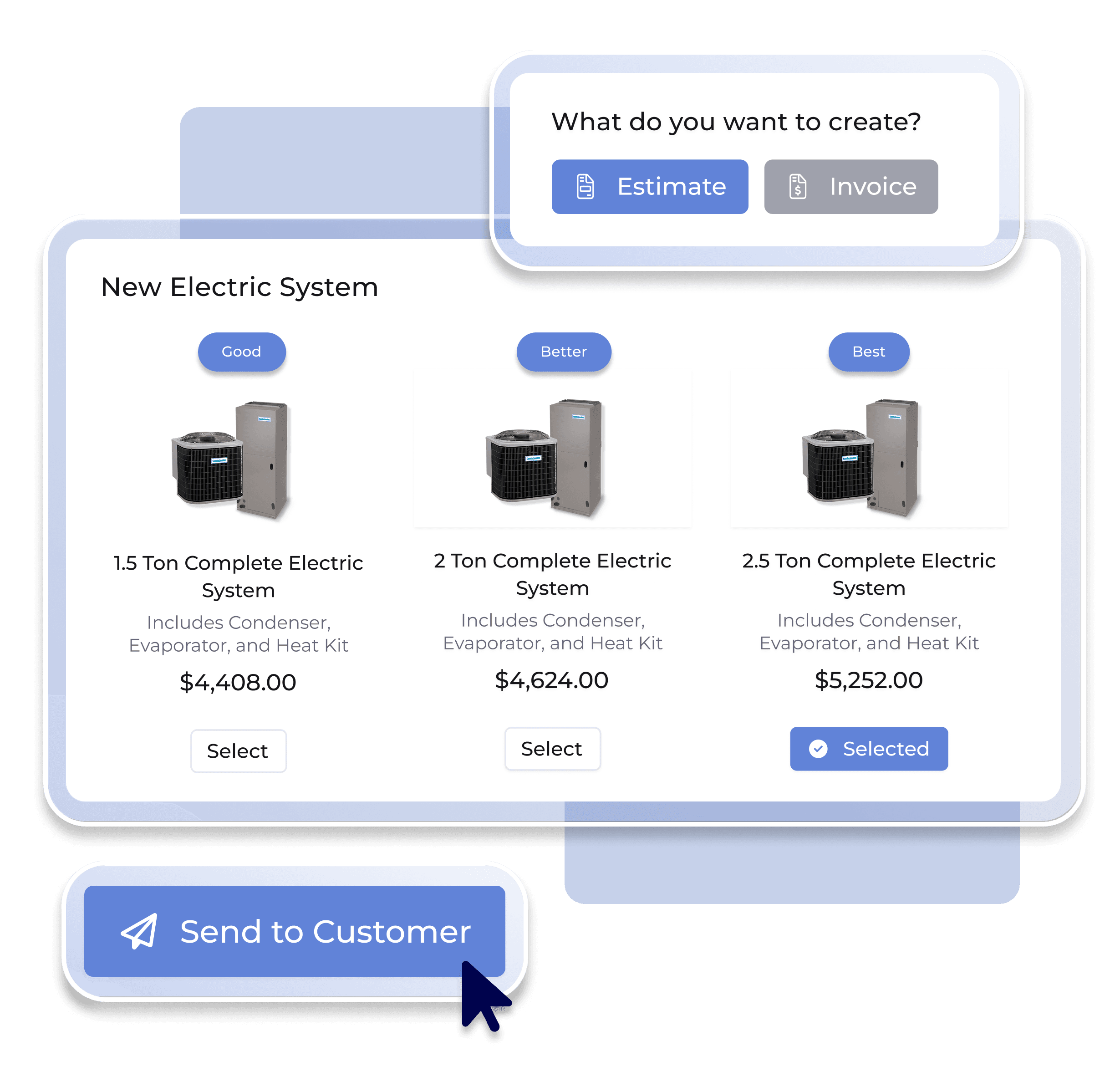
Choose it when: you want your price book to reflect how your business prices work — your categories, your markup rules, your visibility rules — rather than adapting your business to fit the software’s structure.
FieldPulse had the most customizable HVAC flat-rate pricing setup of the five platforms we tested. You can build one entirely from scratch, import an existing price book, or start from a prebuilt option, and organize everything with your own folders, subfolders, and tags rather than a fixed category list.
Where it stands out:
- Live supplier pricing. FieldPulse is the only platform here with real-time pricing integrations, including Trane and Reece, so technicians can check current inventory and pricing — and place an order — without leaving the app. Every other platform we tested relies on pricing you enter and update manually.
- Granular visibility controls. You can define exactly who on your team can see cost and pricing, and control what a customer sees on an estimate — a service-only price, or a full materials-and-labor breakdown. You can also maintain separate item descriptions for an estimate versus an invoice.
- Add-ons tied to core items. Optional upgrades and additional services can be linked directly to a line item, so a technician pricing a system replacement can offer an upgraded thermostat or an extended warranty without leaving the estimate. Check the pricing presentation so the core flat-rate repair and optional additions remain distinct.
- No forced structure. Unlike Housecall Pro or ServiceTitan, FieldPulse doesn’t require items to live in predefined categories, which makes it easier to mirror your existing HVAC flat-rate pricing categories.
The trade-offs: that flexibility isn’t free, in either sense. FieldPulse’s Pricebook tool — the module for building and managing a fully custom price book — is sold as an add-on on top of the roughly $99/user/month base subscription recorded in our review, so budget for that when comparing total cost. In our tests, FieldPulse also lacked the built-in AI description tools offered by Housecall Pro and Jobber, and its booking system runs separately from the pricebook, which can mean extra administrative work for teams that lean heavily on automated online booking.
For HVAC businesses comparing configurations, test the connection between approved estimates and job costing. The customer’s approved amount should remain identifiable when actual costs arrive. Also demonstrate QuickBooks sync using one completed job; verify what transfers instead of assuming the integration preserves every field.
Housecall Pro: Flat-Rate Pricing Software for a Fast Setup
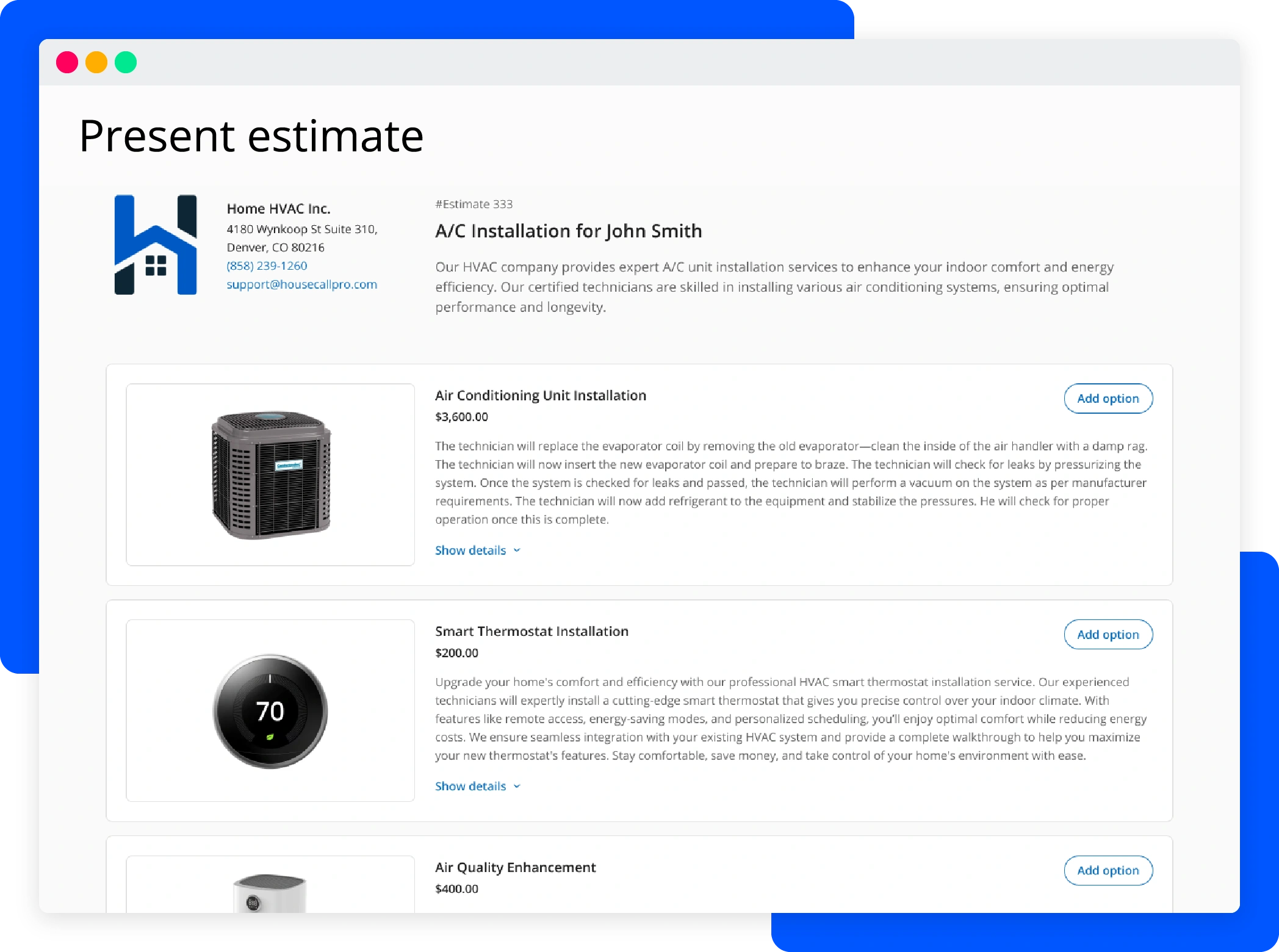
Choose it when: you want a visual price book you can set up quickly, and you’re comfortable trading some customization for speed and built-in automation.
Housecall Pro has one of the cleanest interfaces of the five, but it’s also the most structured — items generally have to live inside predefined categories and folders, which is efficient for straightforward setups but restrictive if your HVAC flat-rate pricing categories differ from the preset organization. The platform overall also leans a bit more toward general home-service businesses (cleaning, landscaping) than HVAC specifically.
Where it stands out:
- AI-generated descriptions. When you add an item, Housecall Pro can generate a polished service description automatically — a genuine time-saver, though it’s only available on desktop.
- Bulk price adjustments. The Service Price Adjuster changes eligible services by a percentage, but excludes calculated flat-rate services. It has no undo or prior-price activity feed. Export eligible entries before changing them, and demonstrate the separate process for calculated services.
- Custom pricing forms. These allow for variable-based calculations within a job (for example, pricing that adjusts based on square footage or unit size), adding some flexibility inside an otherwise fixed structure.
- Built-in image library and booking integration. Photos attach easily to line items, and the price book connects directly to Housecall Pro’s own online booking flow.
The trade-offs: the structure that makes Housecall Pro fast to set up is the same thing that limits it. HVAC companies with highly customized catalogs tend to hit its ceiling faster than they would with FieldPulse, and — as with the AI descriptions — several of the more useful tools are desktop-only, which matters if your pricing decisions mostly happen in the field.
For residential HVAC teams, include seasonal tune-ups in the demo as well as repairs. Ask how the flat-rate software handles service inclusions and approved changes. If the vendor offers live implementation classes, have the person maintaining the price book attend with your actual task list.
ServiceTitan: Rule-Driven HVAC Flat-Rate Pricing at Scale
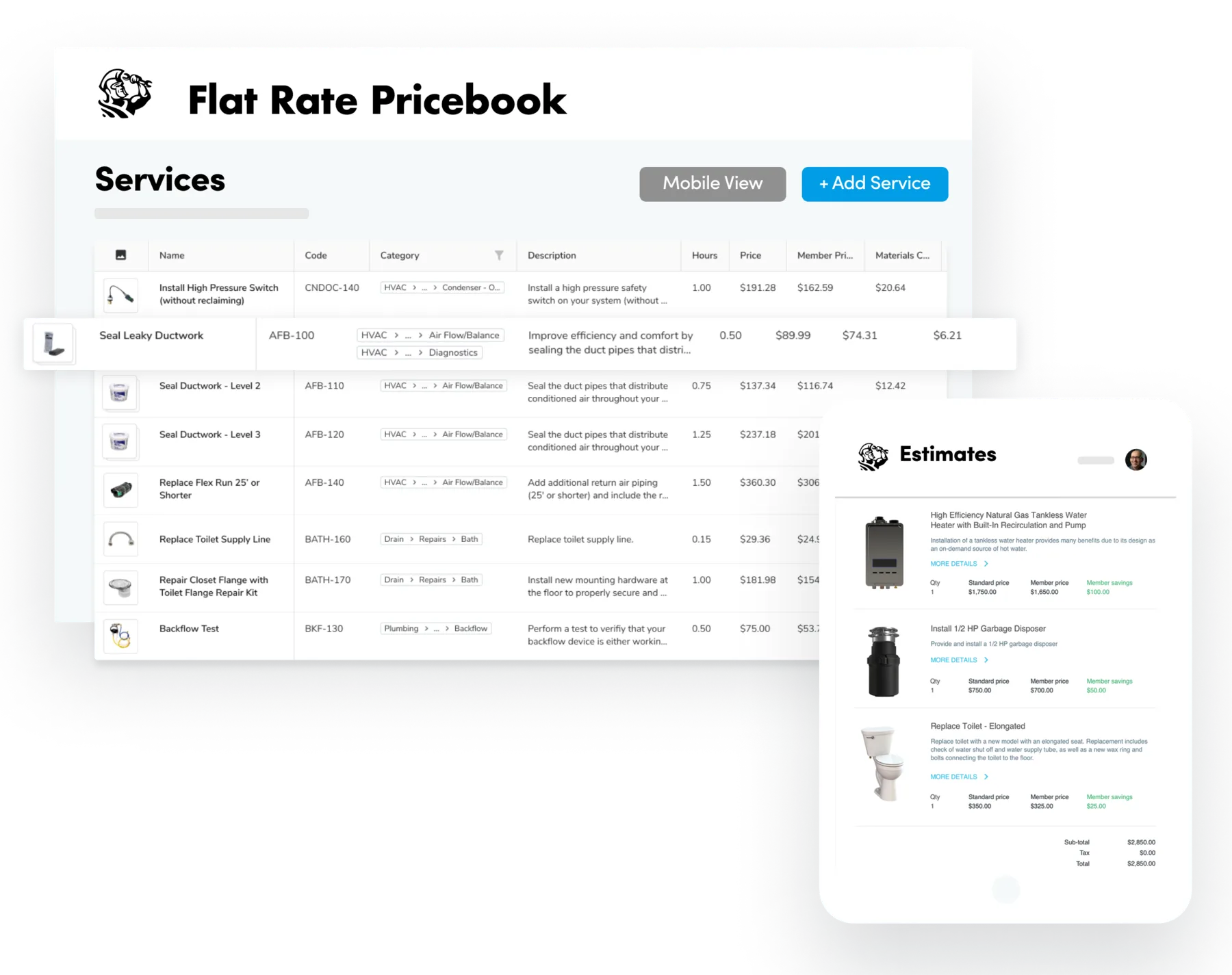
Choose it when: you run a large HVAC service operation with dedicated office staff, and you want pricing rules — not just prices — automated across a complex business.
ServiceTitan had the deepest pricing engine in our review, designed for that scale. It supports both fully custom pricebooks and a large prebuilt catalog, with controls for applying approved rules across the team.
Where it stands out:
- Dynamic pricing rules. ServiceTitan can automatically apply after-hours or emergency-call surcharges and membership discounts based on rules you set — this was the strongest native rule-based workflow in our tests.
- Commission tracking and warranty descriptions are built into the price book structure itself, useful when pricing responsibilities are shared across sales and office teams.
- The broadest supplier catalog integration list of the five, though most of those integrations pull static catalog data rather than the kind of live, real-time pricing FieldPulse offers through Trane and Reece.
- Pricebook Pro, ServiceTitan’s prebuilt HVAC flat-rate pricing catalog, gives office staff a running start instead of building every item from zero.
The trade-offs: all of that power comes at real cost and complexity. Pricebook Pro is a separate paid add-on on top of an already expensive base subscription, and getting the most out of ServiceTitan’s pricing tools generally assumes you have administrative staff whose job includes maintaining them. For a small or midsize shop, it’s easy to end up paying for — and configuring — far more pricing automation than you’ll actually use.
When a team handles more jobs, compare service allowances with job costing results before expanding the catalog. A software program can apply your rules consistently while still using unrealistic assumptions. Check overhead allocation and the labor basis behind each rate.
FieldEdge: Prepared HVAC Flat-Rate Pricing Books
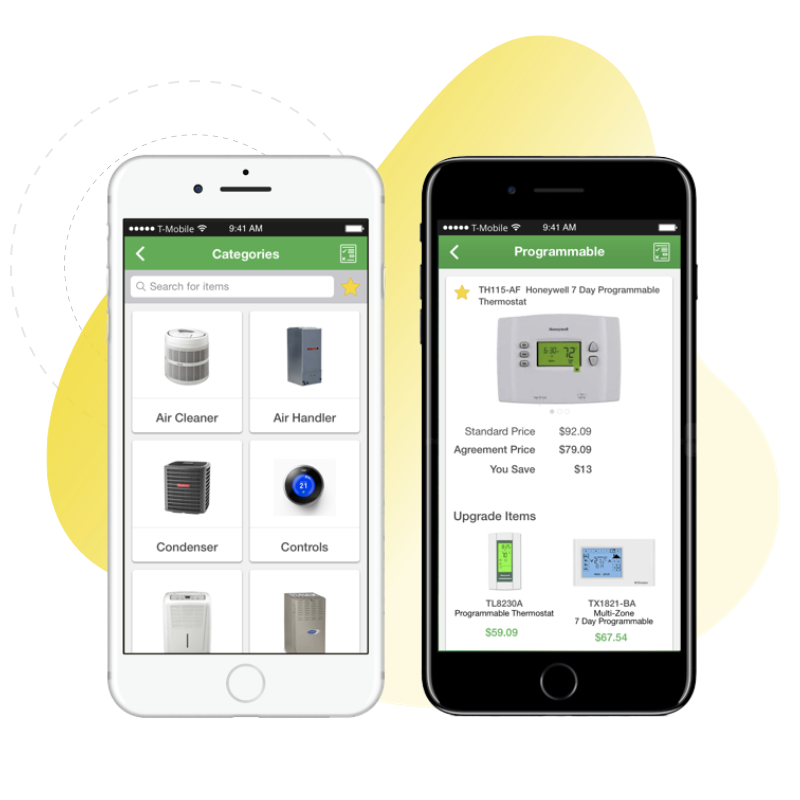
Choose it when: you’d rather start with prepared HVAC flat-rate pricing than build one from scratch, and you’re willing to trade some flexibility for a faster launch.
FieldEdge emphasizes prepared content. Its Flat Rate product page describes a managed database spanning trades. Our review also covered Profit Rhino integration. Confirm which catalog and license your quote includes before assuming every content option is part of one purchase.
Where it stands out:
- Database size.HVAC, plumbing, and electrical contractors can access ready-to-use pricing for more than 30,000 repairs and service tasks through the FieldEdge Flat Rate price book, previously known as Coolfront. It also features a database containing approximately 16,000 individual parts.
- Profit Rhino integration offers another route to prepared pricing content; confirm the required configuration.
- Fast time-to-value for a company that doesn’t want to spend weeks building a price book before writing a single estimate.
The trade-offs: a large prebuilt database is convenient, but it’s not the same thing as an accurate or flexible one. Labor costs still vary enormously by market, so prebuilt prices need local calibration either way — and once you want to deviate meaningfully from FieldEdge’s built-in structure, the platform resists it more than FieldPulse does. It’s also one of the pricier options outside ServiceTitan: our review recorded roughly $100–$125 per user per month plus $500–$2,000 setup, depending on company size and migration needs. Confirm a current quote for the flat-rate pricing software and content you require.
Jobber: Simple Flat-Rate Pricing Before You Need a Full Price Book
Choose it when: you’re a solo operator or very small team doing mostly straightforward repairs, and a simple list of services is enough.
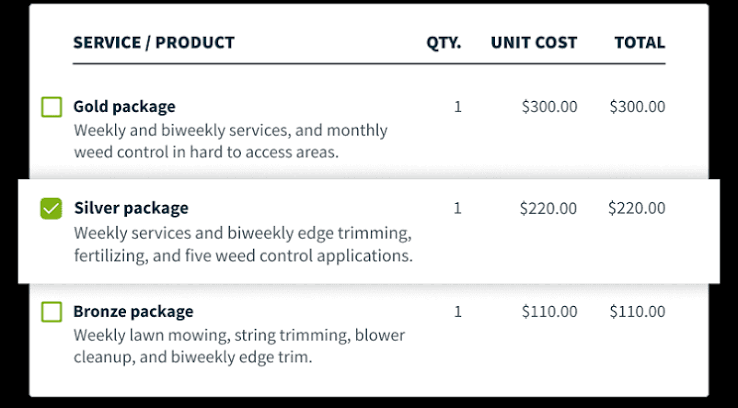
Jobber is the outlier in this comparison, because it doesn’t have a true flat-rate price book. Instead, it uses a simple Products and Services list — easy to set up, easy for a nontechnical team to use, but less suited to complex HVAC flat-rate pricing than a dedicated trade catalog.
Where it stands out:
- AI-assisted rewrites. Jobber can rewrite an item’s description in a different tone — friendlier, more professional, more concise — polishing customer-facing language without extra effort.
- Low learning curve. There’s essentially nothing to configure. A new item takes seconds to add, and the whole team can be productive on day one.
- Markup and tax handling cover the basics competently, including a simple way to apply a markup percentage to a cost.
The trade-offs: basic is the point, and also the limit. There’s no true price book structure — no folders, tags, tiered good-better-best presentation, formula-based quantities, or bundling — so companies handling custom installs, light commercial HVAC work, or a large item catalog tend to outgrow Jobber’s pricing tools quickly. If scalable HVAC flat-rate pricing is the main buying requirement, Jobber is the first platform to cross off the list.
Jobber’s client hub lets customers review quotes and invoices through a self-service portal, with online payments depending on the payment setup. That supports customer communication, but does not replace maintaining the underlying catalog. Check QuickBooks sync separately from the customer-facing workflow.
A Large Price Book Does Not Guarantee Accurate Flat-Rate Pricing
It’s tempting to judge these platforms by how many items ship in the box. FieldEdge’s extensive repair database and ServiceTitan’s Pricebook Pro can look like shortcuts to dependable HVAC flat-rate pricing — but database size and pricing accuracy are two different things.
Labor Rates: Localized or National Averages?
Ask every software vendor these questions, regardless of catalog size:
- Are labor rates localized, or national averages? Flat-rate pricing based on national averages may not match your market. Check the hourly rate and expected task duration against job costing before adopting it.
Live vs. Static Pricing
- Is the pricing live, or a snapshot? FieldPulse’s Trane and Reece integrations pull current supplier pricing automatically; most other supplier integrations across these platforms sync a catalog but don’t update pricing in real time, so costs can quietly drift out of date between manual refreshes.
Price Book Inclusions
- Is the “complete” price book actually included? Both FieldPulse’s fully custom Pricebook tool and ServiceTitan’s Pricebook Pro catalog are sold as add-ons on top of the base subscription — ask for the exact flat-rate pricing module cost, not just the headline price of a basic plan. If an offer includes unlimited users, check whether that also covers access to the pricing module.
Ongoing Maintenance
- Who owns keeping it current? Every platform here, prebuilt or custom, eventually needs someone in-house to review prices as supplier costs change. A bigger starting database buys you a head start, not an exemption from maintenance.
The cheapest or largest collection of flat-rate pricing books can become an expensive mismatch if the parts that matter most to your business — accurate local labor rates, live material costs, or a structure that matches how you actually sell — are missing or sold separately.
What Good HVAC Flat-Rate Pricing Software Actually Needs to Do
Mobile Usability
Usable pricing in the field. A price book that cannot be opened or fully used on a mobile device during a service call at the job site encourages guesswork. Test task selection with weak connectivity, not just in a desktop demo. A practical software program should make the approved task easy to identify.
Billing Integration
A clear handoff to billing. The selected price should flow into the estimate and the eventual invoice. If you accept credit card payments, test the payment setup, fees, and reconciliation as part of the billing process. Service businesses should also test QuickBooks sync with an actual completed transaction rather than assume every field transfers.
Cost and Customer Views
Control over cost and customer views. Technicians, office staff, and customers need different details: internal cost, a material breakdown, or a single fixed price. The catalog should preserve those distinctions while carrying the agreed scope forward. Test job costing separately from the amount presented to the customer.
Bundling and Add-ons
Understandable options. Bundles and add-ons can improve the pricing presentation, but each choice needs a defined scope. Higher average tickets are not proof of better margins; compare the average ticket with delivery costs. Flat-rate pricing solves a repeat-quoting problem by reusing approved tasks, but those tasks must match the actual work. Clear inclusions support pricing transparency without promising that every unexpected condition disappears.
Connect the Dispatch Board to HVAC Equipment Records
Ask how HVAC service workflows carry client details, equipment history, and accepted scope into the assigned job. Asset tracking and job tracking provide context, while GPS tracking serves a different purpose: locating the field team. Verify the features and permissions in the plan you would buy.
When handling more jobs, test automated workflows using an exception as well as a routine visit. Most systems need configuration, so ask what happens when a technician changes scope after approval. Your software should preserve the accepted offer and make subsequent changes identifiable.
Our Flat-Rate Pricing Recommendation for HVAC Contractors
We’d recommend FieldPulse for most growing residential HVAC contractors who want control of their HVAC flat-rate pricing — customizable, tied to live supplier pricing, and controllable down to the line item — and are willing to pay for that flexibility as an add-on. FieldEdge is worth a look if you’d rather start from a massive prebuilt database and evaluate Profit Rhino’s flat-rate pricing content, provided the per-user-plus-setup-fee cost works for your size of business.
Housecall Pro is a strong pick if you want something simple and fast to launch, especially if AI descriptions and eligible bulk updates matter more than deep catalog customization. ServiceTitan makes sense if you need automated pricing rules — after-hours surcharges, membership discounts — across a large, multi-department operation, and you have the staff to run it. Jobber is the right call only if you can manage flat-rate pricing through a short item list; the moment you do, it’s the first platform on this list you’ll outgrow.
For how these same five platforms handle estimates and proposals, see our HVAC estimating software comparison; for how that pricing turns into invoices and gets paid, see our HVAC invoicing and payments comparison.
Frequently asked questions
What is flat-rate pricing in HVAC?
Flat-rate pricing charges a fixed price for a specific repair or service — a capacitor replacement, for instance — instead of billing by the hour plus materials. The flat-rate price is built in advance from labor, parts, and overhead using predetermined prices, so the customer knows the cost before work begins and it doesn’t change based on which technician shows up or how long the job actually takes. This model avoids relying on an hourly rate and helps reduce unexpected charges for homeowners.
What is HVAC flat-rate pricing software?
It’s the tool — often called flat rate software — that stores, organizes, and presents HVAC flat-rate pricing, usually as a price book, inside a broader field service platform. Technicians pull prices from it in the field instead of calculating them on the spot, and it typically connects to estimating and invoicing so the price a customer approves carries through to what they’re actually billed, making it a practical software program for HVAC service businesses.
How much does HVAC flat-rate pricing software cost?
It depends on the platform, add-ons, and how the price book itself is packaged, including whether a vendor charges per user fees or offers unlimited users. In our research, Jobber and Housecall Pro had the lowest starting subscription costs for the configurations reviewed, FieldPulse ran around $99 per user per month with its full Pricebook customization tool sold as an add-on, FieldEdge landed around $100–$125 per user per month plus a $500–$2,000 setup fee, and ServiceTitan was the most expensive overall, with its prebuilt Pricebook Pro catalog also sold separately; some options are built for multiple users, while others make small teams pay more as they grow. Ask for the fully configured flat-rate pricing software cost, not just the base subscription. Also ask whether the vendor offers an essentials plan as its entry-tier package. Check dispatching and GPS tracking separately when comparing the wider subscription.
Should I Build My Own Flat-Rate Price Book or Use Prepared Content?
It depends on how unusual your HVAC flat-rate pricing structure is and how much time you have. A prebuilt price book, or one of the prebuilt flat rate pricing books such as the HVAC portion of FieldEdge’s broader repair database, gets you running faster, but most HVAC contractors still need to check and localize prices against local labor rates and overhead allocation. Building your own catalog, as FieldPulse is best suited for, takes longer up front but ends up matching exactly how your business actually prices work.
Can technicians edit or use the pricebook from the field?
On most platforms, yes, and HVAC technicians can usually access the pricebook during HVAC service calls, though how much control they have on mobile varies. FieldPulse and Housecall Pro both support field access to pricing, but some tools — like Housecall Pro’s AI-generated descriptions — are desktop-only, so mobile access matters because pricing decisions often happen at the job site during a service call. If your team prices jobs mostly in the field, test the mobile experience specifically rather than relying on a desktop demo.
How does flat-rate pricing software connect to estimates and invoices?
On the platforms we tested, selecting a flat-rate price book item on an estimate is supposed to carry that same price and related job costing context through to the invoice without anyone re-entering it. How cleanly that actually happens varies — FieldPulse and Housecall Pro both support this well, while Jobber’s simpler item list can lose some job context when an invoice is created outside the normal job workflow. Cleaner connections here also support better cash flow because completed work can be billed faster.
Which flat-rate pricing software is best for a small HVAC business?
For a small HVAC business, small HVAC businesses, or solo operation with straightforward, repeatable jobs, Housecall Pro’s simpler, faster-to-set-up pricebook is usually the easier starting point, and Jobber can work if you don’t need a true pricebook at all yet; some straightforward platforms also suit independent contractors and small HVAC teams better than enterprise platforms. Once you’re pricing installs, replacements, or more complex work, growing HVAC businesses may need FieldPulse’s more flexible flat-rate pricing structure.
Do I need a standalone pricebook tool, or does my field service software already cover it?
If you’re choosing new field service software from scratch, look for one with flat-rate pricing built in — all five platforms in this comparison include it. A standalone, pricebook-only product is a different category, generally used by companies that already have field service software they’re happy with and just want a pricing catalog layered on top; it can also be useful for HVAC companies that already have dispatching covered but still want a dedicated flat rate system, and some are built for multi trade businesses that handle HVAC alongside electrical service.
How Often Should I Review HVAC Flat-Rate Pricing?
As a general rule, review flat-rate pricing at least annually, and more often for common HVAC repairs and HVAC equipment items tied to volatile costs, like refrigerant or major equipment. A pricebook fed by live supplier pricing (as FieldPulse’s Trane and Reece integrations do) stays current automatically for those items; a static, manually entered pricebook only stays accurate if someone owns updating it on a schedule and compares estimates against actual hours to confirm flat-rate pricing still matches reality.
Can flat-rate pricing software automatically adjust prices for after-hours or emergency calls?
Of the five platforms we tested, ServiceTitan was the only one with native, rule-based dynamic pricing that can automatically apply after-hours surcharges or membership discounts, which is a different capability from broader tiered pricing. On the other platforms, that kind of adjustment generally has to be handled with a separate line item or a manual price change, even though some still let you show multiple tiers in a pricing presentation.
Can Commercial HVAC Contractors Use Flat-Rate Pricing?
Defined maintenance or repair tasks can suit flat-rate pricing, but commercial HVAC work may involve access restrictions, equipment-specific scope, and negotiated terms. Check commercial contracts before applying standard allowances. Keep project-specific estimates separate when a saved flat-rate task cannot describe the commitment accurately.

Olivia Evans
Olivia has more than 10 years of experience researching field-service software for HVAC and other service businesses and improving their marketing and operations. She conducts hands-on workflow tests, documents findings with screenshots and notes, and checks product claims against official vendor documentation.
Author profile →How we test →