
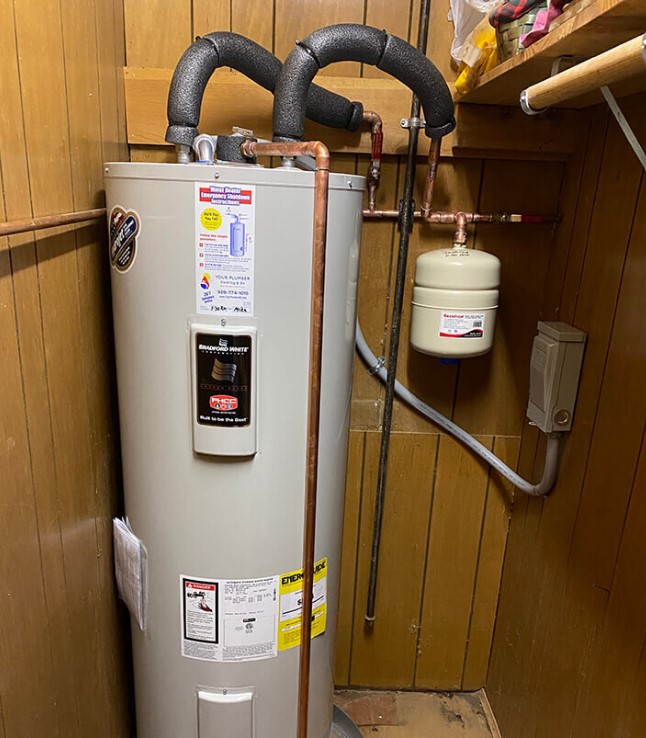
A water-heater callback starts with a simple question: which unit did the last plumber repair? Plumbing asset management software keeps an individual record for equipment installed at a customer’s property, including its identity, location, warranty information, condition, and service history. It should help the returning plumber find the right heater before reading an old repair note.
This comparison is for plumbing business owners and managers comparing plumbing business software for water heaters, tankless units, sump and sewage pumps, water softeners, and backflow assemblies. FieldPulse is my first choice for growing residential teams and light commercial service. BuildOps is the stronger commercial choice when equipment history needs to follow properties, maintenance work, and projects; ServiceTitan suits larger organizations standardizing records across branches.
FieldEdge and Housecall Pro can be practical for plumbing service businesses already using their service workflows. Jobber and QuoteIQ require more manual organization in the customer-equipment workflows reviewed here. Our plumbing inventory management guide covers parts and stock quantities. The company equipment tracking comparison covers reusable tools, shared machines, and vehicles.
Which Plumbing Software Fits Your Customer Equipment?
Compare the key features by the equipment details staff need before residential service calls. A residential shop recording a water heater’s model and earlier repairs has a different administrative burden from commercial plumbing contractors maintaining pumps and heaters across several buildings.
| Platform | Plumbing buying decision | Record and limitation | Recorded pricing basis |
|---|---|---|---|
| FieldPulse | Best overall residential value, including light commercial work | Native assets, separate parts and labor coverage, condition, files, jobs, and reports; someone must maintain the setup | Observed about $99 per user monthly before discounts; assets included, Custom Forms extra |
| BuildOps | Best for complex commercial customer equipment | Unit history, nameplate capture, property context, and AI recaps within a larger commercial platform | Custom quote; reported configurations around $299+ per user monthly |
| ServiceTitan | Best for large or multi-branch plumbing operations | Installed Equipment, warranty periods, reporting, and configured equipment relationships; greater implementation and administration | Reported $250–$500 per technician monthly, plus implementation |
| FieldEdge | Useful for an established service fleet retaining its records | Native equipment and work-order history; less flexible asset administration than FieldPulse in this comparison | Reported $100–$125 per user monthly and $500–$2,000 setup |
| Housecall Pro | Basic residential equipment identification | Property items, job links, eligible Service Plan associations, account-wide filters, and CSV export; narrower equipment fields | October 2026 signup comparison displayed $79 monthly for plumbing versus $59 for handyman |
| Jobber | Existing users accepting a manual unit-record convention | Property fields, notes, photographs, and jobs in the reviewed workflow | Recorded Connect one-user standard price: $99 monthly with annual billing or $139 monthly |
| QuoteIQ | Existing users maintaining equipment details through notes and forms | Contact documents and inspection forms; no dedicated installed-unit structure in the reviewed workflow | October 2026 review recorded Pro $199.99 monthly for four users and Elite $299.99 for ten |
These US-dollar figures retain the published, observed, or reported basis of the October 2026 comparison. They describe different seat allowances and configurations. Confirm the current quote, included modules, billing commitment, and implementation scope before comparing totals.
How We Tested
Testing at a glance
- Review period
- October 2026
- Devices
- Desktop and iPhone
- Evidence
- Trial and paid account observations; official product documentation.
- Focus
- Identifying customer units, keeping service and warranty history recognizable, retrieving field information, and organizing multiple units and service addresses.
- Scope / limits
- Plumbing scenarios are buyer demo checks, not additional measured field-test results.
In October 2026, the Tools in the Wild editorial team assessed seven platforms using trial and paid account observations on desktop and iPhone, supported by official product documentation. The review considered owner-operators through plumbing businesses with roughly 50 technicians.
We examined how these field service platforms let staff:
Identify an individual unit
Keep its work and coverage recognizable
Retrieve information at job sites
Organize several units or service addresses
The comparison also considered permissions, ownership changes, reporting, native features, manual workarounds, paid forms, and implementation costs.
The plumbing scenarios below are buyer demo checks. They describe what to ask a vendor to demonstrate, rather than adding new measured field-test results. Our editorial methodology explains the broader testing process.
Plumbing Management Software for Repeat Visits
Distinguish Two Similar Units at One Property
Suppose a house has two water heaters and only one received a replacement gas control last year. A property note saying “gas control replaced” leaves the next plumber to resolve the ambiguity. Give each heater its own recognizable name, serial number, and physical location, then attach the repair to that unit.
For plumbing assets spread across buildings, use the property’s own identifiers where they are useful. A pump name should lead a technician to the intended room or installation. Model information alone cannot distinguish two identical pumps, and the customer’s postal address cannot distinguish every unit at a commercial site.
Keep the Findings Beside the Unit
Plumbing service software should let the returning plumber retrieve the previous visit’s date, documented findings, work completed, photographs, and relevant files. Maintenance scheduling identifies the next visit; the equipment record preserves what happened during earlier visits. Ask which screen the technician opens and where a new observation will appear afterward.
Condition needs the same connection. If a pump has a recorded problem, the office preparing a return visit should be able to find that finding on the intended pump. A condition field is useful when staff update it and retain the observation behind it. Software does not independently inspect the pump or decide whether replacement is required.
Separate Coverage From an Assumption About Payment
Keep warranty dates, the applicable terms, and supporting documents with the equipment. Parts and labor can have different coverage; manufacturer and service-provider commitments can also differ. A visible expiration date helps staff investigate a callback, but the actual terms still determine what is covered.
Installation, replacement, and ownership changes should preserve the correct history. A new tankless unit needs its own identity and installation date. Earlier repairs must remain attributable to the removed unit, so a later plumber does not read an old fault as a problem with the replacement.
FieldPulse: Best Overall Value for Residential Plumbing Assets
FieldPulse is my strongest residential recommendation when the office needs more than a model number at an address. Its native Asset Management connects an identified unit with jobs, maintenance agreements, files, and updates. That is a useful starting point for a growing plumbing business handling repeat repairs and ongoing service.
For a water-heater callback, the record can hold the unit’s location, model and serial details, warranty information, condition, known issues, and supporting photographs. FieldPulse distinguishes parts and labor warranty information. Staff can keep coverage documents and service findings beside the equipment instead of reconstructing them from a long customer history.
Its categories, tags, custom fields, and lifecycle statuses allow a residential plumbing business to choose a consistent record structure. Configure custom fields for the details your team needs, such as tank capacity, fuel type, pump duty, shutoff location, and inspection identifiers.
Follow the Unit Through Service and Ownership Changes
Related jobs and maintenance updates give the office a route back to earlier work. Asset reports can use model information, condition, custom fields, and warranty dates. FieldPulse also totals related services and lifetime spending from completed work. Use the findings behind that spending when discussing a repair or replacement; a financial total does not establish remaining equipment life.
Mobile asset creation and updates support the field handoff. Barcode lookup supports asset tracking by retrieving the record associated with the scanned identifier. It is a different operation from BuildOps’s nameplate recognition, which extracts information from a photograph. The relevant demo is whether the plumber reaches the intended installed unit and can leave a useful update.
FieldPulse can transfer asset ownership while retaining history. It also supports installed, uninstalled, and retired statuses. Ask staff to demonstrate a replacement and an ownership transfer so the company’s naming, permissions, and documentation remain clear in both cases.
The observed subscription was about $99 per user monthly before discounts, including Asset Management. Custom Forms costs extra. The native asset record does not require purchasing that form builder; a business wanting structured inspection or service forms should assess the additional module separately.
Someone still has to maintain the templates, identifiers, access rules, and job associations. For residential plumbing teams willing to own that setup, FieldPulse provides the best balance here between detailed unit records and daily field service.
BuildOps: Best for Commercial Properties With Many Plumbing Units
A commercial account can include booster pumps, recirculation pumps, backflow assemblies, and water heaters in several buildings. BuildOps is my preferred option here when commercial plumbing contractors need that equipment history connected to properties, work orders, service agreements, and projects.
BuildOps asset management brings specifications, earlier work, and parts history around the serviced unit. Its mobile nameplate recognition can extract manufacturer information from a photograph. OpsAI recaps summarize the recorded history; technicians should review the source records when they need the details behind a summary.
For a property with several similar pumps, demonstrate the path from the service request to the specific unit. Then retrieve an earlier finding and show where the next visit’s documentation will sit. Capturing a nameplate helps populate identity information, while a clear building and location reference helps staff choose the correct equipment.
For commercial contractors, the case extends beyond creating a unit list. A repair recommendation may become a later replacement project handled by another crew. Equipment identity needs to stay understandable through that handoff, alongside project management, purchasing, and the financial work.
BuildOps uses custom pricing. Our review recorded reported configurations around $299 or more per user monthly, depending on headcount and modules. Implementation was included in the configuration described for the review, with migration and specialized workflows affecting the total.
That wider platform brings more cost and implementation than a small residential shop usually needs to document heaters and warranties. I would shortlist it for commercial plumbing companies using the property, service, and project context together.
ServiceTitan: Best for Standardizing Records Across Branches
ServiceTitan makes the strongest case when a large plumbing organization needs technicians and branches to use consistent equipment types, identifiers, warranty periods, and reports. Its Installed Equipment records include model and serial information, installation dates, asset numbers, and manufacturer and service-provider warranty periods.
Replacement-age indicators depend on the recorded installation date and the equipment type’s configured replacement age. They flag records for review; a technician still assesses the unit’s condition. Equipment Systems adds relationships between units and more precise location or service-area organization when enabled. The company must configure that structure; entering an address does not create an equipment hierarchy.
A useful plumbing demo begins with a property containing related equipment and finishes with one unit replaced. Ask which record contains the old repair history, how staff recognize the new installation, and how the configured reports distinguish them. The purpose is to preserve the history of the equipment actually serviced.
Large service organizations also need ownership of permissions, migration, data cleanup, training, and ongoing technician adoption. Those responsibilities form part of the purchase. Having many possible fields is less useful if branches name the same equipment differently or staff attach findings to the wrong unit.
Reported base subscriptions in our comparison were approximately $250–$500 per technician monthly. Implementation was reported from $5,000 to $50,000 or more. Company size, modules, cleanup, migration, and training affect the configured price.
I would choose ServiceTitan for an organization that will use its centralized controls and maintain those standards. A smaller residential business generally gets a better balance of asset detail and administrative effort from FieldPulse.
FieldEdge: Useful Equipment History for an Established Plumbing Fleet
An established FieldEdge team may already have valuable installation and repair history in its service system. Keeping that continuity can matter more than moving to a new equipment list. FieldEdge’s field service workflow combines native customer equipment information with work orders and technician context.
The reviewed records included model and serial details, installation and warranty information, earlier work orders, and technician notes at the customer’s location. For a water-heater callback, demonstrate finding the previous installation and repair information before creating the new work order.
Customer and sub-customer structures help organize service locations. They still need a naming convention when one property has several similar units. Ask how staff select the affected heater and how the next plumber will retrieve that heater’s earlier work, rather than every service visit at the address.
Our review recorded reported base pricing around $100–$125 per user monthly, with setup of $500–$2,000. Packages and implementation scope affect the total.
FieldEdge is a credible option for a fleet retaining an established dispatch, work-order, and accounting workflow. For a new residential buyer, I prefer FieldPulse’s more flexible asset customization, condition records, lifecycle administration, and reporting.
Housecall Pro: Basic Residential Identification and Job Links
Housecall Pro can suit a small plumbing business that mainly needs to identify equipment at an address and associate it with service work. Property Profiles support multiple items per customer address. The documented fields cover item type, display name, make, model, serial number, installation date, and notes.
Items can be associated with jobs on web and mobile. Where the subscription includes Service Plans, an item can be linked to its corresponding plan. The account-wide Property Profile page provides filters for item type, installation date, and last service, along with sorting and CSV export. Those functions should receive credit when assessing the basic equipment workflow.
Our tested inline customer view was different: equipment appeared in large desktop blocks and a compact mobile list, without the same global sorting controls. That distinction matters when a property contains many units. Check the screen the plumber will actually use, rather than assuming every account-wide control appears inside the customer record.
The narrower schema leaves detailed coverage, condition, lifecycle status, and custom equipment information less structured than in FieldPulse. Two heaters can be identifiable in Property Profiles; maintaining their separate coverage documents and changing condition is a deeper requirement to demonstrate.
In the October 2026 signup comparison, the displayed starting subscription was $59 monthly for handyman and $79 for plumbing, with no identifiable difference in product configuration or functionality in that tested flow. That industry-based upcharge added cost without an identifiable feature gain in the comparison. Current industry-package inclusions can differ, so compare the quoted package’s features as well as its price. Higher plans and add-ons affect the total.
Housecall Pro is most appealing here when its residential service workflow already suits the team and the equipment requirements remain basic. Online booking, customer communications, and an associated Service Plan do not expand the underlying list of equipment fields.
Jobber: A Manual Convention for Customer Equipment
Jobber is not my recommendation when maintaining detailed installed-unit histories is the central requirement. In the workflow reviewed, staff organized equipment through property fields, notes, photographs, and jobs. On eligible plans, its custom fields can hold serials, models, installation dates, and other property information.
That can be manageable for a simple property. A second heater introduces more decisions: how to name the fields, where to put each unit’s findings, and how to keep the removed heater’s history after replacement. Staff have to maintain those relationships consistently through ordinary customer and job records.
Ply supplies stock and company-tool capabilities alongside Jobber, but that connection should not be credited as a dedicated installed-customer-equipment workflow. A tool borrowed by a plumber and a heater serviced at a customer’s house need different records.
The comparison recorded standard Connect pricing for one user at $99 monthly with annual billing or $139 on monthly billing, with other team packages available. That price buys the service platform; it does not remove the manual recordkeeping described here.
Jobber can remain practical for service businesses with modest equipment needs. Customer management, job scheduling, and ordinary job management support the surrounding plumbing jobs.
QuoteIQ: Notes and Forms for a Manually Maintained History
The reviewed QuoteIQ workflow uses customer notes and forms to approximate equipment records. Its customer history groups estimates, invoices, and inspection forms under a contact. Staff must make each installed unit recognizable within those documents.
I would not choose that arrangement primarily to administer a growing base of plumbing equipment. For a customer with two water heaters, the unit name must remain consistent through each note and form. Coverage, repair observations, and replacement history depend on that manual convention; the reviewed workflow did not provide a dedicated installed-unit lifecycle.
QuoteIQ’s native inventory on Elite and Max handles stock products, locations, quantities, suppliers, and transactions. A new tankless unit held for installation belongs in stock. Its later customer service history needs a different record after it is installed. Buying the inventory module does not establish the equipment workflow missing from this review.
The October 2026 comparison recorded Pro at $199.99 monthly for four users and Elite at $299.99 for ten. These are dated review figures for the wider platform packages; confirm the current subscription quote.
Our earlier estimating tests recorded routine 6–10-second loading delays and offline errors. Those observations concern estimating and do not demonstrate an asset-record failure. They still inform the choice of one mobile application for daily plumbing operations.
QuoteIQ may suit a business prioritizing its broader general-service functions.
Plumbing Field Service Software: Checks to Bring to a Demo
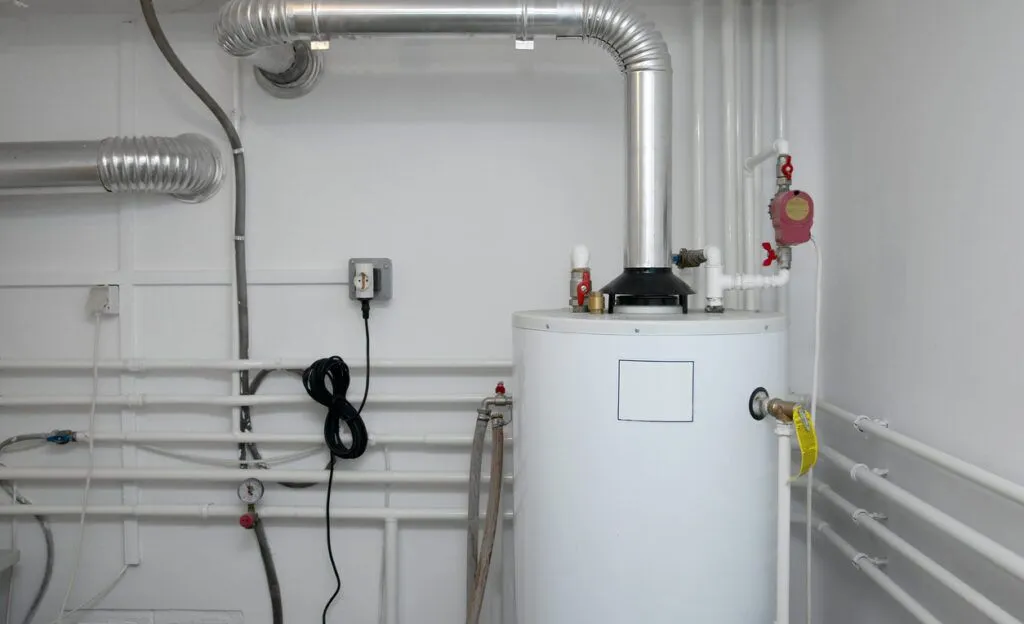
Use a real property with multiple plumbing systems and ask the vendor to follow these records through a visit. These checks assess the proposed setup; they do not imply that every platform has identical controls.
Water-heater warranty callback: Open the intended heater, find the earlier repair and coverage documents, and show which parts or labor terms staff would review before discussing the charge.
Tankless service return: Retrieve the last service date and findings from the unit, then show where the next plumber would record the new visit.
Pump condition: Find a recorded issue on one pump and show how office staff preparing the return call would see it.
Several units at one property: Distinguish two similar machines by unit identity and physical location, then attach work to only the intended one.
Replacement: Keep the removed unit’s earlier repairs and create a recognizable replacement with its own installation and warranty details.
Backflow-document retrieval: Open the assembly and retrieve its relevant test document or service finding. Confirm which file, job, or form holds it and how staff will find it next time. Document storage and submission to a water authority are separate workflows.
Assign Responsibility for the Installation Handoff
Decide who creates the customer equipment record after installation and who checks the identity, location, dates, and attachments. Plumbing inventory software can record a heater leaving warehouse stock; the installed record needs the actual serial and service context. Ask where inventory tracking ends and who creates that customer record. When comparing plumbing inventory management software, ask whether that handoff is supported automatically or requires staff to create and verify a record.
Plumbing estimating software prepares the proposed work, plumbing invoicing software records the charge, and accounting software receives supported financial transactions. Job costing tracks recorded labor and material costs. None of those documents alone establishes a dependable history for one installed pump or heater. The useful connection is the plumbing service work associated with the correct equipment, with its supporting observations still retrievable.
For recurring maintenance agreements or service agreements, check the units covered and where the resulting visits appear.
Frequently asked questions
What should plumbing asset management software record?
It should identify each installed unit and connect its location, installation details, coverage, condition, files, and service history. The depth varies by platform. Start with the equipment your plumbers need to recognize on a return visit, such as heaters, pumps, softeners, and backflow assemblies.
Which option offers the best residential value?
FieldPulse is my residential choice in this comparison. Native asset records are included in its subscription and connect with jobs, maintenance agreements, files, and reporting. It also accommodates light commercial service without requiring an enterprise-scale equipment administration process.
Can plumbers update equipment records from their phones?
FieldPulse, BuildOps, ServiceTitan, FieldEdge, and Housecall Pro provide mobile customer-equipment workflows. Demonstrate the specific record and update needed. Retrieving a barcode-linked unit, photographing a nameplate, and adding a job association are different mobile tasks.
How should a business distinguish two water heaters at one address?
Use separate unit records with recognizable names, serial numbers, and location descriptions. Attach each repair and its findings to the intended heater. An address-level note needs a consistent manual convention if the chosen system does not provide that unit structure.
Can the software preserve different warranty periods?
FieldPulse records separate parts and labor warranty information. ServiceTitan distinguishes manufacturer and service-provider warranty periods. Keep the relevant dates and supporting terms with the unit, and demonstrate how staff retrieve them during a callback.
Can backflow paperwork stay with the assembly?
A platform supporting equipment-linked files, jobs, or forms can organize the documents with the identified assembly. FieldPulse’s native assets and optional Custom Forms provide routes for that documentation. Confirm the retrieval and submission process separately; storing a test document does not submit it.
Does QuoteIQ provide the same installed-unit structure?
The QuoteIQ workflow reviewed here relies on contact notes, documents, and forms. Staff maintain the equipment identities and their histories manually. Its native inventory handles stock and does not supply that dedicated installed-unit structure in the reviewed setup.
When does Jobber’s manual approach become difficult?
The burden grows when a property has multiple units, separate warranties, or replacement histories. In the reviewed workflow, property custom fields and job notes need consistent naming to keep those relationships understandable. Demonstrate a second unit and a replacement before committing to that convention.
What happens when equipment is replaced or the property changes owners?
Preserve the removed unit’s history and identify the replacement separately. FieldPulse also supports transferring asset ownership while keeping equipment history. Show both operations in the proposed system so earlier repairs remain attributable to the correct unit.
Which software fits commercial plumbing equipment portfolios?
BuildOps is my commercial choice when unit history needs to connect with properties, service agreements, projects, and financial operations. ServiceTitan is stronger for a large organization standardizing records across branches. FieldPulse remains the more proportionate residential and light-commercial option.

Olivia Evans
Olivia has more than 10 years of experience researching field-service software for HVAC and other service businesses and improving their marketing and operations. She conducts hands-on workflow tests, documents findings with screenshots and notes, and checks product claims against official vendor documentation.
Author profile →How we test →