
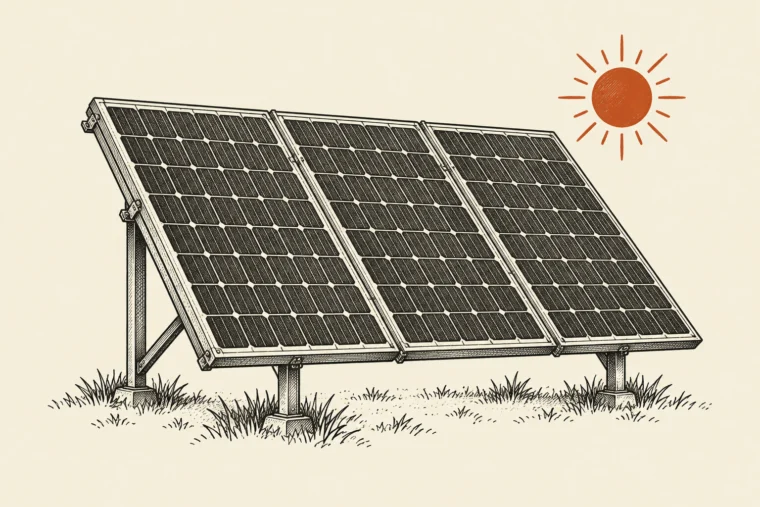
Solar asset management software helps an installer keep the equipment at each customer site connected to its installation data, warranty documents, maintenance records, and future service work.
This comparison is for solar business owners, service managers, and office teams choosing the operating system behind that work. A usable record helps the next technician find the right inverter and its repair history without reconstructing the installation from old invoices.
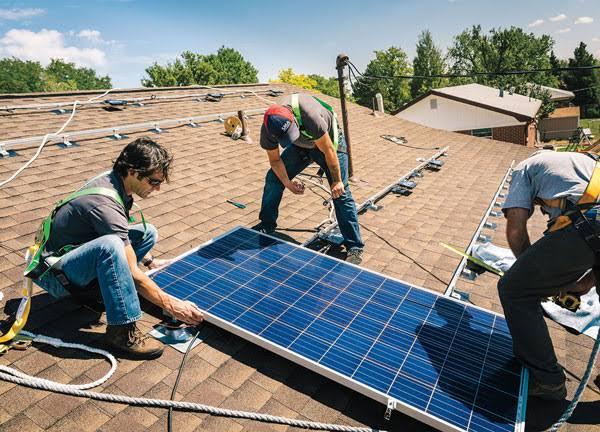
This guide compares eight contractor platforms for installed equipment and service work. Production monitoring, inspection maps, and investor reporting belong to specialist solar systems; we explain the useful connections below.
A residential installer usually needs to find the customer, identify the inverter, and recover its service history. A portfolio operator may also need weather-adjusted production analysis. Our solar software library covers the surrounding installation and service workflows.
Quick verdict
FieldPulse is our top pick for a growing residential or light commercial installer that wants detailed equipment records connected to jobs, inventory, and agreements. BuildOps is a better fit for commercial service across several properties, especially when the same team manages installation projects. ServiceTitan suits larger service teams with office staff to maintain equipment records, permissions, and reporting.
Housecall Pro offers a lighter property-equipment record. Jobber is approachable for simple service history, but custom fields need more care as the equipment count grows. FieldEdge makes the strongest case for teams already using it for service and accounting. Service Fusion’s customer-equipment module connects equipment with estimates and jobs. QuoteIQ’s photos and forms document visits; equipment identity across visits needs a clear record structure.
Solar asset management software compared
Compare equipment records, service workflows, and the package each team would actually buy.
Feature access: Included means native in the stated plan or quoted package; Paid module means a separately priced add-on; External integration means another application supplies the feature; Manual workaround means staff maintain it in generic fields or documents. Included does not mean every subscription tier. Check the plan and setup limits below.
Where tasks work: Mobile means the named action is available in the app; Web only means that action requires the browser; Limited offline names the work available without a connection. Plan, setup, and permission limits still apply. These notes follow official documentation checked November 1, 2026; hands-on findings remain in the review.
| Platform | Best operational fit | Equipment data approach | Main trade-off | Package and setup |
|---|---|---|---|---|
| FieldPulse | Growing residential and light commercial service | Mobile Scan barcodes and create or update asset records. Source Native assets connected with customer and work records | Configuration needs an owner | Assets included; Custom Forms costs extra |
| BuildOps | Commercial contractors with multiple properties | Included — native assets in the quoted commercial package. Source Mobile Capture nameplates and view unit history. SourceLimited offline Asset scans, photos, and notes save locally and sync after reconnection. Source Asset history within commercial service and projects | Greater implementation effort | Custom commercial package |
| ServiceTitan | Larger service and installation organizations | Included — Installed Equipment in the configured package. Source Mobile Look up installed equipment by barcode and add unit findings, subject to setup and permissions. Source Location equipment with model, serial, warranty, and service detail | Substantial administration | Custom package; role permissions need setup |
| Housecall Pro | Straightforward residential equipment history | Included — basic Property Profile equipment records. Source Mobile Add or associate Property Profile equipment on a job with the matching service address. Source Property Profile items at customer addresses | Lighter register and relationship structure | Property Profiles; eligible service plans |
| Jobber | Small teams with modest equipment-record needs | Manual workaround — unit records maintained through property fields, notes, and files. Property fields, notes, files, and job history | Custom fields require a consistent record convention | Custom fields on eligible plans |
| FieldEdge | Existing service fleets | Included — native equipment and work-order records. Source Mobile View customer equipment and work-order history. Source Equipment and work-order history | Solar-specific structures need demonstration | Tailored service package and mobile access |
| Service Fusion | Teams evaluating a company subscription | Included — native Customer Equipment; confirm the quoted configuration. Source Dedicated customer equipment selected on jobs | Equipment import and replacement setup | Customer equipment; imports need setup |
| QuoteIQ | Teams primarily documenting work visits | Manual workaround — equipment details in notes and forms; no dedicated asset record. Customer history, photos, inspection forms | Visit records need a manual equipment convention | Forms and field access vary by plan |
How we reviewed solar asset workflows
Testing at a glance
- Products
- FieldPulse, BuildOps, ServiceTitan, Housecall Pro, Jobber, FieldEdge, QuoteIQ, and Service Fusion.
- Evidence
- Seven platforms were evaluated through trial and paid accounts, with features checked against official documentation. Service Fusion was assessed from official documentation.
- When
- October 2026.
- Devices
- Desktop and iPhone.
- Workflows
- Identify installed equipment, find its site and service history, retain specifications and warranty files, associate a return visit with the right unit, and distinguish installed assets from stock and production data.
- Plans and limits
- This article applies existing platform account observations to solar service. For live production data, verify the connection to the site’s monitoring system. Specific tested tiers were not recorded for every platform. Paid forms, service-plan access, integration work, and reporting permissions vary by package.
We used the account findings to assess equipment records, warranty files, return-visit workflows, and field access. The solar examples describe how an installer would use those features; they are not claims of new solar tests. Read our testing methodology for the review process.
The wider field service asset comparison covers the distinction between customer equipment and company property. Solar adds a need to preserve approved configuration, component identity, and the source of any performance information.
Equipment records and asset performance management software
An equipment register identifies the unit, its site, and earlier work. Asset performance management software uses technical data to investigate energy production and equipment health. Commercial portfolio tools add financial and contractual oversight. An installer may need a connection between those systems without buying all of them as one product.
Raptor Solar’s documented digital twin shows inspection findings on a map or list, lets authorized staff update anomaly status, and retains a change log. SolarAnywhere’s real-time data supports production estimates and PV benchmarking. These are different capabilities from storing an inverter serial number.
Power Factors’ asset performance application combines portfolio and site views with performance analytics for renewable energy assets. Its documented inputs include SCADA, inverter, and battery-storage data, and its performance models compare expected with actual output. That makes it a specialist candidate for portfolio oversight, rather than evidence that the contractor platforms below provide those functions.
Turn a monitoring alert into assigned service
The Department of Energy’s PV monitoring guidance describes abnormal-condition alerts, maintenance tickets tracked through resolution, and retained as-built drawings. A useful handoff gives the service team the equipment identifier, finding, timestamp, responsible person, and resolution evidence.
Separate a failed inverter from a grid instruction limiting generation. Both can reduce output, but the response differs. If the monitoring system estimates lost revenue, check its tariff and timing inputs before treating the figure as a repair priority.
IBM’s Maximo Renewables is another specialist example. It ingests near real-time plant data, analyzes underperformance, and connects condition events with Maximo Manage work orders. A connection to a separate contractor platform still needs its own integration plan.
Measure availability and repair response separately
Availability measures the share of time a plant can deliver power when sunlight and the grid permit it. The Department of Energy distinguishes it from the performance ratio, which compares measured production with modeled production for the same conditions and period. Keep the reporting period and exclusions with the result.
MTBF and MTTR describe operating time between failures and time needed to repair. The service record needs consistent failure and restoration timestamps to support those measures. Closing an appointment and restoring generation can happen at different times.
The solar proposal guide covers the approved customer offer. Preserve the actual installed configuration when equipment changes so later service can be reconciled with that design.
Equipment and maintenance features compared
These are the equipment records each platform provides and the limits to check.
| Platform | Persistent equipment identity | Return-visit context | Useful solar demonstration | Main limit |
|---|---|---|---|---|
| FieldPulse | Native asset record | Linked jobs, files, warranties, and agreements | Replace an inverter while retaining the earlier record | Configure required fields and ownership |
| BuildOps | Commercial asset record | Property and unit service history | Find the correct component across several buildings | Commercial setup and solar trade fit |
| ServiceTitan | Location-installed equipment | Field equipment attachment and service detail | Record a replacement against the correct location | Permissions and implementation overhead |
| Housecall Pro | Property Profile item | Item associated with the job and eligible service plan | Separate two inverters at one service address | Lighter lifecycle structure |
| Jobber | Configured property and work fields | Notes, files, and visits | Retrieve one component’s history without searching every job | Manual convention rather than asset register |
| FieldEdge | Equipment record and history | Connected service work | Show solar equipment fields and warranty references | Verify required solar fields |
| Service Fusion | Customer-equipment module | Equipment selected on estimates and jobs | Carry a sold equipment item into a persistent record | Documentation-only review; configure imports |
| QuoteIQ | Manual customer and visit records | Photos, forms, customer and job records | Show a unit identifier reused across independent visits | No dedicated register in assessed workflow |
FieldPulse: best overall for growing solar installers
FieldPulse is our top pick for growing solar installers that want customer equipment, jobs, and future service in one system. Its asset management tools keep installation details, warranties, condition, notes, files, and linked jobs with the equipment record.
That makes the next service visit easier to prepare. The office can find the inverter, its warranty document, and earlier repairs without reading every invoice at the address. Installed, uninstalled, and retired statuses help preserve the old unit’s history after replacement. Our field service CRM guide covers the customer and site records around it.
The main catch is setup. Someone needs to choose equipment names, required fields, and who updates replacements. Asset Management is included in the subscription; Custom Forms costs extra. Include the whole team, imports, and any inspection forms in the quote.
BuildOps: best for commercial solar service
BuildOps makes the most sense for commercial solar contractors managing several properties, crews, and installation projects. Its asset management tools put unit specifications and service history within reach of field and office staff.
The useful part is keeping the site and equipment alongside the work. A service coordinator can recover earlier repairs after the installation project has closed, while the office keeps the property owner, site contact, and billing account straight. Our project management comparison covers the project tools around that handoff.
The downside is the amount of software and setup involved. A small residential crew needing a few serial numbers and warranty files may need much less. Pricing is custom, so include mobile access, imports, reporting, and the solar service work you actually perform in the proposed package.
ServiceTitan: best for larger solar service teams
ServiceTitan suits larger solar installation and service companies where different employees sell, install, repair, and review the bill. Its mobile equipment tools show equipment at the job location, including model, serial number, installation details, warranties, and earlier service.
Technicians can attach the serviced item to the work and mark old equipment as replaced while retaining its history. That is useful when an inverter is exchanged under warranty and the earlier serial number still matters. Our solar billing guide covers the charge generated by a repair.
The catch is administration. Equipment types, permissions, and reporting need consistent setup and someone to maintain them. It is a better fit for a staffed service office than an owner maintaining records after work. Compare implementation and recurring module costs together.
Housecall Pro: best for basic residential equipment records
Housecall Pro is a good fit for a small residential solar team that needs to remember what is installed before the next visit. Its Property Profile holds equipment at a customer address, including model, serial number, installation date, and notes. Staff can attach an item to a job.
A recognizable equipment name helps separate two inverters at one home. Its documented service-plan association can also connect a property item with an eligible plan. Our agreement software guide covers those ongoing service arrangements.
The main limitation is depth. Property Profiles give the next technician useful context, but FieldPulse has more structure for condition, retirement, and the equipment lifecycle. Housecall Pro is easier to justify when basic identification and a familiar service process meet the team’s needs.
Jobber: best for a small installed base
Jobber is a good starting point for a small solar service crew whose immediate problem is finding the customer, previous work, and next visit. Its custom fields can add model and serial details to properties and work records on eligible plans. Notes and files keep earlier findings with the work.
A few equipment details can fit that approach. The limitation becomes clearer when a property has two inverters and one is replaced: staff need a convention that keeps both units and their earlier values identifiable. A single field labeled “inverter serial” is easy to overwrite.
Choose Jobber for its simple service process when that manual approach stays manageable. It is weaker when the main reason for buying software is a dedicated installed-equipment register. The installed equipment guide explains the same distinction in another equipment-heavy service trade.
FieldEdge: best considered by existing users
FieldEdge makes its strongest case when the company already uses it for service work and accounting. Its equipment tracking product page describes equipment information, work history, attachments, and field access. Existing staff can keep the dispatch and equipment process they know.
Those records help the next technician recover earlier work and warranty details. For a fleet adding solar service, keeping that history together may be worth more than introducing another app. Our QuickBooks integration comparison covers the accounting connection.
For a new solar service business, start by comparing FieldPulse’s detailed equipment records with Housecall Pro’s simpler property profiles. FieldEdge’s broader service setup takes time, and solar equipment fields need to fit the devices the company maintains. Existing users should weigh that familiar process against migration, training, and the cost of a replacement system.
Service Fusion: customer equipment connected to jobs
Service Fusion provides a dedicated customer-equipment record that staff can select on estimates and jobs. Its equipment guide distinguishes the physical unit being serviced from a product in the catalog. That is useful when the company sells an inverter and later returns to repair that same unit.
The documented equipment-item workflow can prompt staff to add or update customer equipment when a configured product is added to a job. Staff can create the continuing record during the installation rather than reconstruct it after a service call.
The catch is keeping imports, duplicates, and replacements tidy. A dedicated module still needs rules for which sold items become equipment. Service Fusion’s inclusion here is based on documentation. Include training, agreements, and reporting in the quoted configuration.
QuoteIQ: useful visit evidence, limited asset structure
QuoteIQ is easier to consider when documenting a solar service visit is the main need. Its inspection forms and photo tools can retain findings and evidence. Customer and job records help the office find earlier work.
The main asset limitation is the record across visits. Staff need a manual convention to find the same inverter across independent jobs and replacements. Serial-numbered photos can help, but they do not offer FieldPulse’s structured equipment lifecycle.
Mobile reliability is another concern. Earlier estimating tests recorded loading delays and offline errors; these were not solar field tests. Try the forms, photos, and equipment lookup on the iPhone and connection conditions the crew will use. QuoteIQ is a better fit when visit documentation matters most and another register holds the equipment history.
Build a register that supports maintenance execution
Give the site and equipment stable identities
Record the customer, service address, system identifier, component identifier, manufacturer, model, serial number, installation date, and relevant warranty information. Define the asset types and required data your team will maintain. A battery energy storage system may need a system-level record and component records; demonstrate the hierarchy instead of assuming one field fits everything.
Keep warehouse stock separate from installed equipment. An inverter reserved for a job is still inventory until the installation process establishes which unit was installed. Our inventory management guide explains the stock movement behind that handoff.
Preserve changes and their supporting documents
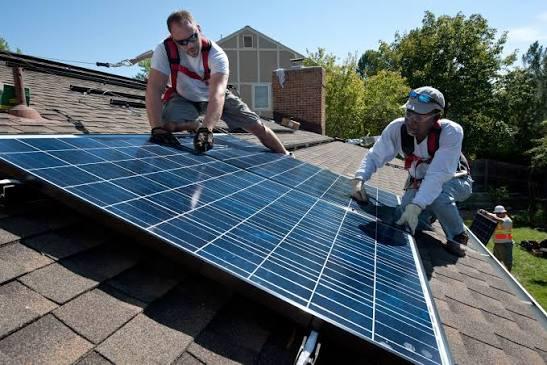
Retain the old and replacement identifiers, work date, reason, technician, and warranty paperwork. Keep the approved drawing and commissioning data identifiable. Document control should let staff distinguish an earlier design from the as-built record. Link the operational change with any customer approval covered in the quoting software guide.
Connect monitoring findings to maintenance workflows
If another application detects an anomaly, carry its source, timestamp, equipment identifier, owner, and resolution evidence into the service process. Check the maintained connector, failed transfers, and conflicting identifiers as well as the successful example. Each system needs an agreed owner for corrections.
For multiple sites, agree naming conventions, time zones, permissions, and reporting periods. Keep the same equipment identifiers across the register and monitoring connection. Good data quality starts with consistent data collection: record the source and timestamp of each finding, and keep an audit trail when an identifier or status changes. A technician should be able to trace the finding to a unit without guessing which of two similar inverter names is correct.
Pilot the import and installation handoff
Start with a few real sites containing several components, previous visits, and a replacement. Reconcile identifiers, dates, attachments, and exports with the source records before importing the full customer base. Historical data needs the same data quality checks as new records; a clean import can still attach an old repair to the wrong unit. Include a failed save and a lost connection in the mobile check.
For asset managers overseeing solar energy assets, agree which data sources supply equipment identity, inspection findings, and production measurements. The audit trail should show who corrected a record and why. That gives renewable energy projects a traceable service history without treating the contractor app as a production-monitoring system.
The installation team should retain punch-list items and unresolved handover work; the service team should inherit the current equipment record and supporting documents. Our project management guide covers that delivery process. Confirm who closes the handoff and who can approve a later equipment correction.
Compare subscription, migration, permissions, and integration costs with the work the software should remove. Useful measures include time spent finding an equipment history and how long an assigned repair remains open. Production and investor reporting can stay in a specialist application while the service manager owns the repair queue.
Frequently Asked Questions
What is solar asset management software?
Solar asset management software organizes solar equipment and its continuing records. Installer-focused systems connect the customer’s installed units with warranties, documents, and service work. Specialist solar platforms can also analyze production, map inspection findings, or manage portfolio obligations.
For a service callback, start with the inverter serial number. Find its installation record, warranty, and last repair before dispatching the technician.
Which solar asset platform is best for a growing installer?
FieldPulse is our top pick for a growing residential or light commercial solar installer needing connected equipment, jobs, and service records. BuildOps is a stronger commercial candidate, while ServiceTitan suits larger organizations able to maintain its configuration and reporting processes.
Does a solar equipment register monitor energy production?
A solar equipment register does not monitor production by itself. Production monitoring needs operating measurements and an application that analyzes them. IBM’s Maximo Renewables, for example, analyzes plant data and connects condition events with Maximo Manage work orders.
What should solar performance reporting show?
Solar performance reporting should show actual and expected production over the same period, with the measurement source and treatment of missing data. Weather-adjusted comparisons and availability help explain whether reduced generation needs investigation. Preserve the calculation basis when readings or assumptions change.
What do solar asset owners need for commercial oversight?
Solar asset owners managing a portfolio may need production analysis, contractual obligations, revenue oversight, and stakeholder reporting alongside maintenance records. Power Factors’ specialist platform provides portfolio performance views; a contractor’s equipment record supplies the service history rather than the complete commercial picture.
How should solar software record a battery storage system?
Solar software should give a battery storage system a stable system identifier and linked component details appropriate to the work being serviced. Retain the approved configuration, serial numbers, warranty documents, and commissioning references. A replacement should preserve the relationship between the old and new components.
Is solar inventory the same as installed equipment?
Solar inventory describes items held, purchased, reserved, transferred, or consumed. Installed equipment identifies the physical unit at a customer site and its later service history. The installation handoff should connect the stock item with the installed unit while preserving both records.
Can Jobber hold solar equipment details?
Jobber can hold solar equipment details in custom fields on properties and work records on eligible plans. Those fields can store model and serial information. Several units and replacement histories need a consistent manual convention because property fields are not a dedicated installed-equipment register.
How does Service Fusion link solar equipment to jobs?
Service Fusion links customer equipment to estimates and jobs so staff can identify the physical unit being sold or serviced. Its equipment workflow distinguishes that unit from a catalog product and recommends creating the equipment record during the sale or installation cycle.
Can solar service software administer warranty claims?
ServiceTitan can administer equipment warranty claims through its documented warranty tracking workflow. Staff can link a claim to the original purchase order or equipment, attach evidence, submit it, and record the vendor’s response, replacement, or credit. The manufacturer or supplier decides whether the claim is accepted.
What should a solar asset migration pilot include?
A solar asset migration pilot should include real sites with several components, an equipment replacement, attachments, and earlier service. Check duplicates, dates, permissions, exports, and the match with source records. If monitoring is connected, send one finding through assignment, repair, and resolution before expanding the rollout.
Should solar equipment records and monitoring share one platform?
Solar equipment and service records can share one platform when its structure fits the installer. Production analysis and portfolio oversight may need specialist software. Give each application a clear responsibility for identifiers and updates so technicians can find the current equipment record and resolve the assigned work.

Olivia Evans
Olivia has more than 10 years of experience researching field-service software for HVAC and other service businesses and improving their marketing and operations. She conducts hands-on workflow tests, documents findings with screenshots and notes, and checks product claims against official vendor documentation.
Author profile →How we test →