
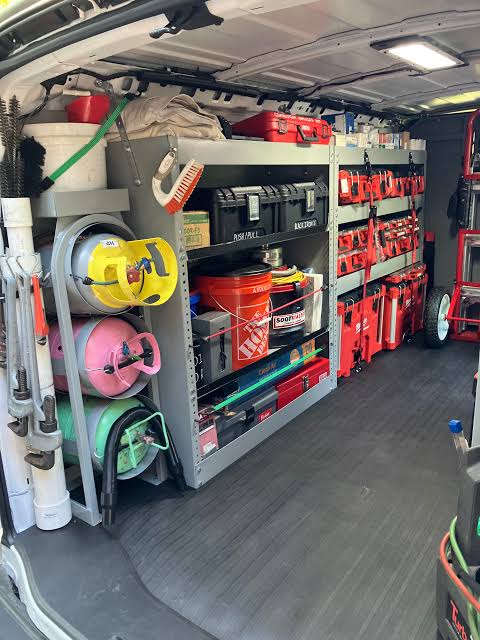
HVAC INVENTORY TRACKING SOFTWARE GUIDE
Best HVAC Inventory Tracking Software
HVAC inventory tracking software helps contractors manage company-owned parts, materials, consumables, and installable equipment before they are used at a customer's property. This comparison examines how FieldEdge, FieldPulse, Housecall Pro, Jobber, and ServiceTitan handle product catalogs, stock quantities and locations, material planning, job consumption and returns, physical counts, barcode scanning, transfers, replenishment, purchase orders, supplier connections, serialized equipment, and job-cost accounting. It also explains the difference between basic material tracking and a complete inventory-management system.
Reviewed August 2026 by Olivia Evans. Testing and verification follow the Tools in the Wild editorial methodology.
WRITTEN AND TESTED BY
Olivia has more than 10 years of experience researching field-service software for HVAC and other service businesses and improving their marketing and operations. She conducts hands-on workflow tests, documents findings with screenshots and notes, and checks product claims against official vendor documentation.
Published
August 2026
Last reviewed
August 2026
QUICK VERDICT: BEST HVAC INVENTORY TRACKING SOFTWARE
RECOMMENDED
FieldPulse
Best inventory system for most small and midsize HVAC contractors
- Best for: Most small and midsize HVAC businesses that want the operational inventory record inside the same platform used for estimates, jobs, material planning, invoices, purchasing, and technician mobile work.
- Key strengths: Native inventory items, location-specific hubs, minimum and reorder levels, transfers, material lists, configurable automatic deductions, physical counts, barcode scanning, purchase orders, receiving labels, usage and audit reports, and serial-level tracking.
- Important limitation: FieldPulse's deduction trigger must be selected and followed consistently. A company can deduct when a material list is completed or when an invoice is finalized; mixing job documentation practices can still produce timing gaps even though the software prevents the same quantity from being deducted twice.
- Package note: These are native FieldPulse inventory capabilities. Supplier and accounting connections extend the workflow but do not replace the native stock system. FieldPulse sells seat-based packages and custom quotes; see FieldPulse pricing and the inventory product page.
fieldpulse.com
Visit
RECOMMENDED
ServiceTitan
Best enterprise inventory governance
- Best for: Larger HVAC organizations that need formal inventory governance across warehouses and field-stock locations, including reservations, requisitions, replenishment, purchase orders, transfers, mobile barcode workflows, serialized items, returns, and cost-of-goods posting.
- Key strengths: Native Purchasing and Inventory modules connect stock setup, min/max levels, availability, reservations, procurement, receiving, transfers, consumption, returns, physical counts, barcode scanning, serialized inventory, and accounting. Its quantity model separately reports available, on hold, on order, on hand, and total stock.
- Important limitation: ServiceTitan requires more configuration and process discipline than the lighter platforms. Inventory tracking must be enabled on each applicable item, inventory locations and templates must be configured separately, receipts and consumption must be posted correctly, and serialized workflows prevent transactions when the required serial-level stock is unavailable.
- Package note: Purchasing and Inventory are native ServiceTitan modules that must be configured for the account. Supplier catalog and ordering connections are integrations. ServiceTitan's public Starter, Essentials, and Works page does not enumerate these modules, so buyers should have both modules and implementation scope identified in the proposal. See ServiceTitan inventory and purchase-order overview and ServiceTitan pricing.
servicetitan.com
Visit
FieldEdge
Conditional hybrid only—not recommended as a standalone inventory platform
- Consider only if: The company deliberately wants to implement FieldEdge Elite alongside QuickBooks Desktop Enterprise with Advanced Inventory and accepts QuickBooks as the inventory system of record.
- Key strengths: FieldEdge includes Pricebook, Purchases, Replenishment, and QuickBooks Online/Desktop integration across Select, Premier, and Elite. Its mobile and office parts-request workflows can create purchasing activity in QuickBooks, and Elite adds Warehouse Inventory Management for supported QuickBooks Desktop Enterprise accounts.
- Important limitation: FieldEdge's advanced warehouse workflow is not a standalone FieldEdge stock ledger. The vendor requires QuickBooks Desktop Enterprise with Advanced Inventory, so configuration, receiving, site quantities, transfers, and accounting depend on the paired QuickBooks system.
- Package note: Replenishment, Purchases, and QuickBooks integration appear on all FieldEdge plans. Warehouse Inventory Management is native/Elite plan-gated and has the additional QuickBooks Desktop Enterprise Advanced Inventory requirement. See FieldEdge pricing and package requirements.
fieldedge.com
Visit
Housecall Pro
Not recommended for native inventory; suitable only for material tracking
- Consider only if: The company needs material usage and cost reporting rather than full inventory, or is prepared to purchase and operate Ply as a separate inventory system.
- Key strengths: Housecall Pro natively supports material line items and job inputs, tracks where a material was sourced, whether it has been purchased, the vendor, the employee and job, and reports material quantity and cost. The paid Ply integration adds location quantities, allocations, transfers, barcode scanning, automated replenishment, RFQs, and supplier price shopping.
- Important limitation: Housecall Pro's native Material Inventory Detail report is a usage-and-procurement view, not an on-hand inventory ledger. True warehouse or technician-stock quantities, transfers, barcodes, and reorder automation require Ply as a paid third-party integration or an external accounting inventory workflow such as QuickBooks Online Plus.
- Package note: Materials, job inputs, and reports are native. Ply and QuickBooks Online are separate integrations/subscriptions. The Reece connection is a limited alpha supplier workflow, not a general inventory replacement. See Housecall Pro material detail tracking and the Ply integration overview.
housecallpro.com
Visit
Jobber
Not recommended when operational inventory is a buying priority
- Consider only if: The company needs a lightweight product list for quotes, jobs, and invoices—not warehouse or field-stock control—and is comfortable keeping quantity on hand outside Jobber.
- Key strengths: A native Products & Services list, product costs and markup on eligible plans, product usage reporting, mobile job line items, and job costing on Grow. The documented QuickBooks Online connector can map inventory items into Jobber and deduct quantity on hand in QuickBooks when the corresponding invoice syncs.
- Important limitation: Jobber does not provide a native warehouse, location-level on-hand ledger, stock reservations, transfers, replenishment rules, barcode counts, or serialized inventory control. Its Products & Services report measures line-item use and value, not remaining stock.
- Package note: The catalog and usage report are native; job costing is native/Grow plan-gated. QuickBooks Online inventory is an external accounting integration available on Connect and higher, while The Home Depot connection is a supplier-catalog integration, not internal inventory. See Jobber Products & Services and how inventory items sync with QuickBooks Online.
How We Tested
In August 2026, the Tools in the Wild editorial team tested FieldEdge, FieldPulse, Housecall Pro, Jobber, and ServiceTitan using trial and paid accounts. On desktop and iPhone, we ran each platform through the same HVAC inventory scenarios: building a parts catalog, checking stock by location, planning materials for upcoming work, recording consumption and returns, counting and scanning stock, transferring and replenishing locations, creating and receiving purchase orders, and tracking serialized installable equipment. We documented the workflows with screenshots and written notes, then checked factual claims against current vendor help centers, mobile guides, plan-comparison pages, accounting-sync documentation, integration instructions, and implementation guides. The comparison emphasizes operational differences rather than shared baseline features and separately labels plan-gated functions, configured modules, paid add-ons, and third-party integrations. Vendors neither reviewed the article nor influenced its conclusions. Read our full editorial methodology.
Our Verdict
FieldPulse is the best overall HVAC inventory tracking platform for most small and midsize contractors; ServiceTitan is the best enterprise fit.
FieldEdge is not recommended for buyers who want inventory managed natively inside their field-service platform. Its Elite warehouse capability can connect parts requests, purchases, replenishment, and service work, but it requires QuickBooks Desktop Enterprise with Advanced Inventory and leaves key inventory-site, receiving, transfer, and accounting data in QuickBooks. Consider it only when the company intentionally wants that paired architecture.
FieldPulse is the best overall option for most small and midsize HVAC contractors. It covers the full practical loop: define an inventory item, assign quantities to hubs, plan materials, deduct use, perform counts, transfer stock, generate purchase orders, receive and label items, scan barcodes, and track individual serial numbers. Unlike Housecall Pro and Jobber, FieldPulse does not need an external inventory product to answer how many units remain at a location. Unlike FieldEdge, its multi-hub design is not contingent on QuickBooks Desktop Enterprise. ServiceTitan goes deeper on enterprise controls, but FieldPulse offers the better balance of capability and operational accessibility for the broader HVAC market.
Housecall Pro is not recommended for buyers seeking native HVAC inventory management. Its job inputs and Material Inventory Detail report can show what was used, where it came from, whether it was purchased, which vendor supplied it, who used it, and what it cost. On-hand quantities, transfers, location allocation, barcodes, and replenishment require the paid Ply integration or another external inventory system.
Jobber is not recommended when operational inventory is a meaningful buying criterion. It is simple to put products on customer documents and review usage, but Jobber does not provide native on-hand, reservation, count, transfer, scanning, or replenishment workflows. In the documented inventory path, QuickBooks holds quantity and becomes the source of truth rather than Jobber.
ServiceTitan is the best option for enterprise inventory governance. Its configured Purchasing and Inventory modules offer the most formal transaction model in this comparison: requisition, reserve, order, receive, transfer, consume, return, count, and post cost. It also has the clearest distinction among physically available, reserved, ordered, on-hand, and total quantities. The tradeoff for smaller HVAC businesses is implementation weight: item tracking, warehouses and field-stock locations, min/max settings, permissions, mobile workflows, serialized rules, and accounting configuration must be designed as one operating system rather than enabled casually.
In practical terms, an inventory-first buyer should shortlist FieldPulse and ServiceTitan. FieldEdge is a conditional two-system architecture rather than a standalone inventory recommendation. Housecall Pro and Jobber should not be selected for native inventory management; they remain material-catalog or usage options unless the company intends to buy and operate a separate inventory system.
AT-A-GLANCE HVAC INVENTORY TRACKING SOFTWARE COMPARISON
| Software | Overall standing | Catalog and job materials | Quantity and location control | Planning and consumption | Purchasing and replenishment | Barcode and serialized stock | Cost and accounting | Packaging reality |
|---|---|---|---|---|---|---|---|---|
| FieldEdge | Conditional only: not recommended as a standalone inventory platform | Native Pricebook, job items, mobile/office parts requests | Advanced warehouse view is Elite plan-gated and requires QuickBooks Desktop Enterprise Advanced Inventory | Replenishment is listed on all plans; parts requests can feed purchasing | Purchases are on all plans; QuickBooks creates or holds the underlying POs, receipts, and inventory-site data | Advanced Inventory behavior depends on required QuickBooks Desktop configuration; FieldEdge docs do not establish a comparable native mobile barcode/serialized workflow | Native QuickBooks Online/Desktop integrations on all plans; job profitability uses item and purchase data | Best understood as a FieldEdge + QuickBooks inventory system, not a standalone FieldEdge ledger |
| FieldPulse | Best overall for most small and midsize HVAC contractors: complete native capability without enterprise implementation weight | Native item list with inventory, non-inventory, and service types; shared with estimates, invoices, material lists, and POs | Native hubs for warehouses, offices, job sites, and field stock; quantities, transfers, minimums, reorder levels | Native material lists; configurable deduction at material-list completion or invoice finalization; count and usage audit | Native purchase orders, low-stock replenishment, suppliers, receiving labels, and mobile PO work | Native mobile barcode counts and transfers; native serial-level units with received date, unit cost, reference, location, and invoice selection | Native unit cost, inventory value and usage reports; supplier/accounting integrations extend the platform | Native end-to-end inventory; seat-based/custom quote |
| Housecall Pro | Not recommended for native inventory: material tracking only unless Ply or another external system is added | Native material catalog, line items, job inputs, source, vendor, purchase status, employee, quantity, and cost reporting | No native on-hand ledger; Ply integration adds warehouse and field-stock locations | Native usage/needed-material reporting; Ply adds allocation, consumption, and transfers | Native purchasing-status fields; Ply adds replenishment, RFQs, price comparison; QBO Plus offers another external path | Ply provides barcode and location workflows; native HCP docs do not establish serialized inventory control | Native material cost/job costing; Ply and QBO are external systems | Core material tracking is native; full inventory requires a separate paid integration/subscription |
| Jobber | Not recommended for operational inventory: product catalog only, with quantity control external | Native Products & Services catalog and usage report; products flow to quotes, jobs, and invoices | No native on-hand or multi-location stock ledger; QBO can hold inventory | Native line-item use; no native reservation, transfer, or stock-consumption transaction | No native PO/replenishment inventory loop; The Home Depot integration shows supplier catalog availability for quoting | No documented native barcode count or serialized-stock workflow | Native job costing on Grow; QBO Connect+ can hold and deduct inventory on invoice sync | Strong catalog, weak stock control; full quantity tracking remains external |
| ServiceTitan | Best for enterprise governance: deepest native controls, with heavier configuration and process requirements | Native materials/equipment catalog with inventory tracking enabled per item; locations configured separately | Native warehouses and field-stock locations with available, on hold, on order, on hand, and total quantities | Native requisitions, reservations, consumption, returns, and invoice-based item use | Native configured Purchasing/Inventory modules with POs, receiving, min/max replenishment, transfers, and procurement | Native mobile barcode receiving/counting/transactions and serialized inventory | Native inventory costing and COGS posting after job closeout; accounting configuration required | Enterprise modules require account configuration; supplier connections are integrations |
Capability labels used in this article
Native/core: The vendor documents the function inside its own platform. Setup, permissions, and normal subscription terms may still apply.
Native/plan-gated: The vendor builds the function, but it appears only in a named subscription tier.
Native module/account-configured: The vendor builds the function as a module that must be enabled and implemented for the account.
Native add-on: The vendor builds the function but sells it separately from the base platform.
Integration: A partner, supplier, or accounting product provides or remains authoritative for the function. It may require another contract, fee, login, or implementation.
HVAC INVENTORY TRACKING SOFTWARE WORKFLOWS
Compare HVAC inventory software by the workflows that determine whether the correct part is available, purchased, staged, installed, billed, and costed.
These workflows determine whether the correct part is available, purchased, staged, installed, billed, and costed.
1
Creating the catalog and deciding what counts as inventory
Separating stocked parts from non-inventory items and services while keeping costs, prices, suppliers, and units consistent.
CATALOG
2
Knowing what is available, reserved, on order, and where
Distinguishing a job-material list from a live stock ledger and understanding location quantities.
STOCK VISIBILITY
3
Planning and reserving materials for upcoming HVAC work
Staging parts for replacements and installations before a technician consumes them.
MATERIAL PLANNING
4
Recording job consumption, returns, and cost
Moving materials out of stock at the right event and preserving job profitability.
CONSUMPTION & COST
5
Counting, scanning, and reconciling stock
Comparing actual and expected quantities, using barcodes, and controlling adjustments.
COUNTING & SCANNING
6
Transferring and replenishing warehouses and field stock
Moving parts among locations and restoring min/max levels.
TRANSFERS & REPLENISHMENT
7
Purchasing, receiving, and connecting suppliers & Tracking serialized installable equipment and reporting
Turning shortages into POs, receipts, labels, and updated quantities without confusing supplier catalogs with inventory. Following individual condensers, furnaces, air handlers, and other high-value units before installation and posting accurate inventory value and COGS.
PURCHASING & SERIALS
1. CREATING THE CATALOG AND DECIDING WHAT COUNTS AS INVENTORY
Separating stocked parts from services and non-stock purchases
WORKFLOW RESULT
FieldPulse has the clearest native catalog structure for a growing contractor; ServiceTitan has the most configurable enterprise foundation. FieldPulse directly connects stocked and non-stock items to jobs, hubs, purchasing, and serialized inventory. Housecall Pro and Jobber provide basic item catalogs, but neither becomes a native on-hand inventory system, while FieldEdge’s advanced quantity structure relies on the connected QuickBooks inventory file.
CAPABILITY SUMMARY
- FieldEdge — native pricebook, accounting-led inventory classification
- FieldPulse — strongest native catalog distinction
- Housecall Pro — material catalog only, not stock control
- Jobber — product-and-service list, not an inventory ledger
- ServiceTitan — most configurable enterprise item foundation
How do the vendors compare?
FieldEdge — native pricebook, accounting-led inventory classification: Native/core catalog; QuickBooks integration.
FieldPulse — strongest native catalog distinction: Native/core.
Housecall Pro — material catalog only, not stock control: Native/core.
Jobber — product-and-service list, not an inventory ledger: Native/core; some cost tools are plan-dependent.
ServiceTitan — most configurable enterprise item foundation: Native module/account-configured.
FieldEdge — native pricebook, accounting-led inventory classification
Native/core catalog; QuickBooks integration. Pricebook and Flat Rate Pricing are included in every FieldEdge plan. FieldEdge item records support the parts, equipment, labor, and service content used on work orders and invoices, while the QuickBooks connection synchronizes the financial and inventory side of those items. Administrators should decide which system owns item creation, naming, cost, and account mapping before import or sync; duplicate and mismatched items undermine replenishment and profitability later. See FieldEdge Administrator Item Training and the FieldEdge–QuickBooks integration overview.
EVIDENCE SUMMARY
- Native/core catalog; QuickBooks integration.
- Pricebook and Flat Rate Pricing are included in every FieldEdge plan.
- FieldEdge item records support the parts, equipment, labor, and service content used on work orders and invoices, while the QuickBooks connection synchronizes the financial and inventory side of those items.
- Administrators should decide which system owns item creation, naming, cost, and account mapping before import or sync; duplicate and mismatched items undermine replenishment and profitability later.
CAPABILITY & LIMITATIONS
- See FieldEdge Administrator Item Training and the FieldEdge–QuickBooks integration overview.
FieldPulse — strongest native catalog distinction
Native/core. An item can be a Service, Product–Inventory, or Product–Non Inventory. Only the inventory type participates in stock quantity and serialized tracking. An HVAC contractor can store SKU, UPC or barcode, unit cost, selling price, current quantity, supplier, tax and category information, then reuse the same item across estimates, invoices, material lists, and purchase orders. That explicit type choice prevents a drop-shipped condenser or one-off permit from behaving like a stocked capacitor. See setting up FieldPulse Item List and Inventory.
EVIDENCE SUMMARY
- Native/core.
- An item can be a Service, Product–Inventory, or Product–Non Inventory.
- Only the inventory type participates in stock quantity and serialized tracking.
- An HVAC contractor can store SKU, UPC or barcode, unit cost, selling price, current quantity, supplier, tax and category information, then reuse the same item across estimates, invoices, material lists, and purchase orders.
CAPABILITY & LIMITATIONS
- See setting up FieldPulse Item List and Inventory.
Housecall Pro — material catalog only, not stock control
Native/core. Housecall Pro’s Price Book includes a Materials section where contractors can create and categorize parts with customer price and internal cost information. Materials can be used as customer-facing line items or as job inputs behind a flat-rate service. This creates one consistent vocabulary for quoting and job costing, but creating a material does not establish quantity on hand, a stocking location, a reorder point, or a serial record. See the Housecall Pro Price Book Materials guide.
EVIDENCE SUMMARY
- Native/core.
- Housecall Pro's Price Book includes a Materials section where contractors can create and categorize parts with customer price and internal cost information.
- Materials can be used as customer-facing line items or as job inputs behind a flat-rate service.
- This creates one consistent vocabulary for quoting and job costing, but creating a material does not establish quantity on hand, a stocking location, a reorder point, or a serial record.
CAPABILITY & LIMITATIONS
- See the Housecall Pro Price Book Materials guide.
Jobber — product-and-service list, not an inventory ledger
Native/core; some cost tools are plan-dependent. Jobber’s Products & Services list separates products from services and stores a name, description, default unit price, and applicable taxes. Eligible plans can also hold product cost and markup, and items can be selected on quotes, jobs, and invoices. It is a customer-document and costing catalog, not a warehouse item master: designating an entry as a product does not create on-hand, allocated, or ordered quantities. See Jobber Products & Services.
EVIDENCE SUMMARY
- Native/core; some cost tools are plan-dependent.
- Jobber's Products & Services list separates products from services and stores a name, description, default unit price, and applicable taxes.
- Eligible plans can also hold product cost and markup, and items can be selected on quotes, jobs, and invoices.
- It is a customer-document and costing catalog, not a warehouse item master: designating an entry as a product does not create on-hand, allocated, or ordered quantities.
CAPABILITY & LIMITATIONS
- See Jobber Products & Services.
ServiceTitan — most configurable enterprise item foundation
Native module/account-configured. ServiceTitan uses materials and equipment records in its Pricebook, enables inventory tracking on the particular items that should affect stock, and configures inventory locations and templates separately. This matters in HVAC: a stocked contactor can be tracked by quantity, an installed condensing unit can be serialized, and a non-stock expense can remain outside the ledger. Once a tracked item has posted inventory activity, changing that decision can be operationally restricted, so setup should align item type, costing method, general-ledger accounts, and locations before go-live. See enabling inventory tracking for equipment and materials and ServiceTitan’s Inventory module overview.
EVIDENCE SUMMARY
- Native module/account-configured.
- ServiceTitan uses materials and equipment records in its Pricebook, enables inventory tracking on the particular items that should affect stock, and configures inventory locations and templates separately.
- This matters in HVAC: a stocked contactor can be tracked by quantity, an installed condensing unit can be serialized, and a non-stock expense can remain outside the ledger.
- Once a tracked item has posted inventory activity, changing that decision can be operationally restricted, so setup should align item type, costing method, general-ledger accounts, and locations before go-live.
- See enabling inventory tracking for equipment and materials and ServiceTitan's Inventory module overview.
CAPABILITY & LIMITATIONS
- See enabling inventory tracking for equipment and materials and ServiceTitan's Inventory module overview.
2. KNOWING WHAT IS AVAILABLE, RESERVED, ON ORDER, AND WHERE
Distinguishing a live stock ledger from a report of material used
WORKFLOW RESULT
ServiceTitan provides the most precise quantity-state model, while FieldPulse offers the clearest native multi-location view for a smaller operation. FieldEdge exposes site-level quantities only through its required Elite and QuickBooks Desktop Enterprise Advanced Inventory configuration. Housecall Pro and Jobber need external inventory systems to answer a basic question such as, “Do we have two ECM motors available for tomorrow?”
CAPABILITY SUMMARY
- FieldEdge — location visibility only through the required Elite/QBD configuration
- FieldPulse — best native multi-hub view for a growing team
- Housecall Pro — native usage data; Ply supplies on-hand locations
- Jobber — usage is native, quantity on hand is external
- ServiceTitan — strongest quantity-state model
How do the vendors compare?
FieldEdge — location visibility only through the required Elite/QBD configuration: Native/Elite plan-gated interface plus required QuickBooks Desktop integration.
FieldPulse — best native multi-hub view for a growing team: Native/core.
Housecall Pro — native usage data; Ply supplies on-hand locations: Native material detail does not equal stock; Ply is an integration.
Jobber — usage is native, quantity on hand is external: Native catalog/report; QuickBooks Online integration for stock.
ServiceTitan — strongest quantity-state model: Native module/account-configured.
FieldEdge — location visibility only through the required Elite/QBD configuration
Native/Elite plan-gated interface plus required QuickBooks Desktop integration. Warehouse Inventory Management is available only with Elite and only for contractors using QuickBooks Desktop Enterprise with Advanced Inventory. In that design, QuickBooks Inventory Sites hold quantity by warehouse or field-stock location, and FieldEdge makes those warehouses usable in the service workflow. Contractors on other plans still have Replenishment and Purchases, but should not assume those features create the same multi-site ledger. See utilizing warehouses in FieldEdge, tracking quantities by inventory site, and the Elite requirement.
EVIDENCE SUMMARY
- Native/Elite plan-gated interface plus required QuickBooks Desktop integration.
- Warehouse Inventory Management is available only with Elite and only for contractors using QuickBooks Desktop Enterprise with Advanced Inventory.
- In that design, QuickBooks Inventory Sites hold quantity by warehouse or field-stock location, and FieldEdge makes those warehouses usable in the service workflow.
- Contractors on other plans still have Replenishment and Purchases, but should not assume those features create the same multi-site ledger.
CAPABILITY & LIMITATIONS
- See utilizing warehouses in FieldEdge, tracking quantities by inventory site, and the Elite requirement.
FieldPulse — best native multi-hub view for a growing team
Native/core. FieldPulse Inventory Hubs represent a warehouse, office, job site, or field-stock location. Each inventory item can hold quantities at one or many hubs, and each hub can have its own minimum and reorder level. The company can view stock centrally, transfer items, and count actual against expected without moving to an accounting application. This is real location inventory, not merely a list of parts attached to jobs. See FieldPulse Inventory Hubs.
EVIDENCE SUMMARY
- Native/core.
- FieldPulse Inventory Hubs represent a warehouse, office, job site, or field-stock location.
- Each inventory item can hold quantities at one or many hubs, and each hub can have its own minimum and reorder level.
- The company can view stock centrally, transfer items, and count actual against expected without moving to an accounting application.
CAPABILITY & LIMITATIONS
- See FieldPulse Inventory Hubs.
Housecall Pro — native usage data; Ply supplies on-hand locations
Native material detail does not equal stock; Ply is an integration. Housecall Pro can filter materials used or needed by job, employee, source, vendor, and purchase status. It does not natively document available, allocated, on-order, or location quantities. The Ply inventory integration adds warehouses and technician-stock locations with stock visibility and allocation. Housecall Pro also points contractors to QuickBooks Online Plus for an external accounting-led inventory option. See its inventory tracking strategy guide.
EVIDENCE SUMMARY
- Native material detail does not equal stock; Ply is an integration.
- Housecall Pro can filter materials used or needed by job, employee, source, vendor, and purchase status.
- It does not natively document available, allocated, on-order, or location quantities.
- The Ply inventory integration adds warehouses and technician-stock locations with stock visibility and allocation.
CAPABILITY & LIMITATIONS
- See its inventory tracking strategy guide.
Jobber — usage is native, quantity on hand is external
Native catalog/report; QuickBooks Online integration for stock. Jobber’s Products & Services report shows how often and for how much an item appeared on quotes, jobs, and invoices. It does not show remaining quantity or location. In the documented QuickBooks Online inventory workflow, QBO is the inventory source of truth; its inventory items sync into Jobber as products, and QBO deducts quantity when the corresponding Jobber invoice syncs. This does not make Jobber an inventory system; the stock answer remains in QBO. See Jobber’s Products and Services report and QBO item sync behavior.
EVIDENCE SUMMARY
- Native catalog/report; QuickBooks Online integration for stock.
- Jobber's Products & Services report shows how often and for how much an item appeared on quotes, jobs, and invoices.
- It does not show remaining quantity or location.
- In the documented QuickBooks Online inventory workflow, QBO is the inventory source of truth; its inventory items sync into Jobber as products, and QBO deducts quantity when the corresponding Jobber invoice syncs.
CAPABILITY & LIMITATIONS
- See Jobber's Products and Services report and QBO item sync behavior.
ServiceTitan — strongest quantity-state model
Native module/account-configured. ServiceTitan distinguishes available stock physically present and not reserved, on hold stock physically present but reserved, on order stock requested but not received, on hand as available plus on hold, and total as on hand plus on order. Those states can be viewed across inventory locations in the Aggregate Inventory Stock report. This makes the system materially better for promising an installation than a single “quantity” number. See the Aggregate Inventory Stock report definitions.
EVIDENCE SUMMARY
- Native module/account-configured.
- ServiceTitan distinguishes available stock physically present and not reserved, on hold stock physically present but reserved, on order stock requested but not received, on hand as available plus on hold, and total as on hand plus on order.
- Those states can be viewed across inventory locations in the Aggregate Inventory Stock report.
- This makes the system materially better for promising an installation than a single “quantity” number.
- See the Aggregate Inventory Stock report definitions.
CAPABILITY & LIMITATIONS
- See the Aggregate Inventory Stock report definitions.
3. PLANNING AND RESERVING MATERIALS FOR UPCOMING HVAC WORK
Preparing an installation without making the same equipment available twice
WORKFLOW RESULT
ServiceTitan is strongest for formal reservations and requisitions; FieldPulse is strongest for practical native material planning without enterprise overhead. Housecall Pro can identify what must be sourced, but allocation requires Ply. FieldEdge routes requests into its QuickBooks-centered purchase process. Jobber places products on the job without creating a stock reservation.
CAPABILITY SUMMARY
- FieldEdge — parts requests connected to purchasing
- FieldPulse — strongest practical job-material planning
- Housecall Pro — native sourcing checklist; Ply adds allocation
- Jobber — job line items without reservation
- ServiceTitan — best formal reservation and requisition control
How do the vendors compare?
FieldEdge — parts requests connected to purchasing: Native request workflow plus QuickBooks integration.
FieldPulse — strongest practical job-material planning: Native/core.
Housecall Pro — native sourcing checklist; Ply adds allocation: Native job inputs and material status; third-party allocation.
Jobber — job line items without reservation: Native/core.
ServiceTitan — best formal reservation and requisition control: Native module/account-configured.
FieldEdge — parts requests connected to purchasing
Native request workflow plus QuickBooks integration. A technician can submit a Parts Request from FieldEdge Mobile, or office staff can create one from the customer or work-order context. The request records what must be obtained and can flow into the QuickBooks purchase-order or bill workflow. This routes the purchasing need into QuickBooks, but it neither reserves existing stock nor provides native inventory availability. See creating a Parts Request in FieldEdge Mobile and creating one from the office.
EVIDENCE SUMMARY
- Native request workflow plus QuickBooks integration.
- A technician can submit a Parts Request from FieldEdge Mobile, or office staff can create one from the customer or work-order context.
- The request records what must be obtained and can flow into the QuickBooks purchase-order or bill workflow.
- This routes the purchasing need into QuickBooks, but it neither reserves existing stock nor provides native inventory availability.
CAPABILITY & LIMITATIONS
- See creating a Parts Request in FieldEdge Mobile and creating one from the office.
FieldPulse — strongest practical job-material planning
Native/core. Material Lists can be attached to a job or project and separate what is needed from what was actually used. Teams can build the list from estimates and item records, update it from mobile, create related purchase orders, and use the completed list as an inventory-deduction trigger. It gives install managers a practical staging document. However, a planned quantity should not be described as a hard reservation unless the contractor has verified that its exact workflow reduces available stock before consumption. See FieldPulse Material Lists.
EVIDENCE SUMMARY
- Native/core.
- Material Lists can be attached to a job or project and separate what is needed from what was actually used.
- Teams can build the list from estimates and item records, update it from mobile, create related purchase orders, and use the completed list as an inventory-deduction trigger.
- It gives install managers a practical staging document.
CAPABILITY & LIMITATIONS
- See FieldPulse Material Lists.
Housecall Pro — native sourcing checklist; Ply adds allocation
Native job inputs and material status; third-party allocation. Housecall Pro can add material inputs to a job or flat-rate service, record the source, vendor, and purchase status, and report material still needed. Inputs are internal costs and do not change the customer-facing job total. This is a purchasing checklist, not an inventory reservation; allocation remains in Ply. See Housecall Pro Job Inputs and the Material Inventory Detail report.
EVIDENCE SUMMARY
- Native job inputs and material status; third-party allocation.
- Housecall Pro can add material inputs to a job or flat-rate service, record the source, vendor, and purchase status, and report material still needed.
- Inputs are internal costs and do not change the customer-facing job total.
- This is a purchasing checklist, not an inventory reservation; allocation remains in Ply.
CAPABILITY & LIMITATIONS
- See Housecall Pro Job Inputs and the Material Inventory Detail report.
Jobber — job line items without reservation
Native/core. A dispatcher or technician can add products from the Products & Services list to a job, recording expected materials without checking or reserving stock and later carrying those line items to the invoice. If QBO is the inventory system, deduction occurs with invoice sync rather than when the job is scheduled, so the office needs a separate staging or availability control for future installations. See working with jobs in the Jobber app.
EVIDENCE SUMMARY
- Native/core.
- A dispatcher or technician can add products from the Products & Services list to a job, recording expected materials without checking or reserving stock and later carrying those line items to the invoice.
- If QBO is the inventory system, deduction occurs with invoice sync rather than when the job is scheduled, so the office needs a separate staging or availability control for future installations.
- See working with jobs in the Jobber app.
CAPABILITY & LIMITATIONS
- See working with jobs in the Jobber app.
ServiceTitan — best formal reservation and requisition control
Native module/account-configured. ServiceTitan supports material requisitions, reservations, and procurement against locations. Items needed for a job can move from requested or on order to on hold when physically received and reserved, protecting them from being presented as freely available. The broader workflow connects replenishment, purchase orders, transfers, and consumption rather than treating the install list as a note. See ServiceTitan’s Purchasing module, procuring items, and the Inventory and Purchase Orders overview.
EVIDENCE SUMMARY
- Native module/account-configured.
- ServiceTitan supports material requisitions, reservations, and procurement against locations.
- Items needed for a job can move from requested or on order to on hold when physically received and reserved, protecting them from being presented as freely available.
- The broader workflow connects replenishment, purchase orders, transfers, and consumption rather than treating the install list as a note.
- See ServiceTitan's Purchasing module, procuring items, and the Inventory and Purchase Orders overview.
CAPABILITY & LIMITATIONS
- See ServiceTitan's Purchasing module, procuring items, and the Inventory and Purchase Orders overview.
4. RECORDING JOB CONSUMPTION, RETURNS, AND COST
Choosing the event that removes stock and posts material cost
WORKFLOW RESULT
ServiceTitan offers the most controlled consumption, return, and COGS chain; FieldPulse provides the strongest configurable native deduction workflow for smaller teams. Housecall Pro and Jobber can calculate material cost, but native job use does not update an internal stock ledger. FieldEdge ties part use and profitability to the FieldEdge–QuickBooks relationship.
CAPABILITY SUMMARY
- FieldEdge — field use and profitability depend on clean QuickBooks data
- FieldPulse — best configurable native deduction
- Housecall Pro — strong native material cost, no native stock consumption
- Jobber — job costing is native; stock deduction occurs in QBO
- ServiceTitan — strongest consumption, return, and COGS control
How do the vendors compare?
FieldEdge — field use and profitability depend on clean QuickBooks data: Native work-order and profitability views plus QuickBooks integration.
FieldPulse — best configurable native deduction: Native/core.
Housecall Pro — strong native material cost, no native stock consumption: Native/core.
Jobber — job costing is native; stock deduction occurs in QBO: Native catalog/usage; job costing on Grow; QBO integration.
ServiceTitan — strongest consumption, return, and COGS control: Native module/account-configured.
FieldEdge — field use and profitability depend on clean QuickBooks data
Native work-order and profitability views plus QuickBooks integration. Items used on FieldEdge work orders contribute to billing and job-profitability analysis, while purchases and inventory accounting synchronize with QuickBooks. Parts requests can connect an unexpected field need to a PO or bill. In the advanced warehouse design, the correct inventory site and transaction must also be recorded in QuickBooks. See FieldEdge Work Order Profitability and the QuickBooks integration overview.
EVIDENCE SUMMARY
- Native work-order and profitability views plus QuickBooks integration.
- Items used on FieldEdge work orders contribute to billing and job-profitability analysis, while purchases and inventory accounting synchronize with QuickBooks.
- Parts requests can connect an unexpected field need to a PO or bill.
- In the advanced warehouse design, the correct inventory site and transaction must also be recorded in QuickBooks.
CAPABILITY & LIMITATIONS
- See FieldEdge Work Order Profitability and the QuickBooks integration overview.
FieldPulse — best configurable native deduction
Native/core. FieldPulse can deduct inventory when a Material List is marked complete or when an invoice is finalized. It prevents the same item quantity from being deducted twice through both paths, and moving a finalized invoice back to draft reverses its deduction. This gives service businesses and install teams different operational triggers without abandoning one ledger. Physical-count and usage histories provide an audit trail for discrepancies. See FieldPulse inventory deduction and counts.
EVIDENCE SUMMARY
- Native/core.
- FieldPulse can deduct inventory when a Material List is marked complete or when an invoice is finalized.
- It prevents the same item quantity from being deducted twice through both paths, and moving a finalized invoice back to draft reverses its deduction.
- This gives service businesses and install teams different operational triggers without abandoning one ledger.
CAPABILITY & LIMITATIONS
- See FieldPulse inventory deduction and counts.
Housecall Pro — strong native material cost, no native stock consumption
Native/core. Job inputs record internal material and labor costs without increasing the invoice total, while material line items can be billed to the customer. The Material Inventory Detail report can show quantity and total cost by job, employee, source, vendor, and purchase status. Inputs on a recurring job do not automatically carry to each recurrence, which matters for maintenance kits. Neither entry creates native on-hand consumption; Ply or QBO must handle that ledger. See Housecall Pro Job Inputs and Job Costing setup.
EVIDENCE SUMMARY
- Native/core.
- Job inputs record internal material and labor costs without increasing the invoice total, while material line items can be billed to the customer.
- The Material Inventory Detail report can show quantity and total cost by job, employee, source, vendor, and purchase status.
- Inputs on a recurring job do not automatically carry to each recurrence, which matters for maintenance kits.
CAPABILITY & LIMITATIONS
- See Housecall Pro Job Inputs and Job Costing setup.
Jobber — job costing is native; stock deduction occurs in QBO
Native catalog/usage; job costing on Grow; QBO integration. Products on a job and invoice flow into the Products & Services report, while Jobber’s job-costing view compares revenue against expenses and costs on Grow. In the documented QBO inventory connector, quantity on hand decreases in QuickBooks after invoice sync. That means missing or delayed invoices delay inventory consumption even if a technician physically used the part earlier. See Jobber Job Costing and QBO inventory deduction behavior.
EVIDENCE SUMMARY
- Native catalog/usage; job costing on Grow; QBO integration.
- Products on a job and invoice flow into the Products & Services report, while Jobber's job-costing view compares revenue against expenses and costs on Grow.
- In the documented QBO inventory connector, quantity on hand decreases in QuickBooks after invoice sync.
- That means missing or delayed invoices delay inventory consumption even if a technician physically used the part earlier.
CAPABILITY & LIMITATIONS
- See Jobber Job Costing and QBO inventory deduction behavior.
ServiceTitan — strongest consumption, return, and COGS control
Native module/account-configured. ServiceTitan records inventory consumption from transferred materials in the field mobile workflow, supports inventory items on invoices, and processes returns through explicit transactions. It can post cost of goods sold after job closeout rather than merely showing an estimated line-item margin. That rigor improves financial control but creates dependencies: the correct location, item, quantity, serial number when applicable, and closeout state must all be accurate. See recording inventory consumption in ServiceTitan Mobile, adding inventory items to an invoice, and creating a return.
EVIDENCE SUMMARY
- Native module/account-configured.
- ServiceTitan records inventory consumption from transferred materials in the field mobile workflow, supports inventory items on invoices, and processes returns through explicit transactions.
- It can post cost of goods sold after job closeout rather than merely showing an estimated line-item margin.
- That rigor improves financial control but creates dependencies: the correct location, item, quantity, serial number when applicable, and closeout state must all be accurate.
- See recording inventory consumption in ServiceTitan Mobile, adding inventory items to an invoice, and creating a return.
CAPABILITY & LIMITATIONS
- See recording inventory consumption in ServiceTitan Mobile, adding inventory items to an invoice, and creating a return.
5. COUNTING, SCANNING, AND RECONCILING STOCK
Correcting the ledger when physical stock does not match expected quantity
WORKFLOW RESULT
ServiceTitan has the deepest governed count process, while FieldPulse provides the strongest accessible native count-and-scan workflow. Housecall Pro can add counting and scanning through Ply, FieldEdge delegates the advanced inventory record to QuickBooks Desktop, and Jobber does not document native physical counts.
CAPABILITY SUMMARY
- FieldEdge — reconciliation follows the QuickBooks inventory architecture
- FieldPulse — best native count workflow for a growing contractor
- Housecall Pro — native reporting is not a physical count
- Jobber — no documented native count or barcode ledger
- ServiceTitan — strongest governed mobile count process
How do the vendors compare?
FieldEdge — reconciliation follows the QuickBooks inventory architecture: QuickBooks integration; advanced warehouse is Elite plan-gated.
FieldPulse — best native count workflow for a growing contractor: Native/core.
Housecall Pro — native reporting is not a physical count: Native report; Ply integration for scanning.
Jobber — no documented native count or barcode ledger: Native usage report only.
ServiceTitan — strongest governed mobile count process: Native module/account-configured.
FieldEdge — reconciliation follows the QuickBooks inventory architecture
QuickBooks integration; advanced warehouse is Elite plan-gated. FieldEdge can display and use supported warehouse data, but its public documentation does not establish a comparable native FieldEdge mobile barcode cycle-count workflow. In the Elite configuration, quantity corrections and inventory-site reconciliation must remain aligned with QuickBooks Desktop Enterprise Advanced Inventory. Buyers should test who can count, approve adjustments, and audit changes in both systems. See FieldEdge’s first look at Warehouse Inventory Management.
EVIDENCE SUMMARY
- QuickBooks integration; advanced warehouse is Elite plan-gated.
- FieldEdge can display and use supported warehouse data, but its public documentation does not establish a comparable native FieldEdge mobile barcode cycle-count workflow.
- In the Elite configuration, quantity corrections and inventory-site reconciliation must remain aligned with QuickBooks Desktop Enterprise Advanced Inventory.
- Buyers should test who can count, approve adjustments, and audit changes in both systems.
CAPABILITY & LIMITATIONS
- See FieldEdge's first look at Warehouse Inventory Management.
FieldPulse — best native count workflow for a growing contractor
Native/core. A user selects the hub and item, records the actual quantity, and FieldPulse compares it with expected stock and the resulting value difference. The mobile app can scan barcodes to find items during a count, and the inventory history shows count and adjustment activity. This directly supports field-stock audits and warehouse cycle counts without exporting to accounting. See FieldPulse inventory counts and barcode workflow.
EVIDENCE SUMMARY
- Native/core.
- A user selects the hub and item, records the actual quantity, and FieldPulse compares it with expected stock and the resulting value difference.
- The mobile app can scan barcodes to find items during a count, and the inventory history shows count and adjustment activity.
- This directly supports field-stock audits and warehouse cycle counts without exporting to accounting.
CAPABILITY & LIMITATIONS
- See FieldPulse inventory counts and barcode workflow.
Housecall Pro — native reporting is not a physical count
Native report; Ply integration for scanning. Housecall Pro’s material report can reconcile what jobs say was used or purchased, but it does not compare a physical location count with expected on-hand stock. Ply adds barcode scanning and warehouse or technician-stock control through its paid integration. The count-and-scan workflow therefore remains in the external Ply product. See the Ply integration overview.
EVIDENCE SUMMARY
- Native report; Ply integration for scanning.
- Housecall Pro's material report can reconcile what jobs say was used or purchased, but it does not compare a physical location count with expected on-hand stock.
- Ply adds barcode scanning and warehouse or technician-stock control through its paid integration.
- The count-and-scan workflow therefore remains in the external Ply product.
CAPABILITY & LIMITATIONS
- See the Ply integration overview.
Jobber — no documented native count or barcode ledger
Native usage report only. Jobber can export product usage and cost data, but it does not document cycle counts, expected-versus-actual adjustments, or inventory barcode transactions. A QBO-connected contractor must perform stock reconciliation in its external inventory/accounting process. The distinction matters: viewing a supplier product while quoting is not the same as scanning owned stock during a count.
EVIDENCE SUMMARY
- Native usage report only.
- Jobber can export product usage and cost data, but it does not document cycle counts, expected-versus-actual adjustments, or inventory barcode transactions.
- A QBO-connected contractor must perform stock reconciliation in its external inventory/accounting process.
- The distinction matters: viewing a supplier product while quoting is not the same as scanning owned stock during a count.
CAPABILITY & LIMITATIONS
- The distinction matters: viewing a supplier product while quoting is not the same as scanning owned stock during a count.
ServiceTitan — strongest governed mobile count process
Native module/account-configured. ServiceTitan supports inventory counts by location, review and reconciliation, and mobile inventory work. Its Inventory Mobile app can scan itemized barcodes for receiving and stock transactions, reducing manual item selection. Permissions, count scope, and posting remain part of the designed process. See ServiceTitan Inventory Counts, Inventory Mobile setup, and itemized barcode scanning.
EVIDENCE SUMMARY
- Native module/account-configured.
- ServiceTitan supports inventory counts by location, review and reconciliation, and mobile inventory work.
- Its Inventory Mobile app can scan itemized barcodes for receiving and stock transactions, reducing manual item selection.
- Permissions, count scope, and posting remain part of the designed process.
- See ServiceTitan Inventory Counts, Inventory Mobile setup, and itemized barcode scanning.
CAPABILITY & LIMITATIONS
- See ServiceTitan Inventory Counts, Inventory Mobile setup, and itemized barcode scanning.
6. TRANSFERRING AND REPLENISHING WAREHOUSES AND FIELD STOCK
Moving the right quantity before a stockout becomes a return visit
WORKFLOW RESULT
ServiceTitan is strongest for formal min/max and custody-driven transfer replenishment; FieldPulse offers the clearest native hub workflow for smaller teams. FieldEdge needs its Elite/QBD structure for advanced warehouse transfers, Housecall Pro needs Ply, and Jobber has no native transfer workflow.
CAPABILITY SUMMARY
- FieldEdge — replenishment on all plans, advanced transfers through Elite/QBD
- FieldPulse — strongest straightforward native hub replenishment
- Housecall Pro — full transfer and replenishment capability comes from Ply
- Jobber — no native location transfer or min/max process
- ServiceTitan — deepest transfer-based replenishment
How do the vendors compare?
FieldEdge — replenishment on all plans, advanced transfers through Elite/QBD: Native/core replenishment; plan-gated hybrid warehouse.
FieldPulse — strongest straightforward native hub replenishment: Native/core.
Housecall Pro — full transfer and replenishment capability comes from Ply: Third-party paid integration.
Jobber — no native location transfer or min/max process: Not native; accounting inventory can be external.
ServiceTitan — deepest transfer-based replenishment: Native module/account-configured.
FieldEdge — replenishment on all plans, advanced transfers through Elite/QBD
Native/core replenishment; plan-gated hybrid warehouse. FieldEdge lists Replenishment on Select, Premier, and Elite. For location-level quantities and transfers, its official guidance uses QuickBooks Inventory Sites and the Elite Warehouse Inventory Management configuration. This is only a fit when the buyer deliberately selects QuickBooks Desktop Enterprise as the inventory system of record, and every transfer must remain synchronized across the service and accounting workflow. See FieldEdge multi-site quantity and transfer guidance.
EVIDENCE SUMMARY
- Native/core replenishment; plan-gated hybrid warehouse.
- FieldEdge lists Replenishment on Select, Premier, and Elite.
- For location-level quantities and transfers, its official guidance uses QuickBooks Inventory Sites and the Elite Warehouse Inventory Management configuration.
- This is only a fit when the buyer deliberately selects QuickBooks Desktop Enterprise as the inventory system of record, and every transfer must remain synchronized across the service and accounting workflow.
CAPABILITY & LIMITATIONS
- See FieldEdge multi-site quantity and transfer guidance.
FieldPulse — strongest straightforward native hub replenishment
Native/core. FieldPulse sets minimum and reorder levels by hub, identifies low stock, moves quantities among hubs, and can use reorder needs to create purchase orders. This accommodates a central warehouse plus many field-stock locations without requiring a second inventory application. Serialized units can also be bulk-transferred while preserving their individual identity. See FieldPulse Inventory Hubs and bulk transfer of serialized inventory.
EVIDENCE SUMMARY
- Native/core.
- FieldPulse sets minimum and reorder levels by hub, identifies low stock, moves quantities among hubs, and can use reorder needs to create purchase orders.
- This accommodates a central warehouse plus many field-stock locations without requiring a second inventory application.
- Serialized units can also be bulk-transferred while preserving their individual identity.
CAPABILITY & LIMITATIONS
- See FieldPulse Inventory Hubs and bulk transfer of serialized inventory.
Housecall Pro — full transfer and replenishment capability comes from Ply
Third-party paid integration. Ply adds transfers between warehouses and technician-stock locations, automated replenishment, allocations, and barcode-supported movement. Housecall Pro’s native source and purchase-status fields do not substitute for location quantities or replenishment. Buyers should include Ply subscription, implementation, user access, and integration ownership in the comparison—not present the result as a base Housecall Pro feature.
EVIDENCE SUMMARY
- Third-party paid integration.
- Ply adds transfers between warehouses and technician-stock locations, automated replenishment, allocations, and barcode-supported movement.
- Housecall Pro's native source and purchase-status fields do not substitute for location quantities or replenishment.
- Buyers should include Ply subscription, implementation, user access, and integration ownership in the comparison—not present the result as a base Housecall Pro feature.
CAPABILITY & LIMITATIONS
- Buyers should include Ply subscription, implementation, user access, and integration ownership in the comparison—not present the result as a base Housecall Pro feature.
Jobber — no native location transfer or min/max process
Not native; accounting inventory can be external. Jobber’s line items and usage report do not provide stocking locations, transfers, or per-location reorder thresholds. QuickBooks Online can remain the quantity source of truth for connected accounts, but Jobber technicians do not gain a documented native pick-transfer-replenish workflow from that connector alone.
EVIDENCE SUMMARY
- Not native; accounting inventory can be external.
- Jobber's line items and usage report do not provide stocking locations, transfers, or per-location reorder thresholds.
- QuickBooks Online can remain the quantity source of truth for connected accounts, but Jobber technicians do not gain a documented native pick-transfer-replenish workflow from that connector alone.
CAPABILITY & LIMITATIONS
- QuickBooks Online can remain the quantity source of truth for connected accounts, but Jobber technicians do not gain a documented native pick-transfer-replenish workflow from that connector alone.
ServiceTitan — deepest transfer-based replenishment
Native module/account-configured. ServiceTitan supports inventory transfers, copying existing transfers, min/max replenishment, and workflows for restoring field-stock locations from a warehouse. A transfer can move through creation and fulfillment rather than immediately changing both locations without custody. See creating inventory transfers, replenishing with transfers, and field-stock inventory replenishment workflows.
EVIDENCE SUMMARY
- Native module/account-configured.
- ServiceTitan supports inventory transfers, copying existing transfers, min/max replenishment, and workflows for restoring field-stock locations from a warehouse.
- A transfer can move through creation and fulfillment rather than immediately changing both locations without custody.
- See creating inventory transfers, replenishing with transfers, and field-stock inventory replenishment workflows.
CAPABILITY & LIMITATIONS
- See creating inventory transfers, replenishing with transfers, and field-stock inventory replenishment workflows.
7. PURCHASING, RECEIVING, AND CONNECTING SUPPLIERS
Turning a shortage into owned, costed stock
WORKFLOW RESULT
ServiceTitan has the most controlled enterprise procurement loop; FieldPulse offers the strongest accessible native purchasing workflow for smaller contractors. FieldEdge routes purchasing through QuickBooks rather than maintaining a native inventory PO ledger. Housecall Pro and Jobber have supplier connections that should not be confused with complete native HVAC purchasing and inventory.
CAPABILITY SUMMARY
- FieldEdge — parts requests in FieldEdge, PO and receipt in QuickBooks
- FieldPulse — best native purchasing loop for smaller teams
- Housecall Pro — native purchase status, external procurement depth
- Jobber — supplier availability at quoting, not owned inventory
- ServiceTitan — strongest enterprise procure-to-receive process
How do the vendors compare?
FieldEdge — parts requests in FieldEdge, PO and receipt in QuickBooks: Native request/purchase workflow plus accounting integration.
FieldPulse — best native purchasing loop for smaller teams: Native/core; supplier connections are integrations.
Housecall Pro — native purchase status, external procurement depth: Native tracking fields; Ply and Reece are integrations.
Jobber — supplier availability at quoting, not owned inventory: Third-party catalog integration.
ServiceTitan — strongest enterprise procure-to-receive process: Native module/account-configured; suppliers are integrations.
FieldEdge — parts requests in FieldEdge, PO and receipt in QuickBooks
Native request/purchase workflow plus accounting integration. Purchases are included on all FieldEdge plans. A parts request can drive a QuickBooks purchase order or bill, and receiving against a QuickBooks Desktop PO updates the connected inventory record. This is an integrated workflow, not a FieldEdge-only PO ledger. See receiving inventory from a QuickBooks Desktop purchase order.
EVIDENCE SUMMARY
- Native request/purchase workflow plus accounting integration.
- Purchases are included on all FieldEdge plans.
- A parts request can drive a QuickBooks purchase order or bill, and receiving against a QuickBooks Desktop PO updates the connected inventory record.
- This is an integrated workflow, not a FieldEdge-only PO ledger.
CAPABILITY & LIMITATIONS
- See receiving inventory from a QuickBooks Desktop purchase order.
FieldPulse — best native purchasing loop for smaller teams
Native/core; supplier connections are integrations. FieldPulse purchase orders can contain suppliers, items, costs, related jobs, and reorder-driven quantities; office and mobile users can manage POs and produce labels during receiving. Native POs work without a distributor connection. Reece and City Electric Supply extend catalog, price, or ordering access. See FieldPulse Purchase Orders.
EVIDENCE SUMMARY
- Native/core; supplier connections are integrations.
- FieldPulse purchase orders can contain suppliers, items, costs, related jobs, and reorder-driven quantities; office and mobile users can manage POs and produce labels during receiving.
- Native POs work without a distributor connection.
- Reece and City Electric Supply extend catalog, price, or ordering access.
CAPABILITY & LIMITATIONS
- See FieldPulse Purchase Orders.
Housecall Pro — native purchase status, external procurement depth
Native tracking fields; Ply and Reece are integrations. Housecall Pro records vendor and purchased/not-purchased status, but its general HVAC documentation does not establish a native warehouse PO-and-receiving loop. Ply adds RFQs, price comparison, ordering, and replenishment. The limited-alpha Reece integration and Reece PO workflow apply to Reece materials, not every supplier.
EVIDENCE SUMMARY
- Native tracking fields; Ply and Reece are integrations.
- Housecall Pro records vendor and purchased/not-purchased status, but its general HVAC documentation does not establish a native warehouse PO-and-receiving loop.
- Ply adds RFQs, price comparison, ordering, and replenishment.
- The limited-alpha Reece integration and Reece PO workflow apply to Reece materials, not every supplier.
CAPABILITY & LIMITATIONS
- The limited-alpha Reece integration and Reece PO workflow apply to Reece materials, not every supplier.
Jobber — supplier availability at quoting, not owned inventory
Third-party catalog integration. Jobber’s Home Depot integration exposes supplier products, current in-store availability, and pricing while quoting. It does not establish contractor ownership, reserve stock, create a warehouse receipt, or replenish Jobber quantity. Jobber does not document a native general PO/receiving inventory loop.
EVIDENCE SUMMARY
- Third-party catalog integration.
- Jobber's Home Depot integration exposes supplier products, current in-store availability, and pricing while quoting.
- It does not establish contractor ownership, reserve stock, create a warehouse receipt, or replenish Jobber quantity.
- Jobber does not document a native general PO/receiving inventory loop.
CAPABILITY & LIMITATIONS
- Jobber does not document a native general PO/receiving inventory loop.
ServiceTitan — strongest enterprise procure-to-receive process
Native module/account-configured; suppliers are integrations. ServiceTitan connects purchase orders, procurement, receipts, returns, locations, and costs. Receiving must be posted so ordered quantities become physical stock. Supplier Marketplace connections extend catalog or ordering access, while the native modules remain the record of inventory. See ServiceTitan Purchasing and receiving purchase orders.
EVIDENCE SUMMARY
- Native module/account-configured; suppliers are integrations.
- ServiceTitan connects purchase orders, procurement, receipts, returns, locations, and costs.
- Receiving must be posted so ordered quantities become physical stock.
- Supplier Marketplace connections extend catalog or ordering access, while the native modules remain the record of inventory.
- See ServiceTitan Purchasing and receiving purchase orders.
CAPABILITY & LIMITATIONS
- See ServiceTitan Purchasing and receiving purchase orders.
8. TRACKING SERIALIZED INSTALLABLE EQUIPMENT AND REPORTING
Following the exact condenser, furnace, or air handler before installation
WORKFLOW RESULT
ServiceTitan is strongest for enterprise serialized control and accounting; FieldPulse provides the clearest simpler path from an individually received serial to the invoice and installed customer asset. The other three vendors’ documentation does not establish comparable serial-level stock control inside their base field-service products.
CAPABILITY SUMMARY
- FieldEdge — warehouse capability does not prove serial-level control
- FieldPulse — best native serialized workflow for a growing contractor
- Housecall Pro — no documented native serialized-stock ledger
- Jobber — product use and costing, not individual-unit custody
- ServiceTitan — strongest enterprise serialized inventory and COGS
How do the vendors compare?
FieldEdge — warehouse capability does not prove serial-level control: Elite/QBD hybrid.
FieldPulse — best native serialized workflow for a growing contractor: Native/core.
Housecall Pro — no documented native serialized-stock ledger: Native material records; external inventory options.
Jobber — product use and costing, not individual-unit custody: Native usage/job costing only.
ServiceTitan — strongest enterprise serialized inventory and COGS: Native module/account-configured.
FieldEdge — warehouse capability does not prove serial-level control
Elite/QBD hybrid. FieldEdge’s advanced warehouse feature uses QuickBooks Desktop Enterprise Advanced Inventory, but its FieldEdge guides focus on sites, quantities, requests, POs, and receiving rather than a serial-selection transaction tied to an HVAC job. Buyers needing exact serial custody should require a receipt-to-job-to-return demonstration.
EVIDENCE SUMMARY
- Elite/QBD hybrid.
- FieldEdge's advanced warehouse feature uses QuickBooks Desktop Enterprise Advanced Inventory, but its FieldEdge guides focus on sites, quantities, requests, POs, and receiving rather than a serial-selection transaction tied to an HVAC job.
- Buyers needing exact serial custody should require a receipt-to-job-to-return demonstration.
CAPABILITY & LIMITATIONS
- Buyers needing exact serial custody should require a receipt-to-job-to-return demonstration.
FieldPulse — best native serialized workflow for a growing contractor
Native/core. Serialized Inventory applies to Product–Inventory items. Each unit has a required serial number and may store received date, unit cost, reference number, hub, and asset template. Users select the exact serial on the invoice, after which it can become the installed customer asset. FieldPulse’s Serialized Inventory guide says the serial leaves inventory when the invoice is paid, while its newer inventory-deduction guide says serialized items follow the configured material-list-completion or invoice-finalization trigger. Buyers should verify which trigger applies in their account. See also FieldPulse inventory reports.
EVIDENCE SUMMARY
- Native/core.
- Serialized Inventory applies to Product–Inventory items.
- Each unit has a required serial number and may store received date, unit cost, reference number, hub, and asset template.
- Users select the exact serial on the invoice, after which it can become the installed customer asset.
CAPABILITY & LIMITATIONS
- See also FieldPulse inventory reports.
Housecall Pro — no documented native serialized-stock ledger
Native material records; external inventory options. Housecall Pro stores material description, cost, job, vendor, and purchase status, but its inventory documentation does not show unique serials entering a location, being reserved, or leaving stock. Ply adds barcode and location control; buyers should verify serial behavior rather than equating barcode scanning with serial inventory.
EVIDENCE SUMMARY
- Native material records; external inventory options.
- Housecall Pro stores material description, cost, job, vendor, and purchase status, but its inventory documentation does not show unique serials entering a location, being reserved, or leaving stock.
- Ply adds barcode and location control; buyers should verify serial behavior rather than equating barcode scanning with serial inventory.
CAPABILITY & LIMITATIONS
- Ply adds barcode and location control; buyers should verify serial behavior rather than equating barcode scanning with serial inventory.
Jobber — product use and costing, not individual-unit custody
Native usage/job costing only. Jobber can report that a product was quoted, used, invoiced, and costed. It does not document serial-number receipt, location, transfer, reservation, or selection on a job. Individual-unit custody therefore needs an external system and a defined handoff.
EVIDENCE SUMMARY
- Native usage/job costing only.
- Jobber can report that a product was quoted, used, invoiced, and costed.
- It does not document serial-number receipt, location, transfer, reservation, or selection on a job.
- Individual-unit custody therefore needs an external system and a defined handoff.
CAPABILITY & LIMITATIONS
- Individual-unit custody therefore needs an external system and a defined handoff.
ServiceTitan — strongest enterprise serialized inventory and COGS
Native module/account-configured. ServiceTitan tracks individually identified equipment through purchasing, receiving, location availability, transfer, use, return, and reporting. Transactions can require an available serial rather than a generic quantity, and cost ultimately posts through configured accounting and job closeout. See ServiceTitan serialized inventory and the Inventory module.
EVIDENCE SUMMARY
- Native module/account-configured.
- ServiceTitan tracks individually identified equipment through purchasing, receiving, location availability, transfer, use, return, and reporting.
- Transactions can require an available serial rather than a generic quantity, and cost ultimately posts through configured accounting and job closeout.
- See ServiceTitan serialized inventory and the Inventory module.
CAPABILITY & LIMITATIONS
- See ServiceTitan serialized inventory and the Inventory module.
WHICH HVAC INVENTORY TRACKING SOFTWARE IS BEST?
FieldPulse is the best overall HVAC inventory tracking platform for most small and midsize contractors; ServiceTitan is the best enterprise fit.
FINAL VERDICT
FieldPulse is the best overall HVAC inventory tracking platform for most small and midsize contractors; ServiceTitan is the best enterprise fit.
FieldEdge is not recommended for buyers who want inventory managed natively inside their field-service platform. Its Elite warehouse capability can connect parts requests, purchases, replenishment, and service work, but it requires QuickBooks Desktop Enterprise with Advanced Inventory and leaves key inventory-site, receiving, transfer, and accounting data in QuickBooks. Consider it only when the company intentionally wants that paired architecture.
FieldPulse is the best overall option for most small and midsize HVAC contractors. It covers the full practical loop: define an inventory item, assign quantities to hubs, plan materials, deduct use, perform counts, transfer stock, generate purchase orders, receive and label items, scan barcodes, and track individual serial numbers. Unlike Housecall Pro and Jobber, FieldPulse does not need an external inventory product to answer how many units remain at a location. Unlike FieldEdge, its multi-hub design is not contingent on QuickBooks Desktop Enterprise. ServiceTitan goes deeper on enterprise controls, but FieldPulse offers the better balance of capability and operational accessibility for the broader HVAC market.
Housecall Pro is not recommended for buyers seeking native HVAC inventory management. Its job inputs and Material Inventory Detail report can show what was used, where it came from, whether it was purchased, which vendor supplied it, who used it, and what it cost. On-hand quantities, transfers, location allocation, barcodes, and replenishment require the paid Ply integration or another external inventory system.
Jobber is not recommended when operational inventory is a meaningful buying criterion. It is simple to put products on customer documents and review usage, but Jobber does not provide native on-hand, reservation, count, transfer, scanning, or replenishment workflows. In the documented inventory path, QuickBooks holds quantity and becomes the source of truth rather than Jobber.
ServiceTitan is the best option for enterprise inventory governance. Its configured Purchasing and Inventory modules offer the most formal transaction model in this comparison: requisition, reserve, order, receive, transfer, consume, return, count, and post cost. It also has the clearest distinction among physically available, reserved, ordered, on-hand, and total quantities. The tradeoff for smaller HVAC businesses is implementation weight: item tracking, warehouses and field-stock locations, min/max settings, permissions, mobile workflows, serialized rules, and accounting configuration must be designed as one operating system rather than enabled casually.
In practical terms, an inventory-first buyer should shortlist FieldPulse and ServiceTitan. FieldEdge is a conditional two-system architecture rather than a standalone inventory recommendation. Housecall Pro and Jobber should not be selected for native inventory management; they remain material-catalog or usage options unless the company intends to buy and operate a separate inventory system.
BEST SOFTWARE BY NEED
| Recommended product | Best fit | Why |
|---|---|---|
| FieldPulse | Best inventory system for most small and midsize HVAC contractors | Most small and midsize HVAC businesses that want the operational inventory record inside the same platform used for estimates, jobs, material planning, invoices, purchasing, and technician mobile work. |
| ServiceTitan | Best enterprise inventory governance | Larger HVAC organizations that need formal inventory governance across warehouses and field-stock locations, including reservations, requisitions, replenishment, purchase orders, transfers, mobile barcode workflows, serialized items, returns, and cost-of-goods posting. |
| FieldEdge | Conditional hybrid only—not recommended as a standalone inventory platform | The company deliberately wants to implement FieldEdge Elite alongside QuickBooks Desktop Enterprise with Advanced Inventory and accepts QuickBooks as the inventory system of record. |
| Housecall Pro | Not recommended for native inventory; suitable only for material tracking | The company needs material usage and cost reporting rather than full inventory, or is prepared to purchase and operate Ply as a separate inventory system. |
| Jobber | Not recommended when operational inventory is a buying priority | The company needs a lightweight product list for quotes, jobs, and invoices—not warehouse or field-stock control—and is comfortable keeping quantity on hand outside Jobber. |
FINAL RECOMMENDATIONS
FieldPulse is the best overall HVAC inventory tracking platform for most small and midsize contractors; ServiceTitan is the best enterprise fit.
FieldEdge is not recommended for buyers who want inventory managed natively inside their field-service platform. Its Elite warehouse capability can connect parts requests, purchases, replenishment, and service work, but it requires QuickBooks Desktop Enterprise with Advanced Inventory and leaves key inventory-site, receiving, transfer, and accounting data in QuickBooks. Consider it only when the company intentionally wants that paired architecture.
ServiceTitan is the best option for enterprise inventory governance. Its configured Purchasing and Inventory modules offer the most formal transaction model in this comparison: requisition, reserve, order, receive, transfer, consume, return, count, and post cost. It also has the clearest distinction among physically available, reserved, ordered, on-hand, and total quantities. The tradeoff for smaller HVAC businesses is implementation weight: item tracking, warehouses and field-stock locations, min/max settings, permissions, mobile workflows, serialized rules, and accounting configuration must be designed as one operating system rather than enabled casually.
Housecall Pro is not recommended for buyers seeking native HVAC inventory management. Its job inputs and Material Inventory Detail report can show what was used, where it came from, whether it was purchased, which vendor supplied it, who used it, and what it cost. On-hand quantities, transfers, location allocation, barcodes, and replenishment require the paid Ply integration or another external inventory system.
Jobber is not recommended when operational inventory is a meaningful buying criterion. It is simple to put products on customer documents and review usage, but Jobber does not provide native on-hand, reservation, count, transfer, scanning, or replenishment workflows. In the documented inventory path, QuickBooks holds quantity and becomes the source of truth rather than Jobber.
Final take: FieldEdge
FieldEdge is not recommended for buyers who want inventory managed natively inside their field-service platform. Its Elite warehouse capability can connect parts requests, purchases, replenishment, and service work, but it requires QuickBooks Desktop Enterprise with Advanced Inventory and leaves key inventory-site, receiving, transfer, and accounting data in QuickBooks. Consider it only when the company intentionally wants that paired architecture.
EVIDENCE SUMMARY
- Conditional hybrid only—not recommended as a standalone inventory platform Consider only if: The company deliberately wants to implement FieldEdge Elite alongside QuickBooks Desktop Enterprise with Advanced Inventory and accepts QuickBooks as the inventory system of record.
- Key strengths: FieldEdge includes Pricebook, Purchases, Replenishment, and QuickBooks Online/Desktop integration across Select, Premier, and Elite.
- Its mobile and office parts-request workflows can create purchasing activity in QuickBooks, and Elite adds Warehouse Inventory Management for supported QuickBooks Desktop Enterprise accounts.
CAPABILITY & LIMITATIONS
- Important limitation: FieldEdge's advanced warehouse workflow is not a standalone FieldEdge stock ledger.
- The vendor requires QuickBooks Desktop Enterprise with Advanced Inventory, so configuration, receiving, site quantities, transfers, and accounting depend on the paired QuickBooks system.
Final take: FieldPulse
FieldPulse is the best overall HVAC inventory tracking platform for most small and midsize contractors; ServiceTitan is the best enterprise fit.
Package note: These are native FieldPulse inventory capabilities. Supplier and accounting connections extend the workflow but do not replace the native stock system. FieldPulse sells seat-based packages and custom quotes; see FieldPulse pricing and the inventory product page.
EVIDENCE SUMMARY
- Best inventory system for most small and midsize HVAC contractors Best for: Most small and midsize HVAC businesses that want the operational inventory record inside the same platform used for estimates, jobs, material planning, invoices, purchasing, and technician mobile work.
- Key strengths: Native inventory items, location-specific hubs, minimum and reorder levels, transfers, material lists, configurable automatic deductions, physical counts, barcode scanning, purchase orders, receiving labels, usage and audit reports, and serial-level tracking.
CAPABILITY & LIMITATIONS
- Important limitation: FieldPulse's deduction trigger must be selected and followed consistently.
Final take: Housecall Pro
Housecall Pro is not recommended for buyers seeking native HVAC inventory management. Its job inputs and Material Inventory Detail report can show what was used, where it came from, whether it was purchased, which vendor supplied it, who used it, and what it cost. On-hand quantities, transfers, location allocation, barcodes, and replenishment require the paid Ply integration or another external inventory system.
EVIDENCE SUMMARY
- Not recommended for native inventory; suitable only for material tracking Consider only if: The company needs material usage and cost reporting rather than full inventory, or is prepared to purchase and operate Ply as a separate inventory system.
- Key strengths: Housecall Pro natively supports material line items and job inputs, tracks where a material was sourced, whether it has been purchased, the vendor, the employee and job, and reports material quantity and cost.
- The paid Ply integration adds location quantities, allocations, transfers, barcode scanning, automated replenishment, RFQs, and supplier price shopping.
CAPABILITY & LIMITATIONS
- Important limitation: Housecall Pro's native Material Inventory Detail report is a usage-and-procurement view, not an on-hand inventory ledger.
Final take: Jobber
Jobber is not recommended when operational inventory is a meaningful buying criterion. It is simple to put products on customer documents and review usage, but Jobber does not provide native on-hand, reservation, count, transfer, scanning, or replenishment workflows. In the documented inventory path, QuickBooks holds quantity and becomes the source of truth rather than Jobber.
EVIDENCE SUMMARY
- Not recommended when operational inventory is a buying priority Consider only if: The company needs a lightweight product list for quotes, jobs, and invoices—not warehouse or field-stock control—and is comfortable keeping quantity on hand outside Jobber.
- Key strengths: A native Products & Services list, product costs and markup on eligible plans, product usage reporting, mobile job line items, and job costing on Grow.
- The documented QuickBooks Online connector can map inventory items into Jobber and deduct quantity on hand in QuickBooks when the corresponding invoice syncs.
CAPABILITY & LIMITATIONS
- Important limitation: Jobber does not provide a native warehouse, location-level on-hand ledger, stock reservations, transfers, replenishment rules, barcode counts, or serialized inventory control.
- Its Products & Services report measures line-item use and value, not remaining stock.
- Package note: The catalog and usage report are native; job costing is native/Grow plan-gated.
Final take: ServiceTitan
ServiceTitan is the best option for enterprise inventory governance. Its configured Purchasing and Inventory modules offer the most formal transaction model in this comparison: requisition, reserve, order, receive, transfer, consume, return, count, and post cost. It also has the clearest distinction among physically available, reserved, ordered, on-hand, and total quantities. The tradeoff for smaller HVAC businesses is implementation weight: item tracking, warehouses and field-stock locations, min/max settings, permissions, mobile workflows, serialized rules, and accounting configuration must be designed as one operating system rather than enabled casually.
Package note: Purchasing and Inventory are native ServiceTitan modules that must be configured for the account. Supplier catalog and ordering connections are integrations. ServiceTitan’s public Starter, Essentials, and Works page does not enumerate these modules, so buyers should have both modules and implementation scope identified in the proposal. See ServiceTitan inventory and purchase-order overview and ServiceTitan pricing.
EVIDENCE SUMMARY
- Best enterprise inventory governance Best for: Larger HVAC organizations that need formal inventory governance across warehouses and field-stock locations, including reservations, requisitions, replenishment, purchase orders, transfers, mobile barcode workflows, serialized items, returns, and cost-of-goods posting.
- Key strengths: Native Purchasing and Inventory modules connect stock setup, min/max levels, availability, reservations, procurement, receiving, transfers, consumption, returns, physical counts, barcode scanning, serialized inventory, and accounting.
- Its quantity model separately reports available, on hold, on order, on hand, and total stock.
CAPABILITY & LIMITATIONS
- Important limitation: ServiceTitan requires more configuration and process discipline than the lighter platforms.
HVAC INVENTORY TRACKING SOFTWARE FAQS
What is HVAC inventory tracking software?
It tracks contractor-owned parts, materials, consumables, and installable equipment before installation. A full system records quantity, location, allocation, transfer, purchase, receipt, consumption, return, count, cost, and sometimes serial number. A parts catalog or material-usage report is useful, but it is not full inventory unless it can show what remains available.
How is inventory different from customer equipment tracking?
Inventory is contractor-controlled stock waiting to be used or installed. Customer equipment tracking starts when equipment belongs at a customer's property and needs model, serial, warranty, service-history, and maintenance records. This article covers the pre-installation inventory stage, not the installed-asset lifecycle.
Which HVAC inventory tracking software is best?
FieldPulse is the best overall choice for most small and midsize HVAC contractors. It documents native multi-hub quantities, transfers, counts, POs, barcodes, and serialized units without requiring another product to serve as the stock ledger. ServiceTitan is best for enterprise inventory governance because its configured native Inventory and Purchasing modules add more formal reservations, requisitions, quantity states, transaction controls, and accounting workflows. FieldEdge is not a standalone recommendation because its advanced warehouse design requires Elite plus QuickBooks Desktop Enterprise Advanced Inventory. Housecall Pro and Jobber are not recommended when native operational inventory is a buying requirement.
Does Housecall Pro track quantity on hand?
Not in its documented native material workflow. Housecall Pro tracks material use, source, vendor, purchase status, quantity, employee, job, and cost. Its paid Ply integration adds location stock, allocation, transfers, barcodes, replenishment, and procurement. QuickBooks Online Plus is another external path. Buyers that require inventory inside the field-service platform should not shortlist Housecall Pro on that basis.
Does Jobber have native inventory management?
Jobber has a native Products & Services catalog, usage reporting, and plan-dependent costing, but not a documented native on-hand, location, reservation, transfer, count, barcode, replenishment, or serialized-stock system. Its QuickBooks Online connector can make QBO the quantity source of truth. Buyers should not shortlist Jobber when operational inventory is a core requirement.
Does FieldEdge require QuickBooks for inventory?
FieldEdge includes Purchases, Replenishment, and QuickBooks integrations on all plans. Its advanced Warehouse Inventory Management feature is Elite-only and explicitly requires QuickBooks Desktop Enterprise with Advanced Inventory. Treat it as a conditional FieldEdge–QuickBooks architecture, not a standalone native inventory recommendation.
Is a supplier catalog integration the same as inventory?
No. A supplier connection can expose products, prices, nearby availability, or ordering without showing what the contractor owns. Jobber's Home Depot catalog, Housecall Pro's limited-alpha Reece workflow, and FieldPulse or ServiceTitan supplier connections extend purchasing. Inventory still requires receipt, owned quantity, location, consumption, and reconciliation.
Which platform is best for serialized HVAC equipment?
ServiceTitan is strongest for a large organization needing serial control across purchasing, locations, transfers, jobs, returns, and accounting. FieldPulse is the strongest simpler native option: it stores each unit's serial, received date, cost, reference, and hub, removes the selected serial from stock, and can create the installed asset.