

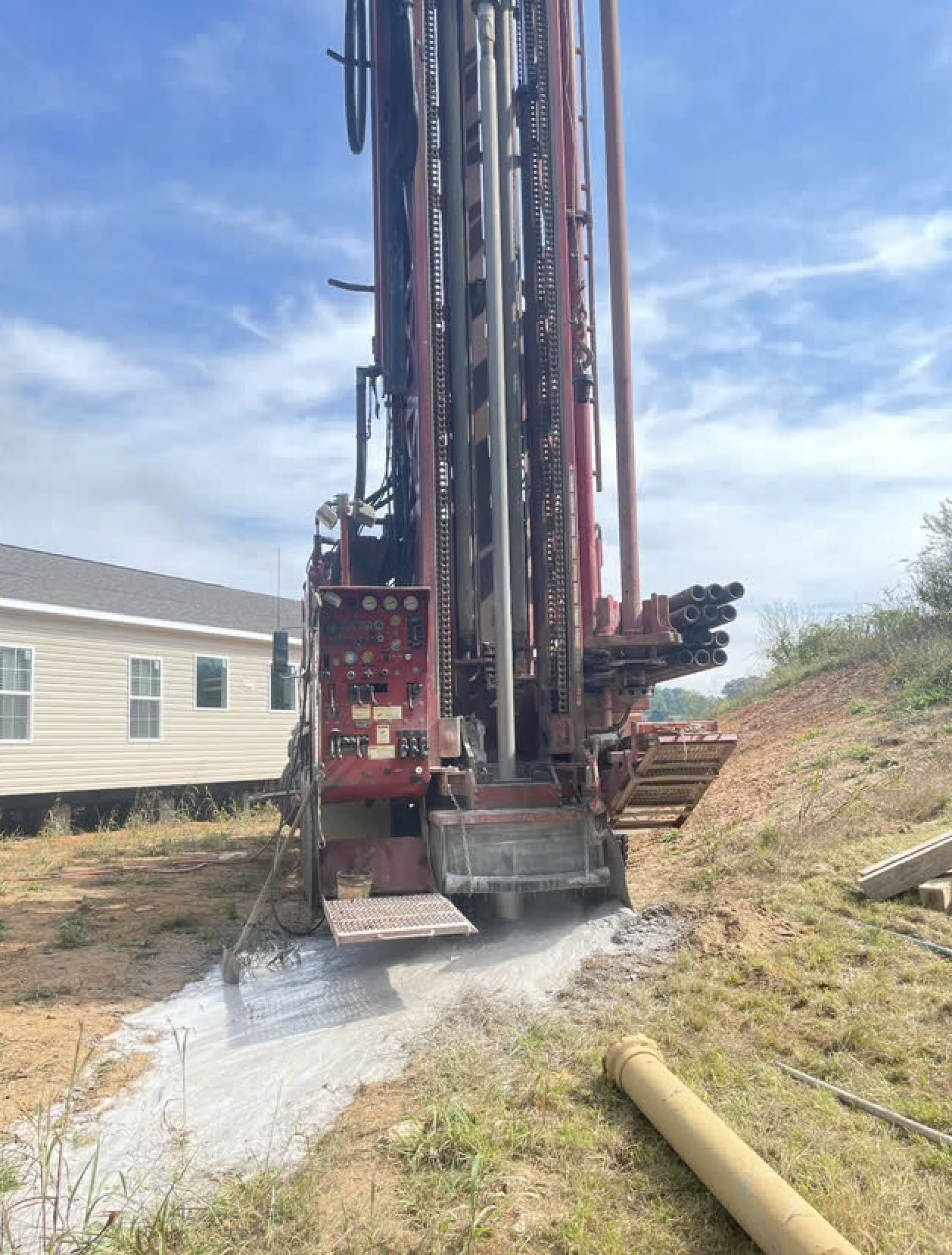
 This 2026 comparison of water well drilling invoicing software helps U.S. drilling contractors and office managers bill completed, authorized work accurately. The buying question is whether measured footage, installed materials, approved additions, and earlier payments reach a clear final invoice. A copied estimate can leave the customer paying for assumed quantities or a deposit the office forgot to apply.
Water well drilling invoicing software creates the payment request from billable work and tracks the amount still owed. Its core functions include quantity-and-rate lines, invoice preparation, deposits, partial payments, customer documents, and corrections. Supporting field records explain the charges; they do not automatically establish customer authorization.
FieldPulse is my recommended starting point for growing well businesses with varied installation and service work. Its flexible invoices, detailed customer visibility, supporting files, and payment records suit the handoff from crew to office. The office can retain the evidence behind a charge while giving the customer a readable bill.
Jobber is a stronger simple option when the business wants a lighter workflow. BuildOps becomes more compelling for complex commercial projects, while ServiceTitan suits larger organizations with defined finance responsibilities. The right choice depends on the work behind the invoice, not the number of payment buttons.
Our well drilling hub organizes software around the contractor’s operating workflows. This comparison concentrates on the completed-work invoice; recurring charges and company-wide collections remain secondary.
Quick Verdict
FieldPulse — best overall for growing well businesses needing flexible invoice records. Independent or job-linked invoices, detailed line visibility, files, contracts, mobile tools, and partial-payment controls support varied installation and service work.
Jobber — best for small teams with straightforward invoices and payment stages. Its approachable mobile workflow and job-to-invoice handoff reduce administration. More complex operational records require additional structure.
ServiceTitan — best for large organizations with controlled invoice review. Deposit credits, permissions, accounting exports, and linked adjustment invoices fit separate field and finance roles. The setup is substantial for a small business.
QuoteIQ — broad native invoicing with field reliability trade-offs. Direct invoices, estimate conversion, materials, and partial payments offer useful breadth. Original loading and offline problems weaken the case for remote-site dependence.
BuildOps — best for complex commercial well projects. Unit-price, time-and-materials, quoted, and progress billing connect the invoice with field and project records. Smaller residential contractors may not need that operating depth.
Housecall Pro — best for a guided, job-linked invoice workflow. Clear presentation and practical payment history suit straightforward installations and service. Progress-invoice changes require more deliberate handling.
FieldEdge — most relevant to businesses retaining an established service and QuickBooks workflow. Familiar work orders and supported accounting balance updates can justify continuity. It is not my first choice for a new, flexible invoicing setup.
Water Well Drilling Invoicing Software Compared
Compare the full invoice handoff, including the record needed first, earlier payments, and corrections after sending.
| Platform | Best fit | Well drilling invoicing strengths | Main drawbacks | Pricing basis |
|---|---|---|---|---|
| FieldPulse | Growing contractors with varied well and pump work | Included native invoices; independent/job-linked records, visibility controls, files, partial requests | Denser interface; estimate preservation and locking need setup; payment collection needs connectivity | Custom subscription; Payments setup and processing; Custom Forms and Sales Suite cost separately |
| Jobber | Small teams with clear quantities and payment stages | Native invoices, straightforward mobile entry, job handoff and payment schedules | Quick-create invoices lack a job’s property context; progress amounts follow the schedule | Selected plan/users; payment schedules on all plans; QuickBooks on Connect/Grow/Plus |
| ServiceTitan | Larger businesses with office finance ownership | Structured invoice review, deposit credits and adjustment records | Office handoffs, permissions, implementation and accounting configuration | Custom platform configuration and implementation; payment services configured separately |
| QuoteIQ | Existing users needing services/materials and partial payments | Native direct invoices, estimate conversion, material quantities and payment records | Observed loading/offline problems; QuickBooks changes do not return | Pro $199.99/month for 4 users; Elite $299.99/month for 10; monthly billing |
| BuildOps | Commercial drilling and installation projects | Native unit-price, quoted, T&M and progress billing backed by field records | Commercial setup may be excessive for simple jobs | Custom commercial configuration; optional Payments+ processing with transaction fees |
| Housecall Pro | Straightforward job-linked installations and service | Native job invoices, customer display controls and payment history | Job prerequisite; staged invoice corrections differ from ordinary edits | Selected subscription; payment services/configuration; QBO on Essentials/MAX |
| FieldEdge | Established service teams using QuickBooks | Work-order invoices and supported payment/credit balance return | More structured workflow; balance sync is narrower than a mirrored payment record | Custom subscription; QBO/Desktop listed across Select, Premier and Elite |
Prices are in U.S. dollars. Included means a native capability within the relevant purchased configuration, not every feature on every entry plan. Paid modules, payment processing, and external accounting subscriptions can change the total. A manually maintained field worksheet remains a manual process even when its PDF is attached to an invoice.
How We Tested
Testing at a glance
Products
Evidence
When
Devices
Workflows
Plans and limits
Our editorial methodology explains how original observations and product documentation support the recommendations.
What a Well Invoice Must Keep Separate
An estimate uses expected quantities. A completed-work invoice uses the quantities and charges billable under the agreement. If drilling finishes at a different depth, the office needs the measured footage and the applicable authorization before changing the bill.
A field log can support the quantity. The accepted scope, unit-rate terms, and approved changes support the charge. Neither a photograph nor an edited invoice replaces the agreement that makes additional work billable.
Deposits, progress invoices, and receipts
A deposit records an earlier payment toward the work. A progress invoice requests an agreed stage amount. A receipt records payment received. Those records must remain connected without charging for the same work twice.
The final balance depends on both billable work and payments already applied. A deposit should not become an unexplained discount that hides the value of the completed job. Staged billing also needs to distinguish earlier invoices from money actually collected.
Internal job cost is another separate figure. Crew wages, equipment operating costs, and supplier costs help evaluate profitability. The customer’s invoice explains the agreed selling charges, which need not expose those internal amounts.
Water Well Drilling Invoicing Features Compared
The differences below concern actual invoice preparation and the records that keep its balance accurate.
| Platform | Invoice start and quantities | Deposits and staged amounts | Corrections and payments | Field records and accounting |
|---|---|---|---|---|
| FieldPulse | Native standalone/job invoice or estimate conversion; editable lines | Partial requests, amount-due display, progress PDF; configured separate deposit invoices | Configurable record locks; payment/refund records; receipts need communication setup | Invoice files/notes; supported QBO payments return, refunds/voids excluded |
| Jobber | Native job invoice or quick create; quantity × rate lines | Quote deposits and job payment schedules | Standard invoice edits; progress amounts revised through schedule | Job/property context matters; newer QBO sync is outbound |
| ServiceTitan | Job-backed invoices with configured items and review | Estimate deposit becomes customer credit; office applies it | Linked adjustment invoices for exported corrections | Field documents support review; standard accounting uses reviewed exports |
| QuoteIQ | Native direct invoice or accepted-estimate conversion; services/materials | Partial payments on invoices; percentages use remaining balance | Payment records reduce balance; document edits remain distinct from refunds | Customer material display needs review; QBO one-way on Pro/Elite/Max |
| BuildOps | Native quoted, T&M, unit-price or progress models | Project stages supported within commercial billing | Financial review and configured payment workflow | Time, parts, photos and notes support invoices; QBO payments can return |
| Housecall Pro | Job required; invoice list provides direct access | Separate progress invoices with job-linked balance | Progress amount/date correction uses void/reissue in documented rollout | Selected attachments support customer view; QBO payment pull is manual |
| FieldEdge | Work-order-based invoice and maintained service items | Existing work-order and payment workflow | Supported QuickBooks payment/credit activity updates balance | Customer/service records remain operational context; balance return has limits |
External integration describes the accounting connection, not native invoice creation. Manual review still determines which measured work and approved additions belong on the bill. None of these entries means an uploaded drilling log automatically becomes an authorized charge.
Follow a Completed Well Job Into the Final Invoice
Consider a hypothetical agreement with an assumed depth of 200 feet. The completed, authorized drilling totals 240 feet at $25 per foot. The customer also approved additional site-access work for $450 before that work proceeded.
The office receives the drilling record, installed-material list, completion notes, and the approval for the extra work. It compares these with the accepted scope. It then prepares these illustrative selling charges:
Drilling: 240 feet × $25 = $6,000.
Installed casing: 100 feet × $22 = $2,200.
Pump, tank, and agreed installation: $3,200.
Mobilization and included support equipment: $900.
Approved access-work addition: $450, identified by its approval reference.
The completed-work subtotal is $12,750. Applying the previously collected $3,000 deposit leaves $9,750 before any applicable tax. These figures demonstrate the invoice calculation; they are not market prices or tax guidance.
Review the carried-over quantities
Estimate conversion may copy 200 feet into the draft. Staff must replace that assumption with the authorized 240-foot billable quantity. The software multiplies the quantity and selling rate; it does not establish that the extra footage was authorized.
Check casing separately. Drilled footage and installed casing length are different measurements. A supplier delivery also does not prove every delivered item was installed or billable.
The $450 addition should retain its approval reference and a useful description. It should not disappear inside an inflated drilling rate. If the agreement uses an equipment-day charge, record the approved days and rate rather than substituting internal rig costs.
Apply money once and show what remains
Apply the deposit through the platform’s payment or credit workflow. Check that it reduces this invoice’s balance and has not already reduced a previous stage bill. The customer should see the completed-work total, earlier payment, and amount now requested.
If the customer then pays $5,000, the remaining balance becomes $4,750, before any tax difference. Record that payment and provide the corresponding receipt. A sent payment request is not evidence that the money arrived.
For progress-billed work, reconcile the earlier invoices as well as their payments. The final document should explain the remaining obligation. Reissuing the entire contract amount as another collectible invoice can duplicate charges even when every individual PDF looks correct.
FieldPulse: Best for Flexible Invoices and Supporting Records
FieldPulse is the strongest starting point for growing well businesses whose invoices need more context than a short service ticket. Its record model accommodates an independent invoice or one linked to a job or project. Files, notes, contracts, and detailed display controls help connect the bill with the work behind it.
In our original comparisons, FieldPulse offered broader document organization than Housecall Pro, with a denser interface in return. The distinction matters when several visits, installed components, and approved changes produce one final invoice. Someone still needs to maintain consistent descriptions, visibility rules, and permissions.
Preserve the approval before conversion
The current invoice workflow carries estimate details into the invoice and lets staff revise its lines. A job is not a prerequisite, although every invoice needs a customer. A job-linked record is useful when the crew’s drilling information belongs with the bill.
Turn on Keep an Estimate Record when Converting to an Invoice before conversion if the original estimate must remain separately available. Without that setting, the estimate becomes the invoice record. This matters when the final footage differs from the quantity originally approved.
Review the carried-over lines, add authorized extras, save, and preview before finalizing. Separate customer-facing notes from internal notes. Groups and item visibility can simplify the presentation while retaining the detail used by the office.
Distinguish a payment request from another invoice record
FieldPulse’s partial-payment controls can request a fixed amount or percentage while retaining the invoice total. Generate Progress Invoice produces a progress-invoice PDF from the existing invoice. It should not be confused with creating an entirely separate accounting transaction.
The optional deposit-invoice configuration works differently. With QuickBooks connected and the required deposit item configured, it creates paid deposit and draft final invoice records. The final invoice contains the corresponding deposit adjustment, so the office must not apply the same deposit again.
Recording a check or cash payment does not require FieldPulse Payments. Processing a card or ACH payment does require that service and user access. Configured payment receipts use a communication template and payment-record trigger; automatic receipt delivery needs that setup.
Control corrections and the remote-site handoff
Record locking can restrict edits after conversion, finalization, or full payment. The settings are off by default. Administrators retain access, and selected users can receive overrides.
Use payment-specific actions when returning money. FieldPulse records processed refunds beneath the original payment. Its manual-payment guide also warns that voiding or moving an invoice back can remove payment records, so status changes need deliberate handling.
The documented mobile offline workflow permits drafting within cache limits, then synchronizes after reconnection. New offline drafts cannot complete every preview, conversion, or signature step, and payment collection requires internet. Service Agents also need invoice permission; Limited Agents do not receive it.
FieldPulse’s QuickBooks Online mapping returns supported payments, but excludes refunds and voids. Invoice transfer starts at Invoiced status. These limits matter after a correction; a two-way label does not mean both records now match automatically.
FieldPulse uses custom subscription pricing. Custom Forms and the Sales Suite are separate paid capabilities, not prerequisites for every ordinary invoice. Its value here comes from flexible completed-work records and controlled handoffs.
Jobber: Best for Small Teams With Straightforward Invoices
Jobber suits a small well business that wants a clear route from completed work to an understandable bill. Its mobile layout was the most approachable in our original FieldPulse, Housecall Pro, and Jobber comparison. That simplicity is valuable when the invoice contains a manageable set of drilling, material, and installation lines.
Use the job-backed route when the service property and work history matter. Jobber also permits direct invoice creation, but the mobile invoice guide identifies an important difference. Quick-create invoices are unlinked to jobs and use the client’s billing address, without the job’s property address.
For a customer paying from a different address, that distinction affects the finished document. A well at a rural property should remain identifiable even when the bill goes to an owner’s office. Creating the invoice from the job preserves more useful context.
Reconcile quantities before splitting the amount due
Standard invoice lines support quantities and unit prices. Replace estimated footage with the billable quantity and review material descriptions before sending. Customer display controls can hide selected pricing detail, but hiding the footage would weaken a per-foot bill’s explanation.
Jobber’s payment schedules are available on all plans. Fixed amounts or percentages can be established on the quote or job, then carried through the billing workflow. The job shows which stage invoices are draft, awaiting payment, paid, or still to come.
A progress invoice’s amount follows the job and its payment schedule. For authorized extra scope, revise the job’s items and upcoming payment amounts. Already issued invoices do not change through those schedule edits, so they need their own correction workflow.
Keep approval and payment records aligned
Changing a previously approved quote can affect its signature record. Jobber’s quote approval rules preserve the previous signed version as an internal PDF, but specified edits remove the current signature. Approved status can remain, so changed scope needs a deliberate resend for approval.
A collected quote deposit follows the linked quote-to-job-to-invoice workflow. Voiding an invoice releases its attached deposit to the client’s account balance; it does not refund the customer. Reapply that amount deliberately when replacing the bill.
A customer-facing receipt should agree with the amount applied and the balance left. Jobber’s straightforward workflow helps a small office, but staff still review whether each line reflects authorized completed work.
For the newer QuickBooks Online integration, invoices and payments move from Jobber to accounting. QuickBooks-side Paid status does not return. Record a shared check payment in Jobber rather than assume a bookkeeping entry has cleared the operational invoice.
QuickBooks Online requires Connect, Grow, or Plus; there is no ongoing Desktop connection. Subscription users and payment processing remain separate pricing considerations. Jobber is strongest when that simpler operating model matches the business.
ServiceTitan: Best for Structured Invoice Review at Scale
ServiceTitan makes the most sense for a larger well business with distinct crew, office, and accounting responsibilities. Its value is the controlled handoff around the invoice. A small contractor billing one crew’s completed work may find that structure unnecessarily demanding.
The documented job invoice workflow creates an invoice when a job is booked. Sold-estimate items and technician additions can populate it. The reviewer then checks quantities, equipment, pricing, tax settings, terms, and payments.
That creates a useful checkpoint for the hypothetical 240-foot well. The office checks the recorded footage against the agreement, rather than assume the original estimate’s 200 feet remains correct. Materials and equipment charges also need their own review.
Applying the deposit is an office responsibility
An estimate deposit becomes available customer credit. The office must apply the credit to the resulting invoice; an unapplied amount does not reduce that invoice’s balance. The credit application workflow permits a specified amount to be applied and requires account configuration.
That documented application step is unavailable in ServiceTitan Mobile. Mobile payment collection is a separate action and does not establish that the technician can allocate existing credit. A crew finishing onsite needs a clear handoff if the office must apply the deposit before the final bill goes out.
Field Mobile supports item and quantity changes under the relevant permissions. The presence of those controls does not make every finance action a field task. Central setup should reflect who can change a charge and who approves the completed invoice.
Corrections preserve the exported record
ServiceTitan’s adjustment invoice workflow handles changes after an invoice has been exported. The original cannot simply be edited or deleted. A linked adjustment identifies the correction, with positive or negative items as appropriate.
A net-positive adjustment exports as an invoice; a net-negative adjustment exports as a credit memo. Returning money is a separate payment action. A credit reducing the customer’s obligation should not be described as proof that funds reached the customer.
The standard accounting workflow reviews, batches, posts, and exports supported transactions. It is not general automatic reverse synchronization of every QuickBooks payment. Custom pricing, configuration, and implementation make ServiceTitan most persuasive when those finance controls solve an existing organizational need.
QuoteIQ: Broad Invoice Tools With Field Reliability Trade-offs
QuoteIQ can create an invoice directly or convert an accepted estimate, then revise its services and materials. That suits a contractor with a relatively simple completed-work bill. Its broader feature list must still be weighed against the original field reliability findings.
The estimate conversion workflow reduces re-entry. It does not verify the final footage or distinguish delivered materials from installed materials. The office must reconcile those quantities before sending the invoice.
Keep material amounts and customer visibility deliberate
QuoteIQ’s Materials section supports names, descriptions, quantities, units, and amounts separately from services. That lets the invoice distinguish drilling work from casing or a supplied pump. Materials is available on all plans; inventory-linked cost filling requires Elite or Max.
Review the customer display before including detailed materials. The per-unit breakdown can expose the entered per-unit amount. A field’s cost label is not enough to establish that the customer will never see it.
Use an identifiable line for approved additional work. A discount or edited total changes the document; it does not create the missing approval record. Keep the customer’s authorization with the work supporting that line. Invoice viewing, creation, editing, and marking paid also depend on user permissions.
Partial payments use the remaining balance
QuoteIQ’s partial-payment workflow supports existing invoices as well as estimates on all plans. A percentage-based partial payment uses the amount still owed. After a $3,000 deposit on the hypothetical $12,750 invoice, a 50% payment request would therefore be $4,875.
That differs from asking for half of the original total. The office should compare the requested dollar amount with the agreed payment arrangement before sending it. Payment entries, not a manually changed selling price, explain why the balance has fallen.
In our original field workflow, routine loads often took six to ten seconds. Previously loaded estimates disappeared offline, and new-estimate creation repeatedly errored. Those were estimating observations, not a separate claim that a card payment failed, but they weaken the remote-site case.
Pro costs $199.99 monthly for four users; Elite costs $299.99 monthly for ten. Ordinary invoicing and partial payments are available below the QuickBooks-enabled tiers. On Pro, Elite, and Max, supported records move to QuickBooks Online; accounting-side changes do not return, and Desktop is unsupported.
BuildOps: Best for Complex Commercial Well Projects
BuildOps fits drilling businesses whose invoice depends on commercial project records, changes, and staged delivery. Its strongest case is the connection between field information and financial review. That wider system can be excessive for a small business preparing ordinary installation bills.
Its invoicing workflow supports quoted, time-and-materials, unit-price, and progress billing. Recorded time, parts, photographs, and job notes provide context for the office. Unit-price billing is relevant when authorized measured footage drives the charge.
Choose the model that matches the agreement. A fixed-price pump installation does not become time-and-materials merely because the crew recorded hours. Likewise, a rig’s internal operating cost is different from an agreed equipment charge.
Connect changes with billing readiness
BuildOps’ project financials connect change-order requests, costs, and billing. That helps a commercial team distinguish pending work from approved additions. A new field note should not silently become a higher contract amount.
For the hypothetical access charge, retain the approved change alongside the supporting job information. The office can then identify why the $450 belongs on the invoice. On a larger project, the same discipline applies to phase amounts and the schedule of values.
Field records can feed invoice preparation, but finance still reviews the result. Compare the billable quantity with the contract basis before transferring the invoice. This is especially important when several crews or subcontractors contribute records.
Separate billing from processing and accounting
BuildOps Payments+ is optional payment processing with transaction fees. It supports online links and payment collection, but it is a separate purchasing consideration from preparing the invoice. A payment’s application must agree with the document the customer is paying.
The BuildOps accounting guide documents supported QuickBooks Online payments returning, including invoice-linked payments. That should not be generalized to every Desktop transaction or payment reversal. The guide also describes invoice removal following a void, which is different from refunding money.
BuildOps uses custom commercial pricing. Its project depth can justify the setup when measured units, approved changes, and progress billing are routine. FieldPulse offers a less demanding fit when the business mainly needs flexible installation invoices and connected job records.
Housecall Pro: Best for a Guided Job-to-Invoice Workflow
Housecall Pro suits straightforward well installations and pump service when the business is comfortable organizing invoices around jobs. The original comparison found its interface cleaner than FieldPulse’s. Its more prescribed sequence gives the office less independent invoice-record flexibility.
A job is required before an invoice. The mobile invoice list provides direct access afterward, so users do not always need to navigate through the job to find the bill. That convenience does not remove the underlying job relationship.
Review the job charges and supporting documents
Check the job’s billable footage, installed materials, equipment charges, and authorized additions before invoicing. Internal material or miscellaneous job costs do not automatically change the customer’s charge. The office must decide which completed work is billable under the agreement.
Customer-view settings control the displayed detail. The original workflow also allowed supporting photos, documents, and checklists to be selected for the invoice preview. Those attachments appear in the email and customer preview rather than being embedded in the emailed invoice PDF.
That distinction matters when the customer expects the drilling record to accompany a printed invoice. Review the delivered document and attachments together. Clear internal documentation is useful only if the intended supporting information reaches the customer.
Progress invoices have different correction rules
Housecall Pro supports separate progress invoices on new jobs created after the feature is enabled. Its progress invoicing guide describes limited edits to attachments, payment options, and customer-visible fields. The documented edit rollout is Alpha on web and mobile; amount or due-date corrections require voiding and reissuing.
Its deposit workflow creates a deposit invoice with its own number. A percentage deposit does not recalculate when later job items increase the total. Keep the payment already received distinct from the additional amount now billable.
Voiding an invoice does not refund a payment. Review the payment application and replacement invoice separately, especially when a deposit has already been received. Changing a stage bill should not create another request for money already collected.
Progressive Invoicing also disables automatic sending through Auto Invoicing for unpaid invoices. This matters even if the office uses staged bills for only some jobs. Someone must own the send action instead of assume the usual automation continues.
Keep the accounting handoff specific
Current QuickBooks invoice guidance sends each created invoice’s billed lines and amount, with payments attached individually. A supported QuickBooks payment can be pulled into Housecall Pro manually. That is an office action, not automatic two-way payment synchronization.
Later invoice edits also require the appropriate re-sync. QBO access is on Essentials and MAX, with a separate accounting subscription. Compare the selected subscription, users, and processing terms alongside the required invoice workflow.
FieldEdge: Most Relevant to an Established Service Workflow
FieldEdge is most persuasive when a well business already uses its work orders, customer records, and QuickBooks connection. Those familiar records can support pump and tank service or installation invoices. They provide a weaker reason for a new buyer to choose it over a more flexible or simpler alternative.
Current plan details include invoices, integrated payments, and QuickBooks Online/Desktop across Select, Premier, and Elite. Payment access does not mean processing is free. Proposal and agreement extras should not drive a purchase focused on completed-work invoicing.
Review completed work before finalizing
FieldEdge’s work-order statuses separate Completed from Finalized. Completed work remains editable and awaits review before posting to QuickBooks. Finalization sends invoice, payment, and cost information.
For a well invoice, use that checkpoint to reconcile footage, installed material, and approved extras. Later edits can be re-finalized, so finalization should not be described as an irreversible lock. The office needs a consistent correction process after the customer has received the earlier version.
Invoice layouts can show itemized prices or hide item prices. A per-foot charge should remain understandable under the chosen template. Internal labor-cost settings serve profitability reporting and should not be mistaken for the customer’s agreed unit rate.
Interpret returned balances narrowly
Supported QuickBooks payments or credits can update the FieldEdge invoice balance. That is useful when accounting receives a payment first. It does not establish that the complete payment record, every reversal, or every customer edit is mirrored.
Maintain the original invoice, payment references, and correction explanation in the appropriate records. A balance reaching zero is not the same evidence as a refund reaching the customer. Existing users can benefit from continuity without assuming the integration handles every exception automatically.
FieldEdge uses custom subscription pricing. For a new well business, FieldPulse offers stronger invoice-record flexibility, while Jobber offers a lighter routine workflow. FieldEdge deserves consideration when retaining its established operating process has practical value.
Buying Guidance: Reconcile the Bill Before Sending It
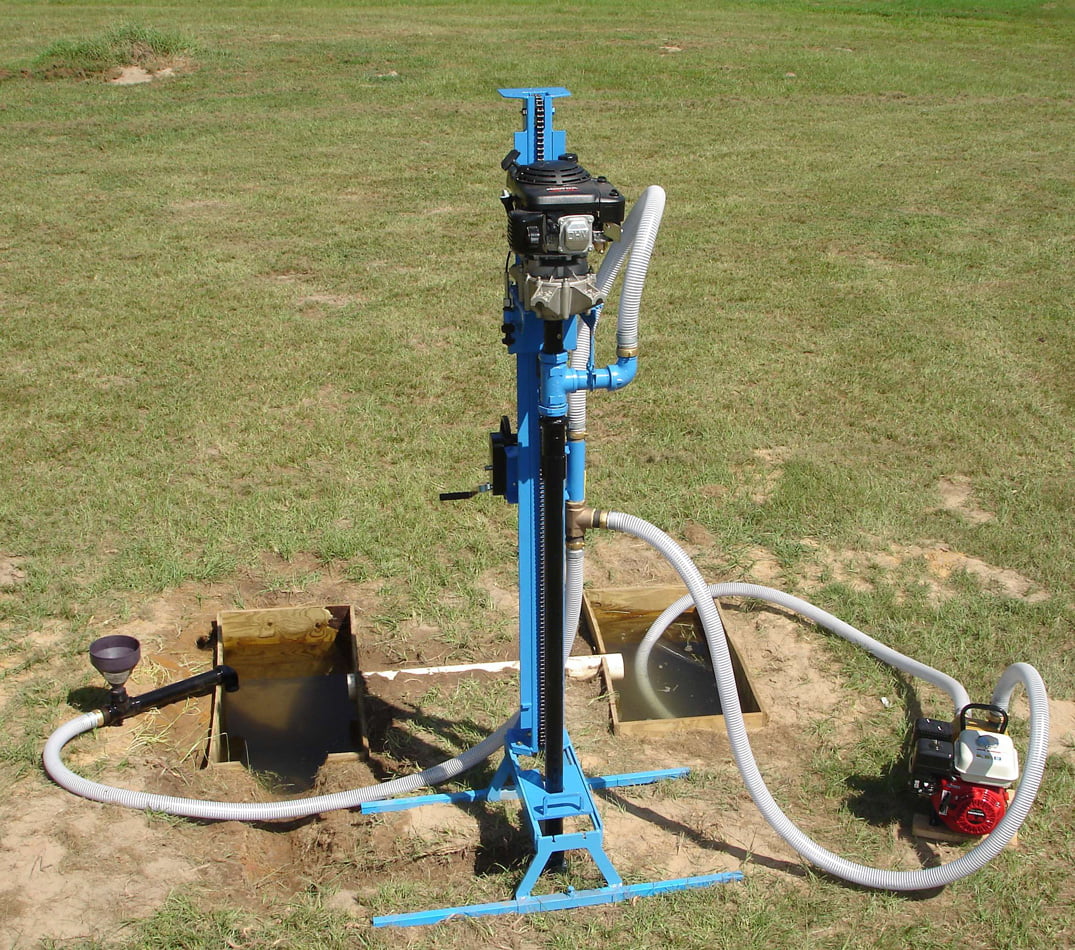 Start with one completed job that has a deposit and an approved addition. The software should make the office’s review understandable, even when the customer is billed by footage and several materials have changed. A polished PDF cannot compensate for the wrong quantity or an unapplied payment.
Check the evidence behind each line
Keep the measured drilling footage, installed-material quantities, and relevant field notes available to the reviewer. Identify the customer approval covering additional scope or changed quantities. Use separate descriptions for completed work and any authorized extra.
For equipment charges, preserve the agreed unit, rate, and billable duration. A company’s rig cost is an internal input unless the agreement makes it a customer charge. Avoid billing an item twice through both a bundled drilling rate and a separate equipment line.
The platform can calculate quantities, rates, and configured tax. The business supplies the correct taxable treatment and applicable settings. This comparison does not assign a universal tax rule to water-well work.
Distinguish a correction, credit, and refund
Correct a draft before sending when possible. After issuing or exporting, use the platform’s supported adjustment, credit, or replacement workflow and retain the reason. A lower invoice amount, a credit applied to the balance, and money refunded are different events.
If an invoice included an unauthorized $450 line, simply marking it paid would conceal the problem. Correct the charge and reconcile any payment already collected. Keep the customer-facing explanation consistent with the revised balance.
Decide where payments are entered
Name the system that owns shared payment entry. Jobber’s newer integration and QuoteIQ send supported records outward to QBO; HCP uses a manual return action. FieldPulse, BuildOps, and FieldEdge have different supported return records, while ServiceTitan’s standard process emphasizes reviewed exports.
Our QuickBooks comparison examines those record-level differences in more detail. For this purchase, the practical check is whether the invoice and its remaining balance agree after a deposit, partial payment, or correction.
Save and reopen the document before sending it. Preview the customer view on desktop and a phone, check attachments, and verify that internal costs remain private. Then confirm that the sent invoice, recorded payments, and accounting record describe the same obligation.
Frequently Asked Questions
What is the best water well drilling invoicing software for a growing contractor?
FieldPulse is my recommended starting point for a growing well contractor needing flexible invoice records and supporting job detail. It combines independent or linked invoices, customer visibility controls, files, and payment workflows. Jobber is a simpler option, while BuildOps is stronger for complex commercial projects.
Should a well invoice use estimated depth or completed drilling footage?
A well invoice should use the quantity billable under the agreement, supported by completed-work records and any required approval. Estimated depth is an assumption, not a measured result. Conversion from an estimate does not remove the need to review the final footage.
How should a deposit appear on the final well invoice?
A deposit should appear through the platform’s supported payment or credit application so the remaining balance reflects money already received. Keep the completed-work value clear. When separate stage or deposit invoices exist, reconcile those records to prevent duplicate billing.
Does adding an extra charge to an invoice authorize the work?
Adding an extra charge to an invoice does not authorize the work. Keep the accepted scope and the approval for the addition, then include the authorized charge with a clear description. A field note alone does not establish the customer’s agreement to pay more.
Can a well business create an invoice without creating a job first?
A well business can create a standalone invoice in platforms such as FieldPulse, Jobber, and QuoteIQ. Housecall Pro requires a job. Jobber’s quick-create invoice also lacks a job’s service-property address, so the starting record affects the finished document.
Is a progress invoice the same as a partial payment?
A progress invoice requests an agreed stage amount, while a partial payment records money received toward an obligation. FieldPulse’s progress-invoice PDF also differs from its separately configured deposit-invoice records. Track both the charges issued and the payments applied before preparing the final balance.
Does voiding an invoice refund the customer?
Voiding an invoice does not by itself establish that the customer received a refund. Invoice status, payment records, credit adjustments, and processor refunds follow different workflows. Check the actual payment action and remaining balance after the correction.
Will a payment recorded in QuickBooks update the field software automatically?
A QuickBooks payment updates the field software only through that connection’s supported return workflow. FieldPulse and BuildOps document supported payment return, HCP provides a manual pull, and FieldEdge returns supported balance updates. Jobber’s newer connection and QuoteIQ do not return those changes; ServiceTitan’s standard exports do not establish automatic payment return.

Olivia Evans
Olivia has more than 10 years of experience researching field-service software for HVAC and other service businesses and improving their marketing and operations. She conducts hands-on workflow tests, documents findings with screenshots and notes, and checks product claims against official vendor documentation.
Author profile →How we test →