

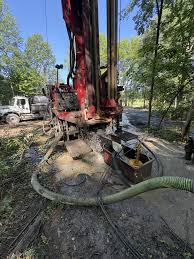
 This 2026 comparison of water well drilling estimate software helps U.S. contractors, estimators, and office managers build expected job costs. The buying question is whether the software can turn drilling assumptions, materials, labor, and equipment costs into a usable total. A depth revision can change drilling effort, casing quantities, and the selling price without changing every part of the job.
Water well drilling estimate software calculates expected costs and selling prices from quantities, rates, assumptions, and allowances. Useful functions include cost entry, reusable items, pricing calculations, organized scope, and revisions. The contractor supplies the expected drilling conditions and production assumptions; the software performs the supported calculations.
FieldPulse is our recommended starting point for growing well businesses building varied estimates in the office and field. Mobile cost entry, markup and target-margin tools, formula quantities, bundles, and groups support a detailed calculation. The advantage is the ability to revise the work behind the total when the expected depth or effort changes.
Jobber and Housecall Pro suit simpler estimates with more office support for costing. ServiceTitan and BuildOps become more compelling when organizational scale or commercial project work justifies their configuration. None of the seven should be treated as a geology model or a guaranteed source of drilling production rates.
Our water well hub organizes software around the contractor’s operating workflows. The field service comparison explains broader differences in cost entry, calculation, and mobile estimating.
Quick Verdict
FieldPulse — best overall for flexible well estimates and field revisions. Growing contractors can combine mobile unit costs, markup or target-margin calculations, formula quantities, reusable bundles, and organized scope.
Jobber — best for small teams with straightforward quantities and office costing. Its approachable mobile workflow handles simple estimates well. Detailed cost and markup entry was stronger on desktop in our comparison.
ServiceTitan — best for larger organizations using configured margin controls. Field Mobile can check estimate pricing against office rules. Setup, permissions, and connection-dependent validation add administrative work.
QuoteIQ — broad estimating tools with reliability trade-offs. Materials, quantities, and line or document markup support basic cost building. Original loading and offline problems make remote-site use a material consideration.
BuildOps — best for drilling businesses with complex commercial project work. Cost-aware lines, quote versions, and field-to-office revisions fit coordinated operations. A small contractor may not need the wider platform.
Housecall Pro — best for straightforward estimates with a cleaner interface. One-off items and an approachable builder reduce friction. Important estimate-costing work remains stronger on desktop in the observed workflow.
FieldEdge — mainly an option for businesses already using its service system. Reusable pricing and single-total quotes are useful, but the repair-book focus does not make it our first custom-drilling recommendation.
Water Well Drilling Estimate Software Compared
Compare the calculation workflow, the people who maintain it, and the additional setup behind the advertised features.
| Platform | Best fit | Water well drilling estimate strengths | Main drawbacks | Pricing basis |
|---|---|---|---|---|
| FieldPulse | Growing contractors with varied drilling and installation work | Native estimates, mobile costs, markup/target margin, formula quantities, bundles and groups | Denser interface; detailed profit analysis was desktop-only; advanced sales tools cost extra | Custom subscription; Sales Suite and Custom Forms are separate paid capabilities |
| Jobber | Small teams pricing straightforward scope | Reusable items, quantity/rate lines, admin quote markup and estimated margin | Tested mobile flow lacked equivalent desktop cost controls; limited formula structure | Selected plan and user allowance; quote markups require eligible plan and admin access |
| ServiceTitan | Larger teams needing configured pricing oversight | Field Mobile revisions and Sales Margin Control warnings | Permissions, setup, and internet connection affect margin validation | Custom platform configuration and implementation |
| QuoteIQ | Existing users needing flexible service/material lines | Materials on all plans; line markup and Mark Up All | Observed loading delays and offline errors; no demonstrated target-margin/formula equivalence | Pro $199.99/month for 4 users; Elite $299.99/month for 10; monthly billing |
| BuildOps | Commercial drilling and installation contractors | Labor/material/equipment pricing, margin-aware lines, editable quote versions | Wider implementation; contractor supplies drilling effort and rate assumptions | Custom commercial configuration |
| Housecall Pro | Simple residential well or pump-installation estimates | Straightforward builder, one-off items, desktop cost/profit visibility | Mobile estimate cost-entry limits in original testing; flat-rate setup needs web management | Selected subscription and configured pricing tools; additional products priced separately |
| FieldEdge | Established users retaining familiar service workflows | Included quotes and reusable pricebook; single option on Select | Less flexible custom-estimating fit; repair content is not a drilling cost model | Custom subscription; separate Proposal Pro on lower tiers |
Prices are in U.S. dollars. QuoteIQ’s figures are monthly subscription prices, not prices for a drilling-specific module. Included estimating, paid modules, external integrations, and manual calculations should be priced separately. This comparison does not assume an integration supplies well quantities or rates merely because it connects to the platform.
How We Tested
Testing at a glance
Products
Evidence
When
Devices
Workflows
Plans and limits
Our editorial methodology explains how original observations and documentation support the recommendations.
Start With the Estimate, Not Just a Per-Foot Price
A drilling rate applies to a defined unit of work. The estimated total includes every included scope item, whether priced per foot, per hour, per day, or as a lump sum. Casing, mobilization, pump installation, and restoration may be separate, depending on the contractor’s offer.
Define what the drilling rate includes before adding other lines. If it already includes the crew, rig, and routine fuel, adding those costs again overstates the estimate. If it excludes support equipment or difficult access, those items need their own calculation.
Keep expected quantities separate from measured work
An estimate starts with expected depth, quantities, effort, and site conditions. An invoice later charges for completed and authorized work. Copying an estimated footage figure into a bill does not make it a measured quantity.
Approval, invoicing, and payment collection matter after the estimate is built. They remain secondary here. A polished approval page cannot correct missing casing cost or an unrealistic drilling-effort assumption.
The software also does not predict geology, guarantee water yield, design the well, or verify production rates. An estimator must supply and revise those assumptions using the contractor’s available information and expertise.
Water Well Drilling Estimate Features Compared
The useful differences concern how costs become prices and what happens when an estimator changes an input.
| Platform | Quantities and expected costs | Pricing calculation | Revisions and assumptions | Mobile and access limits |
|---|---|---|---|---|
| FieldPulse | Native item costs, formula quantities, bundles and groups | Line and whole-record markup or target margin | Revise inputs; estimate-line cost changes require deliberate repricing | Mobile costs/formulas observed; full profit analysis desktop-only |
| Jobber | Native Products & Services and quantity lines | Admin unit cost/markup and total estimated margin | Edit quantities/rates; document assumptions in scope and fields | Eligible plans; original mobile cost controls narrower than desktop |
| ServiceTitan | Configured native items, quantities and cost visibility | Sales Margin Control checks estimate cost and price | Edit estimate items/summary; review warning and dollar shortfall | Role permissions; dynamic pricing and margin validation need connectivity |
| QuoteIQ | Native services and Materials section on all plans | Individual markups or Mark Up All | Inline material edits; staff revise assumptions and rates | Original mobile delays/offline errors; inventory links require Elite/Max |
| BuildOps | Native labor, materials, equipment and cost-aware lines | Markup/margin information in configured quote workflow | Editable versions, scope, photos and office refinement | Mobile labor/material entry; not every office screen implied |
| Housecall Pro | Native services/materials and one-off items | Desktop estimate cost/profit; configured flat-rate calculations | Revise line quantities and scope; maintain rate setup separately | Mobile Price Book cost entry differs from estimate entry; permissions matter |
| FieldEdge | Native reusable items and single-total quotes | Configured service/flat-rate pricing | Contractor-maintained well rates and written assumptions | Separate Flat Rate product behavior is not universal core estimate behavior |
All seven support reusable items or rates. Their existence alone is not an exclusive advantage. A reusable rate also remains only as useful as its cost basis, scope, and revision date.
FieldPulse: Best for Detailed Estimates and Field Revisions
FieldPulse is the strongest starting point when well estimates need more than a short service list. Its mobile cost entry and pricing controls let the estimator work through changed inputs at the site. Bundles and groups help organize the resulting estimate without turning every job into one opaque drilling price.
In our original comparisons, FieldPulse accepted new material costs on iPhone and provided markup and target-margin calculations. Saved quantity formulas also worked on mobile, with editable inputs. Full cost/profit analysis remained a desktop task, so broader mobile capability should not be confused with complete desktop parity.
Reuse the structure while changing the job assumptions
Build reusable combinations for mobilization, drilling support, casing materials, and pump installation where those combinations match the work. Groups can keep those scopes recognizable while controlling customer-visible detail. The estimator still reviews each quantity and rate.
A formula can help calculate quantities from supplied variables. It cannot determine the actual drilling depth or decide that casing length equals drilled footage. Keep those assumptions separate and revise the relevant inputs deliberately.
The original workflow required adding a new item to the Item List, even when a separate pricebook entry was unnecessary. That adds friction for a one-time subcontractor charge. It also creates a reusable item that needs a sensible name and cost basis.
Reprice the revised estimate deliberately
FieldPulse’s markup instructions distinguish catalog changes from estimate-line changes. Automatic Markup can keep an Item List price aligned with its saved cost. Changing Unit Cost directly on an estimate does not automatically recalculate that line’s Unit Price.
Select Automatic Markup again on the changed estimate line to recalculate its price. Applying a document-wide markup or target margin replaces the prices on every line. Review fixed-price allowances and separately negotiated amounts before using that broader action.
For a deeper well, update footage, relevant material quantities, and expected effort before reviewing the total. Changing the depth alone is insufficient if slower drilling changes the internal cost per foot. Keep the explanation with the estimate so the office understands both revisions.
FieldPulse’s original draft controls included a manual save, useful during a long calculation. Its denser interface and setup require more care than Jobber or Housecall Pro. Advanced Pricebook and Dynamic Proposals belong to the paid Sales Suite; Custom Forms is also separate from ordinary estimate building.
Jobber: Best for Straightforward Estimates With Office Costing
Jobber fits small well businesses whose estimates contain a manageable set of quantities and rates. Our original iPhone comparison found its layout quick and approachable. Template selection and separate screens reduced the amount of information presented at once.
For a basic estimate, use separate lines for drilling footage, casing, mobilization, and included installation work. The important step is naming what each rate covers. A short estimate can still be clear about assumed depth and separately priced scope.
Quote margins now belong in the comparison
Jobber’s current quote markup guide documents unit cost, line markup, and total estimated margin. These controls require an eligible plan and admin access. Costs and markup are internal; the customer sees the resulting selling price.
The estimator enters a unit cost and changes the markup to recalculate the price. The total estimated margin helps review the whole calculation before the quote becomes a job.
The original mobile flow did not offer the same cost/markup entry as desktop. That matters when a site visit changes a casing supplier’s cost or the expected drilling effort. A small team can still use Jobber effectively when the office completes that financial revision.
Preserve the assumptions outside the line total
Use descriptive scope and configured fields to retain assumed depth, access conditions, and included work. Reusable items save entry time, but the contractor maintains the underlying rates. Jobber should not receive credit for automatically recalculating a whole drilling model from one depth field.
The original draft workflow saved line items individually. Review the saved estimate after revising several quantities so the office works from a complete calculation.
Jobber’s value is simplicity. Contractors needing frequent field cost changes and configurable quantity calculations have a stronger FieldPulse case. Compare the required admin users and markup-enabled plan rather than the lowest advertised subscription alone.
ServiceTitan: Best for Configured Margin Oversight at Scale
ServiceTitan is most relevant to larger well businesses that need a managed estimating process across several people or branches. The distinction is its configured Sales Margin Control workflow, not simply having a reusable pricebook. Someone must maintain the costs, permissions, templates, and pricing rules behind it.
Current Field Mobile documentation supports creating and editing estimates with the required permissions. Its estimate editing includes item changes, summaries, notes, and supporting job documents. Those fields can preserve the depth and access assumptions behind a new-well estimate.
Check the revised calculation against the configured rules
Sales Margin Control compares the estimate’s total cost and price against configured thresholds. Rules can differ by role, business unit, and job type. Warnings and a dollar shortfall help the estimator reconsider the revised selling price.
For a deeper or slower well, first change the relevant quantities and cost inputs. Then review the estimate’s margin result. The calculation excludes commissions and bonuses, so its displayed margin should not be described as automatically covering every business expense.
The workflow requires office setup and permissions for relevant item, quantity, price, and calculation actions. A salesperson’s access may differ from an estimator’s. The entry configuration in our original evaluation did not provide the full mobile estimating toolkit.
Remote sites change the handoff
The current mobile guide says offline work uses static pricing. Dynamic pricing updates after reconnection, and margin validation requires internet access. A saved estimate at a remote property therefore needs the appropriate online review before staff rely on its validated pricing.
These are documented connectivity rules, not a new water-well offline test. They are consequential when an estimator expects the same validation onsite and at the office.
ServiceTitan uses custom pricing and implementation. Its structured oversight can justify the effort for a larger organization. It is usually a heavier purchase than necessary for a small contractor mainly revising a few footage and material lines.
QuoteIQ: Useful Material and Markup Tools With Field Reliability Trade-offs
QuoteIQ can build a well estimate from service lines and materials, including quantity-based work. Its documented markup tools deserve credit. Those tools should not be expanded into an unverified target-margin calculator or automatic drilling model.
The current Materials workflow is available on all plans. Each material has a description, quantity, unit type, and entered amount; line totals and the Materials Subtotal calculate as entries change. Materials can be edited within the document.
Revise the line that actually changed
For additional casing, change its quantity and current cost basis rather than adding an unexplained contingency to the total. Mark Up All applies markup across services and materials, while individual lines can also be marked up. A blanket markup changes more than the revised casing line, so review its scope before applying it.
Inventory-linked cost filling requires Elite or Max. It can supply a stored product cost, but it does not verify current supplier availability or the quantities a well will need. Inventory deduction and invoice payments belong to a later workflow.
Show or hide material detail deliberately when preparing the customer view. QuoteIQ’s per-unit breakdown can expose the entered per-unit amount. Do not assume that a field labeled cost is automatically private in every display configuration.
Keep the original reliability findings in scope
In the original estimating tests, routine loads often took six to ten seconds. Previously loaded estimates disappeared during the offline test, and creating a new estimate repeatedly errored. Those observations concern the tested estimating workflow; they do not establish every current screen’s behavior.
They still weigh against choosing QuoteIQ primarily for remote-site estimating. A team using it should base the work on saved records and an explicit field-to-office review process. AI-generated descriptions do not supply verified geology, effort, or selling rates.
Pro costs $199.99 monthly for four users; Elite costs $299.99 monthly for ten. Materials do not require Elite, while linked inventory does. QuoteIQ is most credible here for an existing user comfortable with its workflow and a disciplined calculation process.
BuildOps: Best for Commercial Estimates Connected With Project Work
BuildOps fits well contractors whose estimating feeds substantial commercial installation and project coordination. Its cost-aware lines and editable quote versions help the office develop a calculation from field information. The wider platform matters when several people contribute scope, pricing, and project decisions.
Its estimating workflow supports labor, material, and equipment pricing, margin-aware lines, and multiple versions. Mobile staff can add labor, materials, photographs, and field context, with office refinement afterward. That does not imply every office calculation screen works identically on a phone.
Make the version explain the revised work
Separate drilling, casing, mobilization, pump installation, and site work into recognizable sections or lines. Record expected drilling effort and the rate basis in the scope or supporting documentation. A revised version should explain whether the change concerns footage, slower production, additional materials, or several factors.
BuildOps can keep versions and their working details organized. It should not be credited with automatically recalculating every dependent quantity when drilling depth changes. The estimator still reviews which lines are affected and maintains the expected costs.
This is useful when site-access work requires a subcontractor price or a revised rig plan. Keep that supplier or subcontractor input attached to the scope it supports. The office can then revise the estimate with the field context available rather than interpret a lone new total.
Buy the commercial workflow for a reason
The commercial operating context can justify BuildOps when estimating is one part of coordinated project delivery. It is less persuasive for a small residential contractor seeking only a clean cost worksheet and customer estimate. Shared catalog features alone do not establish a unique advantage over the other platforms.
BuildOps uses custom pricing and configuration. The estimate still depends on contractor-supplied production assumptions, burdened labor, equipment rates, overhead, and allowances. Neither a project record nor a company rig record automatically calculates those inputs.
Housecall Pro: Best for Simple Estimates With Office-Based Cost Review
Housecall Pro is a sensible option for straightforward well or pump-installation estimates. Our original comparison found its builder cleaner and easier to move through than FieldPulse’s. One-off services and materials could be entered without saving each item to the pricebook.
That works well when the estimator already has a reliable drilling rate and a short list of separately priced work. The office can keep the assumed depth, included casing, and installation scope visible. More irregular work exposes the limits of a lighter costing process.
Distinguish the mobile estimate from mobile Price Book settings
The original desktop estimate showed cost and profit while the estimate was being built. The tested mobile estimate lacked the equivalent costing view. Adding a new material there allowed its selling price, but not the underlying cost in the same flow.
Current mobile Price Book documentation separately supports cost entry through settings with the required permissions. It also directs flat-rate pricing administration to the web for full labor and markup management. Cost access somewhere in the mobile app does not make every estimate-building step equivalent.
For a changed casing cost, identify which person updates the pricebook and which person revises the estimate. Reopen the estimate and review its final quantities and price. Do not assume a catalog change has silently updated every earlier document.
Keep the customer scope clear
Its estimate display settings control visible service and material details. Unit costs remain hidden, while the contractor decides which descriptions, quantities, and selling amounts the customer sees. A grouped presentation should still make assumed depth and separately priced work understandable.
The original workflow relied on autosaving rather than FieldPulse’s explicit manual draft save. That is a workflow difference, not proof that Housecall Pro will lose an estimate. Review the reopened record after a substantial revision.
Housecall Pro’s simpler approach can be a good fit when the office owns the cost model. Contractors who frequently build and revise detailed costs onsite should give FieldPulse more weight. Use the chosen subscription and required pricing tools in the cost comparison.
FieldEdge: Mainly for Existing Users With Established Rates
FieldEdge is not our first recommendation for a new buyer seeking flexible water-well drilling estimates. Existing users can still build quotes from maintained items and rates. The issue is whether that familiar workflow represents the contractor’s changing cost assumptions clearly enough.
Current plan details include a pricebook and single-option quotes on Select, with multiple options on higher tiers. A single calculated total does not require multiple customer packages. More presentation choices also do not automatically improve cost calculation.
Separate a drilling estimate from a repair book
The contractor must supply drilling footage, casing quantities, crew effort, rig and support costs, fuel treatment, and allowances. A prebuilt repair entry cannot establish those well-specific assumptions. It can still be useful for repeatable service work surrounding the installation.
FieldEdge Flat Rate has its own custom pricing and labor/material workflows. Those separate product controls should not be presented as proof that every core estimate has identical markup or target-margin behavior. The same caution applies to later work-order profitability reports: actual job costing is not the original expected-cost calculation.
For an existing team, maintain well-specific items with clear units and written scope. When the expected depth changes, revise the affected quantities and rates and review the total. A record that merely says “drill well” hides too much of the reasoning for a complex job.
FieldEdge uses custom pricing. Proposal Pro is separately priced on lower plans and included on Elite, but richer presentation is secondary to this buying question. For a new custom-estimating purchase, FieldPulse’s calculation flexibility or BuildOps’ commercial workflow provides a stronger case.
Follow a New-Well Estimate From Assumption to Revision
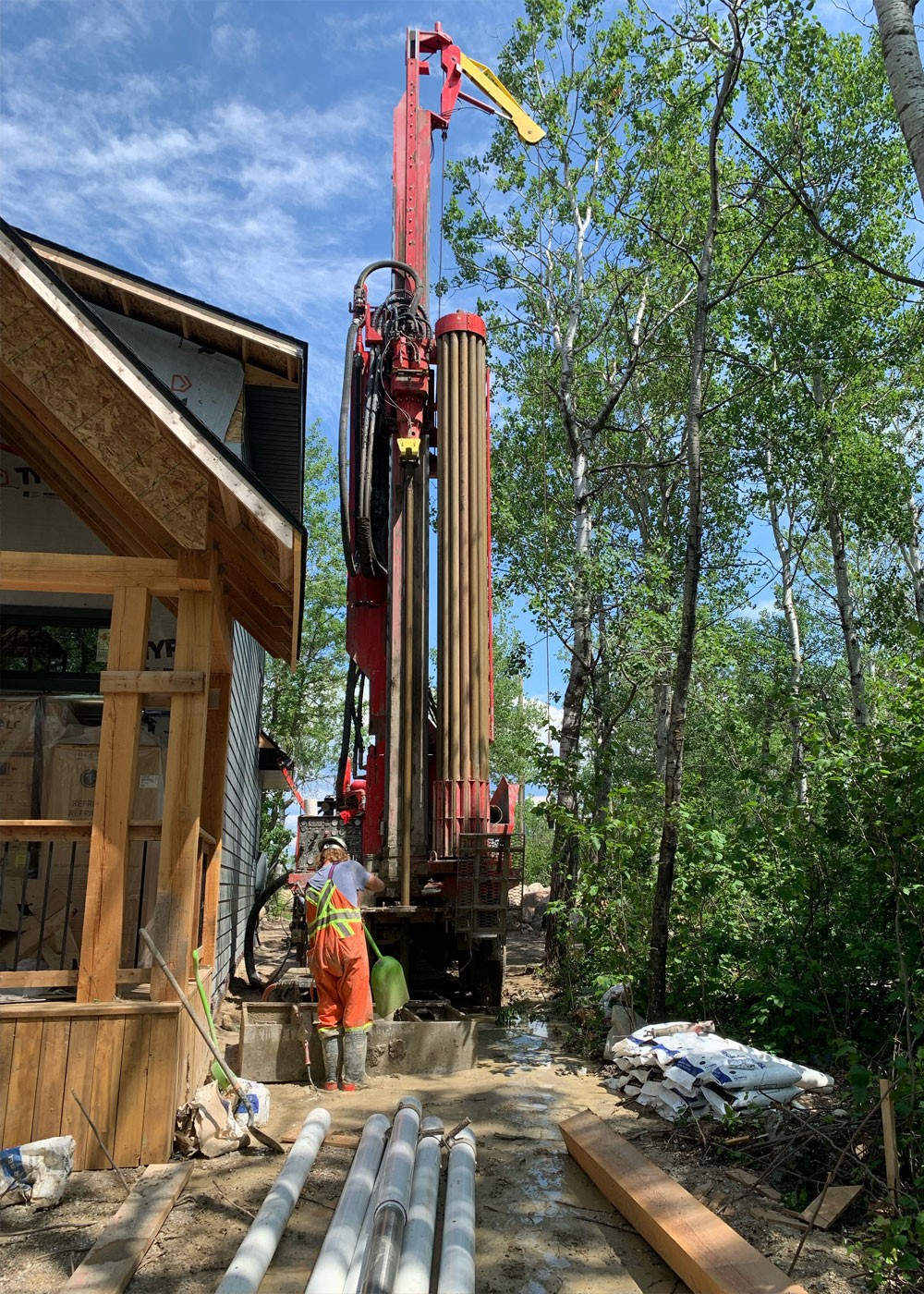 Consider a hypothetical well expected to require 200 feet of drilling and 80 feet of casing. The contractor assumes ordinary site access and includes pump, tank, and associated installation work. The following figures demonstrate calculation only; they are not market prices or recommended drilling rates.
The internal estimate contains:
Drilling: 200 feet × $20 expected cost per foot = $4,000. This assumed rate already includes the crew, rig, and routine fuel.
Casing materials: 80 feet × $18 expected cost per foot = $1,440.
Mobilization: $800 expected cost.
Pump, tank, and installation: $2,200 expected cost for the stated included scope.
Permit and testing allowances: $400 expected cost.
Site access and restoration: $600 expected cost.
Allocated overhead: $560, using the contractor’s chosen estimating method.
The cost basis totals $10,000. Applying a 25% markup produces a $12,500 estimated selling price, before any separately applicable tax. The planned margin on that cost basis is 20%, because $2,500 divided by $12,500 equals 20%.
A drilling line priced at $25 per foot contributes $5,000 at the assumed depth. It is not the entire $12,500 well estimate. The remaining price covers the other included work and the chosen cost allocation.
Change the assumptions before changing the total
Later information changes expected drilling to 240 feet and casing to 100 feet. The contractor also revises expected drilling effort, increasing its internal drilling cost to $22 per foot. The reason for that effort change stays with the revised estimate.
Drilling now costs $5,280, and casing costs $1,800. Keeping the other hypothetical inputs unchanged produces an $11,640 cost basis. The same 25% markup produces a $14,550 revised selling price.
The software can multiply and total the revised inputs. The estimator must decide whether pump installation, support equipment, mobilization, or other allowances also change. Holding them unchanged in this example is an explicit assumption, not a software finding.
Preserve a dated copy of the earlier calculation and identify the revised depth, casing, and effort assumptions. Check customer-visible scope alongside the internal cost review. An edited total should not silently stand in for approval of changed work.
Buying Guidance: Build a Cost Model the Office Can Explain
Start by deciding whether drilling costs will be built from hours and resources or an internally calculated per-foot rate. Both approaches need a clear basis. Combining them without checking inclusions can count the same crew, rig, or fuel twice.
Include the work around drilling
Expected costs may include mobilization, support vehicles, fuel, site-access preparation, subcontractors, restoration, and permit or testing allowances. Include pumps, tanks, controls, and associated installation only when they belong to the offered scope. Give each allowance a description and a basis for later revision.
For hourly costing, use expected hours and maintained labor and equipment rates. For per-foot costing, explain what the rate includes and which conditions it assumes. The software does not independently supply verified production for the geology or access conditions of a new site.
Use markup and margin correctly
Markup divides profit by cost; margin divides profit by selling price. A 25% markup on $10,000 gives $12,500, while a 25% target margin requires approximately $13,333.33. Those percentages cannot be exchanged without changing the selling price.
Also inspect what the software calls cost. Labor burden, allocated overhead, commissions, equipment operating costs, and subcontractors may need separate entry or configuration. A displayed margin is only as complete as its included cost basis.
Verify the field-to-office revision
Change depth, casing quantity, one supplier cost, and expected drilling effort on the devices staff actually use. Save and reopen the estimate, then review the total and customer view. Check permissions and connectivity requirements before depending on a remote-site calculation.
Keep assumptions visible alongside the arithmetic. A reviewer should understand why the price changed and which scope remains unchanged. That is the practical difference between an explainable estimate and a larger number with no supporting calculation.
Frequently Asked Questions
What is the best water well drilling estimate software for growing contractors?
FieldPulse is our recommended starting point for growing well contractors needing flexible calculations and field revisions. Mobile cost entry, markup or target margin, formula quantities, bundles, and groups support that workflow. Simpler teams may prefer Jobber or Housecall Pro with office-led costing.
Is a drilling price per foot the same as the total estimate?
A drilling price per foot is not necessarily the total estimate. It applies to the defined drilling scope and quantity. Mobilization, casing, pump installation, site work, and allowances may be priced separately, depending on what the rate includes.
Can estimating software predict the drilling depth or water yield?
The seven estimating platforms compared here do not establish a predicted drilling depth or guaranteed water yield. They calculate from inputs supplied by the contractor. Geological assessment, well design, and production assumptions remain separate from the software’s arithmetic.
How should an estimate change when expected depth increases?
An estimate should change by revising affected quantities, expected effort, and costs before recalculating the selling price. More footage may also change casing, support work, or installation assumptions. Preserve the reason for each change rather than adding an unexplained amount.
Can Jobber show estimated margin before the work becomes a job?
Jobber can show estimated margin on a quote for admin users on eligible plans. Its current markup workflow includes unit costs, line markup, and total estimated margin. The original mobile comparison did not provide the same cost-entry controls as desktop.
Does changing a FieldPulse estimate cost automatically change its selling price?
Changing Unit Cost directly on a FieldPulse estimate does not automatically update that line’s Unit Price. Select Automatic Markup again to recalculate the line. Applying markup or margin to the whole estimate replaces every line’s price, so review that broader action carefully.
Should rig, labor, and fuel costs be separate estimate lines?
Rig, labor, and fuel costs can be separate estimate inputs or part of a documented drilling rate. The contractor should use a consistent method and avoid counting them twice. Customer-facing lines can remain simpler than the internal cost calculation.
Are permits, testing, and pump installation always included in a well estimate?
Permits, testing, and pump installation are included only when the contractor places them within the stated scope. Identify any allowances and separately priced work. The software does not determine which services the contractor agreed to supply.

Olivia Evans
Olivia has more than 10 years of experience researching field-service software for HVAC and other service businesses and improving their marketing and operations. She conducts hands-on workflow tests, documents findings with screenshots and notes, and checks product claims against official vendor documentation.
Author profile →How we test →