

Locksmith inventory software tracks the key blanks, cylinders, locksets, smart locks, remotes, and supplies held in a locksmith shop and its service vehicles. It helps technicians find the correct product, record what each job used, and replenish the right location.
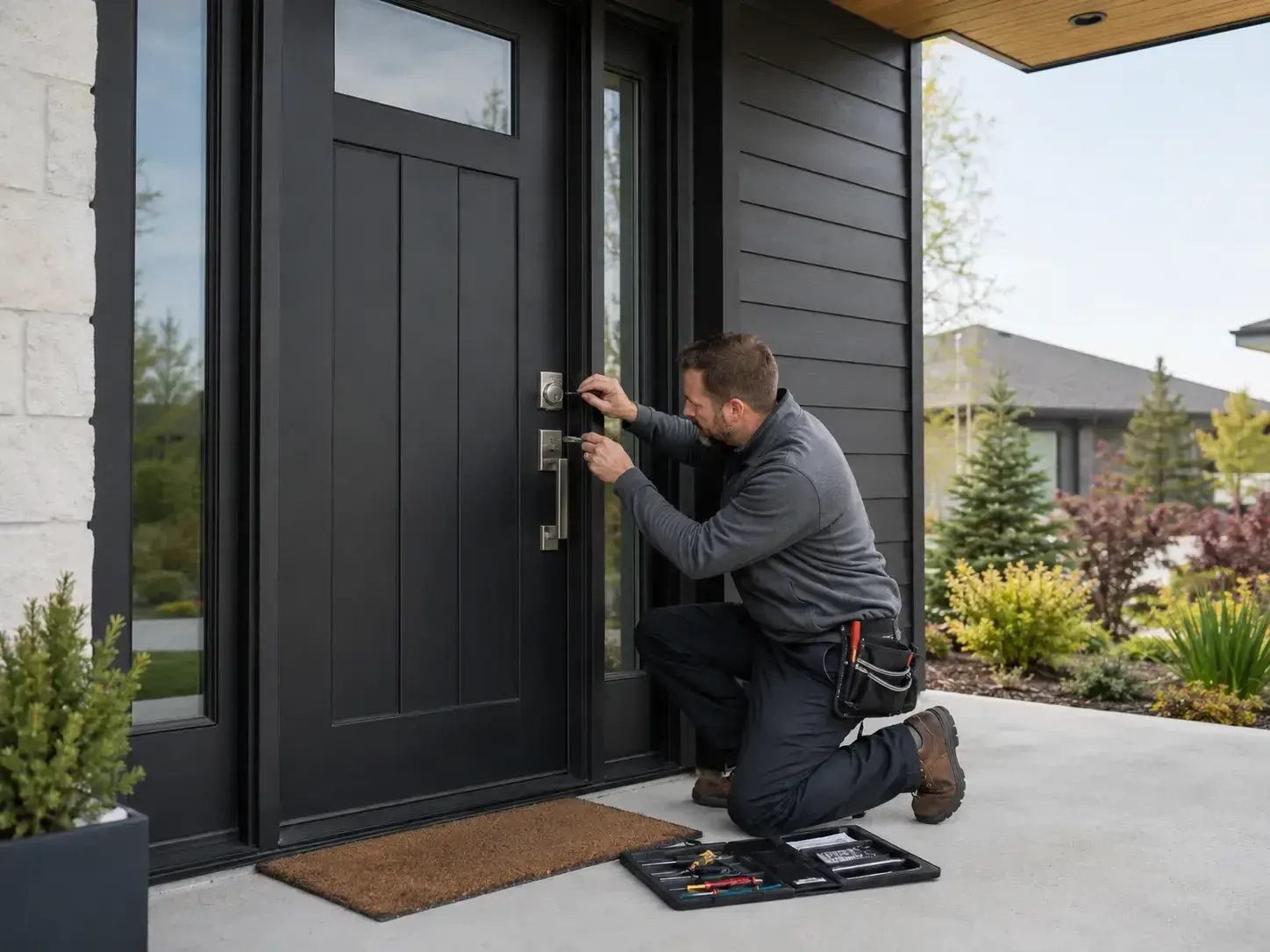
This guide is for owners and managers choosing locksmith software for residential, automotive, and commercial work. A missing cylinder can turn a profitable visit into another supply run; an unrecorded smart lock can leave both the stock count and the invoice wrong. The useful test is whether the business can follow an item from delivery through job use and invoicing without rebuilding the record later.
Quick Verdict
- FieldPulse — best overall for a growing locksmith business. Native quantities, purchasing, barcode tools, and connected job records offer the strongest balance for residential and light commercial teams.
- ServiceTitan — best for larger operations with formal controls. Configured purchasing and inventory modules support structured receiving, requisitions, replenishment, and accounting across branches.
- BuildOps — best for complex commercial installations. Procurement connects with commercial projects and financial operations, although the surrounding platform is excessive for many small shops.
- QuoteIQ — broad native tools with a team subscription. Elite includes locations, suppliers, orders, and transaction records; the higher plan and observed field delays are the drawbacks.
- Housecall Pro — suitable when paired with Ply. Simple service workflows and material reports are useful, but native features do not maintain van quantities.
- Jobber — approachable job management with inventory supplied by Ply. It suits a small team that values Jobber’s interface and accepts another subscription.
- FieldEdge — conditional fit for an established QuickBooks Desktop setup. Advanced warehouse functionality depends on QuickBooks Desktop Enterprise with Advanced Inventory.
Locksmith Inventory Software Compared
All amounts are in US dollars. Observed and reported figures are review references; the packages have different users, commitments, and add-ons.
| Platform | Best fit | Inventory strengths | Main drawbacks | Pricing basis |
|---|---|---|---|---|
| FieldPulse | Growing residential and light commercial locksmith business | Native hubs, transfers, barcode counts, purchasing, and job connections | Catalog setup and deduction rules need ownership | Custom seat-based quote; review reference around $99/user/month, native inventory included |
| ServiceTitan | Large or multi-branch operators | Native purchasing, requisitions, replenishment, and accounting controls | Heavier implementation and administration | Custom package; reported $250–$500/technician/month plus implementation |
| BuildOps | Commercial lock and access-control projects | Native quantities and procurement connected to project costs | More system than small shops need | Custom quote; reported around $299+/user/month |
| QuoteIQ | Teams seeking broad native functions | Locations, suppliers, orders, transaction history, and thresholds | Elite or Max required; observed field reliability concerns | Elite $299.99/month for 10 users |
| Housecall Pro | Simple service teams adding Ply | Material usage and source reporting; Ply supplies quantity control | Separate system and integration | HCP subscription plus location-based Ply pricing |
| Jobber | Small teams comfortable with Jobber | Reusable catalog; Ply connects materials with jobs | No native operational ledger | Jobber plan/users plus Ply, which includes unlimited users |
| FieldEdge | Existing compatible QuickBooks Desktop users | Parts requests, purchasing, and accounting continuity | Warehouse control depends on another product | Custom FieldEdge package; Elite plus required QuickBooks licensing |
How We Tested
Testing at a glance
- Review period
- October 2026
- Devices
- Desktop and iPhone
- Evidence
- Trial and paid-account observations, combined with official product, mobile, pricing, and integration documentation.
- Focus
- Identifying locksmith stock, checking shop and van quantities, tracking daily movements, replenishing items, using mobile tools, and comparing configured costs.
For this October 2026 comparison, Tools in the Wild assessed seven field service platforms for locksmith operations: BuildOps, FieldEdge, FieldPulse, Housecall Pro, Jobber, QuoteIQ, and ServiceTitan. We combined trial and paid-account observations on desktop and iPhone with official product, mobile, pricing, and integration documentation.
We considered businesses from one-truck operators to companies with roughly 50 technicians. The evaluation covered:
- Item identification: SKUs, descriptions, units, costs, custom fields, and supplier references.
- Location accuracy: Shop quantities, van stock, transfers, and materials for scheduled jobs and job commitments.
- Daily movement: Receiving, use, unused returns, losses, and cycle counts.
- Replenishment: Reorder points, par levels, purchasing, and incoming orders.
- Field work: Mobile access, scanning, which technician used each item, and invoicing.
- Overall value: Team size, required modules, integrations, and implementation effort.
We judged how staff manage the stock workflow alongside scheduling and the wider service operation. Read our editorial methodology.
What Is Locksmith Inventory Software?
Locksmith inventory software maintains a record of physical stock: what is available, where it is, how it moves, and when more is needed. A reusable catalog entry for smart locks does not establish that the correct model is on the assigned vehicle.
The locksmith trade needs precise identifiers. Key blanks, mortise cylinders, locksets, remotes, transponder chips, and batteries should have distinguishable records. Similar products can differ in keyway, finish, dimensions, model, or supplier part number. Identifiers matter when similar remotes share a drawer. Automotive products add attributes such as FCC ID, button pattern, and condition. Key Innovations’ labels illustrate why product identifiers belong beside a recognizable description.
Key Inventory Is Different From Key Code Lookup
Key inventory follows physical products, including uncut key blanks. Key code lookup supplies reference information for a separate technical workflow. A SKU describes the chosen product; it does not turn a general stock application into a key code resource.
Likewise, an unopened smart lock is merchandise. Once installed, its location, warranty, serial number, and repair history belong with customer records. A key-cutting machine kept by the company is reusable equipment.
Estimating calculates expected costs, quoting defines the offered price, and invoicing bills the completed work. This guide concentrates on the quantities behind those activities. Our inventory workflow comparison explains the same catalog-versus-quantity distinction in another trade.
Inventory Management: Key Features Compared
Native means the platform maintains the operational ledger. An integration can provide a strong alternative, but its daily work and subscription remain part of the purchase.
| Capability | FieldPulse | ServiceTitan | BuildOps | QuoteIQ | Housecall Pro | Jobber | FieldEdge |
|---|---|---|---|---|---|---|---|
| Quantity ledger | Native, included in reviewed base price | Native configured modules | Native purchasing and inventory | Native on Elite/Max | External Ply or accounting application | External application such as Ply | QuickBooks-dependent warehouse route |
| Locations | Hubs for shop, van, and other locations | Configured trucks and warehouses | Warehouse, truck, and site quantities | Warehouse, truck, and employee locations | Ply maintains locations | Ply maintains locations | Required QuickBooks setup or another integration |
| Purchasing | POs, hub levels, and replenishment | Requisitions, transfers, POs, replenishment | Procurement tied to project costs | Orders and product thresholds | Usage reports; Ply supplies stock purchasing | Ply supplies purchasing | Parts requests and QuickBooks workflow |
| Field activity | Mobile counts and item tools | Configured Inventory Mobile App | Mobile parts logging and POs | Mobile products and linked materials | HCP job records plus Ply | Jobber jobs plus Ply | Work orders plus connected application |
| Deduction | Configured material-list or invoice event | Connected job and accounting process | Used parts connect to billing and costs | Paid invoice, with earlier payment-screen option | Integration supplies quantity movement | Integration supplies quantity movement | Selected QuickBooks or integration route |
| Main burden | Clean data and consistent recording | Configuration and transaction discipline | Commercial implementation | Plan level and field reliability | Two applications | Two applications and sync rules | Multiple products and accounting dependencies |
FieldPulse: Best Locksmith Software for Growing Residential Teams
Verdict: FieldPulse is my first choice for a growing locksmith business that wants quantities, purchasing, customers, estimates, and invoicing in one platform. It supports residential and light commercial work without ServiceTitan’s implementation weight.
Main trade-off: Someone must own item naming, stock units, hub permissions, and deduction rules. Flexible business software still depends on consistent entries.
Connected Field Service Software
Inventory hubs separate central stock from each van. A technician can manage their assigned hub while viewing products held elsewhere, subject to permissions.
That makes locksmith dispatch more useful: the right tech also needs the correct hardware. Choosing the nearest technician is less helpful when the needed cylinder is across the service area on another vehicle. Van stock visibility adds material availability to that decision.
Key blanks can be counted by quantity, while selected higher-value products can use a serial number. Item tags, supplier details, and custom fields help staff locate products and distinguish variants. A technician using barcode counts avoids repeated typing and reduces the opportunity for transcription errors; a physical check still determines what is actually present.
Deduction and Value
Deduction settings use Material List completion or Invoice finalization. Linked records coordinate the quantity so it is not deducted twice. Counts can log a variance for investigation or update the recorded total.
The practical choice is when the locksmith business considers material used. Parts fitted on today’s job should not appear available merely because the office postpones invoicing until tomorrow.
Purchase orders, receiving, and transfers complete the loop. The review reference was around $99 per user per month before discounts, with native inventory included; current public pricing is custom and seat-based. The value comes from running the connected workflow in one system rather than paying for another stock system.
ServiceTitan: Best for Large Locksmith Inventory Operations
Verdict: ServiceTitan is the strongest fit for a larger locksmith business needing formal receiving, purchasing, requisitions, and accounting across departments or branches. Its locksmith application supports commercial service work alongside those controls.
Main trade-off: Configuration and administration are substantial. The depth makes more sense when warehouse staff, purchasing employees, field technicians, a lead technician, and finance already own different steps.
Inventory Control Across Locations
The configured Inventory module works with Purchasing on locations, transfers, replenishment, adjustments, and serialized products. A commercial installation can have materials committed to its delivery while everyday van stock remains separately accountable.
For a large locksmith business, that distinction matters. Twenty cylinders owned by the company are not necessarily twenty available for new customers if some already belong to a scheduled installation job.
The Inventory Mobile App supports receiving, transfers, and cycle counts. Barcode-supported transactions, role assignments, and audit trails help staff follow a recorded movement rather than reconstruct it later.
Subscription and Value
Reported subscriptions were $250–$500 per technician per month, with implementation reported from $5,000 to $50,000 or more. Modules, migration, and deployment affect the package.
BuildOps: Best for Commercial Lock and Access-Control Projects
Verdict: BuildOps is most relevant to a locksmith business whose materials belong inside a substantial commercial project and financial workflow.
A multi-building installation can involve staged hardware, supplier orders, changing scope, crews, and committed costs. Those requirements differ from replenishing a single service vehicle.
Main trade-off: Its wider commercial functions add complexity and expense for smaller operators.
Field Service Purchasing and Project Costs
BuildOps purchasing and inventory connects warehouse, truck, and job-site quantities with mobile parts logging and purchase orders. Location thresholds help staff track shortages, while used materials connect with invoicing and job costs.
For commercial customers, the benefit is following hardware through delivery and installation alongside job costs and the project’s financial position. A box sent to a site should be distinguishable from products remaining in the locksmith shop.
Procurement also connects commitments, receipts, and vendor bills with the financial application. That helps managers review spending before the supplier invoice becomes the first job record of an order.
Subscription and Value
BuildOps uses custom packages; review references reported around $299 or more per user per month, depending on headcount and modules.
BuildOps earns its price when commercial project delivery drives purchasing. FieldPulse is more manageable for residential work.
QuoteIQ: Native Inventory With a Higher Plan Requirement
Verdict: QuoteIQ provides genuine native quantities and transaction records for a small locksmith business seeking broad functions under one subscription.
Main trade-off: Inventory requires Elite or Max. Lower-tier material line items are a different capability, and the observed field experience was less convincing than the feature breadth.
Products, Locations, and Movements
QuoteIQ’s inventory tools track products, suppliers, orders, locations, and transactions. A locksmith can separate shop products from van stock or material issued to an employee.
Product codes, costs, prices, units, and thresholds support the catalog. Received, issued, returned, damaged, lost, and adjusted quantities have distinct purposes. Marking an order received closes it; the documented Receipt transaction records the quantities actually added.
The materials link fills cost from the chosen product and deducts when the invoice is paid. The deposit or partial-payment screen offers an earlier deduction option. These timing differences matter when customers pay after installation.
Field Experience and Value
Our estimating tests found routine screens taking 6–10 seconds to load and offline estimate errors. Those field delays affect a technician using the same mobile app for a job from arrival to invoicing.
Elite costs $299.99 per month for 10 users. A larger team can spread that per-technician cost, while a solo locksmith pays for a broad package to obtain this capability.
Housecall Pro: Straightforward Locksmith Software With Ply
Verdict: Housecall Pro can suit a locksmith business that likes a simple service workflow and adds Ply for quantities and replenishment.
Main trade-off: Its Price Book and reports do not maintain native van stock. Another subscription becomes part of the purchasing decision.
Usage Reporting Versus Available Quantities
Material detail tracking records source, purchase status, and vendor. Usage reports help the office track what was fitted and what may need purchasing.
Those records help document service calls and job costs, but a source field called “Van 2” is not an on-hand ledger. Locksmiths need the actual remaining quantity when dispatching the next visit.
Ply supplies the location records, transfers, purchasing, and replenishment. Its HCP settings govern material sourcing, including multi-technician jobs. Integration depth matters when two people attend the same installation but only one vehicle supplied the hardware.
Subscription and Value
The price is Housecall Pro plus Ply, including the HCP plan, required add-ons, and separate locations. HCP’s familiar scheduling and mobile invoicing can justify that combination for an existing technician or office user.
Housecall Pro also documents a QuickBooks Online inventory route; that leaves the ledger in accounting, rather than establishing native vehicle quantities.
Jobber: Approachable Field Service Software, With Stock in Ply
Verdict: Jobber is accessible locksmith software for a small team, but it needs a connected system when location quantities are a priority.
Its customer and job workflow and clean mobile interface make everyday locksmith jobs approachable. The Products and Services list supplies reusable charges, rather than a native inventory system.
Main trade-off: The connection has specific rules. The text on a customer’s invoice and the movement recorded behind it are different things.
Linked Materials and Invoicing
The Jobber–Ply documentation says a custom line without a product reference does not sync to the Ply job. Picking the catalog entry for key blanks therefore matters more than typing a familiar description.
Ply kits can connect underlying components with one Jobber line. That can keep invoicing readable for customers while retaining the material record. Consistent catalog selection helps avoid double entry between billing and quantities.
Jobber’s scheduling and customer records remain useful, but upgrading the Jobber subscription alone does not create native replenishment or transfers.
Subscription and Value
Jobber’s plan, team size, and billing commitment determine its subscription. Ply adds location-based fees and unlimited users within Ply; it does not expand Jobber’s seat allowance.
FieldEdge: Conditional Fit for QuickBooks Desktop Users
Verdict: FieldEdge is most relevant to a locksmith business retaining a compatible QuickBooks Desktop architecture. It is a less compelling first purchase for flexible shop-and-van quantities.
Main trade-off: Advanced warehouse control relies on another product.
FieldEdge’s plan table places Warehouse Inventory Management on Elite and requires QuickBooks Desktop Enterprise with Advanced Inventory. Parts requests, purchasing, replenishment, work orders, and accounting must function together.
That can preserve continuity for established users. It adds a dependency for new customers seeking one system to track materials on each job and carry them into invoicing.
FieldEdge’s managed trade repair database does not establish locksmith-specific product identifiers. Key blanks and replacement hardware still need an organized catalog suited to the actual work.
Reported review references were $100–$125 per user per month and a $500–$2,000 setup fee; the vendor quotes actual packages. Required accounting licensing and configuration add cost.
Key Blanks and Van Stock: Choosing Business Software for Your Locksmith Business
The best software depends on how the locksmith business works. One truck with a short supply list has different needs from several vans sharing a shop. The following checks connect inventory control with daily service.
Start with Identifiers
Give different key blanks and hardware variants distinct records. Track key blanks by the unit used, not an ambiguous mix of boxes and individual pieces. Use clear descriptions for customers and staff. Track each key product sold to customers through the intended location.
Set Stock Locations
Track key blanks, cylinders, and fobs where they are held. Van stock should reflect the physical handover, including unused returns.
Use Realistic Par Levels
Set par levels around demand and replenishment time. A busy emergency vehicle and a commercial installation vehicle may need different supplies.
Count Regularly
Cycle counts on fast-moving key blanks reveal recording gaps before an annual count. Review damaged products separately from unexplained differences.
Connect Scheduling
Choose a scheduling process that accounts for materials. Locksmith scheduling software should help match availability with scheduled jobs. Drag and drop scheduling alone cannot show whether the assigned vehicle has the hardware.
Track Customers and Commitments
Recurring service contracts can create predictable material demand. Use scheduled work for customers to plan purchases while keeping customer asset histories separate.
Compare the Complete Cost
User allowances matter when comparing pricing. Include users, locations, implementation, support, and the tools needed for mobile work. The best software is the configuration the company can maintain consistently.
What Does a Separate Inventory Integration Cost?
Our clean-start Ply inquiry returned $280 per month on Starter for one warehouse and three trucks, with no historical data migration. The two-location example—one warehouse and one truck—was about $140 per month, with a two-location minimum. Location pricing started around $60 per month within that quoted package.
Ply’s public pricing is location-based. Starter includes tracking and basic procurement; more advanced purchasing functions have a separate package. Unlimited users in Ply do not remove the separate field service subscription.
The clean-start quote had no onboarding fee and included training resources and support. Migrating historical data is different and can add cost. A locksmith business should compare the same physical locations and workflow when weighing Jobber or Housecall Pro plus Ply against a native alternative.
Frequently asked questions
What is the best locksmith software for inventory?
FieldPulse is the best locksmith software in this comparison for most growing residential and light commercial teams. Its native quantities, purchasing, field tools, and invoicing offer a practical balance. ServiceTitan fits larger organizations with formal controls, while BuildOps suits commercial project delivery.
Can locksmith inventory software track key blanks across several vans?
Yes, locksmith inventory software can track key blanks across several vans when it maintains location quantities. FieldPulse, ServiceTitan, BuildOps, and QuoteIQ provide native location workflows. Jobber and Housecall Pro rely on an inventory system such as Ply for that control.
Does Jobber have native locksmith inventory management?
No, Jobber does not have native location control for locksmith quantities, transfers, and replenishment. Its product catalog supports customer work, while Ply can supply the operational ledger. Linked items and sync rules determine which material records carry across.
Does Housecall Pro track van stock on its own?
No, Housecall Pro does not track van stock on its own as a location-based ledger. It records material usage, source, purchase status, and vendor information. Ply provides the separate quantities and movement needed to track what remains.
Can locksmiths scan barcodes and track serialized products?
Yes, locksmiths can scan barcodes and track serialized products through supported workflows. FieldPulse offers barcode tools and individual-unit records; ServiceTitan supports configured warehouse transactions. Locksmiths need each label tied to the intended item. Scanning does not independently establish compatibility.
Does inventory software replace a key code database?
No, inventory software does not replace a key code database simply by maintaining item quantities. Physical key blanks and hardware need a location ledger; a key code application serves a separate reference purpose. Evaluate the stock workflow and key code workflow independently.
How should automotive locksmiths identify remotes?
Automotive locksmiths should identify remotes with distinct SKUs and appropriate key product attributes. Vehicle year, model, supplier part number, FCC ID, button pattern, and condition can help staff distinguish the selected item. Clear descriptions also help customers understand which product is supplied. A catalog record supports identification; it does not establish automated fitment or programming.
Can field service software support recurring service contracts?
Yes, field service software can support recurring service contracts when the platform provides the required agreement and scheduling workflow. Commercial customers’ planned visits can inform material demand. Track contract coverage, installed smart locks, and the quantities held for upcoming work as connected but distinct records.
What should a locksmith track before changing platforms?
A locksmith should track item identifiers, costs, quantities by location, outstanding orders, customer history, and the timing of material use on each job before changing platforms. Clean starting data helps the new system agree with physical products. Each technician needs a repeatable way to manage what leaves the vehicle. The choice of locksmith software also depends on how well staff can maintain those records during scheduling and invoicing.

Olivia Evans
Olivia has more than 10 years of experience researching field-service software for HVAC and other service businesses and improving their marketing and operations. She conducts hands-on workflow tests, documents findings with screenshots and notes, and checks product claims against official vendor documentation.
Author profile →How we test →