

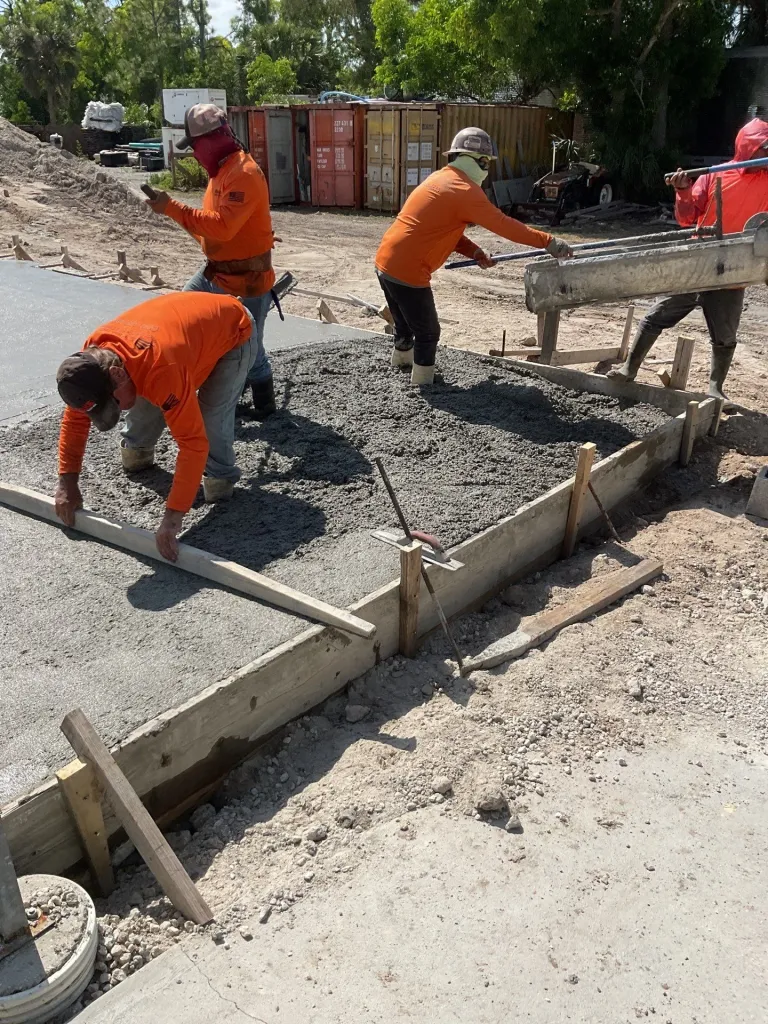
 Concrete billing software helps U.S. concrete contractors streamline invoicing and progress billing while avoiding errors such as asking a homeowner to pay the same deposit twice. Specialized concrete billing software automates invoicing and progress billing. This article compares the top concrete billing software for contractors in 2026, with a focus on the billing workflows U.S. concrete contractors use to collect deposits, installments and final payments.
Concrete invoicing software must handle cubic yard pricing and labor costs, as well as pricing variations and the unique financial requirements of concrete operations. From residential driveway draws to commercial schedule-of-values billing, the right platform helps keep approved scope, invoices and receipts aligned.
QuoteIQ is the best invoicing software for concrete contractors in 2026. It offers a practical way for smaller crews to take deposits and record split payments. For a growing residential concrete business that wants flexible draw requests, searchable payments and a deposit workflow connected to QuickBooks, FieldPulse is my pick. I’d choose Jobber when the homeowner needs the clearest view of a few scheduled installments. For concrete contractors working as subcontractors and submitting a monthly application for payment, ServiceTitan’s continuation sheet and approval process change my recommendation.
A concrete invoice bills authorized work. A receipt records money received. An installment schedule identifies what you can bill next. Start with the approved scope and carry those three records separately through the pour, the change and final collection. Our concrete invoicing guide covers the detail that belongs on an individual bill.
Quick Verdict
QuoteIQ is the best invoicing software for concrete contractors in 2026, particularly for a small crew taking a deposit and later check payments against an invoice. Its account balance needs interpretation when future stages are still unbilled.
FieldPulse is the residential all-around pick for deposit requests, progress PDFs, payment filters and a configurable QuickBooks deposit entry.
Jobber gives a homeowner the clearest installment explanation, including each item’s total and the amount due on this invoice.
Housecall Pro is my pick for an office working a daily collection list. Separate stage invoices and presorted overdue views make the next call easier.
ServiceTitan fits subcontractors whose GC approves a continuation sheet and payment application before the office issues a progress invoice.
BuildOps suits commercial concrete companies connecting field progress, approved changes and schedule-of-values billing across projects.
FieldEdge fits a fleet already using Jobs, progressive billing and QuickBooks that wants to keep approved extras with the parent job.
Concrete Billing Software Compared: Invoicing Software for Concrete Contractors
| Platform | Best fit | Billing and collection strengths | Main drawbacks | Pricing basis |
|---|---|---|---|---|
| FieldPulse | Growing residential office | Flexible draw requests, payment filters, deposit accounting | More clicks to find overdue work; progress PDF and accounting invoice serve different purposes | Custom seat quote; about $99/user/month observed before discounts |
| Jobber | Driveways billed in installments | Planned draws, customer-visible payment status | QBO is tier-dependent; current connector sends records out | Grow, one user: $149/month billed annually or $199 month-to-month |
| Housecall Pro | Office chasing residential balances | Separate invoices, due views, detailed payment history | Amount corrections require voiding and reissuing a progress invoice | Basic, one user: $79 month-to-month; higher tiers and add-ons vary |
| ServiceTitan | GC-certified draws | Application, continuation sheet, retainage and approved progress invoice | Configuration and posting discipline take staff time | Per-technician quote; reported $250–$500/tech/month plus implementation |
| BuildOps | Commercial projects and service | Field backup, SOV, changes and pay applications | Larger implementation; Payments+ costs extra | Custom quote; reported around $299+/user/month, depending on package |
| QuoteIQ | Deposits and split receipts | Fixed or percentage deposit, payment log, remaining invoice balance | Office must distinguish unbilled work from an outstanding invoice | Pro, four users: $199.99/month; Elite, ten: $299.99/month, both month-to-month |
| FieldEdge | Existing QuickBooks fleet | Parent Job, progressive billing, change-order quotes | Higher setup commitment for a new residential office | Custom package; reported $100–$125/user/month plus $500–$2,000 setup |
U.S. pricing reviewed November 16, 2026. Published pricing uses standard subscription rates before promotions. FieldPulse’s observed seat price and the reported ServiceTitan, BuildOps and FieldEdge figures are budgeting examples from the 2026 comparisons. Headcount, contract term and implementation vary on custom quotes.
What Does Invoicing Software Cost a Concrete Business?
Start with the number of people who issue bills or track payments. For solo operators, a one-user subscription can cover most invoicing needs. Concrete contractors with dedicated office staff should compare the cost of field and office seats. Per-user fees, payment processing and accounting setup can matter more than the sticker price.
Solo Operator Pricing
For solo operators, a one-user subscription can cover most invoicing needs. A concrete business that takes most draws by check has different needs from one where clients pay by card at the job site, so include payment processing when estimating the total cost.
Office Staff Considerations
Concrete contractors with dedicated office staff should compare the cost of field and office seats. Per-user fees and accounting setup can matter more than the sticker price, especially when more than one person issues bills or tracks payments.
Comparing Vendor Pricing
The linked vendor pricing pages identify published pricing or a custom pricing model. For a fair comparison, ask for the same seat count, billing term and online payment acceptance in each package. Evaluate published pricing against what your office actually uses.
How We Tested
Testing at a glance
Products
Evidence
When
Devices
Workflows
Plans and Limits
What Concrete Contractors Should Bill on a $20,000 Driveway
Suppose the signed contract for this concrete job calls for $4,000 at booking, $8,000 after preparation and forms, and $8,000 at completion. For this example, the office issued and collected a $4,000 deposit bill. All issued amounts are due at the events shown. The example excludes taxes, processing fees and retainage.
Record the paid deposit bill. Authorized total: $20,000; billed to date: $4,000; paid to date: $4,000; due now: $0; still to bill: $16,000.
Send the preparation installment. Authorized total: $20,000; billed to date: $12,000; paid to date: $4,000; due now: $8,000; still to bill: $8,000.
Add $2,000 of approved extra concrete to the final stage. Authorized total: $22,000; billed to date: $12,000; paid to date: $4,000; due now: $8,000; still to bill: $10,000.
Apply a $5,000 check to the preparation installment. Authorized total: $22,000; billed to date: $12,000; paid to date: $9,000; due now: $3,000; still to bill: $10,000.
Send the reminder, then collect the other $3,000. Authorized total: $22,000; billed to date: $12,000; paid to date: $12,000; due now: $0; still to bill: $10,000.
Issue the completion bill, including the approved change. Authorized total: $22,000; billed to date: $22,000; paid to date: $12,000; due now: $10,000; still to bill: $0.
Apply the final payment. Authorized total: $22,000; billed to date: $22,000; paid to date: $22,000; due now: $0; still to bill: $0.
After the $5,000 check, the homeowner has $3,000 due now. The remaining contract balance is $13,000. Of that, $10,000 has never been billed. The reminder should identify the preparation invoice, acknowledge the $5,000 received and ask for $3,000. Sending “your balance is $13,000” invites a dispute on a job where the customer has paid exactly what the office recorded.
Keep the owner’s written approval for the additional concrete with the final stage. A ready-mix delivery ticket supports the quantity delivered to the job site. It doesn’t authorize an extra charge. On final billing, show the original $8,000 completion installment and the $2,000 addition. If your app collected the deposit on an estimate without issuing a deposit bill, record it initially as a payment or credit held. Match it to the eventual invoice once. The first step above assumes an issued deposit bill and should not be copied into that other workflow as a second charge.
From the Job Site to the Concrete Invoice
On fixed-price contracts, concrete finishers can document an extra apron with its dimensions, square footage and a delivery ticket. Office staff match that evidence to the homeowner’s approved change before creating line items on the concrete invoice. If exposed aggregate was already included in the original concrete work, an additional delivery alone does not justify billing the finish twice.
Job costing answers a different question. The extra ready-mix, labor and purchase orders belong to the cost of the concrete job whether or not the customer approved an extra charge. Keeping billing and job costing separate helps concrete contractors explain why a job cost more without asking a homeowner to cover an unauthorized overrun.
Features Compared: Where Concrete Invoicing Software Handles Each Draw
| Platform | Deposit or draw | Receipt and collection | Commercial billing record | Accounting handoff |
|---|---|---|---|---|
| FieldPulse | Deposit on estimate; partial amount or progress PDF | Payment records filter by customer, date and method | Progress PDF; use GC workbook for a prescribed SOV | Configured QBO or Desktop deposit invoice |
| Jobber | Payment schedule and separate progress invoices on all plans | Per-invoice amounts and client hub; automated follow-ups on Connect and above | Stage invoices; office prepares GC application separately in this workflow | QBO on Connect, Grow or Plus |
| Housecall Pro | Fixed or percentage stage invoices after enablement | Separate invoice statuses and detailed receipts | Progress-invoice summary; office transfers values to GC form | QBO on Essentials/MAX; manual payment pull available |
| ServiceTitan | Configured project progress billing | Invoice after application approval; posting and export matter | Application, continuation sheet and retainage | Configured export to accounting |
| BuildOps | Milestone, unit-price or progress billing | Payments+ can allocate one receipt to several bills | AIA pay applications tied to project values and changes | ERP connector by record and setup |
| QuoteIQ | Estimate deposit or partial invoice payment | Payment log, remaining balance and reminder | Estimate/invoice log; office prepares stage worksheet and GC form | One-way QBO on Pro and above |
| FieldEdge | Progressive billing on a Job | Invoice and payment records against the parent Job | Progressive job bill; use GC’s form for its required submission | Supported QBO or Desktop records |
Concrete contractor software varies in reporting depth. The GC-workbook entries describe the outside record the office uses in the workflow compared here. A fixed-percentage draw on a residential job does not establish that an app produces a commercial continuation sheet.
FieldPulse for Concrete Contractors Working Across Several Draws
Partial Payment Options
FieldPulse gives concrete contractors three partial-payment routes. Request an amount on an estimate or invoice email, change what the invoice shows as due, or generate a separate progress PDF. On the driveway, ask for $8,000 at preparation. If accounting already carries the full invoice, a second PDF requesting the draw is a customer document. Don’t post another $8,000 sale just because you sent it.
QuickBooks Deposit Workflow
With automatic deposit invoices, the office maps a deposit item to a liability account before enabling the feature. That gives the accounting system a separate deposit record in QuickBooks Online or Desktop. Without that configuration, FieldPulse can carry an estimate deposit onto the converted invoice. Pick one route for the $4,000 and match it through to the final invoice.
Payment Tracking
I could filter payments by method and customer in FieldPulse, which helped when looking for a particular check. Finding all past-due invoices took more clicks than in Housecall Pro. I prefer FieldPulse when matching the driveway to its payment and accounting history matters more than opening a ready-made call list. Custom seat pricing covers the operating platform. Electronic collection also depends on FieldPulse Payments access.
When comparing concrete invoicing software, have the office open yesterday’s bill from the customer record and locate the check that settled it. For most concrete contractors, that takes priority over advanced automation. A fast reminder is worth little if it quotes a balance the homeowner has already paid.
Next, Jobber offers a customer-facing way to explain scheduled residential installments.
Jobber for a Residential Concrete Business Billing in Installments
Payment Schedule and Customer View
Jobber’s payment schedule is available on all plans. Set up the deposit and two remaining installments on the quote or job. When preparation is complete, open the job’s Payment Schedule and create its next invoice. Jobber fills in the scheduled amount. On the concrete invoice, the customer sees the full line-item value and the portion on the current invoice.
After the approved addition, update the job and remaining schedule. Leave the paid deposit and issued preparation bill traceable. Apply the $5,000 to that preparation invoice and collect its $3,000 balance. Client hub displays the stage and payment status, which is particularly helpful when the homeowner asks why another bill will follow.
QuickBooks Integration
Choose Connect or above for automated follow-ups and QuickBooks Online. The newer QBO connector sends supported records from Jobber, so enter collections in the system the office uses to issue the reminder.
For most concrete contractors collecting a few residential installments, the best invoicing software makes the next charge obvious to the homeowner. Jobber’s customer hub lets the homeowner see the stage invoice and, with Jobber Payments enabled, make online payments. That can save time when the crew has already left the job site.
Next, Housecall Pro focuses on the office’s daily list of unpaid invoices.
Housecall Pro for Concrete Contractors Chasing Unpaid Invoices
Progress Invoices and Payment Tracking
Housecall Pro can create separate progress invoices for a fixed amount or percentage of the job. Each has its own terms and payment options. The job summary shows issued invoices, and the system limits total invoicing to the concrete job amount. Add the approved $2,000 to the authorized job before the final draw.
I could see unsent, due and past-due invoices without building a filter. The payment history showed the method, amount, date and time, useful when a homeowner says a check was already collected.
Correcting an Issued Invoice
Correcting an issued progress invoice takes care: to change its amount or due date, void it and issue the corrected one. Record a partial receipt against the existing bill when the bill was right and only the payment was short.
QuickBooks Integration
For concrete contractors using QuickBooks Online, Essentials and MAX include integration. A payment entered first in QuickBooks Online can be pulled manually for the job. Complete that step before sending a past-due notice. I would use Housecall Pro over a heavier project platform if the main office problem is deciding whom to call today.
Next, ServiceTitan is a stronger fit when the GC requires a formal monthly application and continuation sheet.
ServiceTitan for Concrete Contractors Using AIA-Style Progress Billing
Application and Continuation Sheet
General contractors can require trade contractors to substantiate each monthly draw. A schedule of values assigns portions of the contract to work such as site preparation, forming, placement and finishing. Each month the GC may require previous work, current work, eligible stored materials and retainage by line. The AIA application summarizes what has been earned, withheld and previously certified. Prior certificates and cash received can differ.
ServiceTitan’s continuation sheet feeds the application. Enter the period and retainage, update the work lines, then send the documents for approval. Generate the progress invoice after approval. On an illustrative $10,000 of eligible earned work with 10% retainage and no previous certificate, the current request is $9,000. Track the $1,000 for later release under the contract.
Approval and Accounting Process
A GC can still require its own portal, waiver or supporting tickets. ServiceTitan earns its implementation cost when the application itself drives monthly progress billing across several active jobs. Its accounting exports also require a posting process. A payment recorded in QuickBooks should not be assumed to clear the ServiceTitan collection queue.
For commercial teams that need to tie field progress and approved changes to billing, BuildOps is another project-focused option.
BuildOps for Commercial Concrete Work With Changing Scope
Project Values and Approved Changes
BuildOps connects project pay applications to the schedule of values and approved change orders. Its finance workflow supports AIA pay applications alongside fixed-price, milestone and time-and-material billing. That gives a commercial PM a reason to keep the signed additional placement, field quantities and approval with the same project that finance bills.
Concrete contractors can trace a disputed draw to the project work that earned it. If the GC wants its own portal submission or supporting documents, those remain part of the office’s monthly billing cycle.
A ready-mix purchase and the customer’s approved change may sit in separate tools. Match the purchase orders and delivery tickets through job costing, then use the contract line items to calculate the customer’s draw. Management software earns its seat when a commercial project manager can follow that trail without asking accounting to rebuild it.
Payments+ and Remittance Allocation
Payments+ is an add-on. The office can allocate one remittance to multiple invoices, useful when the GC pays for two concrete projects with one transfer. I would pay for that connection when finance and project staff share a commercial portfolio. It’s more system than a small driveway crew needs to collect its last $3,000.
For smaller crews, QuoteIQ offers a simpler mobile workflow for deposits and split receipts.
QuoteIQ for Mobile Invoicing and Split Receipts
Deposits and Partial Payments
QuoteIQ supports partial payments on all plans. Set a dollar or percentage deposit on an estimate. A paid deposit appears in its log, and the office can record additional money against the estimate. Collecting it there does not itself issue an invoice. When working with a pending invoice, choose Actions, Mark as Paid, then Partial Payment and enter the amount actually received.
If the preparation invoice was $8,000, a $5,000 check leaves $3,000 on it. If the office instead invoiced the entire contract, the balance shown includes later work. Keep the installment schedule and identify the amount currently collectible before sending a payment reminder. That distinction matters more than the number of ways to take a card.
QuickBooks Integration
QuickBooks Online sync is included from Pro and runs from QuoteIQ to QuickBooks Online. Use the invoice and payment references to match the books. I would choose Jobber instead when customer-visible stage invoices are the reason for buying.
For an office already operating in FieldEdge and QuickBooks, the next option is to continue progressive job billing there.
FieldEdge for a Contractor Already Billing Through QuickBooks
Progressive Billing and Change Orders
FieldEdge supports progressive job billing. Its project management record groups work orders, quotes, invoices and payments. An accepted change-order quote can bring the additional concrete into the job’s financial picture without erasing the original scope.
Use the Job to review the deposit, issued stages and remaining authorized value. Apply the partial check to the correct open invoice before the office calls to collect payment.
QuickBooks Records and Fit
The QuickBooks connection supports both Online and Desktop, with direction varying by record. A successful customer sync alone doesn’t show that a payment was applied to the intended bill. This is a sensible continuation for an established FieldEdge office. For a new commercial office buying specifically for a documented application and continuation sheet, I’d choose ServiceTitan.
With the product workflows compared, the final step is reconciling every receipt to the invoice and bank record.
How Concrete Contractors Reconcile the Final Payment
 Match each receipt to its concrete invoice and payment reference. Match the processor’s payout or deposited check to the bank record. When a card processor deposits a net amount, reconcile the gross receipt and fee to the net deposit. Leave the customer’s invoice credited for the gross amount they paid. If a QuickBooks bank-feed entry matches an existing receipt, accepting it as a second sale would count the payment twice.
At closeout, the signed scope plus changes, issued billings and receipts should each reconcile to $22,000 in this example. Both the open invoice balance and unbilled work should read zero. The QuickBooks comparison explains which records travel back when an office corrects a payment in accounting.
Which Management Software Features Help a Concrete Contractor Get Paid Faster?
Concrete contractor software can help a business get paid faster when it lets staff send the correct draw from the job site and collect against that same bill. Large operations may need project management software and job costing on one platform. For a smaller shop, concrete invoicing software with clear reminders and payment history can be enough.
Compare per-user fees for the people actually billing the work. The Housecall Pro MAX plan and other higher tiers add features beyond basic collections. Evaluate published pricing against what your office uses. Extra software seats alone will not help a contractor get paid faster.
When Should Customer Management Affect the Software Choice?
On a residential concrete job, the person approving the work may differ from the contact receiving the concrete invoice. Keep those contacts together with the payment record. At the job site, mobile invoicing helps the foreman identify the correct bill. In the office, a paid invoice and a bank receipt should share a reference so staff can spot double entry.
For larger concrete operations, compare how the project management and billing teams see job status. Concrete contractors working for general contractors may have several finished placements waiting on one approved draw. Basic invoicing shows the amount requested. Progress billing depth matters when the office must also explain which line items the GC has certified.
Frequently Asked Questions
How much is due after the $4,000 deposit?
The next installment due is $8,000 once preparation is complete under this driveway schedule. The $16,000 remaining contract balance includes a later completion bill.
What should the office remind the homeowner to pay after a partial check?
The office should request $3,000 after applying the $5,000 check to the $8,000 preparation invoice. Include the invoice number and acknowledge the payment received.
How Should a Concrete Invoice Show Extra Square Footage or a Finish Change?
A concrete invoice should show the approved extra quantity or finish premium on the agreed installment. If a homeowner extends the driveway or switches to exposed aggregate, show the extra square footage or finish premium under the approved change. Keep the approval and delivery ticket with that charge.
Does a paid estimate count as a billed deposit?
A paid estimate records money received, but it does not necessarily create a deposit invoice. Check the deposit or credit record and apply it once to the document that bills the work.
Which Concrete Contractor Software Produces a Commercial Continuation Sheet?
ServiceTitan produces a continuation sheet and uses it to generate the application for payment. BuildOps also supports AIA pay applications tied to project values and approved changes.
Is retainage an overdue installment?
Retainage is an amount withheld under the contract until its release conditions are met. Keep it distinct from an approved installment the payer has missed.
Why can the bank deposit be smaller than the customer’s receipt?
A bank deposit can be smaller than the customer’s receipt when the processor deducts its fee before payout. Reconcile the gross payment, fee and net deposit together.
What Is the Best Invoicing Software for Concrete Contractors Collecting at the Job Site?
QuoteIQ is the best invoicing software for concrete contractors in 2026 overall, especially for small crews handling deposits and partial receipts. FieldPulse is my pick for concrete contractors who need a flexible draw request and a searchable payment history. Jobber suits concrete contractors who want the homeowner to see every installment. In either case, the concrete invoice should show what is due today, and online payments should reduce that same balance before the next reminder goes out.

Olivia Evans
Olivia has more than 10 years of experience researching field-service software for HVAC and other service businesses and improving their marketing and operations. She conducts hands-on workflow tests, documents findings with screenshots and notes, and checks product claims against official vendor documentation.
Author profile →How we test →