
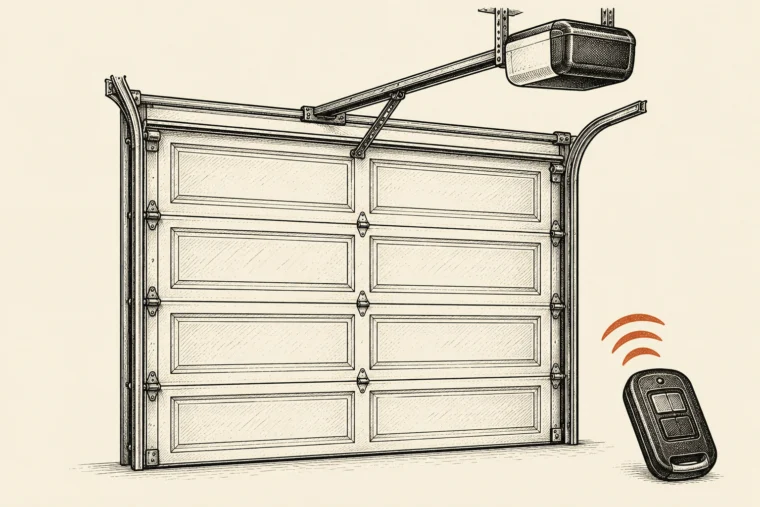
Garage door CRM software keeps the customer, property, earlier service history, and next promised action together so a different employee can continue the conversation. This comparison is for garage door business owners, office managers, and sales leaders choosing customer management software for residential repairs, replacement installations, and commercial accounts. The right system helps prevent duplicate records and missed follow ups, which affect customer satisfaction long after the first visit.
To compare customer records, service locations, and follow-up across trades, see our field service CRM software comparison.
 CRM means customer relationship management. For a garage door service business, that includes contact details, conversations, job history, open estimates, and responsibility for the next response. A household with two doors may need separate equipment descriptions. A commercial customer may have several properties, local access contacts, and a central billing office. The useful question in the garage door industry is whether the office can recover that context when the customer calls again.
FieldPulse is our overall pick for growing residential garage door businesses with light commercial work. Housecall Pro is faster for straightforward caller lookup, while Jobber is easier for a small crew to adopt. BuildOps has the stronger case for commercial property relationships. The reviews below compare eight platforms and distinguish ordinary customer records from paid sales modules and dedicated installed-equipment records.
Quick Verdict
- FieldPulse: best overall for growing residential garage door businesses. Flexible contacts, locations, custom fields, native assets, and customer reports give a growing garage door company room to organize repeat work.
- Housecall Pro: best for quick residential call intake. Broad search, pinned notes, assigned tasks, and a guided workflow help office staff recover the right customer quickly.
- Jobber: best for owner-operators and small crews. Clear clients and properties, Client Hub, and an approachable phone workflow cover everyday customer communication without extensive setup.
- ServiceTitan: best for large, multi-branch service businesses. Customer/location separation, installed equipment, permissions, and reporting support several departments sharing accounts.
- BuildOps: best for commercial overhead door accounts. Accounts, properties, contacts, assets, and commercial delivery records share one structure. CRM+ adds opportunities at extra cost.
- QuoteIQ: broad contact tools with field reliability trade-offs. Profiles, tasks, communications, and higher-tier pipelines cover much of the sales process, but dedicated customer assets are missing.
- FieldEdge: most relevant to established QuickBooks-centered fleets. Customer, work-order, equipment, agreement, and payment information sit close to dispatch; prospect tools and mobile allowances vary by plan.
- Service Fusion: best for teams wanting an unlimited-user subscription. Customer and location records, broad search, and field updates suit a shared office-and-technician workflow. The customer web portal costs extra below Pro.
Garage Door Platforms Compared
Garage door software cost depends on the actual crew, communication products, and sales tools included. Published company-plan allowances and custom seat-based quotes are different pricing models.
| Platform | Best fit | Customer management strength | Main drawback | Pricing basis |
|---|---|---|---|---|
| FieldPulse | Growing residential and light commercial garage door businesses | Contacts, locations, custom fields, native assets, customer reports | More setup and navigation | Custom seat-based quote; Engage, Sales Suite, and Custom Forms extra |
| Housecall Pro | Residential office handling repeat customer calls | Broad search, pinned notes, tasks, Property Profiles | Less configurable records; paid Pipeline and role limits | Tiered subscriptions, user allowances, and add-ons |
| Jobber | Owner-operator or small garage door shop | Clients, properties, work history, Client Hub | No dedicated installed-asset system; opportunity tasks stay on web | Tiered plans; Sales Pipeline included with Plus or sold separately |
| ServiceTitan | Large, multi-branch garage door businesses | Financial customer/location separation, equipment, permissions, reporting | Heavy administration; newer CRM is a commercial private preview | Custom technician-based package and selected products |
| BuildOps | Commercial property portfolios and projects | Shared accounts, properties, assets, and commercial work | CRM+ is extra; substantial setup | Custom quote by crew, modules, and integrations |
| QuoteIQ | Small crew wanting broad contact and follow-up tools | Profiles, additional contacts, tasks, visual pipelines | No dedicated assets; earlier mobile loading and offline problems | Pro $199.99/month for four users; Elite $299.99 for ten |
| FieldEdge | Established QuickBooks-centered service businesses | Customer history, equipment, agreements, payment context | Prospect tools start on Premier; mobile allowances vary | Tailored Select, Premier, or Elite quote |
| Service Fusion | Growing garage door businesses sharing a company subscription | Customers, service locations, custom fields, global search | Portal and other capabilities depend on plan or add-on | Unlimited users; Starter $245/month or $208/month billed annually |
How We Tested
Testing at a glance
- Products
- FieldPulse, Housecall Pro, Jobber, ServiceTitan, BuildOps, QuoteIQ, FieldEdge, Service Fusion (documentation only).
- Evidence
- Existing desktop and iPhone trials and paid subscriptions; Service Fusion assessed from official documentation.
- When
- October 2026 (documentation review)
- Devices
- Desktop and iPhone
- Workflows
- Finding callers and properties, recovering earlier work, assigning follow-up, separating contacts and payers, and checking field access and module costs.
- Plans and limits
- The article does not identify a tested tier for every product. Current plan and add-on requirements appear in the product sections. Applies earlier evaluations to garage door records; it is not another hands-on garage door testing round.
This guide applies Tools in the Wild’s existing desktop and iPhone evaluations to the customer records garage door businesses need. The underlying trials and paid subscriptions covered FieldPulse, Housecall Pro, Jobber, ServiceTitan, BuildOps, QuoteIQ, and FieldEdge. Service Fusion was assessed from official documentation. We checked current product documentation in October 2026; this article does not represent another hands-on garage door testing round.
The comparison follows the relationship across garage door services:
- Find the correct caller and property from the information available.
- Recover job details, previous findings, photos, estimates, and the relevant door or opener.
- Assign follow ups to a person, with a due date and a recognizable purpose.
- Distinguish the site contact, decision-maker, and payer.
- Check what field technicians can access from a phone.
- Price communication, reporting, portals, and lead management with the needed users.
Our wider research covers owner-operators through service businesses with roughly 50 technicians. The editorial methodology explains the underlying approach.
Customer Management for a Garage Door Company
A repeat call can concern a different door at the same address. A repair can lead to a later replacement estimate. The CRM should preserve both the completed visit and the outstanding request. Marking an invoice paid does not complete the promised response about a new opener.
Garage door scheduling software organizes appointments and availability. Garage door dispatch software coordinates assignments. The customer record supplies the earlier discussion and service details behind the appointment. These functions often share field service management software, but their statuses answer different questions.
Installed equipment needs its own identity when the garage door company wants a continuing record of a specific door or opener. A model, serial number, installation date, warranty, and linked service history are more useful than an address alone. Notes and photos can describe equipment; a dedicated asset record provides a more structured place to maintain it.
Our garage door estimating comparison examines replacement pricing and sales documents. The field service asset guide covers ongoing installed-equipment records. This guide focuses on how customer information stays usable between those activities.
Garage Door Service Software: Records and Follow Ups Compared
| Platform | Account and property structure | Door and opener context | Follow-up approach | Important limit |
|---|---|---|---|---|
| FieldPulse | Multiple contacts/locations, related accounts, custom fields | Native assets, files, warranty and service records | Customer-stage pipeline, communications, reports | Customer stages do not replace separate job and estimate statuses |
| Housecall Pro | Multiple addresses and parent/sub-customer billing | Property Profiles with make, model, serial, installation details | Tasks, reminders, optional Pipeline | Pipeline mobile access is for Admin/Office roles |
| Jobber | Clients, properties, contacts, custom fields | Notes, photos, work history; manual equipment descriptions | Requests, quote follow ups, Sales Pipeline | Opportunity tasks are web-only and do not carry into won jobs |
| ServiceTitan | Financial customer separate from service locations | Installed Equipment, work, files, memberships | Established Follow Up workspace; Marketing Pro campaigns | New CRM product requires commercial Pro Private Preview access |
| BuildOps | Shared accounts, properties, contacts, assets | Commercial service, agreement, project context | CRM+ opportunities and won-work handoff | CRM+ is an additional module |
| QuoteIQ | Profiles, several addresses, additional contacts | Forms, notes, estimates, invoices | Assigned tasks; Pro+ communication; Elite/Max pipelines | No dedicated installed-asset system |
| FieldEdge | Customer and location records near dispatch | Equipment, photos, work orders, agreements | Lead tracking; prospect tracking on Premier/Elite | Portal and MarketingEdge included with Elite, extra below it |
| Service Fusion | Customers, service locations, contacts, custom fields | Job history and recorded field details | Search, job status updates, customer notifications | Web portal is in Pro or an add-on below it |
FieldPulse: Best Overall for Growing Garage Door Businesses
Verdict: FieldPulse offers the best balance for a growing residential garage door service business that also handles light commercial work. Its advantage is adaptable records after the caller has been found.
Several contacts and locations help the office separate the homeowner from the property manager or billing contact. Customer custom fields give repeated information a defined place, with visibility and transfer settings. Native assets can retain the documents, warranties, and earlier work associated with an installed door or opener.
For a garage door company, a useful record might distinguish the left door from the right door and identify which opener was replaced. Staff still have to enter those details. The system gives them somewhere to preserve the information for the next technician.
Customer reports can use tags, lead sources, stages, custom fields, and financial totals. That helps garage door businesses examine open relationships and follow ups. The customer-stage pipeline needs care when a household has several estimates open: its overall stage cannot describe every separate request.
Main trade-off: Someone must define the fields and naming rules. Housecall Pro was quicker for broad customer lookup in our earlier testing. FieldPulse has more room for the job details found afterward. For garage door repair, that can include which opener was serviced and what the customer asked the office to do next.
Pricing is a custom seat-based quote. Native assets are included; Engage phone tools, Sales Suite, and Custom Forms add costs. A sales proposal tool and flat rate pricing capabilities should be priced separately from basic customer records.
Housecall Pro: Best for Quick Residential Call Intake
Verdict: Housecall Pro suits garage door businesses where the office needs to find the caller quickly and book a familiar residential workflow.
Global Search supports customer name, phone number, email, and address searches, with related recent records. When customer calls arrive with an address instead of an invoice number, that breadth helps the office recover the existing account.
Pinned notes and assigned tasks can keep important context visible. A technician may finish garage door repair while the office still owes a replacement estimate. Assigned follow ups give that response an owner.
Property Profiles hold equipment details including make, model, serial number, and installation date. Items connect to the matching service address. This is useful equipment context, although FieldPulse offers more flexible records around complex customer requirements.
Main trade-off: Pipeline mobile access is limited to Admin and Office roles. Field Techs do not get its board, while columns and automation are configured on the web. A phone app does not put every sales setting in every employee’s hands.
Subscription pricing varies by users and optional products. Our earlier industry-signup pricing differences did not establish a garage-door-specific price, so we have not applied them here. Compare the package for the garage door services the crew actually provides.
Jobber: Best for Owner-Operators and Small Crews
Verdict: Jobber is an approachable choice for a small garage door shop that wants clear customer records and less configuration.
Clients and properties connect the customer contact, job history, notes, communication, and billing. Client Hub gives customers an online portal for documents and responses. An owner answering between visits can recover ordinary customer information without building an extensive database.
That simplicity has a limit. Notes, photos, and custom fields can identify a door or opener, but Jobber has no dedicated installed-asset system. Garage door businesses that need equipment-specific warranty and service records must assess whether manual descriptions are sufficient.
Main trade-off: Sales Pipeline adds opportunities, but its opportunity tasks are web-only and do not carry into the won job. Follow ups about delivery dates or a return visit need an operational home after the customer accepts.
Plans vary by user allowance and billing term. Connect adds automated quote and invoice follow ups; Sales Pipeline comes with Plus or can be purchased separately. Client Hub is useful for customer-facing documents, but a client portal does not replace the employee’s assigned task.
ServiceTitan: Best for Large and Multi-Branch Service Businesses
Verdict: ServiceTitan has the strongest case when several departments or branches need shared standards for garage door services.
The financial customer is separate from the service location. Installed Equipment, work history, files, and memberships provide context for a particular site. Commercial accounts can therefore have a billing relationship distinct from the person meeting the technician.
Established Follow Up tools help the office manage unsold estimates and other outstanding actions. Marketing Pro adds campaign functions. These are different from the separately named CRM product, which is a commercial Pro Private Preview requiring access. Its opportunities should not be assumed available to every residential subscriber.
Main trade-off: Implementation and ongoing administration are substantial. A single-truck garage door service business may spend more time maintaining roles and processes than it gains from enterprise depth.
Pricing is a custom technician-based package with implementation and selected products affecting the total. This field service platform makes more sense when shared reporting and customer standards solve daily problems across a larger company.
BuildOps: Best for Commercial Property Relationships
Verdict: BuildOps is most relevant when commercial overhead door accounts span several properties, service agreements, and installation projects.
Its customer relationship platform shares accounts, contacts, properties, assets, and previous work between sales and operations. The relationship can include an open repair at one loading bay and a larger installation at another building.
CRM+ adds opportunities, stages, forecasting, and handoff to the appropriate job, agreement, or project. For garage door businesses coordinating commercial customers, keeping that account context with delivery can be more useful than another stand-alone sales list.
Main trade-off: CRM+ costs extra. The surrounding project and commercial structure is more than most residential garage door businesses need for short visits. FieldPulse is the more proportionate starting point for residential work with occasional light commercial accounts.
BuildOps pricing is a custom proposal based on crew, modules, and integrations. Its value depends on how much of that commercial delivery structure the company uses.
QuoteIQ: Broad Contact Tools With Field Reliability Trade-Offs
Verdict: QuoteIQ gives a small crew a broad range of contact and follow-up tools, but it is weaker for garage door services requiring dedicated equipment histories.
Profiles hold several addresses, additional contacts, notes, estimates, invoices, and forms. Assigned tasks can have priorities, due dates, and push reminders. Pro and higher tiers add ClientHub communication and automation; Elite or Max adds visual pipelines and deals.
Those tools can support follow ups after garage door work. Keep the task that names the next action separate from the stage that describes the sales opportunity. A replacement estimate might need a customer response while another repair at the property is already booked.
Main trade-off: There is no dedicated customer asset-management system. Our earlier mobile evaluations also encountered six-to-ten-second loading delays and offline errors. That matters when garage door pros need earlier findings at the property.
The monthly plans list Pro at $199.99 for four users and Elite at $299.99 for ten. Pipelines, communication requirements, and IQ Credits affect the configured cost. QuickBooks Online is a Pro-and-above feature, rather than something to assume in every plan.
FieldEdge: Most Relevant to Established QuickBooks-Centered Fleets
Verdict: FieldEdge suits established garage door businesses that want customer and financial context close to dispatch.
Customer, equipment, work-order, photo, agreement, and payment records help the office understand a repeat caller. That can fit a garage door service business already comfortable with a structured service workflow.
The plan comparison lists customer management, history, and lead tracking across Select, Premier, and Elite. Prospect tracking starts on Premier. The Consumer Management Portal and MarketingEdge are included with Elite and cost extra below it.
Main trade-off: Included mobile licenses are two, four, and six respectively. Price the actual field crew alongside the office’s prospect and communication requirements. A tailored subscription is hard to compare using only the starting package name.
The QuickBooks connection can support financial context around the relationship, but the supported edition and transferred records determine its behavior. Our QuickBooks integration guide explains those differences.
Service Fusion: Best for Teams Wanting Unlimited Users
Verdict: Service Fusion is worth considering when garage door businesses want a company subscription that covers the whole crew.
Global Search finds customers and work records using information including contacts, service locations, and custom fields. A customer with several sites can be found without relying only on the account name. The Field Worker app supports customer and job records and field updates.
This gives garage door pros a shared place for the saved request and current work. The evidence here comes from documentation, so we have not assigned it a hands-on mobile speed ranking.
Main trade-off: Pricing includes unlimited users, but the customer web portal is included with Pro and offered as an add-on below it. Starter is $245 monthly or $208 per month billed annually. Pro is $627 monthly or $533 per month billed annually; annual subscriptions are paid upfront. Integrated voice and text, job photos, and other capabilities vary by tier.
Its shared company price can suit a growing crew. Compare the portal, communication, and garage door service software requirements before assuming the base subscription contains all the tools the office wants.
Choosing the Best Garage Door Software for the Office and Field
Keep Follow Ups Attached to the Right Door
A useful service history identifies the property, door, opener, earlier finding, and next action. Keep the completed garage door services visible while the replacement discussion continues. Assigned follow ups should name the employee responsible and the date for responding.
For a garage door company handling both repair and installation, a single customer stage can hide several open requests. Check job progress separately from the sales opportunity. That distinction keeps the office and technician on the same page when a customer calls about only one part of the work.
Connect the Drag and Drop Calendar With the Customer Record
Garage door scheduling software helps organize visits; a drag and drop calendar helps reschedule them. Garage door dispatch software then helps coordinate the assignment. The customer record must still explain why the visit is needed and what staff promised.
Online booking should capture enough detail to identify the request. Check appointment details before confirming a visit, including the service address and person providing access. Appointment details alone may not show which of two doors is affected. Online booking confirmations and reminders keep customers informed, while staff-owned follow ups deal with unresolved requests.
Use the calendar for the appointment and an assigned task for the promised response. Before moving a visit, check whether the customer has agreed to the new time and whether the technician can recover the earlier discussion.
 Compare the Records Behind Garage Door Work
Inventory management tracks stock held in the garage door shop and vehicles. Customer assets identify installed equipment. Flat rate pricing sets a selling price for repeatable garage door services; vendor pricing concerns purchased materials. Those records need clear relationships if the company wants useful job costing.
A sales proposal tool can help present replacement choices, but the accepted scope must reach job management. Recurring service plans also need a schedule, covered equipment, and defined obligations. Assign the recurring visits and covered equipment in the operational record.
Price the Complete Field Service Management Setup
Compare garage door software cost with the users, field access, communication, online portal, and reporting the team needs. Ask about phone support and onboarding alongside subscription charges. Someone also needs to own account cleanup and the fields staff use. Home service businesses with simple customer records may need less configuration than commercial repair operations.
Check whether online payments and later corrections stay visible in the customer’s payment history. The accounting software connection has its own supported records and sync direction, so compare it with the books the company actually uses.
Garage door software should support data driven decisions from records the staff can maintain. Useful measures include missed follow ups, duplicate accounts, and how often field technicians phone for earlier findings. Technician performance tracking needs reliable job data before managers can draw conclusions from a dashboard.
Frequently Asked Questions
What is the best garage door software for a growing residential company?
FieldPulse is our overall choice for growing residential garage door businesses that need flexible contacts, locations, and native assets. Housecall Pro and Jobber are simpler alternatives when the office needs fewer record types. BuildOps is the stronger option for complex commercial accounts.
Is garage door CRM the same as scheduling software?
Garage door scheduling software organizes visits, while CRM preserves the customer relationship and remaining actions. These field service management functions often share one platform, but a scheduled visit does not explain every unresolved customer request.
On a callback, ask the dispatcher to find the correct opener and the unresolved repair at that address before assigning a technician.
Can technicians see earlier service history on a phone?
The compared platforms provide mobile access to customer and work information, subject to roles and licenses. Not every office function appears in the app. Housecall Pro restricts mobile Pipeline to Admin/Office roles, and Jobber opportunity tasks are web-only.
Can garage door software record individual doors and openers?
Garage door software can record individual equipment, but the structure differs. FieldPulse, ServiceTitan, and BuildOps provide native asset or equipment records. Housecall Pro has Property Profiles. Jobber and QuoteIQ rely more on notes, photos, or custom fields for this purpose.
Can one customer have several properties and billing contacts?
FieldPulse supports multiple contacts, locations, and related accounts. ServiceTitan separates the financial customer from service locations, while BuildOps shares commercial account and property records. Service Fusion also supports customer contacts and service locations.
Can CRM improve customer satisfaction after a repair?
CRM can improve customer satisfaction by preserving the earlier discussion and assigning the next response. Personalized customer service depends on staff completing those follow ups. Customer experiences suffer when the office can see the invoice but cannot explain the outstanding request.
Can garage door business software handle replacement follow ups?
Tasks and sales tools can track replacement follow ups after a repair. Match the task to the promised action and the pipeline to the opportunity. When an estimate is accepted, check that delivery responsibilities are recorded in the resulting job.
Does a customer portal replace office follow ups?
A customer portal helps people view documents or respond, while the office still needs an owner for unfinished work. Jobber’s Client Hub is one example. Service Fusion’s web portal is included with Pro or available as an add-on to lower plans.
Can a small garage door shop use the same software as a large fleet?
It can, but enterprise setup may be unnecessary. Jobber and Housecall Pro suit simpler service businesses; FieldPulse offers more flexible records for growth. ServiceTitan and BuildOps have stronger cases where multi-branch standards or commercial delivery justify the extra administration.
Are inventory management and customer records the same thing?
Inventory management tracks stock quantities and locations. Customer records explain who requested the work and what happened. An installed opener can have a continuing service record after it leaves stock, but that record must be created and maintained.
Do online booking and reminders provide personalized service?
They can support personalized service when the saved information is accurate. Online booking captures a request, and reminders confirm the appointment. Reliable service also needs earlier findings, clear responsibility, and timely service delivery when the visit is due.
What should garage door businesses compare beyond subscription price?
Compare user allowances, communication products, mobile roles, equipment records, portals, and implementation. Garage door software should reduce repeated administrative tasks while keeping the team on the same page. Better customer experiences depend on usable records and completed follow ups.

Olivia Evans
Olivia has more than 10 years of experience researching field-service software for HVAC and other service businesses and improving their marketing and operations. She conducts hands-on workflow tests, documents findings with screenshots and notes, and checks product claims against official vendor documentation.
Author profile →How we test →