
Software for plumbing billing helps contractors manage what customers owe, when each charge becomes due, how deposits and partial payments reduce the balance, and which accounts still need attention. This guide is for plumbing business owners and managers choosing a system for residential service, replacement installations, recurring maintenance, and commercial work.
The right billing workflow protects cash flow and reduces administrative work. A plumber replacing a water heater may collect a deposit before ordering equipment, request the balance after installation, and continue billing a separate maintenance plan each month. The office needs a clear record of all three obligations without charging twice or mistaking an issued invoice for collected money.
Quick Verdict
FieldPulse — best overall for growing residential plumbing businesses. Flexible invoices, deposits and progress requests, recurring billing, saved payment methods, and connected job records give it the strongest balance of control and day-to-day use. It also supports light commercial work. The main limitation is that more flexibility requires more deliberate setup, and recurring billing does not support its Bill to Parent feature.
Housecall Pro — best for straightforward residential billin
g. Clear invoice queues, batch sending, service-plan billing, and practical payment history make it approachable for smaller teams. Its automation has important boundaries: Auto Invoicing requires an existing invoice, and enabling Progressive Invoicing stops automatic sending for unpaid invoices.
Jobber — best for small teams managing simple billing schedules. The Requires Invoicing queue, recurring-job billing, payment schedules, Client Hub, and automated follow-up make routine administration easy to understand. More specialized plumbing agreements and complex commercial delivery need additional processes.
ServiceTitan — best for large plumbing operations. Billing runs, agreement schedules, transaction review, and structured exception handling support a finance team managing substantial recurring and project revenue. Its cost and configuration burden are difficult to justify for an uncomplicated small shop.
BuildOps — best for complex commercial project billing. Quoted, time-and-materials, unit-price, and progress billing connect to field records and project finances. It is more system than most residential plumbers need, and Payments+ is a separate module.
QuoteIQ — broad billing features with field reliability trade-offs. Recurring subscriptions, deposits, partial payments, and net terms cover a lot of ground. Loading delays and offline errors observed in testing weaken its appeal when technicians handle billing at the property.
FieldEdge — most relevant to established QuickBooks-centered service fleets. Agreement billing and accounting continuity are meaningful advantages. Its setup expense and less flexible wider workflow make it a secondary choice for new buyers.
Plumbing Software Compared
Prices are US-dollar figures published, observed, or reported for this review. They describe different seat allowances, billing commitments, modules, and implementation packages.
| Platform | Best fit | Billing strengths | Main drawbacks | Pricing basis |
|---|---|---|---|---|
| FieldPulse | Growing residential teams and light commercial work | Flexible invoice records, partial/progress requests, recurring schedules, stored methods, deposit-accounting options | More configuration; Bill to Parent excludes recurring billing | Observed around $99/user/month before discounts; optional modules and support add cost |
| Housecall Pro | Repeatable residential service and memberships | Simple receivables views, batch sending/payment, progress invoices, plan billing | Automation modes do not all work together; industry signup premium | Plumbing signup displayed $79/month versus $59 for handyman; higher plans/add-ons change the total |
| Jobber | Solo operators and small teams | Requires Invoicing queue, progress schedules, recurring jobs, Client Hub, follow-up | Less specialized agreement and commercial control; automation is tier-dependent | Connect: $99/month annually or $139 monthly for one user; five-user package $149 annually or $199 monthly |
| ServiceTitan | Large service organizations | Billing runs, custom agreement schedules, exception queues, transaction governance | High implementation and administrative burden | Reported $250–$500/technician/month plus implementation |
| BuildOps | Commercial service and complex installations | Several billing models, field-to-finance records, project and ERP handoff | Excessive for routine residential work; Payments+ extra | Custom quote; reported around $299+/user/month |
| QuoteIQ | Teams seeking broad recurring and mobile tools | Subscription modes, partial payments, deposits, automatic net due dates | Field reliability issues; Online accounting sync requires Pro or higher | New Pro $199.99/month for four users; Elite $299.99 for 10; legacy rates may differ |
| FieldEdge | Existing QuickBooks-centered multi-truck fleets | Agreement billing cycles, renewals, recurring payments, live accounting connection | More expensive setup and less adaptable wider workflow | Reported $100–$125/user/month plus $500–$2,000 setup |
How We Tested
Testing at a glance
- Review period
- October 2026
- Devices
- Desktop and iPhone
- Evidence
- Trial and paid accounts; workflow observations and current official documentation.
- Focus
- Managing billing obligations, deposits and staged amounts, repeated charges, payment exceptions, accounting handoffs, and differences between field and office actions.
In October 2026, the Tools in the Wild editorial team evaluated BuildOps, FieldEdge, FieldPulse, Housecall Pro, Jobber, QuoteIQ, and ServiceTitan using trial and paid accounts on desktop and iPhone. We combined hands-on workflow observations with current official documentation and considered businesses from solo plumbers to teams of roughly 50 technicians.
For this billing comparison, I concentrated on the administrative controls around charges and outstanding balances:
- Starting the billing obligation: Carrying approved work into billing and identifying completed work that still needs an invoice.
- Dividing the amount due: Deposits, partial payments, progress invoices, and visibility into the remaining balance.
- Repeating charges: Invoice schedules, automatic collection, billing end dates, and the difference between a service visit and a billing cycle.
- Managing exceptions: Unsent, overdue, partially paid, failed, and unattempted payments, with clear follow-up responsibility.
- Accounting handoff: How invoice, deposit, payment, refund, and payout records move into the accounting workflow.
- Working between field and office: Which billing actions technicians can perform from an iPhone and what needs office configuration.
Documentation supplied additional detail about recurring runs, accounting connections, and automation restrictions.
Read the Tools in the Wild editorial methodology.
Plumbing Invoicing Software vs. Billing Administration
Plumbing management software organizes the customer’s financial obligation across the job lifecycle. It determines when to issue a charge, how much is currently due, what has already been paid, and what remains outstanding.
An invoice is one document within that process. Payment processing moves the money. Invoicing software is one part of the wider financial workflow in the plumbing industry. Billing connects the documents, due dates, scheduled charges, customer balances, and follow-up work. A system can produce an attractive invoice and still make it difficult to manage three installments or identify failed membership charges.
For a repipe, the distinction is practical: an accepted price establishes the scope and total, while the billing schedule divides that total into agreed stages. A deposit reduces the balance; it should not silently reduce the recorded value of the work. For a maintenance plan, the visit schedule and charge schedule may differ.
Our plumbing service agreement comparison examines plan benefits, covered equipment, visits, and renewals. The plumbing flat-rate pricing guide examines how standardized repair prices are built and maintained. Here, the question is how reliably the office administers money due after the commercial terms are established.
Plumbing Billing Features Compared
This matrix emphasizes workflow differences rather than treating every payment button as equivalent. Creating a recurring invoice, sending it, charging a saved method, and collecting a successful payment are separate events.
| Capability | FieldPulse | Housecall Pro | Jobber | ServiceTitan | QuoteIQ | BuildOps | FieldEdge |
|---|---|---|---|---|---|---|---|
| Quick verdict | Best residential balance and flexibility | Easiest guided residential administration | Clear small-team billing | Deepest enterprise administration | Broad features with reliability concerns | Strongest complex commercial fit | Existing accounting workflow is the main appeal |
| Billing record and job context | Invoice can stand apart from a job or link to jobs/projects | Billing stays closely tied to the job | Job billing section and invoice queues | Structured job, agreement, and accounting records | Estimate/invoice and subscription records | Field, project, and finance records connected | Service, equipment, dispatch, and accounting context |
| Deposits and staged amounts | Deposit, partial request, amount due, or progress invoice | Deposits and separate progress invoices | Quote deposits and progress payment schedules | Deposits and structured project/agreement billing | Deposits and repeated partial payments | Quoted, T&M, unit-price, and progress models | Service billing within the established workflow |
| Repeating charges | Standalone or agreement/job-linked recurring billing | Service Plan billing and recurring-job workflow | Recurring-job billing with eligible automatic payments | Membership/agreement billing runs and rules | Invoice subscriptions with Manual or Auto-Pay modes | Agreement/project-oriented commercial billing | Agreement billing cycles and recurring-payment options |
| Important exception | Failed card retries differ from ACH; recurring billing excludes Bill to Parent | Progressive Invoicing disables Auto Invoicing for unpaid invoices | An invoice reminder can be a staff prompt to create an invoice | An issued agreement invoice can remain unattempted for payment | Editing or generating a bill is separate from collecting it | Payments+ is a separate module | Advanced agreement tools depend on package |
| Receivables administration | Invoice/payment filters, reminders, connected records | All, Unsent, Due, Past Due; batch actions | Requires Invoicing and unpaid-invoice follow-up | Transaction Hub and billing exception review | Pending/part-paid balances and payment reminders | Commercial finance workflow and ERP connection | Service-office and QuickBooks continuity |
| Accounting consideration | QuickBooks deposit-invoice configuration and payment records | Job, invoice, and plan-payment sync behavior | New and legacy QuickBooks integrations differ | Posting, batching, and transaction controls | One-way QuickBooks Online connection on Pro+ | Connector-specific ERP handoff | Live QuickBooks integration |
FieldPulse: Best Overall for Growing Residential Plumbing Businesses
Verdict: FieldPulse is my first choice for a growing residential plumbing company that needs billing flexibility without moving into an enterprise platform. It handles ordinary service bills, material-heavy installations, recurring maintenance, and light commercial work within a connected operating system.
The practical advantage is that a bill does not have to fit one rigid job sequence. A standalone invoice can coexist with job-linked invoices, supporting documents, contracts, and project records. That gives the office more freedom than Housecall Pro when several visits or unusual billing arrangements sit behind the customer’s balance.
Main trade-off: Someone must own the setup. Invoice statuses, recurring schedules, customer relationships, accounting mappings, and team permissions need consistent rules. Its denser interface also takes more navigation than Jobber or Housecall Pro.
Plumbing Management Software for Repeating Charges
FieldPulse offers several partial and progress-payment methods: request an amount from an estimate or invoice, change the invoice amount currently due, or generate a progress invoice. This is useful for ordering a water-treatment system before the installation balance becomes due.
Recurring billing can stand alone or connect to a recurring job or maintenance agreement. It generates one invoice on each scheduled due date, with optional automatic sending and collection. A linked agreement’s end date controls when the billing stops.
FieldPulse now supports saved cards and bank accounts for future charges, including mobile use.
Exceptions and Accounting Handoff
Failed recurring card payments are retried automatically, while ACH failures are not automatically retried. The office can filter affected invoices for payment failure. That is a useful distinction for a plumber collecting monthly maintenance charges: a continuing invoice schedule does not mean every charge succeeded.
The Bill to Parent feature supports centralized billing for individual child-customer invoices, but recurring billing does not support it. A property manager paying for several locations therefore needs a deliberate recurring-account structure.
For users of either QuickBooks edition, automatic deposit invoices can route a collected deposit through a configured liability item, creating a paid deposit invoice and a draft final invoice. This is a specific integration setup, rather than a claim that every deposit automatically follows that accounting treatment.
Price and Value
The price observed for this review was around $99 per user per month before discounts, with optional modules and implementation support adding to the total. Sales Suite and Custom Forms are separate purchasing considerations; they are not prerequisites for every billing task described here.
FieldPulse is worth the additional setup when the company has moved beyond one completed visit and one immediate payment. Its combination of billing flexibility, maintenance records, equipment histories, and purchasing is particularly useful as residential plumbing work becomes more varied.
For a growing plumbing business, the mobile app also connects billing with job history and customer details. A plumbing contractor can access customer information without passing a paper ticket between office and field teams. This plumbing business software provides useful context when a customer asks why the final payment differs from an earlier deposit.
Housecall Pro: Best for Straightforward Residential Billing
Verdict: Housecall Pro is a strong choice for a smaller plumbing shop that wants clear queues, easy customer follow-up, and a guided residential workflow. It surfaces everyday billing work more quickly than FieldPulse, although its automation is less flexible than the overall feature list may suggest.
Its All, Unsent, Due, and Past Due views help the office distinguish a bill that was never sent from one the customer has not paid. Batch actions also make it easier to send several invoices or take a grouped payment without opening each service call separately.
Main trade-off: Jobs and billing remain closely connected, and the available automation modes have different conditions. A setting called Auto Invoicing does not create every missing invoice or handle every installment workflow.
Plumbing Service Software for Service Calls and Emergency Calls
Auto Invoicing sends existing eligible invoices on a configured cadence. The invoice must already exist, the work must meet the completion conditions, and a balance must remain. It is distinct from a reminder about an already sent invoice.
Housecall Pro also supports progress invoices, each with its own due terms and payment options. Enabling Progressive Invoicing stops Auto Invoicing from automatically sending unpaid invoices, including ordinary invoices as well as progress invoices. That creates an office follow-up responsibility beyond the staged bathroom renovation itself.
Service Plans handle recurring membership charges. This suits a simple residential inspection or water-heater maintenance plan more naturally than recreating each charge from a new service call. For property accounts, customer-level payment terms can also carry into future invoices.
Price and Industry Upcharge
In our October 2026 signup comparison, Housecall Pro displayed $59 per month for handyman and $79 per month for plumbing, despite no identifiable difference in configuration or available functionality. The same industry-based premium appeared for HVAC and electrical.
For a small business, that is more money without an identifiable feature gain. Its calculated flat-rate pricing tool requires Essentials, starting at $229 per month for 1–5 users; that tool is separate from basic billing, but the distinction illustrates why the entry subscription is not the full configured price.
Housecall Pro remains appealing when its ordinary residential workflow matches the company. It is less convincing when irregular billing rules and extensive customization cause the office to work around that structure.
A plumbing business handling emergency calls needs a quick route from completed repair to bill. Housecall Pro’s mobile app supports that routine plumbing service, while its office queues show what still needs attention. Good plumbing software should help staff save time without confusing an unsent bill with one that is overdue.
Jobber: Best for Small Plumbing Companies With Clear Billing Schedules
Verdict: Jobber is the most approachable option for a solo plumber or small team that wants to see what needs billing, collect scheduled amounts, and follow up without a heavy implementation.
Its Requires Invoicing queue is particularly useful. A finished job that still needs a bill is different from an invoice awaiting payment, and Jobber makes that distinction visible. Client Hub then gives customers a simple place to review and pay their bills.
Main trade-off: Jobber’s recurring-job and billing tools are lighter than a dedicated plumbing agreement system. Repeating a visit and charging a card does not, by itself, manage covered equipment, contract benefits, or complex property relationships.
Progress Schedules and Recurring Work
Progress invoicing is available on all plans. A payment schedule can divide the total into fixed amounts or percentages, such as a deposit, an amount at rough-in, and a final balance. It gives a small shop more structure than a single final invoice without requiring an enterprise finance platform.
Recurring jobs have their own invoicing frequency. Without automatic payment setup, that frequency can generate a staff reminder to create the invoice. With eligible automatic payments and a stored method, Jobber can generate invoices and collect according to the configured schedule.
This matters for routine drain maintenance or filter replacements. An invoice reminder aimed at the office is not the same as an overdue reminder sent to the customer.
Accounting Connection and Value
Jobber’s newer QuickBooks Online connection sends clients, items, invoices, and payment-related records one way into QuickBooks according to the selected settings. Older integrations have different behavior. Billing staff need to use the workflow associated with their actual connection rather than treating every QuickBooks integration as interchangeable.
Connect starts at $99 per month with annual billing or $139 monthly for one user. The five-user package is $149 annually billed or $199 monthly, before promotions. Connect includes automatic collection, invoice follow-up, and accounting sync. Basic progress billing does not require buying Grow solely for that capability.
Jobber is good value when simple billing administration is the main problem. Companies needing deeper plumbing assets, agreements, purchasing, and commercial controls will reach its limits sooner.
For a small plumbing business, Jobber’s mobile app and automated reminders keep ordinary plumbing jobs moving through a clear process. This plumbing software is particularly effective when the entire team follows the same handoff. It can help staff get paid faster by reducing avoidable delays, although it does not guarantee collection.
ServiceTitan: Best for Large Plumbing Billing Operations
Verdict: ServiceTitan is strongest when a large plumbing company needs a structured billing operation across departments, memberships, service agreements, and projects. Its advantage is control over many records and exceptions, rather than minimum setup for a few daily invoices.
Main trade-off: The subscription, implementation, and ongoing configuration are substantial. Most small shops will get more practical value from a simpler system that their team can maintain consistently.
Customer Management and Uncollected Charges
ServiceTitan’s recurring billing runs generate invoices, attempt stored-method charges, and group transaction records into batches. Runs can be initiated manually or follow configured rules.
An important exception appears when an agreement has no payment method: the invoice can still be generated and the next billing date advanced, while no payment is attempted. That invoice appears in an Unattempted Payment category. A billing administrator must distinguish this from a successful collection and from an attempted payment that failed.
Agreement billing can also use upfront, periodic, or custom schedules with specified amounts and dates. Changes to billing details apply to future invoices rather than rewriting bills already issued.
Price and Operational Fit
Transaction Hub brings invoices, customer payments, and bank deposits into a central administrative workflow, including aging and payment-reminder actions. This depth is valuable when a finance team needs to manage exceptions across a large customer base.
Reported subscription figures were approximately $250–$500 per technician per month, with implementation commonly reported from $5,000 to $50,000 or more. Modules and the scale of the organization change the total.
ServiceTitan makes the most sense when those controls solve an existing organizational problem. A residential plumber seeking a gradual move away from paper billing is unlikely to need this level of administration.
As plumbing business software, ServiceTitan connects customer management, operational records, and financial data across a larger organization. A plumbing business should assign ownership of customer management rules and billing exceptions before expanding automation. Its mobile app carries field actions into that structured office process.
BuildOps: Best for Complex Commercial Plumbing Billing
Verdict: BuildOps is my choice for plumbing contractors managing substantial commercial service and project billing. It connects the amount billed with the field records and project finances behind it.
A multi-phase repipe, tenant improvement, or institutional installation may involve different labor periods, materials, commitments, and approved changes. Those relationships matter more than the appearance of the final PDF.
Main trade-off: BuildOps is expensive and elaborate for simple residential repairs. Its commercial financial structure is a reason to choose it only when the company will use that depth.
Customer Relationship Management and Finance Review
BuildOps supports quoted, time-and-materials, unit-price, and progress billing. Time, parts, photos, and job notes feed invoice preparation, reducing the amount the office must reconstruct from separate field reports.
Its Financials tools connect billing with procurement and job costs. Finance Hub adds review and validation before transactions are posted into the ERP workflow. This is valuable when billing responsibility is shared across project managers, field supervisors, and accounting.
The accounting connections include systems such as QuickBooks, Sage, Intacct, NetSuite, and Viewpoint. Each connector and configuration has its own scope. The presence of an ERP logo does not mean that every transaction type travels in exactly the same way.
Price and Value
BuildOps uses custom pricing, with reported figures around $299 or more per user per month. Required bundles, company size, and migration shape the package. Implementation was included in the configuration described for this review.
Payments+ is a separate module. Billing administration and payment collection should therefore be priced as distinct parts of the configuration.
For complex commercial work, that investment can be justified by the connected delivery and financial workflow. For residential service and lighter commercial installations, FieldPulse provides a less demanding route.
Commercial plumbing companies managing complex projects need plumbing software that connects billable work with project records. A plumbing contractor can use the mobile app to keep job details current while finance reviews the charge. For that plumbing business, integrated job costing is more valuable than a standalone digital tool that only prints a bill.
QuoteIQ: Broad Billing Features With Reliability Concerns
Verdict: QuoteIQ covers more billing administration than its simple quoting origins might suggest. Invoice subscriptions, net terms, deposits, and partial payments offer breadth, but the observed loading and offline problems keep it below the stronger field options.
Main trade-off: Routine actions frequently took 6–10 seconds in testing. Offline mode caused previously loaded estimates to disappear from view, and creating new estimates returned errors. These were observed quoting problems, not a separate timed billing reliability test, but they matter when deciding how much field administration to depend on.
Subscription Modes and Remaining Balances
Invoice subscriptions support two modes. Auto-Pay charges the saved card each cycle. Manual mode generates the invoice but leaves collection as a separate action.
Partial payments can be recorded on estimates or existing invoices. The original total remains visible while each payment reduces the balance. A percentage-based partial payment is calculated from the amount still owed, rather than the original total.
For example, half of a $600 remaining balance is a $300 request, even if the original installation was $1,000. That detail matters when the office agrees to another installment after a deposit has already been collected.
Accounting and Price
The accounting connection is one way from QuoteIQ and requires Pro or higher. QuickBooks Desktop is not supported. Updating an accounting record does not automatically update the originating billing record in QuoteIQ.
New subscriptions cost $199.99 per month for Pro with four users and $299.99 for Elite with 10. Older subscriptions can retain legacy prices while staying on the same plan. Recurring billing and partial payments are available below Pro, but automatic QuickBooks sync is not.
QuoteIQ can be attractive for a team seeking broad tools at a bundled price. For a plumbing company relying on structured assets, dedicated maintenance agreements, and dependable field use, the surrounding limitations reduce that appeal.
This plumbing software includes a broad mobile app, while higher packages add inventory management and a sales pipeline. A plumbing business should weigh those additions against billing reliability. Marketing tools may attract new work, but they cannot resolve a missing payment record or replace clear responsibility for overdue plumbing jobs.
FieldEdge: Best Considered for an Existing QuickBooks Workflow
Verdict: FieldEdge deserves consideration when a multi-truck plumbing company already values its service workflow and accounting connection. For a new buyer, its cost and setup are harder to justify against FieldPulse’s flexibility or the simpler adoption of Housecall Pro and Jobber.
Main trade-off: Its wider workflow is more structured and less adaptable than FieldPulse, while lacking the enterprise financial depth that justifies ServiceTitan for larger organizations.
Agreement Billing and Accounting Continuity
FieldEdge’s service agreement tools track billing cycles, renewal dates, and planned visits, with recurring-payment and automatic-renewal options. Those capabilities are useful for an established residential maintenance program.
Its QuickBooks connections support both Online and Desktop configurations. The live integration links invoicing with the accounting workflow and synchronizes supported corrections. That continuity is its strongest billing argument. It should not be interpreted as automatic resolution of every deposit, failed payment, refund, or reconciliation exception.
Advanced agreement functions depend on the plan. The managed repair catalog is useful upstream, but it does not independently solve staged billing or overdue collection.
Price and Value
Reported pricing was $100–$125 per user per month plus a $500–$2,000 setup fee. The configuration determines the actual charge.
Existing users may reasonably prefer maintaining a familiar workflow. For new residential buyers, the other platforms offer clearer reasons to choose them: FieldPulse for flexibility, Housecall Pro or Jobber for simplicity, and ServiceTitan for large-scale control.
A plumbing business already using this plumbing software may value continuity between the mobile app, customer records, and the office. Changing plumbing business software affects day-to-day operations as well as billing. Preserve the record of who owes what before moving ongoing plumbing service accounts into a new system.
Choosing Software for Plumbing Business Billing
Start with three ordinary situations: a service repair paid after the visit, a water-heater installation with an advance payment, and a recurring maintenance charge. For each one, trace the amount from the customer’s agreed terms to the outstanding balance and accounting record.
The office should be able to distinguish work that needs billing, a draft bill, a sent bill that is not yet due, an overdue balance, a failed charge, and money collected but not yet deposited into the bank. Those states need different actions.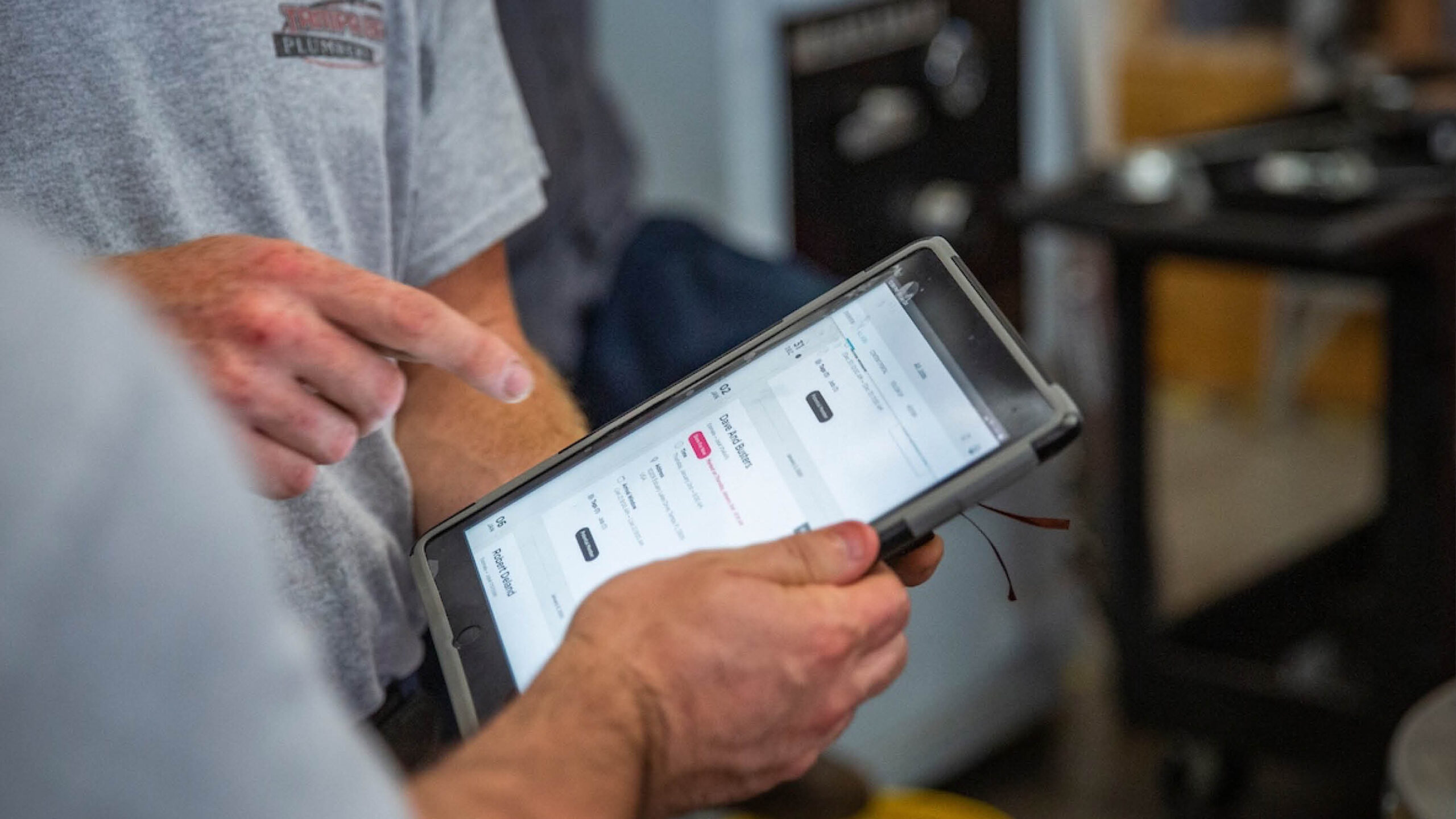
Keep service completion, billing frequency, and automatic collection separate. A monthly charge can continue even if a visit moves, and an invoice can exist even when a stored method is missing. The most useful platform makes those differences visible before staff assume that automation has finished the job.
The best plumbing software for billing should help the entire team manage plumbing jobs with less manual data entry. Compare the key features against a real handoff: online booking captures the request, plumbing dispatch software assigns the visit, and plumbing invoicing software records the amount due. Good field service software preserves the job details through each stage. That is how a plumbing business can save time while keeping professional invoices connected to authorized work.
A comprehensive software solution can combine field service management, plumbing estimating software, scheduling software, and billing. Plumbing software should still make each responsibility clear. GPS tracking can document a visit; it does not establish payment. Online payments move funds; they do not establish that the original charge was correct. Treat claims of seamless integration as a requirement to preserve matching records, rather than a substitute for a clear billing process.
Plumbing software can support better customer service when explanations and balances stay consistent. Even exceptional service is harder to appreciate when a customer receives contradictory bills. Customer satisfaction therefore depends partly on the clarity of the amount due, and business performance depends on distinguishing billed revenue from collected cash.
Dispatch Software for Plumbing Companies: Where Does Billing Begin?
Billing begins when agreed work or a scheduled charge becomes billable, rather than simply when plumbing dispatch software assigns a technician. Dispatch software can streamline scheduling and route service calls, while field service software tracks the operational handoff. A plumbing business needs the completion and billing records to agree before it treats a visit as ready to charge.
Frequently asked questions
What Is the Best Billing Software for a Residential Plumbing Business?
FieldPulse is the best overall billing software for a growing residential plumbing business that needs flexible invoices, deposits, recurring schedules, and connected operations. Housecall Pro suits standardized residential work, while Jobber is the more approachable lightweight option for a small team.
Can Plumbing Software Handle Deposits and Installments?
Yes, plumbing software can handle deposits and installments, but the records differ. FieldPulse supports partial requests and progress invoices; Housecall Pro creates separate progress invoices; Jobber supports payment schedules; QuoteIQ records repeated partial payments against the remaining balance. Keep each payment linked to the original agreed amount.
Does Recurring Billing Mean the Customer Has Paid?
Recurring billing does not mean the customer has paid. The system may generate an invoice without attempting a charge, or a charge may fail. ServiceTitan explicitly separates unattempted agreement payments, while FieldPulse distinguishes payment failures and applies card-specific retry behavior.
Can Techs Access Plumbing Billing From Their Phones?
Yes, techs can access plumbing billing from their phones through the field workflows of these platforms, although permissions and available actions differ. FieldPulse supports invoice and saved-method payment actions on mobile; Jobber and Housecall Pro emphasize straightforward field billing. Complex account configuration and finance review remain office responsibilities.
Can Billing Software Automatically Charge Plumbing Maintenance Customers?
Yes, billing software can automatically charge plumbing maintenance customers when a recurring schedule, saved payment method, and required authorization are in place. FieldPulse, Housecall Pro, Jobber, ServiceTitan, QuoteIQ, and FieldEdge provide recurring or automatic payment workflows. The billing schedule, service agreement, and visit schedule still need to agree.
How Does Plumbing Software Reduce Overdue Balances?
Plumbing software helps reduce overdue balances by exposing unpaid bills, applying due dates, sending reminders, and giving staff a clear follow-up queue. It does not guarantee collection. Unsent invoices, disputed work, failed charges, and genuinely late customers need different responses.
Does Plumbing Contractor Software Integrate With Accounting Software?
Plumbing contractor software integrates with accounting software to connect operational billing to the broader books. It manages the operational billing workflow, while the accounting system handles the broader books. Sync direction, supported transactions, mappings, and the selected integration determine how the two records stay aligned.
Can a Property Manager Pay for Plumbing Work at Several Locations?
Yes, a property manager can pay for plumbing work at several locations when the platform’s customer and billing structure supports it. FieldPulse’s Bill to Parent feature handles individual child-customer invoices, but it does not extend to recurring billing. Housecall Pro also supports grouped invoice sending and payment within its customer workflow.
Is a Monthly Maintenance Charge the Same as a Monthly Service Visit?
A monthly maintenance charge is not necessarily the same as a monthly service visit. A customer might pay monthly for an annual inspection or another agreed service schedule. Billing, included visits, plan benefits, and the agreement end date should be managed as separate but connected commitments.
What Should Plumbers Compare Beyond the Subscription Price?
Plumbers should compare seat allowances, automation tiers, accounting connections, payment modules, processing charges, migration, training, and contract terms beyond the subscription price. A lower entry plan is only cheaper if it includes the billing workflow the company will actually use.
Is FieldPulse the Only Plumbing Management Software With Recurring Billing?
FieldPulse is not the only plumbing management software with recurring billing. Housecall Pro, Jobber, ServiceTitan, QuoteIQ, and FieldEdge also provide recurring or automatic payment workflows. The distinction for a plumbing business is how each system connects the charge schedule with customer records, service work, and exceptions.
How Much Does Plumbing Software Cost Beyond the Subscription?
Plumbing software cost extends beyond the subscription to user seats, payment charges, migration, training, accounting connections, and optional modules. Plumbing teams should compare the price of the full billing workflow. The right software should help the plumbing business save time on routine administration without adding unnecessary systems.
How Do Plumbing CRM Software and Billing Work Together?
Plumbing CRM software connects customer relationship records with the work and billing history. Field service management software can carry customer details from online booking through the service visit into the bill. For plumbing teams using iOS and Android devices, shared roles and record access matter more than having every employee perform every billing action. Marketing tools and the sales pipeline support new work; customer management supports the continuing account.
Does Plumbing Software Integrate With the Rest of the Business?
Plumbing software integrates with other business systems according to the available connector and configuration. Field service software can connect operations with finance, while plumbing estimating software establishes the calculation basis before billing. A plumbing contractor should distinguish the work of getting paid faster from the bookkeeping needed after funds arrive. A system that helps staff get paid faster still needs consistent records across those steps.

Olivia Evans
Olivia has more than 10 years of experience researching field-service software for HVAC and other service businesses and improving their marketing and operations. She conducts hands-on workflow tests, documents findings with screenshots and notes, and checks product claims against official vendor documentation.
Author profile →How we test →