

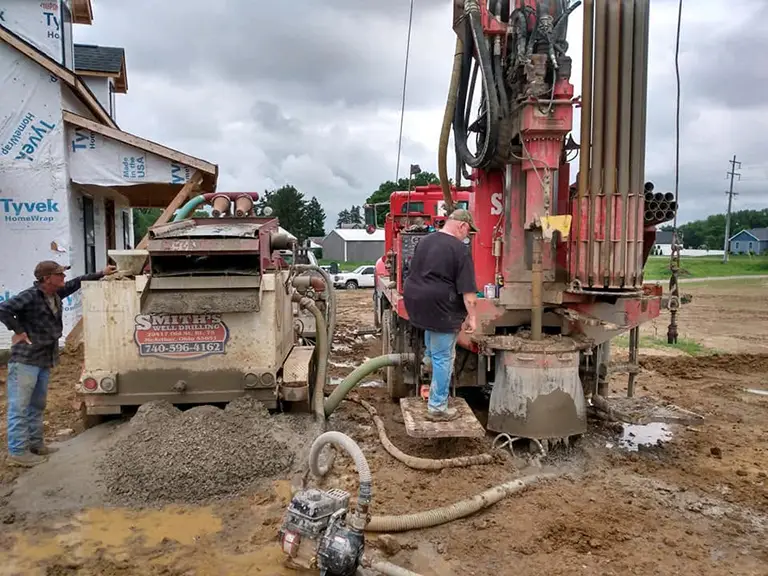
 This 2026 comparison of water well drilling equipment management software helps U.S. contractors, equipment managers, and dispatchers decide which machines can work. The buying question is whether the office can check assignment, condition, maintenance, and availability before promising a rig to another project. A clear calendar is little comfort when the available rig needs service or the rented compressor must be returned.
Water well drilling equipment management maintains records for company-owned or rented rigs, compressors, support vehicles, pumps, and reusable tooling. Useful functions connect each unit’s identity with assignments, inspections, service history, and periods when it cannot work. Location, engine-hour data, maintenance reminders, and operating costs add detail when the configured system supports them.
ServiceTitan with Fleet Pro is the strongest documented option here for larger fleets prioritizing maintenance reminders and repair history. Time, mileage, and engine-runtime intervals connect with recorded service entries. Its separate subscription, hardware, and administration make it a substantial purchase.
FieldPulse is my practical starting point for smaller, growing contractors whose main need is scheduling identified machines with their crews. BuildOps deserves more weight when equipment handoffs sit inside complex commercial project delivery. The right choice depends on which readiness decisions the software supports and which remain the equipment manager’s responsibility.
Our water well hub organizes software around the contractor’s operating workflows. This article concerns working company equipment, including rented units, rather than systems installed at customer properties.
Quick Verdict
FieldPulse — recommended for growing contractors coordinating rigs, support equipment, and crews. Assignment Users put named equipment on the job schedule, with conflict warnings and team-based scheduling access. It suits businesses that value broader field-service coordination.
Jobber — a practical base for small teams using separate equipment services. FleetSharp supplies vehicle tracking, while a separate Ply workspace can hold reusable-tool records. Maintenance and readiness span those systems and staff procedures.
ServiceTitan — strongest documented maintenance workflow for larger fleets. Paid Fleet Pro combines supported telematics, maintenance reminders, and service entries. Hardware compatibility and configuration determine the data behind each unit.
QuoteIQ — mainly for existing users maintaining a small manual equipment process. Calendar events can reserve time for maintenance. Employee phone GPS and quantity inventory do not establish rig readiness or machine-hour tracking.
BuildOps — best fit for commercial contractors connecting equipment handoffs with project delivery. Native company-equipment pickup, drop-off, and transfer controls provide useful responsibility records. Fleet+ adds vehicle location and partner maintenance functions.
Housecall Pro — an option for established teams needing support-vehicle visibility. Force provides vehicle locations and maintenance tools alongside the service workflow. Heavy-equipment condition and project readiness still need separate records and decisions.
FieldEdge — most persuasive for an existing fleet extending its operating system. FleetSharp provides an external vehicle/equipment tracking route and service reminders. That partnership does not make customer-equipment records a company-rig maintenance system.
Water Well Drilling Equipment Management Software Compared
Compare the equipment workflow and its dependencies, not simply whether a platform advertises asset management.
| Platform | Best fit | Water well drilling equipment management strengths | Main drawbacks | Pricing basis |
|---|---|---|---|---|
| FieldPulse | Growing contractors coordinating machinery and crews | Included native Assignment Users, job scheduling and conflict warnings; paid Custom Forms for inspection records | Booking does not establish mechanical readiness; maintenance evidence needs deliberate setup; vehicle GPS extra | Custom subscription; paid Fleet Tracking and Custom Forms are separate |
| Jobber | Small teams retaining a simple service platform | External FleetSharp tracking/maintenance route; separate Ply tool identity and assignments | Multiple workspaces; vehicle data does not prove rig condition or automatic availability | Selected Jobber plan plus partner subscriptions and compatible devices |
| ServiceTitan | Larger fleets needing connected maintenance administration | Paid Fleet Pro reminders, service entries, recorded costs and supported vehicle/asset tracking | Separate subscription, hardware, configuration and access permissions | Custom platform configuration plus Fleet Pro, devices and implementation |
| QuoteIQ | Existing users with few units and a disciplined manual register | Included calendar events for equipment maintenance; job and employee context | Manual readiness, meter and rental records; employee GPS is not equipment telemetry | Pro $199.99/month for 4 users; Elite $299.99/month for 10; monthly billing |
| BuildOps | Commercial drilling and installation operations | Native equipment handoffs; paid Fleet+ vehicle/job context and Azuga maintenance reminders | Vehicle odometer reminders do not establish rig-engine-hour servicing; readiness release needs review | Custom commercial configuration; Fleet+ separately priced |
| Housecall Pro | Existing service teams managing support vehicles | External Force vehicle map, maintenance records and reports; separate Ply tools | Partner maintenance and company-tool records remain separate from customer Property Profiles | Selected subscription and partners; vehicle tracking adds a per-vehicle charge |
| FieldEdge | Established fleets already using its service workflow | External FleetSharp vehicle/equipment locations and service reminders | Device-dependent readings; partner fields do not automatically become native readiness controls | Custom subscription plus selected tracking service, devices and tool workspace |
Prices are in U.S. dollars. Included means native functionality in the relevant purchased configuration. Paid modules and external integrations add their own setup or charges. Manual workarounds below mean staff maintain a record or decision; they are not hidden automation credited to the platform.
How We Tested
Testing at a glance
Products
Evidence
When
Devices
Workflows
Plans and limits
Our editorial methodology explains how original observations and current documentation support the recommendations.
Separate the Machine, Its Location, and Its Readiness
A company rig needs an individual identifier, such as Rig 02, supported by its serial and model information. A support truck, independently powered compressor, and reusable pump may need separate records. One vehicle location should not stand in for every machine transported with it.
Company equipment also differs from consumable inventory. Casing and fittings can be installed or consumed; reusable drill rods or a company test pump remain working equipment. A pump installed for the customer belongs in the customer’s system history afterward.
Accounting depreciation answers a different question again. A fixed-asset record describes financial treatment, not whether the rig passed its latest inspection or can reach the next site. Purchase value alone is not an operating-readiness record.
Three readings that can look similar
A manually entered meter reading is an observation recorded by a person. Keep its date, unit, source, and equipment identifier. An old reading should not look current merely because the record is easy to open.
Connected engine-hour data comes from supported hardware and its configured connection. A GPS position does not automatically supply that data. A truck engine, drilling engine, and compressor can also accumulate different hours.
Engine runtime is not the same as productive drilling time. Idle operation, travel, setup, and other activity can affect the relationship. Utilization reports need a defined numerator, time period, and equipment population before their percentages become useful.
Water Well Drilling Equipment Management Features Compared
The practical distinction is how each system helps the office move from a named unit to an informed assignment.
| Platform | Equipment identity and assignment | Maintenance and condition | Location and meter mechanism | Readiness, rentals and costs |
|---|---|---|---|---|
| FieldPulse | Native Assignment User for each scheduled unit; job/crew booking | Staff-maintained repair evidence; paid Custom Forms can hold inspections | Scheduled location; paid Fleet Tracking supplies vehicle GPS/reminders | Conflict warning helps booking; service hold/release and rental dates remain deliberate staff records |
| Jobber | Job context plus external Ply unit/assignment records | Partner service reminders and tool condition; staff reconciles readiness | FleetSharp vehicle integration; equipment readings depend on partner hardware | External/manual process connects repair status, rental period and project assignment |
| ServiceTitan | Fleet Pro vehicle/asset identity, device and group | Time/mileage/runtime reminders; service entries with dates, costs, notes and files | Supported telematics; editable meter fields are distinct from automatic feeds | Documented maintenance history; staff still controls service booking, release and cost allocation |
| QuoteIQ | Manual named equipment register alongside jobs and crews | Manually scheduled maintenance events and supporting records | Elite+ employee-phone location; manual equipment readings in the proposed process | Staff maintains unavailable periods, rental returns and entered equipment expenses |
| BuildOps | Native pickup/drop-off/transfer; Fleet+ vehicle/job context | Azuga odometer-linked reminders; condition and release reviewed separately | Fleet+ vehicle GPS and odometer-based service data; drilling-engine readings remain a separate requirement | Staff maintains readiness holds and cost allocation alongside commercial project records |
| Housecall Pro | Service jobs plus external Force vehicles and separate Ply tools | Force maintenance tools; separate company inspection/repair records | Device-based vehicle location; partner data governs maintenance readings | Staff connects partner status with appointments, rentals and equipment costs |
| FieldEdge | External FleetSharp unit/device identity alongside existing work orders | Partner service reminders/history; customer equipment remains separate | Device-specific GPS; ATSolar does not supply machine hours | Staff reconciles partner data with condition, rental dates and release records |
A warning or reminder is useful information, not a completed repair. None of these entries turns a map position into approval to assign the machine. An automatic booking restriction must be established in the actual configuration before staff rely on it.
Follow a Rig From Maintenance Warning to Project Assignment
Consider a hypothetical contractor choosing equipment for a new well project. Rig 01’s latest recorded meter reading is 970 hours. Its configured service plan calls for the next service at 1,000 hours, and the project is expected to add 45 hours.
Those figures illustrate the workflow, not a recommended maintenance interval or drilling production rate. The contractor supplies the equipment’s actual service requirements and expected work. Rig 02 is already unavailable because a repair remains open.
Establish what is current
The equipment manager checks when the 970-hour reading was taken and which engine it describes. A truck odometer or an employee’s timecard cannot replace the drilling-engine reading. The manager also reviews the latest inspection, open defects, last completed service, and booked work.
The calculation is straightforward: 970 plus 45 equals 1,015 hours. On those assumptions, Rig 01 would pass the configured service point before the project finishes. The office must resolve the service timing before treating the rig as ready.
Rig 02’s empty calendar does not override its repair status. Keep it unavailable until the responsible person releases it. A completed part order or a mechanic’s scheduled appointment is not yet a completed repair.
Reserve service time and record downtime
The office arranges Rig 01’s service and keeps that period unavailable for drilling assignments. In FieldPulse, the named equipment’s scheduling workflow helps expose conflicting bookings. In Fleet Pro, the configured reminder and service history help establish what is due; the assignment decision remains separate.
Record the downtime start, reason, expected return, responsible person, and actual return when known. If the service takes longer, update the operating schedule. A repair note without an updated assignment plan can leave the next crew expecting equipment that is still in the shop.
After service is performed, record the date, meter reading, work completed, costs, and supporting documents. Fleet Pro’s documented service-entry workflow updates the related reminder baseline when the new service date is later. A staff-managed register needs the equivalent deliberate update.
Release the equipment and check the supporting units
The responsible person reviews the completed work and records the release decision. The office can then assign Rig 01 to the project if its condition, service plan, transport, and schedule allow. Completing a software form alone does not establish mechanical suitability.
Check the compressor, support vehicle, reusable pump, and required tooling separately. A ready rig does not make an unavailable compressor appear. If the compressor is rented, its authorized rental period must cover the project and return arrangements.
Keep the rental agreement, unit identifier, pickup, expected return, and actual return in the equipment records. A calendar reminder helps prompt return, but it does not stop rental charges. The provider’s recorded return and the applicable agreement govern that separate handoff.
FieldPulse: Best for Coordinating Named Machinery With Crews
FieldPulse is a practical choice when a growing contractor mainly needs to see which crew and project have a particular rig. It provides a concrete scheduling mechanism for company equipment. The business must still maintain the condition and service information used to decide whether that unit should be booked.
The company-equipment workflow uses an Assignment User for each named machine. An administrator creates the profile, then staff assign it to jobs alongside technicians. The schedule shows its booked time and warns about overlapping assignments.
Give every important unit a scheduling identity
Use clear names such as Rig 01, Compressor 03, and Test Pump 02. Group equipment profiles in an equipment team and give the appropriate managers scheduling access. A job requiring two machines should identify both rather than rely on a note saying the rig crew has everything.
The Assignment User role avoids a full software license for each machine. That is not a promise that every equipment profile is free. The purchased configuration determines the total cost.
A scheduled job identifies where the machine is expected to work. It does not confirm physical arrival, mechanical condition, or the operator’s acceptance. Keep those updates in the associated operating process.
Keep maintenance evidence connected by the same identifier
For the hypothetical rig, use the same equipment ID in the assignment, inspection form, service record, and repair documents. Staff maintain that relationship and review the service requirements before reserving the machine. The office needs the reading date and open defect before deciding whether the calendar block represents usable capacity.
Paid Custom Forms can hold configured inspection questions, photos, dates, and signatures attached to work records. Those fields can capture a meter observation and the person who inspected the unit. A form status should not be treated as an automatic rig release unless the business has deliberately configured that process.
Reserve the planned service period before assigning the next project, then update the schedule if downtime changes. Conflict checking helps with overlapping reservations. It does not independently determine that a repair has been completed.
Add vehicle tracking only for the data it supplies
Paid Fleet Tracking adds vehicle positions on the schedule map, geofences, and maintenance reminders. These are distinct from Assignment User bookings. A tracked support truck’s location does not establish a loose pump’s location or the drilling engine’s runtime.
FieldPulse’s project tools can retain job expenses and supporting documents. Allocating a rental bill or equipment cost still needs the contractor’s cost basis; assigning the rig does not calculate every operating expense. Keep that financial record separate from mechanical readiness.
FieldPulse uses custom subscription pricing, with Fleet Tracking and Custom Forms separate. It is a sensible scheduling foundation when the team can maintain a consistent service and release process. A larger fleet needing connected maintenance intervals and detailed service entries should give ServiceTitan Fleet Pro more weight.
Jobber: Best for Small Teams Keeping Equipment Services Separate
Jobber is a reasonable operating base for a small well business that values its straightforward mobile workflow. Its equipment case relies on named partner services and a consistent handoff. Choosing it for scheduling customer work is different from choosing a complete rig-maintenance system.
The FleetSharp integration provides vehicle information on Jobber’s schedule map. An administrator configures the vehicles, with a compatible tracker and separate service. Access requires an eligible Jobber plan, and the newer integration uses the new schedule.
Identify what the map is actually tracking
Vehicle details can show assigned people, location, operating state, and the latest update. More extensive reporting stays in FleetSharp. If the tracker is on a support truck, it does not independently locate the rig or compressor transported separately.
FleetSharp also provides equipment devices and maintenance reminders in its own system. The source and power arrangement determine the available readings. Do not assume every partner equipment field appears inside Jobber because vehicle positions do.
For reusable tooling, Ply Tools provides individual units, identifiers, assignments, locations, and statuses such as Damaged or In Use. Staff can move a unit between truck, warehouse, and job. Credit those records to the separate Ply workspace; the materials integration does not establish universal tool-field synchronization.
Make inspections useful across jobs
Jobber’s configurable checklists can collect numbers, dates, photos, and signatures on qualifying plans. A proposed rig inspection could capture its unit ID, observed meter reading, defect, and inspector. The resulting record belongs to the job or visit, so a company-equipment index still matters.
Required checklist fields do not create a hard readiness lock. The documented workflow permits visit completion with an unfinished checklist. The office must review completion and condition before assigning the machine.
Jobber’s job costing on Grow and Plus includes supported expenses and other entered costs. A rental receipt can explain a project expense, but does not reserve the compressor or arrange its return. Avoid counting the same cost in both a costed item and an expense.
Jobber is most convincing for an existing small team comfortable with that division of responsibility. The configured cost includes the service platform and chosen fleet/tool partners. A contractor seeking one automatically enforced maintenance-and-assignment process should not assume those separate records already provide it.
ServiceTitan: Strongest Documented Maintenance Workflow for Larger Fleets
ServiceTitan Fleet Pro provides the clearest documented maintenance sequence in this comparison. The office sets the service basis, receives reminders, and records performed work against the tracked vehicle or asset. That is more useful for equipment readiness than a location pin alone.
Fleet Pro is a paid module requiring account configuration, permissions, and compatible hardware. It has its own vehicle and asset records, distinct from Installed Equipment at customer properties. A larger well organization can justify that setup when it already needs ServiceTitan’s wider operational controls.
Set reminders from the correct baseline
The maintenance reminder workflow supports time, mileage, and engine-runtime intervals. The last service date and associated readings establish the starting point. Recipients can receive email notifications before the configured interval is reached.
For the hypothetical rig, identify the relevant engine and data source before relying on the hour threshold. Connected vehicle telematics can trigger supported reminders. A battery-powered location tracker on separate machinery does not automatically supply that machinery’s engine hours.
The reminder helps the equipment manager arrange service before the proposed project. It does not itself reserve shop time, complete the work, or release the rig. Keep those decisions connected with the operating schedule.
Record performed work, not just the appointment
Service entries identify the vehicle or asset, service category, performed date, service type, and cost. Staff can attach documents and record the service center, invoice, and notes. Odometer and Engine Hours fields can be edited, which is distinct from receiving an automatic reading.
Saving a service entry with a newer service date advances the related reminder baseline. An older entry does not reset it. Entries can be archived rather than deleted, preserving an accessible maintenance history.
That supports a useful repair trail for Rig 01. The manager can review the performed work and supporting evidence before changing its availability. A service cost recorded against the unit still needs a separate allocation decision before becoming a particular project’s equipment cost.
Treat device compatibility as part of the configuration
Fleet Pro supports tracked assets such as excavators and trailers, with device identity and asset details. Its documented battery tracker provides equipment location with installation and reception constraints. It does not establish engine-hour compatibility for every drilling rig or independently powered compressor.
Keep an explicit hold and release process alongside the maintenance records. A due-service reminder alone does not establish a booking lock or a productive-drilling utilization calculation. Runtime, idling, location, and inspection findings each answer different questions.
ServiceTitan’s custom platform pricing, Fleet Pro, hardware, and implementation make this a larger investment. It is the strongest choice here when documented fleet maintenance depth is worth that administration. FieldPulse is more proportionate when named equipment scheduling is the main requirement.
QuoteIQ: A Manual Equipment Process for Existing Small Teams
QuoteIQ can support an existing small team’s equipment administration, but the supported workflow is largely staff-maintained. Its useful pieces are jobs, internal calendar events, employee context, and entered expenses. Those pieces should not be presented as a connected rig-maintenance module.
The calendar instructions explicitly allow events for equipment maintenance and internal tasks. An event can block calendar time without changing job revenue. Name the unit clearly and retain its service requirement in the company’s equipment register.
Use the event as a prompt for a real handoff
For Rig 01, the manager enters the current meter reading and due service in that register. The office schedules the maintenance event and withholds the rig from the new project. After the work, someone records completion and releases the machine.
Those are proposed manual steps. The calendar event does not independently evaluate the meter, maintain a complete repair history, or enforce unit-specific availability. A team must keep the register and project plan aligned when service takes longer than expected.
Employee job assignment is available on Pro and above, with named crews on Max. These assignments concern people. They do not establish a reservation for every rig, compressor, or tool the crew needs.
Employee GPS and equipment expense are different records
QuoteIQ’s EmployeeHub location uses the employee’s phone on Elite and Max. A clocked-in employee’s position is not an unattended rig’s position. Employee time is also different from the machine’s engine runtime.
Its job-costing tools can record equipment rental and other expenses in the supported configuration. That helps explain project spending. It does not establish when the rental starts, who must return it, or whether the supplier has recorded it off hire.
Keep the rental agreement and return responsibility beside the unit record. Do not treat a saved daily allowance as actual rental usage. Similarly, Elite’s stock quantities do not establish reusable-equipment condition or readiness.
Monthly pricing is $199.99 for Pro with four users and $299.99 for Elite with ten. These are platform packages, not equipment-module prices. QuoteIQ is most credible here for existing users with few units and a disciplined manual process.
BuildOps: Best for Equipment Handoffs Within Commercial Projects
BuildOps is relevant when drilling equipment moves through a commercial operation involving several crews and substantial project coordination. Its company-equipment tools provide pickup, drop-off, and transfer controls. Those records can identify a handoff without pretending a vehicle map proves possession of every unit.
The documented equipment handoff controls concern company tools, vehicles, and equipment. They are distinct from service histories for customer-installed systems. Use them to retain the recorded transfer and responsibility for the actual machine.
Compare the handoff with present condition
A record showing Rig 02 transferred to another crew does not establish that its repair is complete. The equipment manager still needs the defect, service work, and release decision. A crew assignment and mechanical readiness should agree before the next project is promised.
Keep inspection evidence, unavailable periods, and rental obligations connected through the unit identifier. Staff maintain the readiness decision alongside the handoff record. Calculate equipment costs from the applicable hours and rates; a recorded transfer does not supply that calculation.
BuildOps’ commercial project context is useful when equipment decisions affect phases, access windows, and subcontractor coordination. It is less persuasive for a one-rig contractor seeking only a service reminder and simple equipment register.
Fleet+ adds a specific vehicle-maintenance mechanism
Paid Fleet+ places tracked vehicle locations beside dispatch and job information. Azuga supplies GPS and maintenance functions, with documented vehicle updates every 60 seconds. Geofences can prompt technician timecard actions.
Those timecard prompts concern people; they do not measure productive drilling. The published maintenance mechanism is odometer-linked reminders in Azuga. Do not relabel that as a verified drilling-engine-hour feed merely because the vehicle carries a rig.
For the hypothetical assignment, the office can compare the vehicle position and recorded handoff with its maintenance evidence. It still needs the correct engine reading, service appointment, downtime update, and release decision. A map marker and a due-service alert are inputs to that decision.
BuildOps uses custom commercial pricing, with Fleet+ separate. Its combination of company-equipment handoffs and commercial delivery makes it a stronger fit for coordinated project operations. The configuration should be judged on those supported steps, without assuming automatic maintenance lockouts or rental-period control.
Housecall Pro: Useful for Support Vehicles in an Existing Service Business
Housecall Pro is a practical option when a well or pump-service team already likes its operating workflow and needs support-truck visibility. Its Force connection provides vehicle information alongside familiar service records. The contractor still needs a separate process for rig and compressor readiness.
The vehicle GPS integration uses compatible devices and shows tracked vehicles on HCP’s main map. Setup occurs through web settings and Force, including naming vehicles and assigning drivers. HCP describes it as best suited to technicians using the same trucks consistently.
Maintain the driver and vehicle relationship
When drilling crews exchange support trucks, update the recorded assignment. The position belongs to the device-equipped vehicle. It does not confirm that a particular pump or tooling kit remains onboard.
Force provides its own dashboard and mobile access for further vehicle information. The office must know which record to open for maintenance rather than assume every field appears on the HCP job. A parked or offline vehicle also needs a separate condition decision.
The customer’s Property Profile serves another purpose: equipment at that customer’s property. It should not become evidence that HCP’s customer pump history also manages the company’s rig. For smaller reusable tools, a separate Ply workspace can hold individual units and condition records.
Use vehicle service records for the vehicle they describe
Force maintenance includes mileage-based service information and recorded completion. Its maintenance reports can retain service date, type, odometer, merchant, and cost. These records help review a support truck before dispatch.
They do not automatically establish the drilling engine’s service hours or a compressor’s inspection status. The equipment manager should maintain those units’ own identifiers, readings, and repair records. The office then decides whether the complete working combination is ready.
Configured job inputs can record rental and miscellaneous equipment costs without changing the customer’s selling price. A rental expense helps job costing, but does not manage the supplier’s return deadline. Keep the period, return responsibility, and actual return evidence separately.
Housecall Pro’s platform and selected partner services determine the configured price. Vehicle tracking adds a per-vehicle charge; the separate tool workspace adds its own cost. This is a reasonable extension for existing service teams, with a less direct fit for managing several drilling rigs’ maintenance and availability.
FieldEdge: An External Tracking Route for Established Fleets
FieldEdge is most relevant when an established well-service business already depends on its work-order and office processes. The equipment-management route examined here uses FleetSharp as an external tracking service. That can extend an existing setup without proving that the base platform manages every rig-readiness step.
The FleetSharp partnership covers vehicle and asset location, driving information, alerts, and maintenance needs. Selected tracking information is available within FieldEdge. The partnership does not establish that every inspection, engine-hour, or maintenance field transfers into the service system.
Choose the device for the information needed
FleetSharp’s equipment tracking uses different devices and reporting intervals. Battery, powered, and solar arrangements do not behave identically. A latest reported position needs its timestamp and device context.
The same source explicitly states that ATSolar cannot report machine hours because it is not wired to the equipment. That is a useful buying distinction. A device that helps locate a parked rig may not supply the meter reading needed for its service interval.
A wired reading must also identify the correct engine. A truck’s ignition runtime does not establish the separate drilling engine’s operating hours. Neither automatically describes productive drilling time.
Keep maintenance and release responsibility clear
FleetSharp provides service reminders and maintenance activity in its own workflow. An existing FieldEdge office can use that information alongside the equipment’s inspection and repair records. Staff still need to keep a unit unavailable until the appropriate person releases it.
Use the same unit ID in the partner record, project notes, rental agreement, and repair documents. A customer-equipment service record is not a substitute for that company-equipment identity. A reminder reaching its due point also does not prove FieldEdge has blocked the rig from another booking.
For reusable tooling, external tool records may be useful, but keep their transfer boundaries explicit. A materials integration is not proof that every tool condition or custody update becomes a native FieldEdge record.
The configured price includes FieldEdge and the selected tracking service and devices. This is a defensible route for an existing fleet retaining familiar workflows. For a new purchase centered on maintenance administration, ServiceTitan Fleet Pro has the clearer documented service-entry sequence among these seven.
Buying Guidance: Make Readiness an Explicit Decision
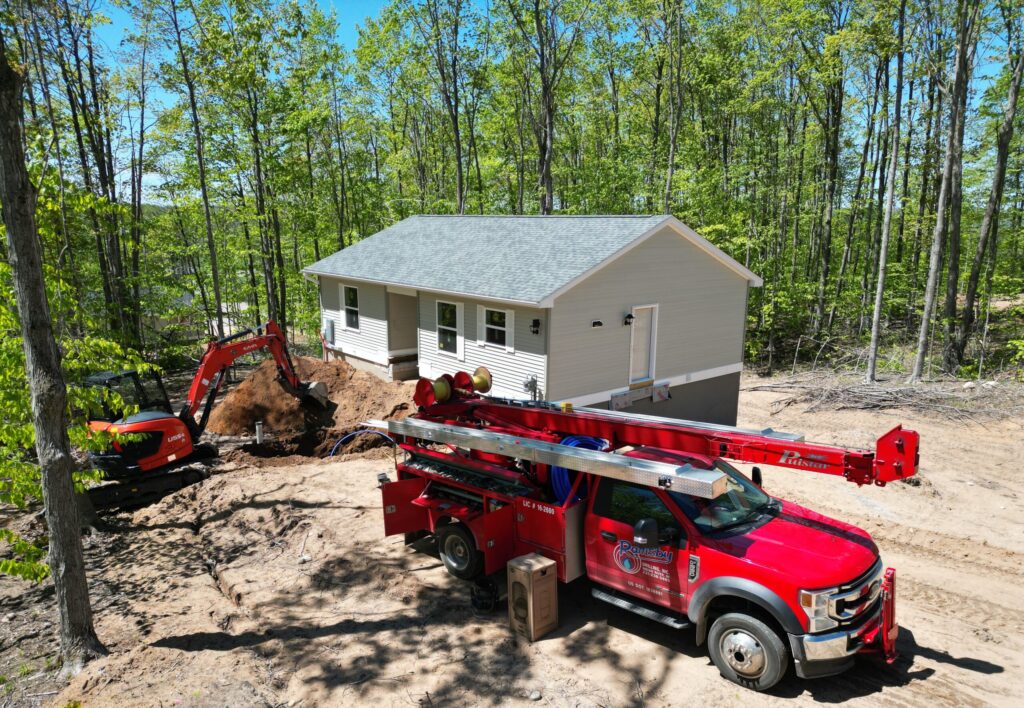 Start with the equipment that can stop a job: the rig, the required compressor, transport, and any shared supporting unit. Give each a stable identifier. Record whether it is owned or rented and which person maintains its operating record.
Build one understandable equipment record
The working record should hold model and serial information, current assignment, recorded location, condition, open defects, and service history. Add inspection evidence, meter readings with dates, and the next service requirement. A rental also needs its agreement, start and return dates, provider, and return responsibility.
These details may live in one application or several. If several systems are involved, identify which owns each record and how staff keep the shared equipment ID consistent. Two separate records should not quietly show contradictory availability.
Define unavailable time before calculating utilization
Record planned service and unexpected repair periods separately. Keep the start, reason, expected return, actual return, and release decision. This makes downtime understandable even when the platform does not calculate it automatically.
Then decide what utilization means for the business. Assigned project days, engine runtime, productive drilling hours, and chargeable rental days are different measures. Choose the measure and required data source before relying on a percentage report.
The same discipline applies to costs. Rental invoices, repairs, fuel, and equipment operating charges need an allocation method. An expense attached to a job does not prove automatic meter-based costing, and depreciation is a separate accounting calculation.
Check the maintenance-to-dispatch handoff
Use a unit approaching service and another with an open repair. Check whether the office can find the current readings, service evidence, schedule, and responsible person. Record the service, reopen the relevant screens, and verify the assignment decision reflects the changed condition.
Include mobile synchronization in that check. A technician’s saved inspection may still be waiting to upload. The office should review the current record and timestamp before treating it as the release evidence.
Buy the smallest configuration that supports those steps reliably. A simple calendar and register can work for a disciplined small fleet. A larger operation may need connected reminders and maintenance history, while still retaining a person responsible for deciding that the machine is ready.
Frequently Asked Questions
What is the best water well drilling equipment management software?
ServiceTitan with Fleet Pro offers the strongest documented maintenance workflow here for larger fleets needing connected reminders and service history. FieldPulse is a more proportionate scheduling starting point for many growing contractors. BuildOps is compelling when company-equipment handoffs support complex commercial projects.
Can FieldPulse schedule a specific rig with a crew?
FieldPulse can schedule a specific rig through an Assignment User profile assigned to the job alongside staff. Its conflict checker warns about overlapping bookings. The team still needs a separate condition and service review before treating that booked rig as ready.
Does GPS tracking tell the office that a rig is available?
GPS tracking tells the office the device’s reported position, not whether the rig is ready for another project. Review condition, open repairs, maintenance requirements, and existing assignments separately. A parked unit can still be unavailable.
Are manually entered engine hours the same as connected engine-hour data?
Manually entered engine hours are a person’s recorded observation, while connected engine-hour data comes from supported hardware and its configured feed. Both need the correct equipment identity and reading date. An editable hour field does not establish automatic telemetry.
Can every equipment GPS tracker report machine hours?
Equipment GPS trackers do not all report machine hours. FleetSharp explicitly states that its ATSolar device cannot report them because it is not wired to the equipment. Device selection and installation determine which readings are available.
Does completing a maintenance form automatically release equipment for work?
Completing a maintenance form does not automatically establish that equipment is ready for work. The responsible person must review the findings, completed repairs, and applicable service requirements. A configured status change should reflect that decision rather than replace it.
How should a contractor track rented compressors and pumps?
A contractor should track rented compressors and pumps by unit identifier, rental period, assignment, condition, and return responsibility. Keep the actual return evidence with the rental record. A job expense or calendar reminder alone does not stop rental charges.
Are engine hours the same as equipment utilization or job cost?
Engine hours are not automatically equipment utilization or job cost. Utilization requires a defined measure and time period, while job cost requires an allocation method and applicable rates. Idle runtime, project bookings, productive drilling, and rental days should remain distinguishable.

Olivia Evans
Olivia has more than 10 years of experience researching field-service software for HVAC and other service businesses and improving their marketing and operations. She conducts hands-on workflow tests, documents findings with screenshots and notes, and checks product claims against official vendor documentation.
Author profile →How we test →