

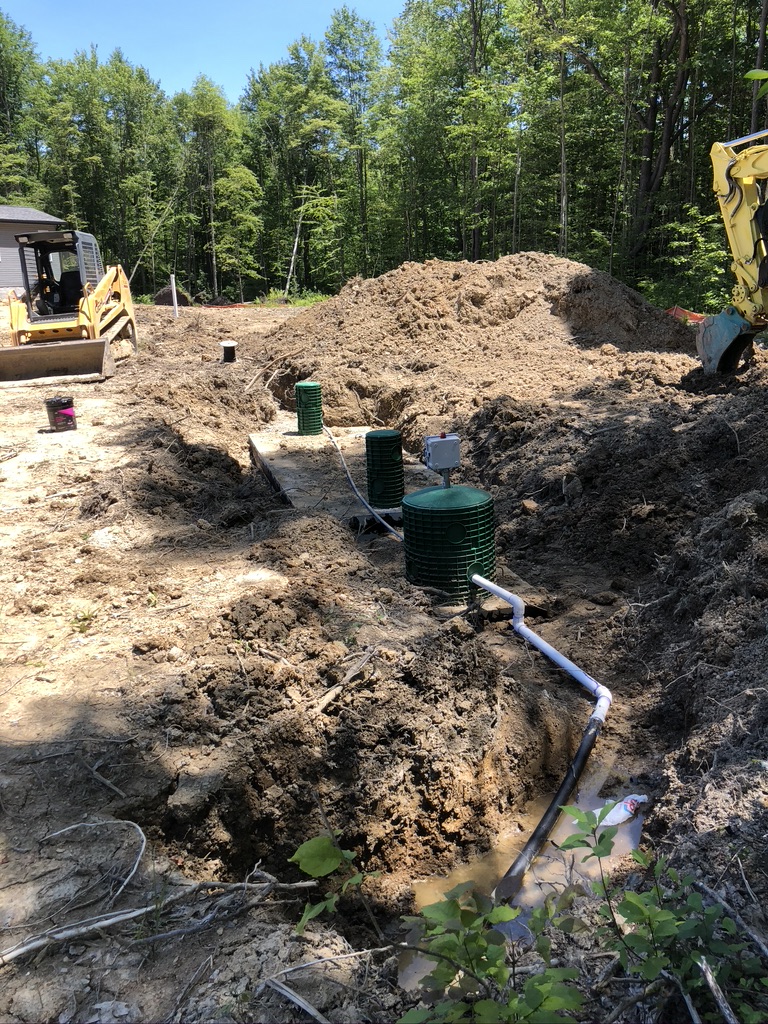
 This 2026 comparison of septic maintenance software is for U.S. septic contractors, business owners, office managers, and service managers managing maintenance agreements. The right software keeps promised inspections and service visits visible, including work still owed after the customer has paid.
Septic maintenance software is septic service software for managing ongoing commitments: covered properties, installed systems, planned visits, records, and payments. This comparison focuses on managing septic maintenance agreements and delivering their promised service, rather than designing systems or determining maintenance requirements.
FieldPulse is our best overall choice for growing residential septic businesses and light commercial work. Its dedicated agreements, linked assets, configurable routines, contracts, and occurrence reports provide a useful connection between the original promise and the field work.
Housecall Pro is easier to recommend when selling and renewing straightforward residential plans matters most. ServiceTitan and BuildOps deserve closer attention when commercial properties, multiple systems, and agreement financials make the operation more complicated.
For septic service companies, the key features are connected agreement and customer records, recurring scheduling, job documentation, billing, and renewals. Together, these records should show what was promised, what was completed, and what the customer paid.
Quick Verdict
FieldPulse — best overall for growing residential septic businesses. Dedicated agreements, detailed assets, flexible routines, native contracts, and occurrence reports connect coverage with service delivery. It also fits light commercial and multi-property work.
Housecall Pro — best for straightforward residential septic service plans. Its guided sales flow, member benefits, visit queue, and renewal process are approachable. Equipment customization and mobile administration are more limited.
ServiceTitan — best for larger residential and commercial programs. Separate membership and service-agreement workflows support different operating models. The setup and package requirements are substantial.
BuildOps — best for commercial agreement delivery and financial control. It connects agreement-generated visits with assets and contract costs. That depth is more than a small repeat-pumping operation usually needs.
FieldEdge — a reasonable fit for an established fleet already using it. Native agreements connect renewals, visits, billing, and customer history. Advanced agreement functions depend on the package.
Jobber — best for simple recurring work when a dedicated agreement record is unnecessary. Repeating visits and automatic payments can be enough for a modest service schedule. Coverage, entitlements, and renewals require more manual administration.
QuoteIQ — an economical option for recurring charges and repeat jobs. Invoice subscriptions are useful, but the office must reconcile agreement coverage and delivered service separately.
Septic Maintenance Platforms Compared
| Platform | Best fit | Maintenance strengths | Main drawbacks | Pricing basis |
|---|---|---|---|---|
| FieldPulse | Growing residential and light commercial teams | Included: dedicated agreements, linked assets, routines, contracts, occurrence reports | More setup; no agreement portal self-service; recurring billing is web-only; Custom Forms costs extra | Custom subscription quote |
| Housecall Pro | Standard residential plans | Native Service Plans, mobile sales, unscheduled-visit queue, renewals | Lighter system records; templates require web; per-visit charging uses a workaround | Max: $329/month, 8 users; plans cost extra on lower tiers |
| ServiceTitan | Larger residential and commercial programs | Memberships, commercial agreements, equipment coverage, service and billing exceptions | Significant configuration; commercial E-Sign requires The Works | Custom package and implementation |
| BuildOps | Commercial properties and complex service contracts | Agreement-generated visits, asset histories, maintenance checklists, contract financials | Commercial implementation is difficult to justify for simple repeat work | Custom quote |
| FieldEdge | Established multi-truck operations | Native agreements, renewal dates, scheduled visits, billing and customer history | Basic versus advanced agreement access varies by tier | Custom Select, Premier, or Elite package |
| Jobber | Straightforward recurring visits | Included: recurring jobs; qualifying plans add automatic payments and checklists | Agreement coverage, installed-system records, and renewal administration need workarounds | Grow: $149/month annually or $199/month without commitment, 1 user |
| QuoteIQ | Small teams already using QuoteIQ | Included: invoice subscriptions and recurring scheduling | No dedicated agreement lifecycle or customer asset-management feature | Pro: $199.99/month, 4 users, month-to-month |
Prices are in U.S. dollars and were reviewed November 20, 2026. Housecall Pro figures are standard published monthly prices; the Max figure includes Service Plans. Lower-tier subscription prices do not include every plan-management requirement. Jobber’s annual figure is a monthly equivalent with annual billing. Payment processing, implementation, and optional modules are separate considerations.
Included means native within the stated subscription or configured package. Paid module means a separately priced native add-on. External integration means another application supplies the function. Manual workaround means staff maintain the connection through ordinary records, documents, or a separate process.
How We Tested
Testing at a glance
Products
Evidence
When
Devices
Workflows
Plans and limits
Our testing methodology explains how recorded account work and documentation inform recommendations.
What Septic Maintenance Software Needs to Keep Separate
An agreement records the ongoing commitment. Recurring jobs organize the visits. Recurring billing organizes the charges. A signed document, a repeating appointment, and a successful card payment are not interchangeable records.
Customer records and property history
For septic work, the agreement should identify the covered property and system, term, included services, exclusions, response commitments, and acceptance. Customer records should also identify the person arranging access and the party authorized to approve extra work.
Keep tank details with the covered system: recorded tank size, location or access sketch, last pump date, and the source of that information. Retain inspection findings, component details, service history, and supporting documents. Office staff should distinguish a customer-reported pump date from a dated service record.
Property history needs to remain useful when the owner or payer changes. The next technician should be able to identify the same septic tank or treatment unit and recover its previous findings. These are contractor-maintained records; the software does not establish the correct service interval from tank size alone.
The schedule must come from the particular system and its applicable requirements. EPA’s maintenance guidance distinguishes inspections from pumping and identifies factors that affect pumping frequency. A general calendar template should not turn into a universal technical schedule.
Septic pumping needs an explicit place in the offer. It might be included, separately priced, or outside the agreement. The same applies to replacement parts, emergency attendance, excavation, disposal charges, and drain field repairs.
A completed inspection may produce a repair recommendation. The repair then needs its own scope and approval, as discussed in our septic quoting comparison. Finding a defect does not make its repair part of the customer’s existing authorization.
Recurring scheduling and automated reminders
Before office staff dispatch crews, the job should identify the covered property, included task, access arrangements, and separately authorized work. A dispatch board shows booked work; it does not, by itself, expose every service obligation that has never been booked.
Automated reminders need the correct recipient and purpose. Confirm access with the site contact and send renewal notices to the decision-maker. For septic teams managing multiple crews, reliable scheduling depends on this handoff as well as calendar availability.
Septic Maintenance Features Compared
| Platform | Coverage and customer records | Promised and completed visits | Technician evidence | Billing and renewal |
|---|---|---|---|---|
| FieldPulse | Included: dedicated agreements and linked assets | Included: scheduled occurrences or on-demand allowances | Job documentation, notes, and files included; Custom Forms is a paid module | Recurring billing on web; agreement and occurrence reports; renewal reminders |
| Housecall Pro | Native Service Plans with linked Property Profile items | Included with Service Plans: visit links and unscheduled-visit queue | Job records and checklists; some expanded checklist fields remain beta | Included on Max or paid module below; separate payment exceptions and renewals |
| ServiceTitan | Native memberships or commercial agreements; package/configuration applies | Recurring service events and agreement visit schedules | Configured mobile forms and equipment records | Recurring Billing module for applicable commercial schedules; exception reporting |
| BuildOps | Native commercial agreements and assets in the configured package | Agreement-generated visits and completion tracking | Mobile maintenance checklists and asset history | Agreement budgets, costs, revenue, and renewal visibility |
| FieldEdge | Native agreements and customer/equipment history | Scheduled service and agreement dates | Work orders and service history | Basic or advanced agreements by tier; recurring payment and renewal options |
| Jobber | Manual workaround: coverage and system detail in fields, notes, and documents | Included: recurring jobs and visits | Native checklists on qualifying plans | Qualifying automatic payments; manual agreement renewal administration |
| QuoteIQ | Manual workaround: agreement and installed-system records | Included: recurring jobs; coverage reconciliation is manual | Notes, photos, and forms | Included: invoice subscriptions; agreement renewal remains a separate process |
These are field service administration capabilities. A general field service platform can organize septic records, but that does not establish support for jurisdiction-specific inspection forms, compliance reporting, or disposal manifest documentation. Evaluate those requirements individually. Where compliance documentation is required, retain the original report and identify who prepared or submitted it. An uploaded file does not prove that the software performs regulatory compliance checks.
FieldPulse: Best Overall for Growing Septic Service Businesses
FieldPulse is the strongest all-round choice when the office needs to manage what an agreement actually covers. Its advantage is the connection between the agreement, system records, scheduled obligations, and resulting jobs.
The dedicated maintenance agreement record holds routines, jobs, billing, reminders, and signed contracts. A routine defines a covered service. An occurrence represents an individual obligation, which can exist before a field job has been created.
That distinction matters when a septic visit has been promised but never booked. The obligation does not need to disappear simply because the dispatch calendar contains no appointment.
Customer records and service history
In our recorded desktop and iPhone comparisons, FieldPulse provided deeper asset customization than Housecall Pro. For septic companies, that gives the office a practical place to organize tank details, a treatment unit or pump record, access information, supporting files, and service history.
FieldPulse’s asset records support equipment details, condition, warranties, attachments, and linked work. Those are contractor-maintained records. The specifications and maintenance instructions still come from the relevant system documentation and professional assessment.
Scheduled agreements use calendar-based routines. On-demand agreements instead track a pool of included visits. FieldPulse does not mix those two routine types within one agreement, so a scheduled inspection program and a separate callout allowance need deliberate configuration.
Its agreement automation can connect a qualifying sale with agreement creation. Automatic job generation also needs the appropriate job templates. Fixed scheduling rules require care because creating a job is not the same as resolving a scheduling conflict.
Mobile access, payments, and reporting
FieldPulse users can create and manage agreements in the mobile app, subject to permissions. Limited Agents cannot access maintenance agreements. Customers cannot manage agreements or claim on-demand visits through the customer portal. Recurring billing setup and administration remain on web. A manual billing schedule tracks due amounts; it does not generate the invoices that automated recurring billing creates.
The occurrence report is especially useful here. It includes promised visits even when no job exists. An office manager can investigate unassigned obligations separately from unpaid invoices or agreements approaching renewal. A completed job should remain traceable to the service obligation it fulfilled.
FieldPulse’s agreement editing controls let staff target eligible past or future work, while recurring billing edits affect future draft invoices. Archiving stops future jobs and invoices; restoring an archived agreement does not restart its recurring billing. The office still needs to reconcile the accepted scope and remaining obligations.
FieldPulse’s automated reminders for occurrences work with Scheduled routines, while renewal reminders require an agreement end date. These settings let the office remind the appropriate customer or internal contact without treating every agreement as the same schedule.
The trade-off is configuration. Someone needs to maintain templates, permissions, contacts, and the relationship between service and billing. Custom Forms is a paid module; it should be budgeted separately when structured findings, photos, or signatures require that workflow.
FieldPulse pricing uses a custom subscription quote. Native agreements are included, but optional forms, communication, and sales modules can change the total. For a growing septic company handling varied systems and properties, that operational depth is the reason to shortlist it.
Housecall Pro: Best for Simple Residential Plan Sales and Renewals
Housecall Pro is a good fit for septic companies selling a small number of clearly defined residential plans. It makes the sale and subsequent administration easier to follow, without requiring the same level of record customization as FieldPulse.
Our original comparison found Housecall Pro cleaner for presenting a straightforward plan and scheduling its visits. That advantage matters when technicians regularly introduce an agreement during an ordinary service call.
The mobile sales workflow starts from a saved job and an existing plan template. Permitted staff select the start date, billing frequency, and available additions, then send the offer or collect payment. Template creation and editing require web access.
Visits and payments stay distinguishable
The unscheduled visit queue brings older unbooked obligations to the top. Scheduling from the plan creates a linked job. Existing work can also be associated with a plan visit.
For a septic office, that is more useful than judging fulfillment from whether the plan says active. A paid customer can still have an unscheduled inspection.
Housecall Pro’s payment exception banners distinguish overdue manual payments from failed card charges. The office can investigate collection without confusing it with the technician’s completion record.
Per-visit charging needs closer attention. The documented pay-per-visit workaround uses a $0 Service Plan and invoices the scheduled work. It is not the same arrangement as collecting an annual plan price in monthly installments.
Renewal and value
The renewal workflow can use the current or a new template. A fixed-term renewal produces a new offer; an ongoing plan stays active until canceled. Configurable email reminders can generate pending renewal offers, which still need acceptance.
The limitations are lighter equipment customization and restricted mobile administration. Housecall Pro can associate Property Profile items with plans, but FieldPulse offers a more detailed asset structure. Changing an active plan’s billing frequency also requires canceling and recreating the plan.
Published monthly subscription prices are $79 for Basic with one user, $189 for Essentials with five, and $329 for Max with eight. Service Plans is included on Max and available as a paid add-on on lower tiers. For this buying decision, compare the configured plan-management price, not the entry subscription alone.
ServiceTitan: Best for Larger Residential and Commercial Programs
ServiceTitan fits larger septic operations that need formal administration across departments. Its important distinction is between residential memberships and commercial service agreements.
Memberships and agreements serve different purposes. Memberships suit repeatable residential offerings. Commercial agreements support more tailored work involving locations, equipment, service scope, and account responsibilities.
For a business servicing several commercial properties, one customer-level note is not an adequate description of coverage. The office needs to know which system belongs to which location, what work each visit includes, and which terms apply.
ServiceTitan’s commercial workflow also separates service timing from billing. Applicable upfront or periodic schedules require the Recurring Billing module, while Time of Service billing follows a different configuration. That distinction belongs in the purchasing specification.
Commercial agreement E-Sign requires The Works package and account configuration. It should not be presented as a standard entitlement in every subscription.
The agreement exception dashboard addresses several valuable office questions: which expired or canceled agreements still have visits remaining, and which completed agreements have unbilled amounts? Those are stronger controls than reviewing plan sales alone.
The main drawback is the administrative commitment. Templates, permissions, billing modules, and the chosen agreement model need consistent setup. Small septic companies with a modest repeat-service list may take on more system than they need.
ServiceTitan uses custom pricing and implementation. Its value is clearest when the business will use the agreement controls and reporting consistently, rather than buying enterprise breadth for occasional recurring appointments.
BuildOps: Best for Commercial Agreement Fulfillment
BuildOps deserves a place on the shortlist when commercial septic operations require formal contract management. Its useful strength is connecting contract delivery with the cost of doing the work.
The preventive maintenance workflow generates visits from agreements and connects them with asset histories, technician checklists, and completion records. It also presents agreement budgets, costs, revenue, and margins together.
Applied to septic work, that structure suits a contractor managing multiple commercial properties with different installed components and service scopes. It is easier to assess the program when a visit’s field record and cost belong to the agreement being reviewed.
A technician’s finding can also create another commercial decision. The office needs to distinguish included maintenance from a separately priced repair, preserve the recommendation, and track whether the customer authorized it. A proposal handles the separate task of explaining complete repair or replacement choices.
BuildOps’ commercial depth is also its main drawback for smaller buyers. Implementing assets, contract budgets, and coordinated service operations is hard to justify if the real requirement is simply remembering repeat customers and invoicing each visit.
Pricing is custom, with the required service capabilities and implementation reflected in the offer. BuildOps makes the most sense when agreement profitability and property-level delivery are recurring management responsibilities, rather than occasional spreadsheet exercises.
FieldEdge: Best Considered by Established FieldEdge Fleets
FieldEdge has a more credible role in maintenance agreements than its weaker fit for some new-buyer sales-document workflows. Established septic companies already using FieldEdge should evaluate its native agreements before adding another system.
Its service agreement tools connect renewal, billing, and scheduling dates with customer history. That gives dispatch and the office a shared place to monitor continuing service relationships.
For a septic customer, the practical question is whether staff can follow a plan from the covered property to the service visit and then to the resulting charge. Keeping the agreement inside an existing operating system can reduce the work of maintaining a second customer list.
Package differences matter. The current plan matrix places Basic Agreements in Select and Advanced Service Agreements in Premier and Elite. It includes two, four, and six mobile app licenses respectively. The Consumer Management Portal is included in Elite and separately priced on lower tiers.
Those distinctions make a broad “FieldEdge includes agreements” claim insufficient for purchasing. A company evaluating advanced agreement management needs the corresponding tier and enough mobile access for the people using it.
We would not select FieldEdge solely because it can schedule a future visit. Its strongest case is an existing fleet that can use native agreements alongside its established dispatch, customer history, and accounting processes.
Pricing is custom. Compare the relevant package and implementation requirements with the cost of changing systems, rather than treating older reported seat prices as a current public tariff.
Jobber: Best for Recurring Jobs Without Complex Agreement Administration
Jobber is a sensible option for small septic companies that mainly need repeat visits, straightforward job records, and consistent invoicing. It becomes less attractive when the main requirement is managing detailed coverage and outstanding agreement entitlements.
Recurring jobs can bill per visit or at a fixed price for each invoicing period. That distinction lets septic contractors choose how to invoice customers: charge for completed service or collect a regular amount.
The office can attach internal notes, photos, and documents so field technicians can retrieve access instructions and scope. Native checklists on qualifying plans provide a structured technician workflow. These are useful capabilities, but they do not create a dedicated agreement record containing covered assets, benefits, term, and renewal status.
The practical weakness appears when the office asks, “Which paid customers still have included work due?” Staff must keep the recurring job, agreement document, and any tracking fields aligned.
Extra work needs particular care. Jobber documents that custom visit line items on a fixed-rate billing job do not transfer to the invoice. Adding a separately approved repair to a visit is therefore not enough to ensure that charge reaches billing.
For that repair, the team should preserve the authorization and deliberately create the appropriate billable record. Our invoicing comparison examines that job-to-invoice handoff more closely.
Current Grow pricing for one user is $149 per month with annual billing or $199 monthly without a commitment. Other tiers have different users and automation entitlements. A higher general-purpose tier does not remove the manual agreement-management work described here.
QuoteIQ: Best for Simple Subscriptions Already Managed in QuoteIQ
QuoteIQ can handle recurring charges for a small septic business without requiring a high subscription tier. Its limitation is the agreement administration surrounding those charges.
Native invoice subscriptions support repeat invoicing and saved-card collection. Recurring job scheduling is a separate workflow. That separation means the office must maintain a clear relationship between the charge, the promised service, and the completed appointment.
For a simple arrangement, that can be manageable. A customer might have one clearly defined recurring service, with the scope retained in a signed document and the visits organized in the calendar.
The administrative burden grows when properties contain multiple covered systems, visits have different requirements, or unused allowances carry conditions. Notes, forms, and photos can hold information, but they do not provide the dedicated agreement and installed-asset structure offered by FieldPulse.
QuoteIQ Sign lets Pro, Elite, and Max users request digital signatures on prepared documents. An uploaded agreement can establish the customer’s accepted scope, but it does not automatically turn that document into an operational record of covered assets and service obligations.
Our recorded QuoteIQ observations also include loading and offline weaknesses. For septic teams working where reception is unreliable, that matters when the technician needs tank details, access notes, and service history at the property.
Published monthly pricing is $199.99 for Pro with four users. Invoice subscriptions are available below Pro, including Essentials at $29.99 for one user. The lower price is useful when the smaller workflow is sufficient; it should not obscure the office time needed to reconcile coverage and delivery.
Following a Septic Agreement From Acceptance to Renewal
Consider a hypothetical homeowner with a professionally assessed treatment system. For this example, its documented requirements call for two planned service visits during a one-year agreement. That schedule belongs to this example’s system; it is not a recommendation for every septic installation.
The agreement includes those visits and the specified service records. Pumping, replacement parts, excavation, and corrective repairs are excluded unless separately authorized. The customer can pay the example’s $720 annual fee upfront or in twelve $60 installments.
Record the promise before creating the schedule
The office identifies the property, covered system, access contact, owner or payer, start and end dates, included tasks, and exclusions. It retains the accepted terms and supporting system documents.
Then it creates the two service obligations. The monthly payment schedule does not create twelve visits, and the two promised visits do not require two equal payments.
This distinction should remain visible in the software. A native agreement can connect these records directly. In Jobber or QuoteIQ, the office needs a deliberate process to reconcile the separate agreement document, recurring work, and billing.
Document recurring service and repair findings
During the first scheduled visit, the technician records the agreed checks, findings, relevant photographs, and completed work. The job documentation should show which equipment was inspected and which documents support the result. Because pumping is excluded from this hypothetical agreement, the inspection record should not change the last pump date as though pumping occurred.
Suppose the technician identifies a pump fault. The included inspection can be complete while the recommended repair remains outstanding. The office should not close that repair recommendation merely because the maintenance job is complete.
The estimator develops the repair price using the appropriate costs and assumptions. Our septic estimate guide covers that calculation. The customer then approves the separate repair offer before it becomes authorized work.
Keep exceptions in the correct queue
If access prevents the second visit, the office records the failed attendance and arranges the next action. It should not treat the promised service as delivered simply to clear the calendar.
If a monthly payment fails, the office follows the unpaid charge separately. The agreement terms govern any service or cancellation decision; a payment-status change should not be confused with a field completion.
On cancellation, the office records the effective date, confirms which future charges and visits should stop, and reconciles any remaining service or account adjustments under the agreed terms. It keeps the accepted agreement and completed records instead of erasing the history.
For a mid-term plan change, the office retains the prior scope, obtains acceptance of the revised offer, and updates the service and billing schedules from the agreed effective date. Changing only the recurring invoice leaves the service promise unchanged.
Property managers make this especially important. The person providing access may be different from the person approving repairs or paying the plan. Communications should reach the party responsible for the next action.
Review recurring revenue and fulfillment costs
Suppose the hypothetical customer prepaid $720. The first visit has cost $240, while the second visit is expected to cost another $200. The office also budgets $100 for agreement administration.
That leaves $180 before other overhead and taxes. Treating the $480 not yet spent after the first visit as final profit would ignore the remaining service obligation.
Predictable recurring revenue is useful only when the price covers service still due. Septic companies should review labor, travel, consumables, and office time by agreement.
 The renewal review should include promised and delivered visits, outstanding findings, unpaid charges, actual costs, and changes in property history. An increase in repair recommendations is different from an increase in the cost of fulfilling the plan itself.
When the scope changes, the next offer should say what changed. For a commercial customer buying work against specified requirements, the contractor needs a separate bid organized around the buyer’s scope and submission requirements.
Choosing the Right Software for Septic Agreements
Choose FieldPulse when system records, varied routines, mobile management, and unassigned obligations are central to the operation. Choose Housecall Pro when the offer is standardized and the business values an easier residential sales and renewal process.
Consider ServiceTitan or BuildOps when commercial agreements require more formal financial and operational control. FieldEdge makes more sense when its native agreement workflow supports an established fleet without requiring a disruptive change.
Jobber and QuoteIQ can suit lighter repeat-service needs. The deciding question is how much agreement administration remains outside their recurring jobs and payment tools.
Use one real agreement to compare septic service software. Include a missed visit, failed payment, separately authorized repair, and renewal. Compare automation depth by checking which records the software creates, which stay linked, and which exceptions require staff action.
Our broader agreement software comparison explains the same record distinctions across trades. The Septic software hub separates maintenance from estimating, quoting, proposals, and bids.
Frequently Asked Questions
What Is Septic Maintenance Software?
Septic maintenance software helps contractors organize ongoing service commitments, customer records, planned visits, technician records, payments, and renewals. This comparison focuses on managing maintenance agreements and delivering the service they promise.
Which Septic Maintenance Software Is Best Overall?
FieldPulse is our best overall choice for growing residential septic businesses needing dedicated agreements, detailed system records, and visibility into outstanding visits. Housecall Pro is a strong alternative for simpler residential plan sales and renewals.
Is a Recurring Job the Same as a Maintenance Agreement?
A recurring job is not the same as a maintenance agreement. A job schedule organizes visits; the agreement defines coverage, terms, exclusions, and the ongoing commitment. A contractor using recurring jobs alone must maintain those other details separately.
Should Pumping Be Included in Every Septic Maintenance Agreement?
Pumping should not be assumed to be included in every septic maintenance agreement. The accepted scope should state whether pumping is included, separately charged, or excluded. The appropriate service requirements depend on the system and its use.
Can Monthly Billing Prove That Septic Maintenance Was Completed?
Monthly billing cannot prove that septic maintenance was completed. Payment records show charges and collections, while visit records show attendance, findings, and delivered work. An office should review both before renewing or closing an agreement.
Can Septic Maintenance Software Supply the Correct Inspection Schedule?
Septic maintenance software can organize the inspection schedule supplied for the particular system. The contractor should use the applicable system documentation and requirements when configuring maintenance schedules. A repeating software template does not establish the technical suitability of an interval.
Does Jobber Manage Septic Maintenance Agreements?
Jobber can manage recurring septic jobs, checklists, invoices, and qualifying automatic payments. Its agreement coverage, installed-system information, and renewal administration rely more heavily on ordinary fields, documents, and staff processes than a dedicated agreement platform.
Which Software Is Better for Commercial Septic Maintenance?
BuildOps is a strong choice for commercial septic maintenance where agreement fulfillment and contract costs drive the decision. ServiceTitan is also well suited to larger programs needing separate commercial agreements and residential memberships. FieldPulse remains a practical option for lighter commercial complexity.
How Should a Septic Contractor Handle Repairs Discovered During Maintenance?
A septic contractor should record the finding and obtain separate repair approval when the work falls outside the maintenance agreement. The completed inspection, outstanding recommendation, accepted repair scope, and repair invoice should remain distinguishable.

Olivia Evans
Olivia has more than 10 years of experience researching field-service software for HVAC and other service businesses and improving their marketing and operations. She conducts hands-on workflow tests, documents findings with screenshots and notes, and checks product claims against official vendor documentation.
Author profile →How we test →