

 Chimney quoting software helps chimney businesses generate price estimates. This article compares chimney quoting software options and recommends the best fit for chimney sweeps, estimators, and office managers. Choosing the right software can improve quoting accuracy, streamline the workflow from estimate to approval, and help deliver a clearer, more satisfying experience for customers.
FieldPulse is our best chimney quoting software for growing residential crews. Its mobile app lets chimney sweeps quote two flues, show customers which repairs belong to each, and record the option they approve. Jobber is our pick for a chimney sweep business that usually sends one price. For chimney sweeps, estimators, and office managers, the difference matters when the crew returns to a house with two fireplaces and authorization to work on only one.
A chimney quote names the property, chimney, and flue, then gives the customer a defined scope and price. It includes quantities, applicable tax and discounts, exclusions, payment terms, and an expiration date. The office needs a copy of the accepted offer and a way to obtain approval when the work changes. Most field service software calls this document an estimate. In chimney sweep software, the customer-facing total needs to match the work the crew is authorized to do.
Quick Verdict
FieldPulse is our choice of chimney sweep business software for varied residential repairs. Groups identify each flue, bundles keep labor and materials together, and separate options and add-ons show exactly what the owner selected.
Jobber suits chimney sweeps quoting a cleaning or cap replacement from the mobile app. Client Hub handles signatures, deposits, and change requests. Optional items work best with one main scope.
Housecall Pro is our pick for chimney sweeps who use online booking and collect approval at the job site. Its signed PDF records the option and terms. Several approved options take extra work to combine into one job.
ServiceTitan fits a multi-branch chimney sweep business that wants common templates, expiring offers, and another signature after a technician adds a task. Setup is a substantial commitment.
QuoteIQ gives chimney sweeps several quote formats at different plan prices. The office must resend edited offers, and we encountered delays on mobile.
BuildOps is the commercial choice for a chimney job spanning multiple buildings. Quote versions, internal review, and project handoff justify the setup on larger contracts.
FieldEdge makes the most sense for chimney crews already using its business software. Its single-option and multi-option quotes suit familiar repair work, with the available choices depending on the plan.
Chimney Sweep Software Compared
| Platform | Best fit | Quoting strengths | Main drawbacks | Pricing basis |
|---|---|---|---|---|
| FieldPulse | Residential repairs across several flues | Groups, alternate scopes, add-ons, expiring links | More taps to present on site. Locking requires setup. | Custom seats. About $99 per user monthly in our October research. |
| Jobber | Small crews with one main scope | Mobile quotes, optional items, signatures and deposits | Separate complete repair packages are harder to present. | Grow for optional items. One user costs $199 monthly without commitment or $149 monthly billed annually. |
| Housecall Pro | Routine residential service | On-site approval, signed PDF, booking from the estimate | Multiple accepted options require separate job-copy steps. | Subscription by plan and team size. Sales Proposal Tool access depends on package. |
| ServiceTitan | Multiple branches or quoting teams | Central templates, expiration, tracked resends, renewed signature after task addition | High implementation and administration costs. | Custom per-technician quote. Reported $250–$500 per technician monthly plus implementation. |
| QuoteIQ | Small teams using several quote formats | Standard, Quick, Options, and Package estimates | Edits need a resend. Mobile reliability was weaker in our testing. | Plan-based. Pro is $199.99 monthly for four users. |
| BuildOps | Commercial repair projects | Versions, internal approval, priced scope linked to delivery | More setup than most single-visit jobs require. | Custom proposal. Reported figures start around $299 per user monthly. |
| FieldEdge | Established FieldEdge fleets | Work-order continuity and multi-option quotes on higher tiers | Select supports a single option. Proposal Pro adds another workflow. | Custom quote. Reported $100–$125 per user monthly plus setup. |
Prices are in U.S. dollars. Published subscriptions include different numbers of users. Reported quotes are budgeting references. When comparing chimney sweep software, price the office and field seats together. A basic plan may cover a single option. If customers need two priced alternatives, compare the cost of the tier that supports both.
How We Tested
Testing at a glance
Products
Evidence
When
Devices
Workflows
Plans and limits
Our editorial methodology explains how desktop and mobile tests inform these comparisons.
How to Turn a Finding Into a Chimney Sweep Estimate
Consider a chimney sweep job at a house with a front living-room fireplace and a rear addition. The inspection report identifies a damaged cap on the front chimney. The office has enough information to price that cap, its installation, and the agreed access equipment. The rear flue has a separate finding that still needs investigation. Put the front chimney in the quote title and explain the limit of the offer beside the price. A line reading “chimney repairs” gives the returning technician too little information.
In the chimney sweep estimate, attach photos or reference the finding that identifies the work. Price the defined items, show the final total, and tell the owner how long the price stands. A request to price the rear flue can go back to the estimator as its own task. The original approval stays with the chimney job while the estimator uses chimney estimating software to calculate labor, materials, and access costs for the second scope.
When a homeowner is choosing between repairs, proposal software can show the photos, alternatives, and warranty terms side by side. Once the homeowner chooses, the quote records the agreed scope and price. After the crew finishes the work, the office uses chimney sweep invoice software to apply the deposit and bill the remaining balance.
Chimney cleaning quotes after annual inspections
Say a returning customer uses online booking to request one of your annual sweeps. The customer record shows two fireplaces, but the request mentions only the den. A sweep can use the inspection forms from earlier visits to identify the flue and check the scope with the owner. The chimney cleaning quote can then name the fireplace, the work included, and the price. If your business offers a free chimney quote, tell customers which visit or inspection carries a charge before they book.
For a more involved chimney sweep job, give the estimator the field notes before promising a price. Useful inspection forms let field teams label photos by flue. Estimating software can then carry measured quantities and job costs into a draft. Customers should be able to read the offer without opening the shop’s inspection forms to work out which cap they are buying.
How Chimney Sweep Business Software Handles Approvals
| Platform | How the owner chooses | Approval evidence | What happens when the scope changes | Handoff to the crew |
|---|---|---|---|---|
| FieldPulse | Complete options plus independent add-ons | Signature and customer copy. Reusable terms available. | Keep the accepted copy. An administrator can enable a lock at invoice conversion. | Convert the estimate to an invoice and retain the chosen scope. |
| Jobber | Main quote plus selectable line items | Client Hub signature. Selected and declined extras appear on the PDF. | Specified edits remove the signature and save the earlier signed PDF. Return the quote to Awaiting Response for a fresh approval. | Selected extras carry into the job. |
| Housecall Pro | One or several options, depending on settings | Signed PDF with approved estimate, terms, signer, and time | Keep the signed PDF and collect approval on the revised option. | Copy each approved option to a job or consolidate the items manually. |
| ServiceTitan | Office templates and online estimates | Online terms and signature | Adding a task clears the technician-collected estimate signature. Collect it again. | Sold work can be scheduled for a later visit. |
| QuoteIQ | Itemized scope, options, or packages | Estimate acceptance, signatures, and deposits | Edits require a new send for the customer to see the revision. | Use the approved estimate when creating the invoice. |
| BuildOps | Commercial quote with successive versions | Internal review and customer approval are distinct steps | Edit the appropriate version and track changes through the project. | Convert approved work to a job or project. |
| FieldEdge | Single option on Select. Multiple on Premier or Elite. | Approval record depends on the quote or Proposal Pro workflow. | In Proposal Pro, revise in the connected tool and check which option was accepted. | Accepted status returns to the FieldEdge quote. |
For a chimney job booked a month after approval, ask the dispatcher to retrieve the document with the customer’s selection. A signed PDF answers what the owner saw. A status shows where the record sits today. A lock controls who can edit it.
FieldPulse for Quoting Repairs Across Multiple Flues
FieldPulse gives a growing chimney sweep business control over what the owner sees and what the office needs to price. In our comparisons of chimney sweep software, we could save labor and materials as a bundle, then place them in a named group. For a two-flue home, “Living-room chimney cap” and “Rear fireplace chimney cap” make better group names than “Materials” and “Labor.” They also give the crew something to match against the inspection photos.
The group can show each item and price, the item names with a single group price, or a single amount. A customer might see the cap model, removal, installation, and cleanup under one installed price. The estimator still has the individual job costs. Chimney sweeps can update hardware or labor before sending customers the installed price. Use a full estimate option for a different repair scope and an add-on for an independent extra the owner can accept alongside it.
FieldPulse also let us attach reusable contract terms and send the customer a copy after signing. We could restrict access to an expired estimate link. That matters to a service business buying a custom cap. Customers see the validity date while purchasing can check when the supplier’s price expires. Presenting the chimney sweep estimate in the mobile app took more taps than Housecall Pro, especially when the technician was ready to collect the signature.
For the office, the timing of the edit lock matters. An administrator can configure the software to lock the estimate when it converts to an invoice. Administrators and users with override access can still make changes. Save the accepted document at signing, particularly when fabrication will begin before invoicing. FieldPulse quotes seats individually. For a chimney sweep business quoting multi-flue properties, that flexibility earns its cost when customers regularly choose a different scope for each location.
Jobber for Straightforward Residential Quotes
Jobber is the easiest starting point for a mobile chimney sweep business offering one well-defined job. In the mobile app, chimney sweeps can start new jobs from an easy-to-reach shortcut. Customer search showed addresses alongside names. That detail helps a sweep select the right property when a landlord has called before or two customers share a surname.
On Grow or Plus, make the front cap replacement the base scope and a separate, eligible extra an optional item. Client Hub, Jobber’s client portal, updates the total as customers make selections. A percentage deposit adjusts with the selected total. On conversion, the selected extras become job items and the others drop away. Jobber fits this workflow especially well. Comparing two complete liner scopes, each with its own labor and materials, is easier to organize in FieldPulse.
Jobber also gives a chimney sweep business a way to answer a customer’s question about a changed price. Editing specified fields on a signed quote, including the total, deposit, or line items, removes the displayed signature. Jobber saves the earlier signed PDF in an internal note. The quote can retain its Approved status. If a cap size or price changes, move the revised quote to Awaiting Response and send it for approval before ordering.
For chimney sweeps running a solo service business, the decision is whether optional items justify Grow’s price. A shop offering one sweep at one price can try the quoting software on a lower plan first. Grow also has value when the homeowner frequently approves an additional item through the same link.
Housecall Pro for Approval at the Customer’s Home
Housecall Pro was quicker than FieldPulse when we selected a customer, built an estimate, and collected a signature. The mobile app places the approval action near the top of the screen. A technician with an owner standing beside them could open the estimate, show the options, and collect a signature without leaving the app. Chimney sweeps can use its estimate checklists to capture the chimney location and relevant measurements before sending customers the offer.
Decide whether the homeowner should choose one alternative or can approve several independent items. Two different cap models for the same flue call for a single choice. Two independently quoted caps on different chimneys could both be selected. Housecall Pro lets the shop set that rule in the software before the customer sees the offer. If the customer approves multiple options, each can be copied to a job. To deliver them on one job, staff must bring the relevant line items together.
The signed document helps a busy chimney sweep business keep dispatch and customers on the same page. For an online e-signature, the homeowner and company receive a PDF with the approved estimate and terms. Office staff can download that copy from the software when a customer calls. A dispatcher can pull that copy before booking access equipment or ordering a cap. The subscriber package matters if the team also wants the Sales Proposal Tool.
ServiceTitan for Quotes Managed Across Branches
ServiceTitan suits a larger chimney sweep business that wants crews in every branch to open the same scope descriptions in their quoting software. An office can build templates for its standard work and let technicians present the appropriate options. That gives a branch manager a way to maintain shared wording for access, cleanup, and exclusions while estimators supply the facts for each house.
Online Estimates lets the office set a link expiration date and a resend schedule. Customers receive a PDF and a link where they can review terms and sign on a mobile device. Chimney sweeps can check the job and opportunity history for earlier follow-ups before contacting customers. A branch with a backlog of unsold repairs can see when an owner last received the offer before calling again.
ServiceTitan documents a specific safeguard after a technician adds a task to a signed estimate. The software clears the signature, and the technician must collect it again. If the customer originally approved work on the front chimney and then requests work on the rear one, the technician has a reason to reopen the conversation before dispatch.
That control suits a company with several estimators and office staff to maintain templates. Its per-technician pricing and implementation make it a costly choice for a two-person crew sending routine cap quotes.
QuoteIQ for Shops Using Several Quote Formats
QuoteIQ gives chimney sweeps several ways to show customers what a job includes. A Standard chimney sweep estimate can itemize crown repair, access, and cleanup. Options can compare two defined scopes. Packages suit a shop with established service bundles. A Quick estimate fits an uncomplicated price request when the customer already understands what is included.
QuoteIQ’s estimating software supports customer acceptance, signatures, and deposits. The office can also edit existing estimates. Those edits require another send before the homeowner receives the revised version. If the customer called to add work, save the first accepted copy, identify the new item and price, then send the revision and obtain approval. A line on the technician’s screen is easy for the homeowner to miss.
In our earlier tests of the mobile app, routine screens sometimes took six to ten seconds to load. Previously opened estimates disappeared during an offline test, and creating a new estimate produced errors. For a crew that visits rural properties, try the exact phone workflow in the areas where technicians quote. Pro’s four included users can be attractive at $199.99 monthly. Chimney sweeps quoting in areas with weak reception should try the software on their usual mobile device before committing.
BuildOps for Commercial Chimney Repair Quotes
BuildOps is the strongest fit when a quote goes through internal review before a facilities manager sees it. Consider a property with three buildings and one access contractor. The estimator can carry job costs for equipment, labor, and materials in a quote version, attach site photos, and route the price internally. The person responsible for margin can review it before the contractor commits to the work.
Suppose the property manager wants building C deferred until the next budget period. Issue the version covering A and B, keeping the shared access costs accurate for those two buildings. BuildOps’ commercial service software lets the estimator revise a quote version and the dispatcher schedule the approved work. The crew needs the customer’s accepted version, even if internal review has also approved a broader one.
This structure pays off when purchase orders and project delivery follow the same chimney job scope. A residential owner wanting a price on one cap gains little from a formal internal review stage. BuildOps bases its proposal on the crew and modules, so compare the configured cost with the commercial work it will manage.
FieldEdge for Chimney Companies Already Using Its Software
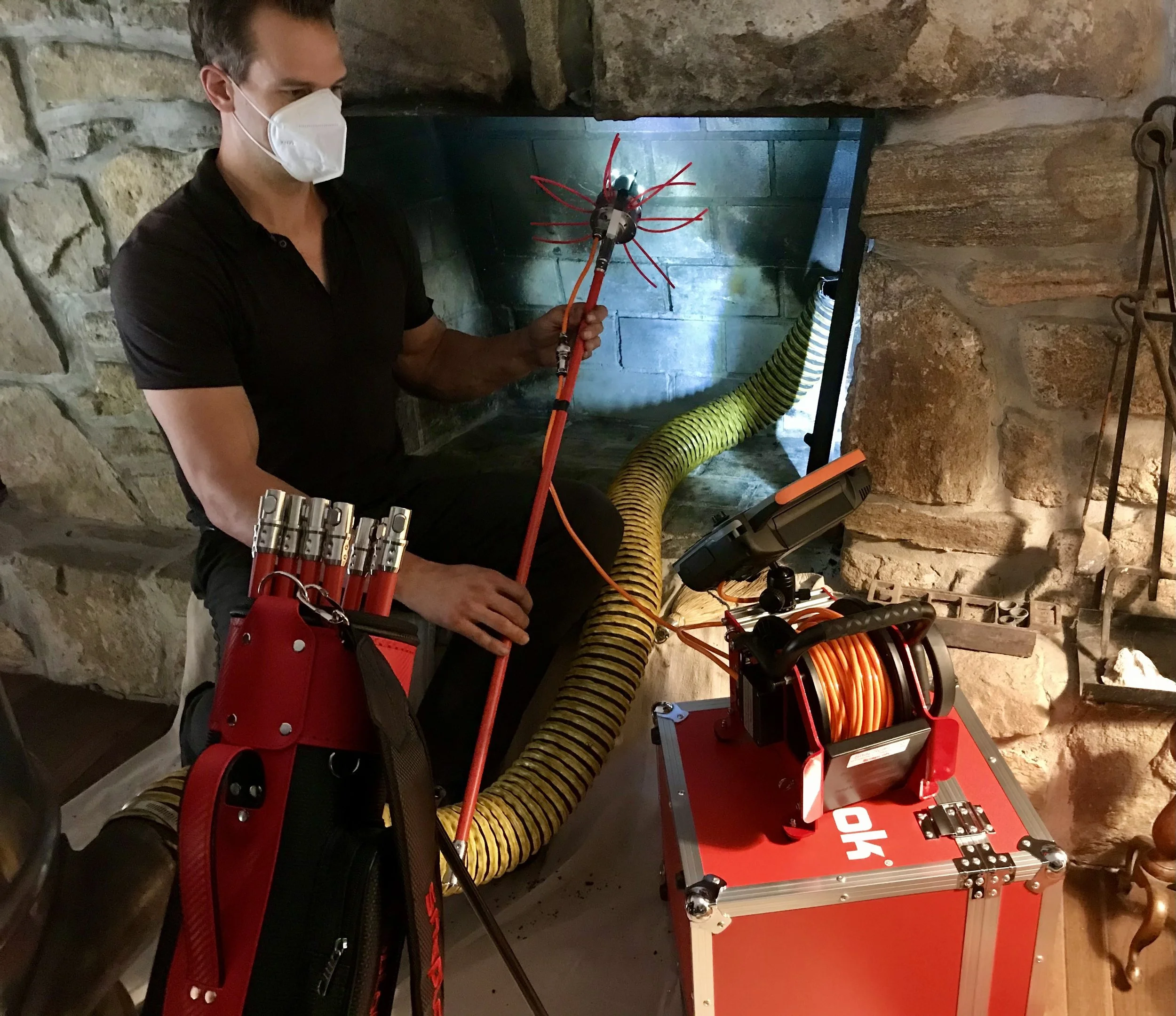 FieldEdge makes the strongest case for a shop that has already built its service items, customer records, and work orders there. Select supports a single-option quote. Premier and Elite support multiple options. An existing Premier customer can therefore compare two cap choices without replacing the operating system or buying a separate presentation tool solely for that purpose.
Proposal Pro offers a fuller option display and is included with Elite or available by quote on lower plans. In the documented workflow, the sales rep starts from a FieldEdge work order and manages the presentation in Proposal Pro. Acceptance appears back on the FieldEdge quote. For chimney work, inspect the actual customer view with your cap specifications and masonry scope. A catalog designed around HVAC equipment takes adaptation.
Our research recorded reported setup costs of $500–$2,000 in addition to the per-user subscription. For a new chimney business, we would start with Jobber for simple offers or FieldPulse for greater flexibility. The case for FieldEdge is stronger for a chimney sweep business that can reuse existing job records, service items, and customer details.
Choosing Chimney Sweep Software for Your Office and Field Crew
The best chimney sweep software for a two-person shop may come down to a handoff you make several times a day. Have the sweep price a stocked cap, then ask the office to retrieve the signed copy in just a few clicks while the customer is on the phone. If chimney sweep business software can show the property, accepted total, and signature on one screen, count the steps it saves on that particular call.
Who sets the price, and who can offer it?
Give two estimators the same supplier quote. In the estimating software, change the cap cost before either estimator sends a price. Now change it again after one customer signs. The business needs to know which open offers need review and what the signed customer agreed to pay. For a custom order, match purchase orders to the job and check the margin against actual job costs when the supplier bills you.
Chimney service software and general field service software often put both the costing worksheet and the customer’s offer under “Estimates.” Open each as a different user. An estimator needs the cost breakdown. A technician quoting the next chimney sweep job needs the current selling price. Customers need the total and the work it buys. Test those views before paying for a separate estimating software subscription.
Who handles quote follow-ups?
Home service contractors often hear back from customers after the sweep has left the property. For a useful customer communication test, reply to the quote with a question about the cap finish. If the software offers two-way texting, check whether the reply reaches the person who can change the offer. Open the client portal on a mobile device as the customer and check which version you can still approve.
Set up follow-ups on three sample quotes, then approve one, decline another, and leave the third open. Automated emails should stop for the first two customers. Have the office log a phone call against the third job. Can the next person see it in the software before sending any further follow-ups? When a service business starts pricing more jobs each week, a queue that shows who owes whom a reply can save time for both the dispatcher and the customer.
Can dispatch see what the customer bought?
Try the same accepted quote in two roles. The dispatcher may use dispatch mapping or GPS check-ins to see whether a crew has arrived. The sweep needs the accepted scope, site contact, and access instructions. Ask each person to update job progress from their own login. If the chimney sweep software sends customers a status message when the crew arrives, read it on the customer’s phone.
When reviewing job reports, distinguish a sold cap from an installed cap. A signed quote can sit for weeks while the part ships. A job progress report should let the office find those waiting customers. If the vendor recommends advanced reporting as you take on more jobs, try answering two questions from the software’s standard job reports first. Which approved jobs need scheduling, and which completed jobs still need an invoice?
Test a Chimney Sweep Job From Quote to Invoice
Try the chimney sweep software with one approved repair and one optional item. For example, quote $650 for a cap replacement including the specified access, removal, installation, and cleanup. Offer a separate $120 item for a second flue. These sample figures let chimney sweeps check the math. For actual chimney sweep pricing, use your own job costs and prices for your local market.
Read the homeowner’s copy. With the extra declined, the subtotal should be $650. With it selected, the subtotal should be $770 before any applicable tax or discount. The copy should identify both flues and give the customer the agreed payment terms.
Approve one scope and retrieve it. Sign the $650 option. Have an office crew member find the accepted copy, its date, and the property address without help from the estimator. Check that the second-flue item is outside the approved work.
Change the order. Add the $120 item after signing. Have the customer approve the new total. Check where the original signed document lives, how the office distinguishes the two versions, and how the crew knows which one is current.
Book and bill the work. Open the scheduled chimney sweep job in the mobile app as the crew would. Look for the selected cap, correct flue, access arrangement, and instructions. If the customer paid a deposit, use the chimney invoicing software to check the balance on the resulting invoice.
Run the chimney sweep software demo with the roles your service business actually uses. Give the estimator a field login and the dispatcher an office login. If a property manager approves the repair and a tenant supplies access, check that the chimney CRM software can keep both property contacts on the job. Send the quote to the payer and give dispatch the tenant’s access details.
Check the deposit when you send invoices
For a service business ordering custom caps, the deposit affects cash flow as soon as the job is sold. Approve the $650 sample quote and collect payment of $200. If your customers use Apple Pay or a credit or debit card, test the method they use most. Have the office send invoices from the approved job and check that the balance is $450 before tax. Then try to collect payment on the balance from the customer’s phone. A shop trying to get paid faster can learn more from that last step than from a payments feature list.
If your chimney sweep business software connects to QuickBooks Online, look up the deposit, invoice, and final payment under the same customer. A business using QuickBooks Desktop should run the test in its own edition. Record where the office corrects a payment applied to the wrong job and whether the correction reaches the other system. Before your next cash flow review, compare outstanding invoices in the service software with the customer balances in QuickBooks Online.
Frequently Asked Questions
Which chimney quoting software is best for a small sweep business?
Jobber is our pick for a small sweep business that usually sends one defined price. Customers can approve through Jobber’s client portal and pay a requested deposit. FieldPulse is a better fit as crews start quoting separate flues, packages, and reusable terms on the same visit.
What belongs in a chimney job quote?
A chimney repair quote should identify the property, flue, included work, exclusions, quantities, price, and total. Specify access equipment, debris removal, applicable taxes or discounts, payment terms, and the date the offer expires. Reference the inspection photo that identifies the area to be repaired.
Can a chimney inspection report serve as the customer’s repair approval?
A chimney inspection report records findings. Use your field service quoting software to collect approval on the particular repair scope and price the owner selects. A homeowner may acknowledge a report and still choose to defer one of several quoted repairs.
Which platform keeps a signed copy when a quote changes?
Jobber saves the previous signed quote as a PDF in an internal note when specified edits remove the signature. Housecall Pro emails the signed estimate and terms to both parties after online signing. For either product, send the revised scope to the customer for a new decision.
How should a chimney company quote two flues at one address?
Chimney sweeps should quote each flue under an identifying name, then specify whether the customer can choose either repair or both. Include shared access costs once for the chosen combination. FieldPulse groups and Housecall Pro’s configurable option approval are useful for different versions of that workflow.
When is separate estimating software worth paying for?
Start with a job that takes your estimator time, such as a cap order that covers two buildings and one lift rental. Try it in the chimney sweep software you already use. If separate estimating software makes the cost calculation easier, check how the agreed quantities and price return to the customer’s job. Keeping the quote, signature, and deposit on one platform can save time for a small office that would otherwise re-enter all three.
What should chimney sweeps look for in quote reminders?
Try the follow-ups as a customer. Open the first reminder after the quote expires, then accept a fresh offer. Ask the vendor to show whether its chimney sweep business software records which offer the customer opened and lists any follow-ups still scheduled. Assign one person to call customers with an unresolved question before the next reminder goes out.
How does the software handle expired chimney quotes?
Whether customers can still approve the quote depends on how the software handles expired links. FieldPulse can restrict an expired link, and ServiceTitan supports online estimate expiration settings. Print the validity date on the offer as well, so the office and customer can interpret a downloaded copy.
When should a chimney sweep business choose commercial quoting software?
A chimney sweep business benefits from commercial quoting software when multiple buildings, internal price approvals, purchasing, and phased delivery depend on the same accepted scope. BuildOps fits that work. For related residential workflows, see the chimney software guides.

Olivia Evans
Olivia has more than 10 years of experience researching field-service software for HVAC and other service businesses and improving their marketing and operations. She conducts hands-on workflow tests, documents findings with screenshots and notes, and checks product claims against official vendor documentation.
Author profile →How we test →